.png)
QUESTION: Can I search for a matter by contact name in the Client & Matter Dashboard?
RESPONSE:
It is not possible to search by contact directly within the Client & Matter Dashboard. When you click the ellipsis button next to the Client field, the system is designed to search only for persons assigned as “Client” by default.
However, there is an easy workaround to help you achieve what you're looking to do:
-
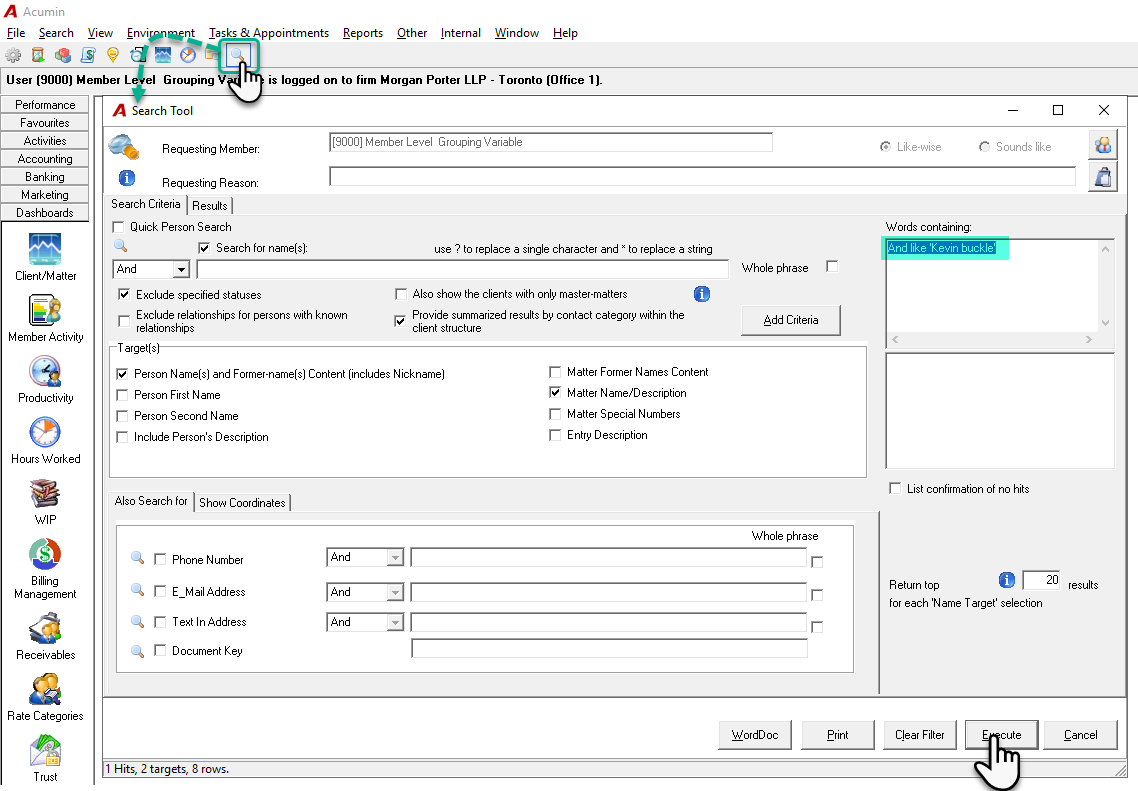
Click on the Search Tool from your icon bar.
-
Search for the contact (by name, phone number, email address, etc.).
-
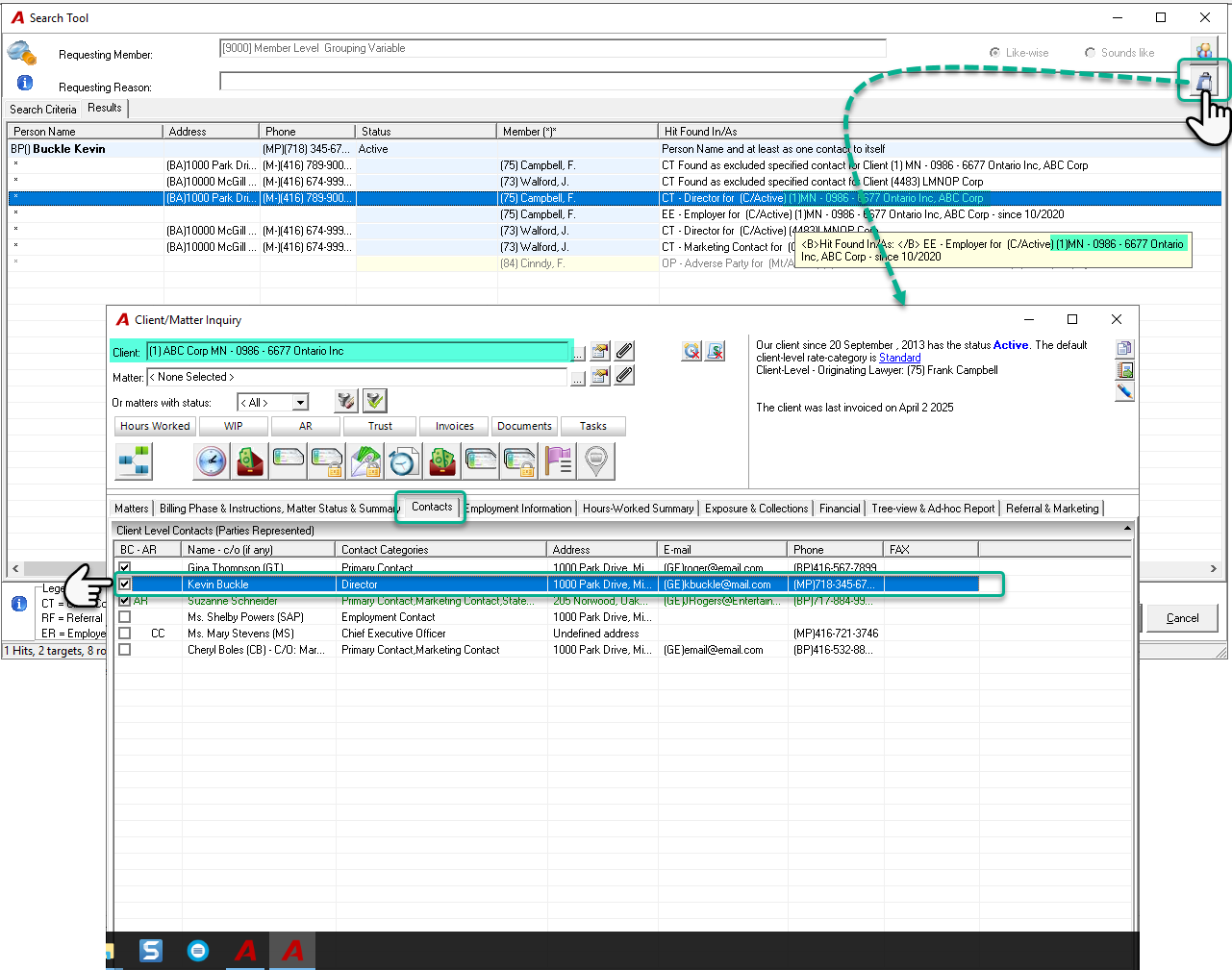
In the Search Results tab, review the "Hit Found In/As" column to identify the client/matter association.
Once you’ve located the desired client/matter:
-
You can click on the Client & Matter Dashboard icon located in the top-right corner of the Search form.
-
Then, simply enter the client/matter code to access the related dashboard information.
Using the Search Tool is especially helpful when you're looking for a contact using details such as a phone number or email address—not just their name.
RELATED DOCUMENTS:
Search-Inquiry - Search Tool and Importance of an Effective Search Process