.png)
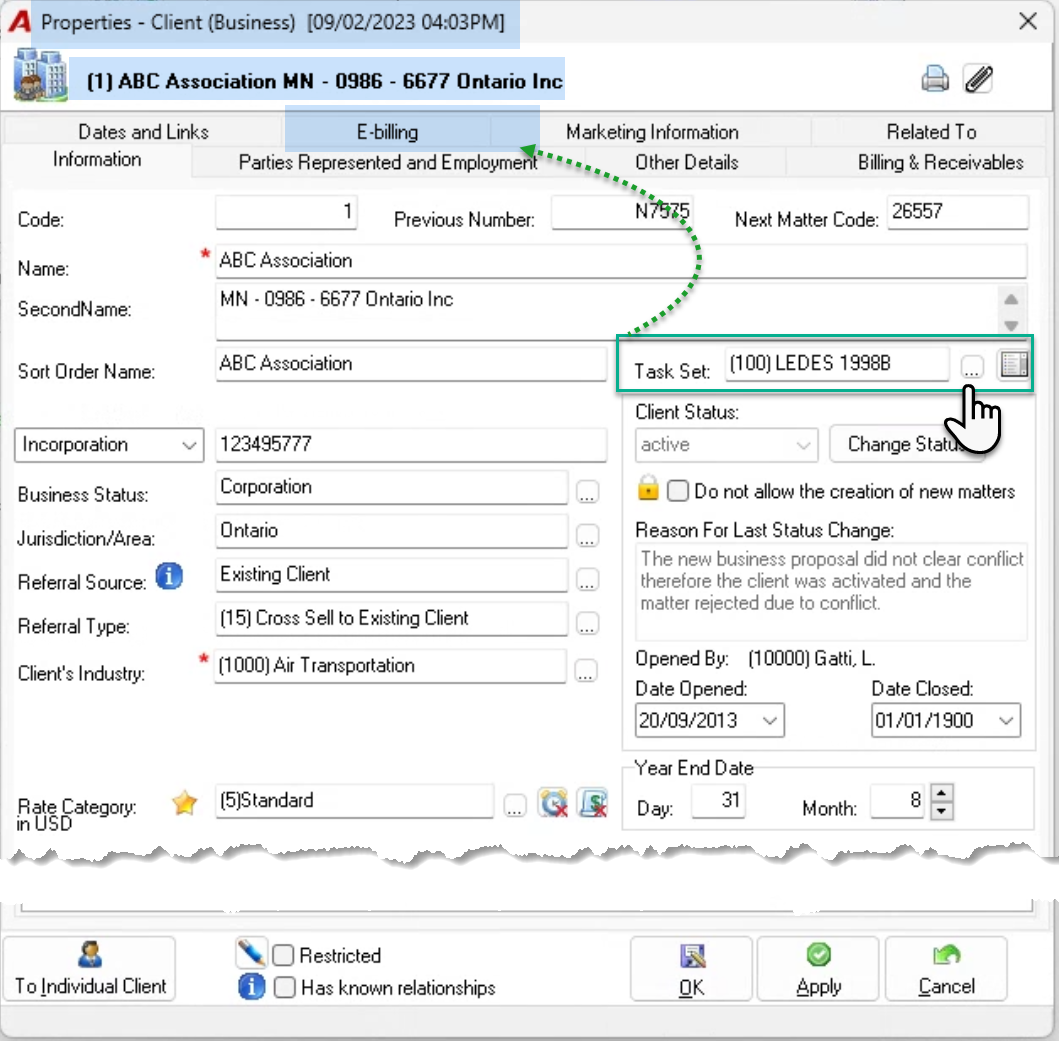
QUESTION: How do I know a client is set up as an e-billed client?
RESPONSE: Clients set to be e-billed have a task-set selected into the “Task Set” field. The task-set selected enables visibility and access to the “E-Billing” tab where users enter the information needed to generate the e-bill in context of the allowable codes and required e-bill format. If a client is set as an E-Billed in error, clear out the content of the e-bill tab, and remove the task-set from the task set field in the information tab. Press OK to accept and exit. This will remove the requirements specific to E-Billed clients.