.png)
Scope and Purpose
The purpose of the "No Time Invoice" functionality is to provide a vehicle for the firm to process special non-client related invoices.
Its scope is limited to regular internal use, for example for inter-company management fees and/or occasional use, for example corrective accounting measures when the corrections cannot include time entries.
Highlights
-
A “No‑time Invoice” is not meant to include time entries or show links between hours worked, fees billed, or allocation measures. It does not work like a regular invoice and does not use standard allocation rules.
-
It is used only for fees that have no connection to time spent, such as management fees billed internally (for example, from a management company to an LLP). Because no time is involved, these fees are allocated to members based on role, and only a few allocation measures apply.
-
Flat‑fee invoices, even without recorded time, still relate to work produced and should be processed as regular matter invoices so the business can track analytics correctly.
-
The “No‑time Invoice” is intended for occasional use, often for corrections or inter‑firm billing. It can only be generated as a Word‑merge invoice and has limited formatting options. In systems using foreign currency billing, its limitations also apply to foreign currency rates and fee adjustments.
The "No Time Invoice"
Invoice Properties
Access
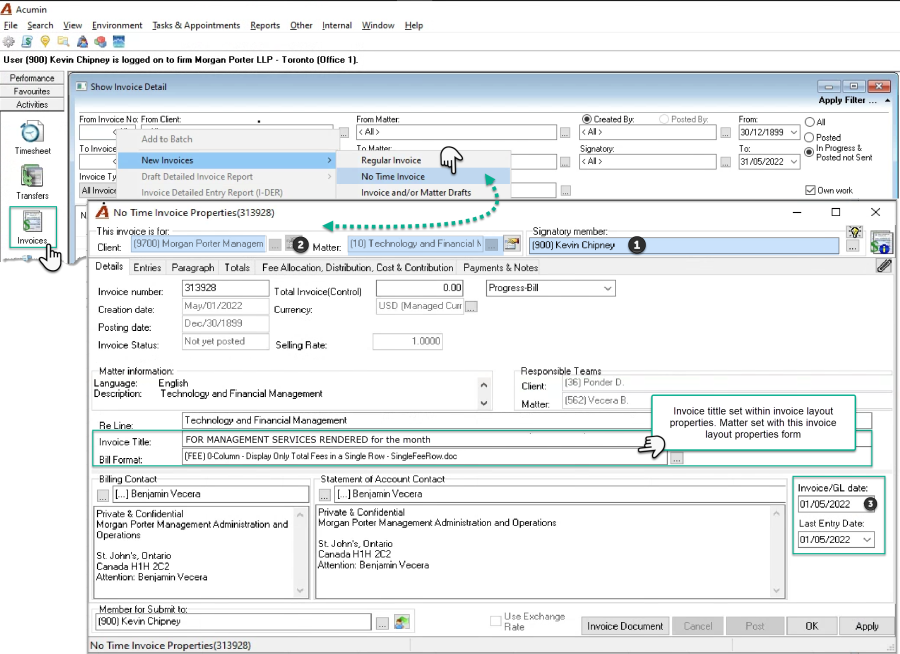
From the "activities" section of the task bar, click on "Invoices" to access the "Show Invoice Detail" list-view form. Right-click to access the contextual menu, select "New Invoices" – "No-time Invoice". Enter the signatory first, tab to enter the internal file number, and then confirm the invoice transaction date. Although there is a last entry date, the invoice should not have any time associated to it.
Details Tab and Other General Options
The ""No-time Invoice" does not support the inclusion of additional billing contacts for receipt of carbon copies (cc), and as the presentation rule is only applicable to time entry inclusions, the latter is not included in this format.
The "No-time Invoice" processed in a foreign currency have their fees converted using the currency exchange rate as at the invoice date. As there is no expectation that time entries will be included in the "No-time Invoice", the functionality for foreign currency billing rates and the ability to modify the foreign currency fee is also exclusive to the "Regular Invoice" regardless of foreign currency licensing level.
The default "submit to" member is the same as the one for the "Regular Invoice" and it can be modified as needed.
The "Invoice Document" button launches the "Invoice Document Creation" form, however as this invoice is for occasional use it has limited functionality, for example the ability to generate in PDF with its multiple options, to email, to include the signature etc. If the member summary option is used, an empty table for completion by the end-user will be generated in MS Word – a less functional output.
Entries Tab
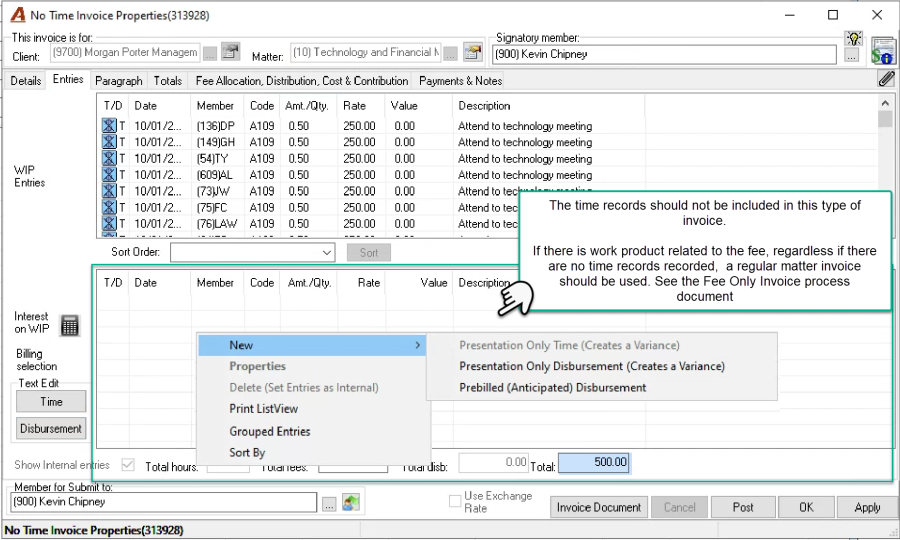
Consistent with intended use-case, the "No-time Invoice" will launch with any unbilled time and/or disbursement entries in the WIP Entries section of the entries tab so the user can set a fee with no content in the billing section.
Designed for use when there are fees to be billed without any associated work product, the end-user has ultimate control and can opt to include time in the billing section, however the impact on measures and analytics per role holder or working member will not be the same as if the time entries are billed with a regular matter invoice, altering expected outcomes for business stakeholders.
If time entries are included in the billing section of the entries tab, the value of time will not be calculated on the "Total fees" field, whereas for disbursement entries included, their value will be calculated in the "Total Disb." Right-click options for disbursements remain available in the billing section of the "No-time Invoice".
Paragraph Tab
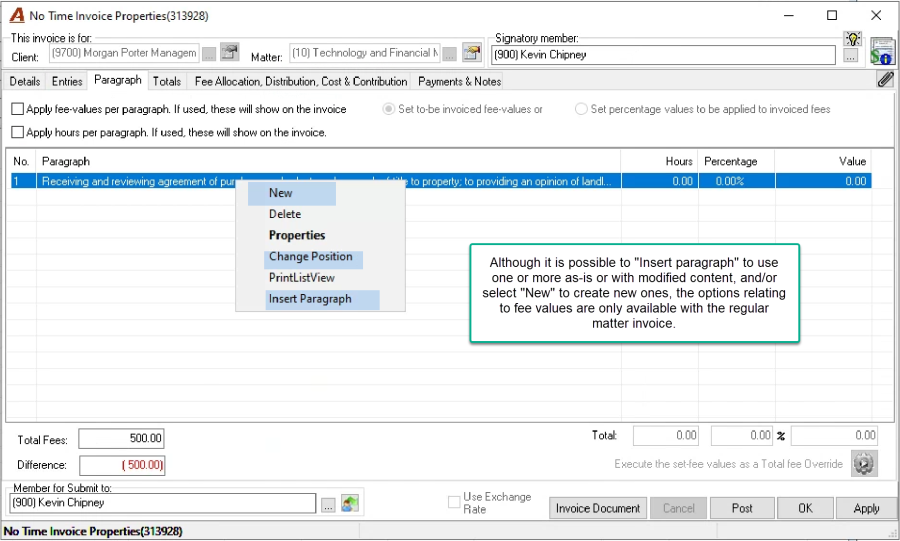
Users can insert paragraphs to use-as is or modified, and/or create new ones to present within the no-time invoice, in any order as substitutes for presentation only tome entries.
Other presentation hours and fee value related options presented on the form will not be reflected in the word merge document. As only the description content will merge into the word document regardless of format selected, modifications to show the member, date and time for presentation purposes only can be inserted within the word document as needed.
Totals Tab
Apply a discount or funds in trust from the totals tab, however the client or matter-level discount hierarchy and the client specific labeling is not applicable to the "No-time Invoice".
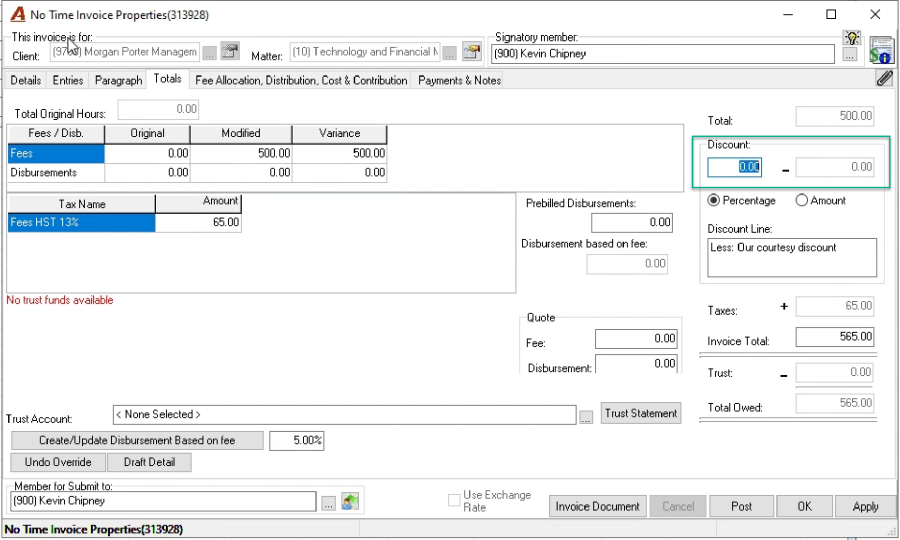
From a tax calculation perspective, the "No-time Invoice" will always calculate tax on fees based on the invoice tax policy applied to the invoice.
Allocations Tab
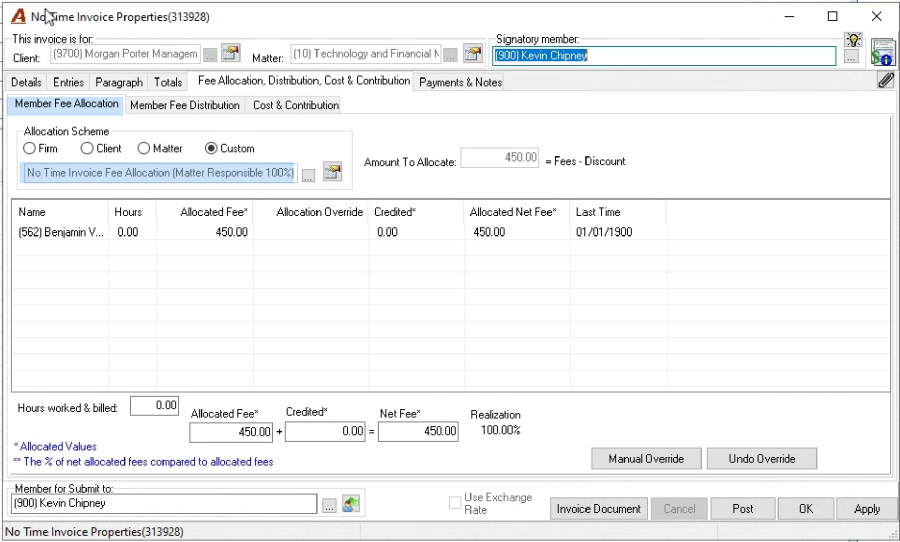
The "No-time Invoice" has its own firm-defined allocation schema(s). They are limited to member specific or role holder assignments, therefore, any time entries included in the "Billing" section of the invoice will not be considered as credit work for the working member.
Invoice Document
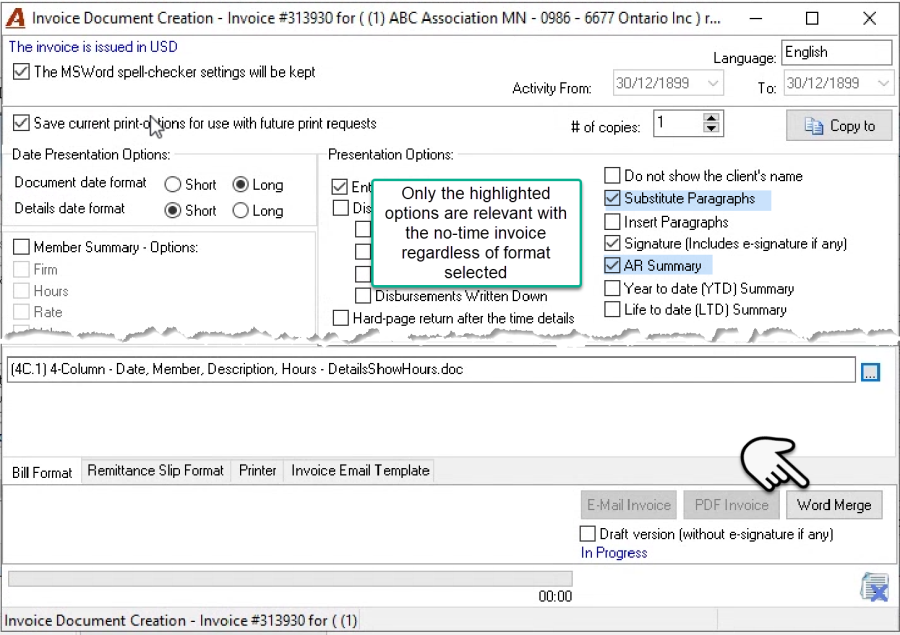
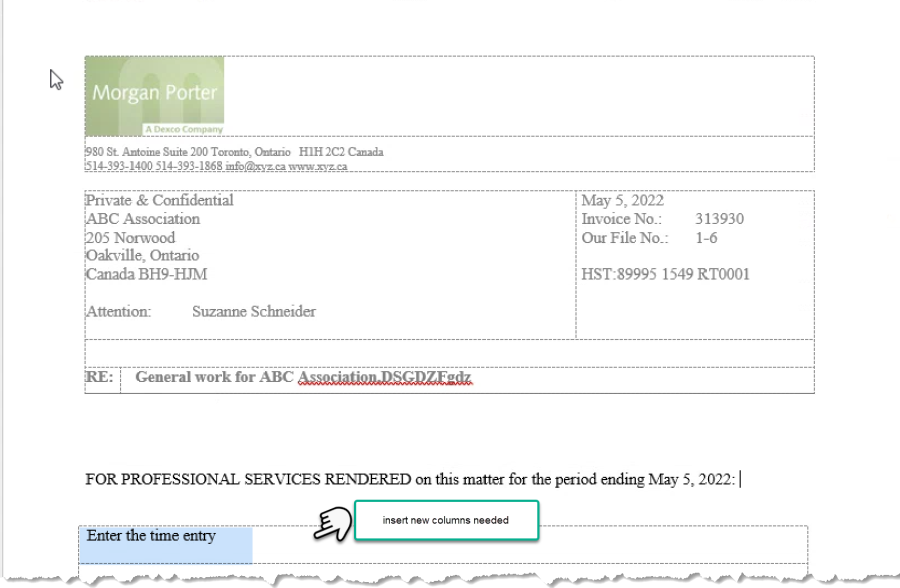
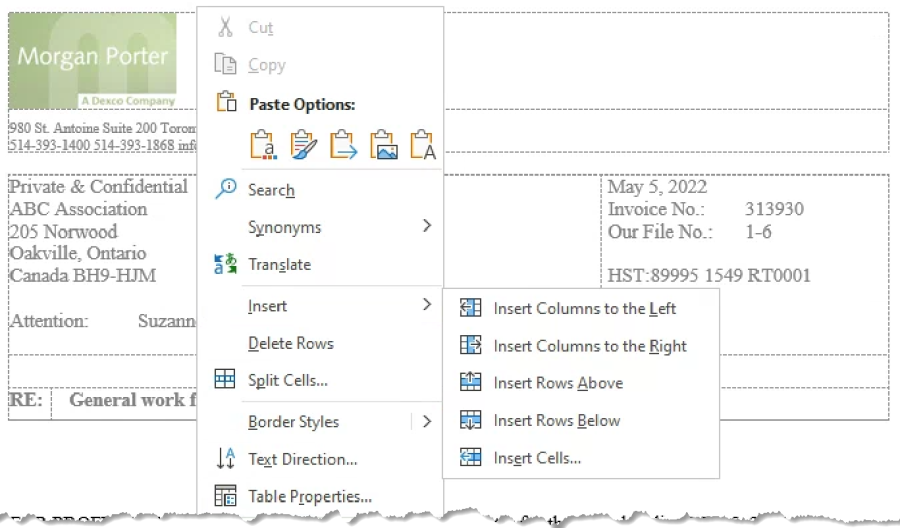
Only the description content will merge into the word document regardless of format selected, modifications to show the member, date and time for presentation purposes only can be inserted within the word document as needed by inserting columns.
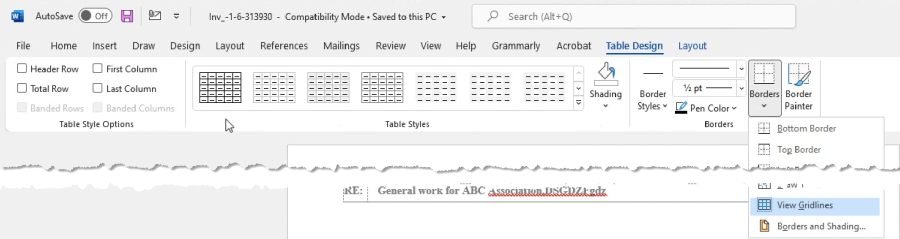
Once in word, use word tools. For example view gridlines so you can then insert additional columns to add time entries for presentation only.
The "Regular Invoice" for Fee Only Arrangements
The "Regular Invoice" is based on the concept of time spent. It associates the value worked to the fee billed; therefore, it is the better tool for managing the invoicing of work product, regardless of the type of alternate fee arrangement, or matter for example hourly billing, transactional or contingency based.
In addition to providing the client with an invoice at the agreed upon fee (with or without time entry details), the firm will be able to use comprehensive functionality not available to the "No-time Invoice" for more effective outcomes as well as leverage the relationship between value worked and net fee value to generate a myriad of valuable measures and analytics. Please refer to the document "Invoice – Fee Only Invoice Options for Alternate Fee Arrangements – How To" for more details.
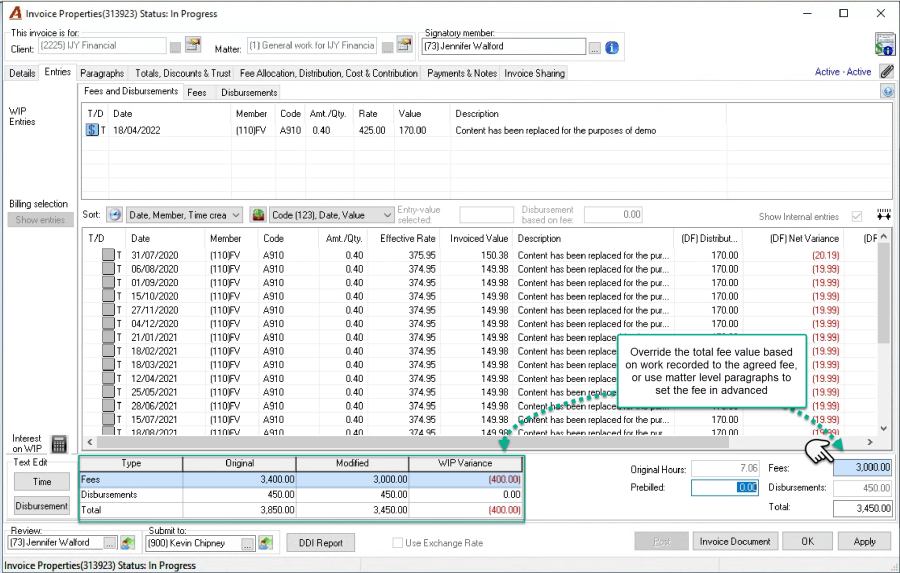
In terms of fee allocation options, the allocation formula attributes for the regular invoice are extensive, minimizing the need for manual allocation overrides for a variety of occasional scenarios.