.png)
Logo for the Invoice Document:
The standard deployment model includes the implementation of the organization’s logo into the dynamic invoice engine.
Deployment Considerations
The below options are available within the dynamic invoice engine functionality;
Requirement: Please send the logo in “jpeg” format to the project manager assigned to your upgrade project.
Logo Position and Size
For an image with a definition of 300 dpi (minimum definition recommended):
1st page position
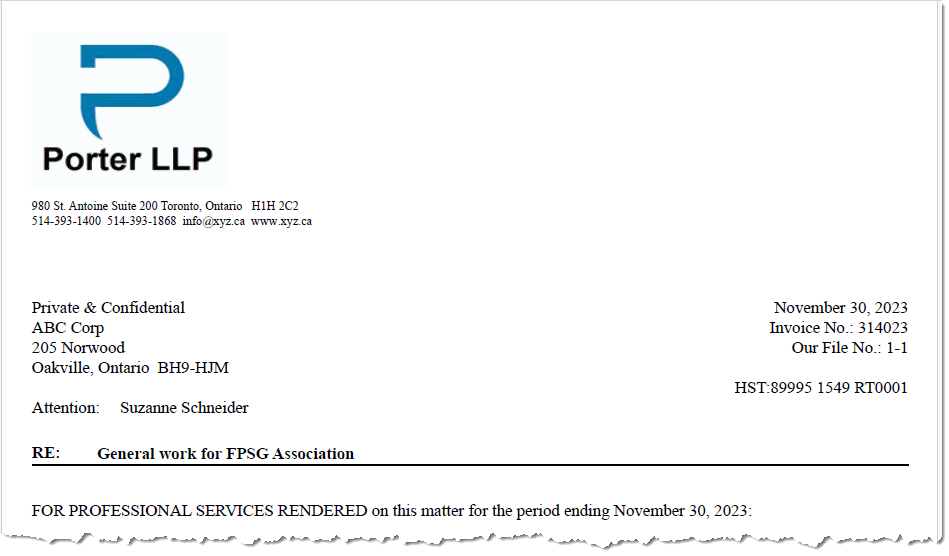
Applicable in the main header of the matter summary, invoice and remittance slip documents:
-
In all cases the minimum and maximum height for the logo should be .50 in (1.27 cm) and 1.5 in (3.81 cm) (equivalent of 48 – 144 pixels);
-
The width requirements depends on the location of the logo within the document produced:
-
If left justified, we need a logo with a minimum of 1.0 in (2.54 cm) and maximum of 3.14 in (8 cm) (equivalent of 300 – 942 pixels)
-
If centered, we need a logo with a minimum of 1.0 in (2.54) and a maximum of 7.4 in (18.8 cm); (equivalent of 300 – 2220 pixels)
-
If right justified, we need a logo with a minimum of 1.0 in (2.54 cm) and maximum of 3.14 in (8 cm) (equivalent of 300 - 942 pixels)
-
2nd page position

Applicable if the firm would like logos in the header of subsequent invoice pages:
-
Left Justified: a minimum and maximum width of 1 in (2,54 cm) and 3.14 in (8 cm) (equivalent of 300 – 942 pixels) AND a maximum height of 0.78 in (2 cm) (equivalent of 234 pixels)
Different Logo per Firm (Office):
If a different logo and/or address is used for one or more firms, in addition to submitting each logo file, please include the mapping between the logos submitted and corresponding firms (offices).
Requirement: Please send the mapping to the project manager assigned to your upgrade project.