.png)
QUESTION: A few people have been receiving this message upon logging onto Acumin. We aren’t sure how the happened or how to get rid of it. Could you please help?
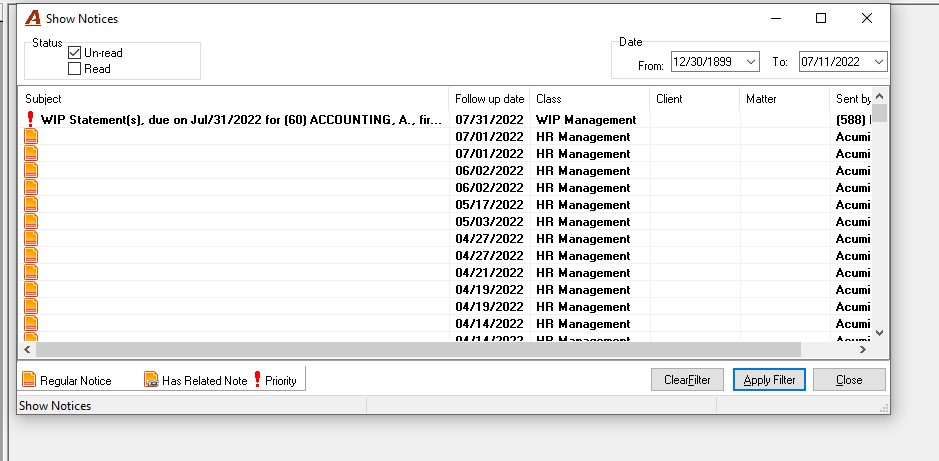
RESPONSE: The pop up has been triggered due to the first message, which is because of someone having executed the billing management tool. It is possible to execute the billing management tool without the reminder pop up message, which is intended for users to know to deal with the results of their E-WIP. This message will continue to trigger the pop-up on login until the billing management tool is ere-run without it, or once the recipient of the E-WIP has dealt with their list.
The other messages are the result of other activity confirming or requiring a step by the recipient. These do not pop up on login but are accessible by selecting the "Check Notices" menu option found within the main menu "Tasks..." option. Once read and dealt with they can be deleted using the delete option available from the right click contextual menu.