.png)
User Defined Non-Taxable Tax Flag
Status
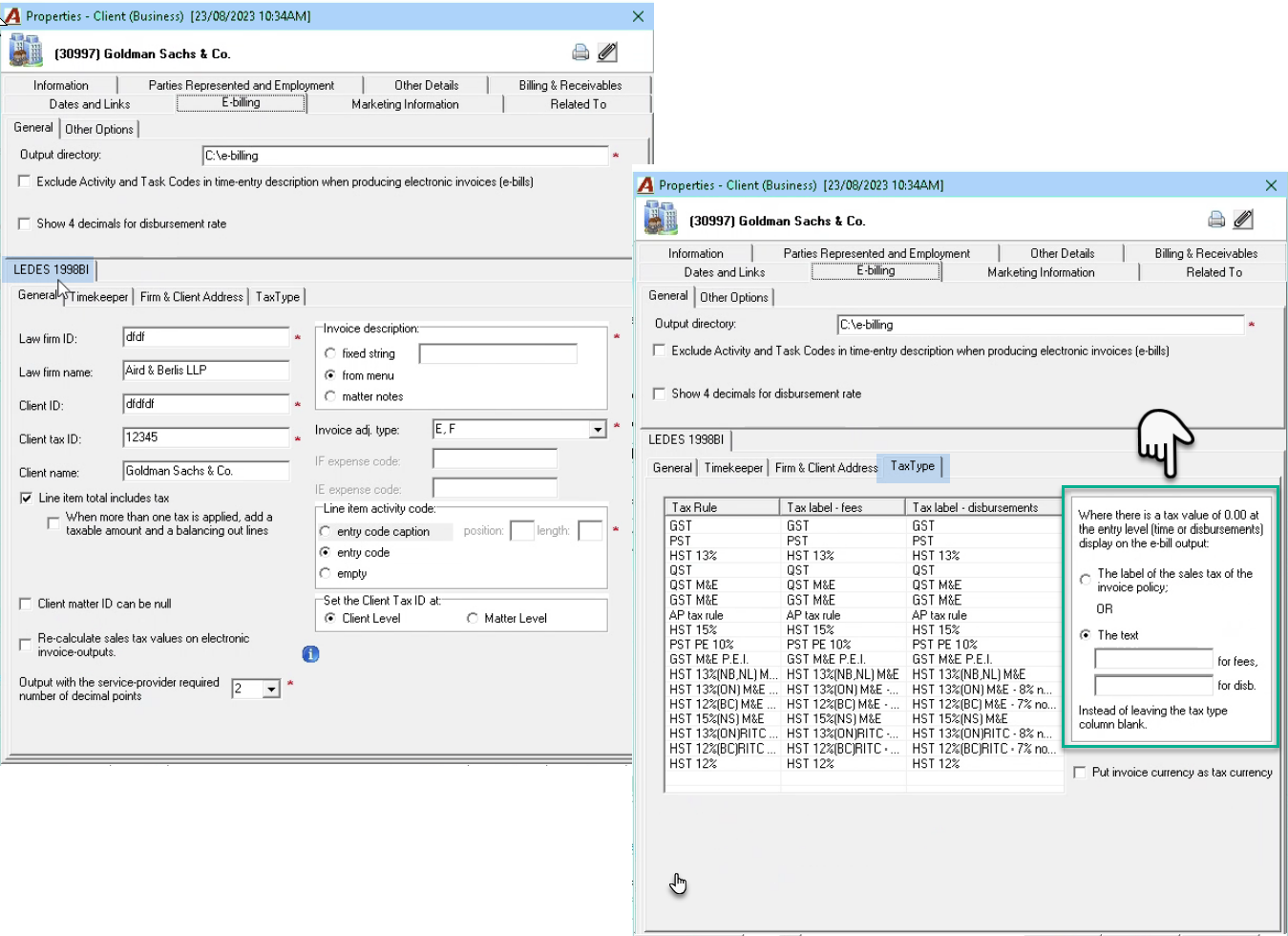
Once the special “User Defined Non-Taxable Tax Type” flag is implemented, the related options will be presented within the client properties form of clients subject to task set.
Process
To complete the set-up for affected clients, access the client properties of the client subject to task set, navigate to the E-Billing tab, and select the “Tax Type” sub-tab of the corresponding “LEDES…” format – bottom section of the E-Billing tab.
Use the options presented to the right of the sales tax list view to meet the client’s requirements.