.png)
Overview:
In addition to standard task-set functionality - a process that involves client-specific codification requirements for time and disbursements recorded within affected matters as well as client-specific billing requirements typically involving an e-bill output source; the application offers the organization the ability to create task sets exclusive to meeting internal or external codification requirements for time or disbursements without additional limitations or constraints, including those typically found when generating e-bill outputs.
Whereas the standard task-set requires the set-up of supporting client and matter level attributes that work together to generate desired billing outcomes often in the form an e-bill, the "codification-only matter level task-set" offers the organization the ability to apply matter-specific allowable time or activity codes as well as task codes in order to structure time records into measurable meta-data in accordance with internal or external requirements, regardless of any task-set assignment made at the client level (if any).
Environment set-up
With UTBMS License ON
-
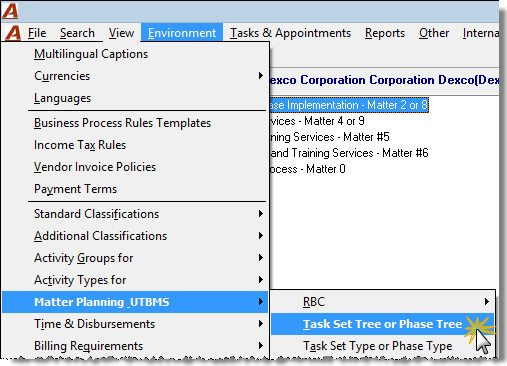
From the main menu select "Environment" – "Matter Planning – UTBMS" – "Task Set Tree or Phase Tree" to launch the tree-view of task-sets.
With UTBMS Licence OFF
-
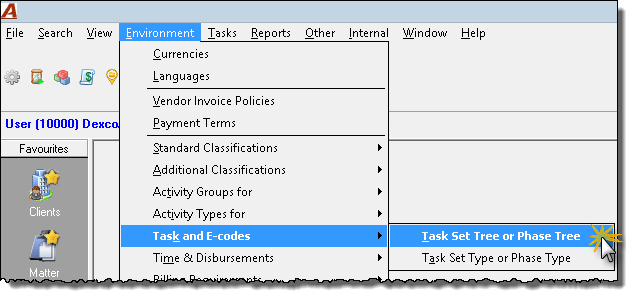
From the main menu select "Environment" – "Task and E-codes - Set Tree or Phase Tree" to launch the tree-view of task-sets.
-
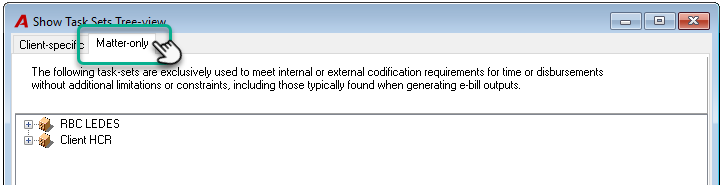
In the Show Task Sets Tree-view form, click on the Matter-only tab;
-
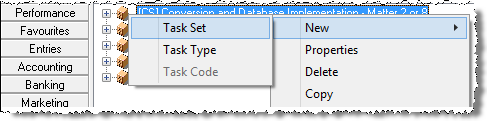
Right-click on the tree-view to access the contextual menu in order to select "New" – "Task Set" and launch the "Properties – Task Set" form.
-
Label the task-set and checkmark the check-box option "Codification-only matter level task-set". For those without the UTBMS license, this option will be already selected.
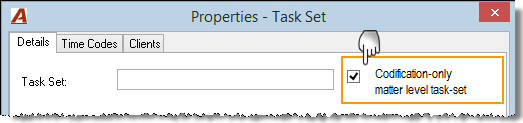
Once identified as a "codification-only matter level task-set";
-
The options related to e-billing requirements are hidden as they are no longer applicable;
-
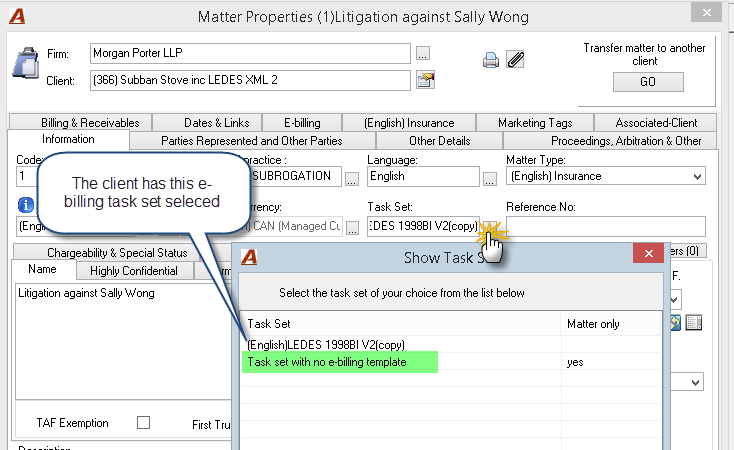
Is made available for selection at the matter level, regardless if the client is set with a standard task set subject to e-billing constraints or not.
Note: Codification-only matter level task-sets can differ from matter to matter within the same client structure, therefore unlike standard task-sets they do not have any client-level attributes for the authorized user or the application to consider.
With this type of structure, the association of a "codification-only matter level task-set" to a client properties form is irrelevant for invoking subsequent functionality, as a result the latter are excluded from the possible list of options presented at the client level. Instead the list of "codification-only matter level task-sets" are exclusively presented at the matter level in order for the association to be concluded as needed.
-
Access the "Time Codes" tab to insert the "activity" or "Time" codes to be used by end-users when coding the activities against matters associated to the affected task-set.
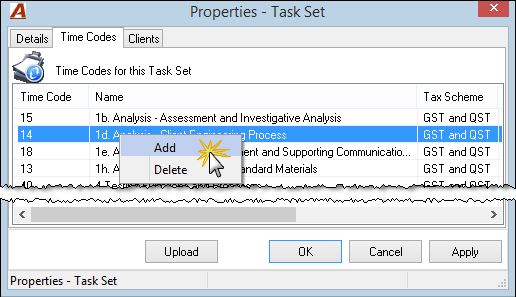
Note: When a time-code or activity-code is created, the authorized user must decide if the "Activity" or "Time" code" being created is to be available for general use or exclusive to associated task-sets.
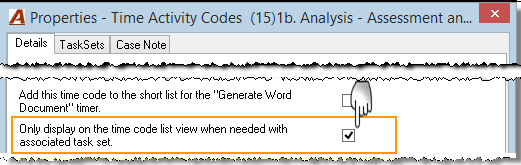
To restrict the use of "activity" or "time" codes within matters associated to affected task-sets, checkmark the option "Only display on the time code list view when needed with associated task set" found within the properties form of the affected code. This restriction will hide the activity or time code from the standard "Show Time Codes" listview unless the affected matter is associated to any of the task-sets that use the affected activity or time code.
Data-entry Control:
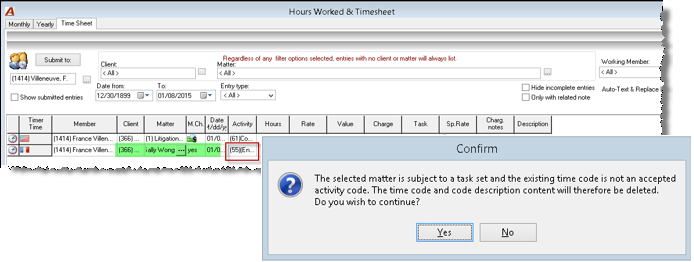
If a user in the process of recording time for a matter subject to task-set (standard or codification-only matter level) enters a non-associated time-code or activity-code, the application will provide the following message. On selection of YES the user can make a selection from the allowable list of associated codes, on selection of NO the time or activity code is retained but the entry will not be posted until it is corrected through a change of matter or a change of time or activity code.
Consistent with existing business logic, the task-set list presented at the matter level includes the standard task set associated to the corresponding client (if any) as well as all the "codification-only matter level task-sets" created within the organization's environment.
Use Case
The "codification-only matter level task-set" is typically used for matter-specific codification requirements, where the organization is acting on behalf of its client on various matters each with very distinct final invoice recipients within distinct codification needs. In addition, this type of task-set is also used to streamline time-records to comply with internal codification requirements where the affected matters have no client-specific ones to adhere to. It is also used when the firm doesn't have the e-billng license and still want to populate their entries with the proper codification.
Time Entry
All time entry vehicles limit the end-user's time-code or activity code options to those associated to the affected task-set (if any).
Timesheet
The ellipsis button to the right of the activity code column will launch a restricted list of time or activity codes, all of which would have been associated to the affected task-set. 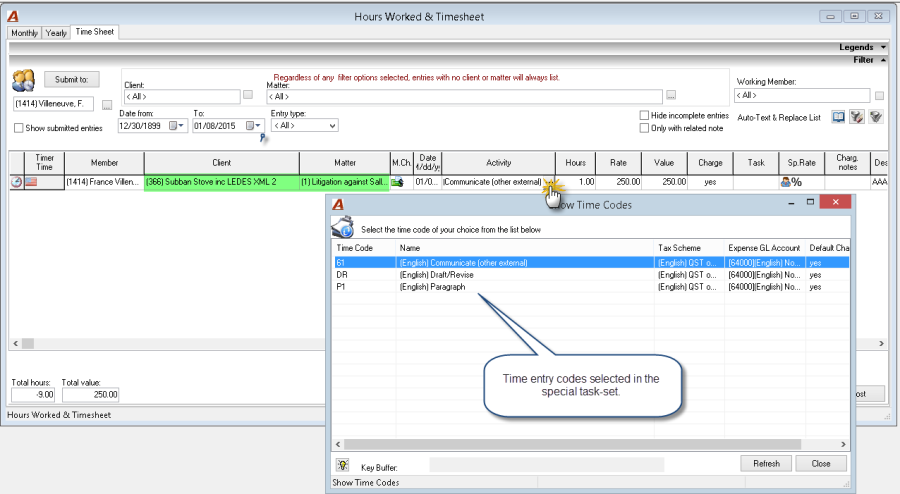
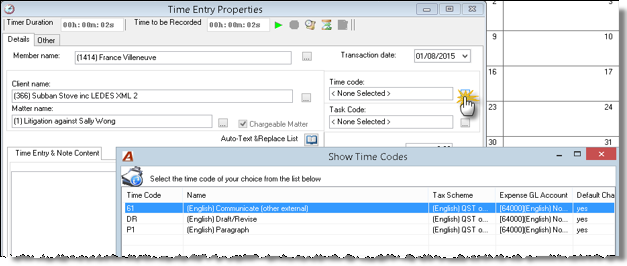
Time Entry Properties
The ellipsis button to the right of the time-code field will launch a restricted list of time or activity codes, all of which would have been associated to the affected task-set.
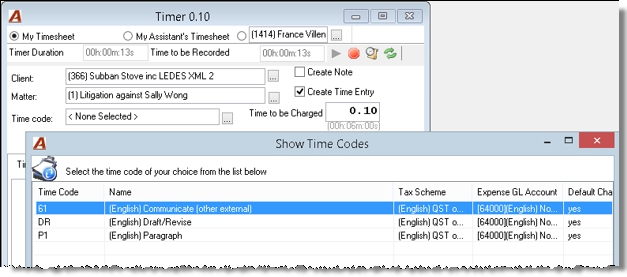
Timer
The ellipsis button to the right of the time-code field will launch a restricted list of time or activity codes, all of which would have been associated to the affected task-set.
Note: If the firm sets a non-chargeable matter (time and/or disbursement) with this type of task-set, the firm environment will have to be configured to allow the posting of non-chargeable time and/or disbursement on matter subject to task set. These options are located under Environment - System configuration - System settings – Other tab: Allow non chargeable disbursements on UTBMS matters" and "Allow non chargeable time on UTBMS matters".