.png)
How to defined non-Taxable tax type for 98BI Ledes Formats
Invoice Policy Tax label replacement for nontaxable entries
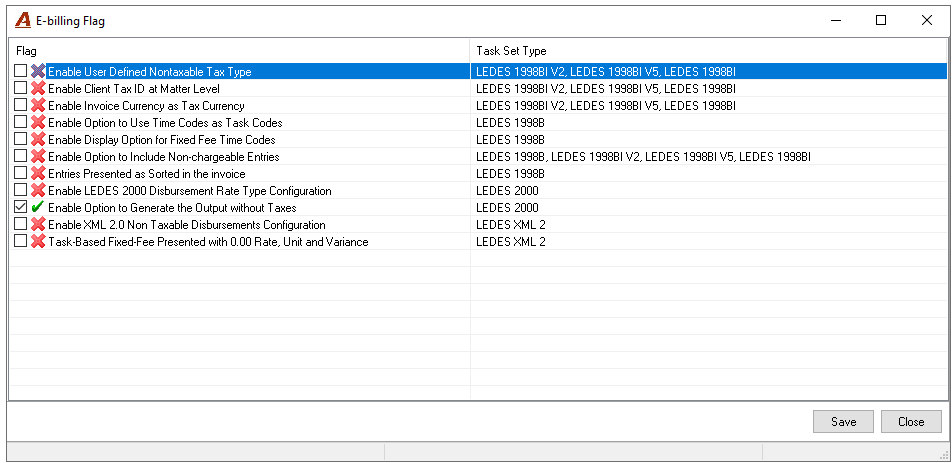
Allows the firm to specify tax type labels to be populated for nontaxable time and disbursement entries in the generated e-invoice. Typically, nontaxable entries have no tax type uploaded into the e-invoice’s “LINE_ITEM_TAX_TYPE” column leaving the column blank for entries with $0.00 tax value; yet, in the event that a client requires this column to be populated with a tax type, Acumin offers a method to meet this request.
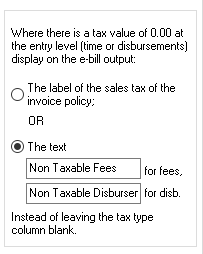
The user can define the tax type label to be populated in the e-invoice’s “LINE_ITEM_TAX_TYPE” column for nontaxable entries. The section offers two radio buttons and two text fields for user-input.
-
Activating the first radio button will cause entries with a $0.00 tax value on the e-invoice to be assigned the tax type label of the invoice’s tax policy.
-
Activating the second radio button allows the user to define unique tax type labels for both time and disbursement entries on the e-invoice by inputting the desired labels in the text fields. If the text fields are left blank, the nontaxable entries will be assigned no tax type labels in the e-invoice’s “LINE_ITEM_TAX_TYPE” column. By default this second radio button is active and the two text fields are left blank, thereby respecting the traditional functionality.
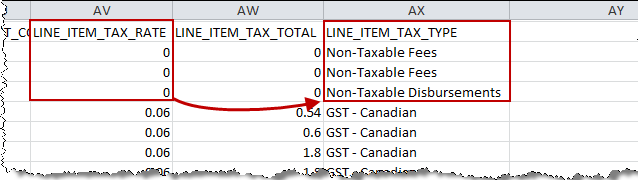
In the example provided here, the user has opted to define unique tax type labels for time and disbursement entries. So when generating the client’s e-invoice, the entries with a value of 0 under the “LINE_ITEM_TAX_RATE” column have the defined tax type labels populated into the “LINE_ITEM_TAX_TYPE” column instead of leaving the column blank.