.png)
Acumin Desktop allows to set personally your preferences with respect to how Acumin Mobile handles your submitted time entries. One of the options is to assign a specific user as the default user to submit or release the time entries. Acumin Mobile then synchronizes with these settings.
Please follow the next steps to save your user preferences:
-
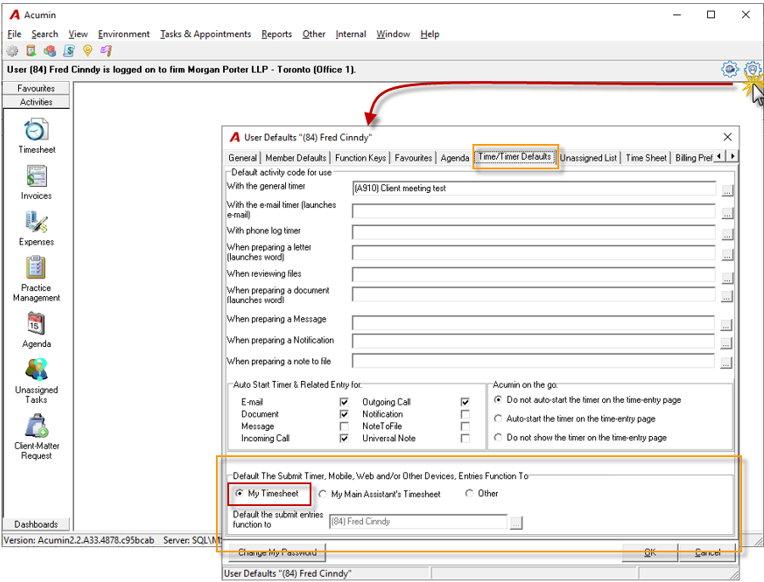
To open the User Preferences click on the blue icon as shown below, then select the “Time/Timer Defaults” tab;
-
At the bottom of the form, you one of three options to select:
-
The first and default option is “My Timesheet”. Entries will be released to the Timesheet of the user who is logged in to Acumin.
-
b. The second option, “My Main Assistant’s TimeSheet”, the time entries will be released to the Time Sheet of the related-user established within Member Properties.
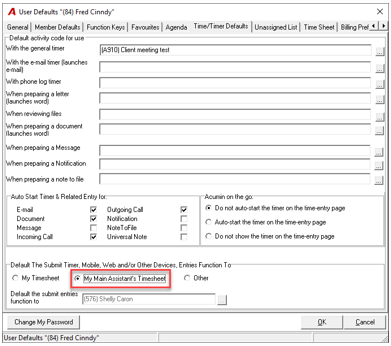
If the member has not been related with a main assistant, please follow the next steps to set it up:
-
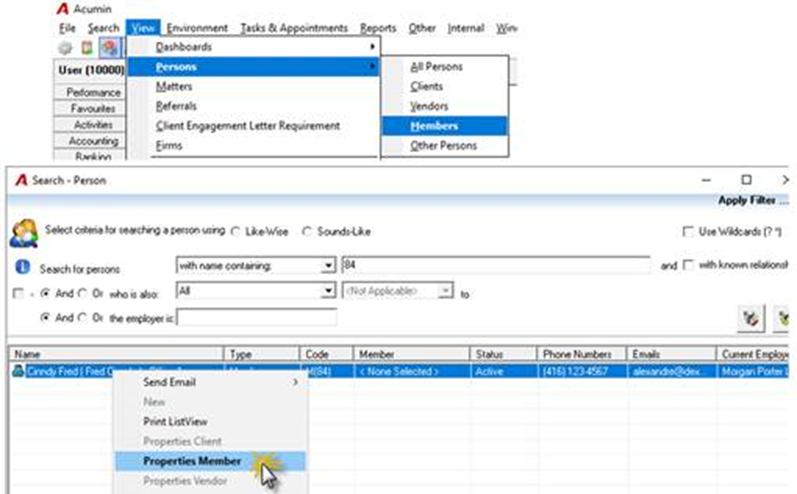
Go to the member properties and select Details and Firm Availability tab:
-
In the Assistant(s) section, right-click, select Add and the Search Person tool will launch. Enter the member code or name of the assistant and hit enter or click Find. Double click on the person to assign them as the member's assistant. If multiple assistants are assigned, right-click on a person to assign them as the main assistant.
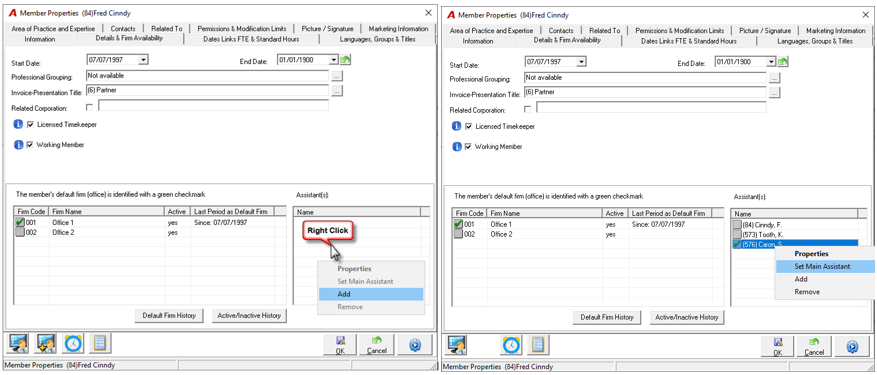
Note: if a related-user is not established, the entries will release to the user’s timesheet (as if they selected “My Timesheet”)
c. Other: The time entries will be released to the TimeSheet of the user selected in the following field… Click on the ellipsis button to open the Search tool. (This can be any member)
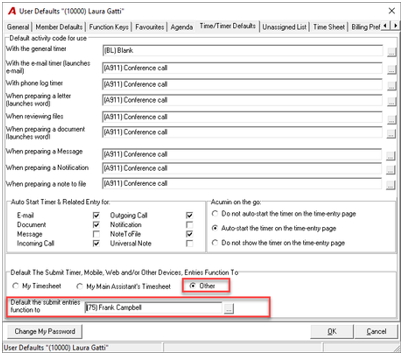
Once the User Preferences are saved by clicking on ‘OK”, when releasing an entry or multiple entries from the Unreleased tab in Acumin Mobile, the entries will be released to the assigned assistant’s Time Sheet.
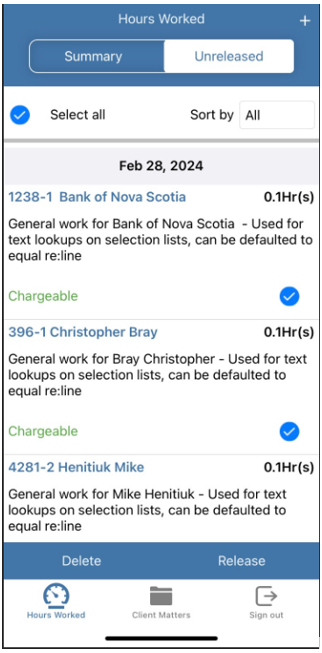
When releasing the entry from the Time Entry Properties, the application will follow the rule established within the User Preferences.
However note that In the case where a lawyer works with multiple assistants, there is a field within the Time Entry Properties form in which the lawyer has the flexibility to override the default setting and release the entries to a user other. Please note that the Lawyer-assistant relationship needs to be established in member properties to be able to select a user from here.