.png)
Access
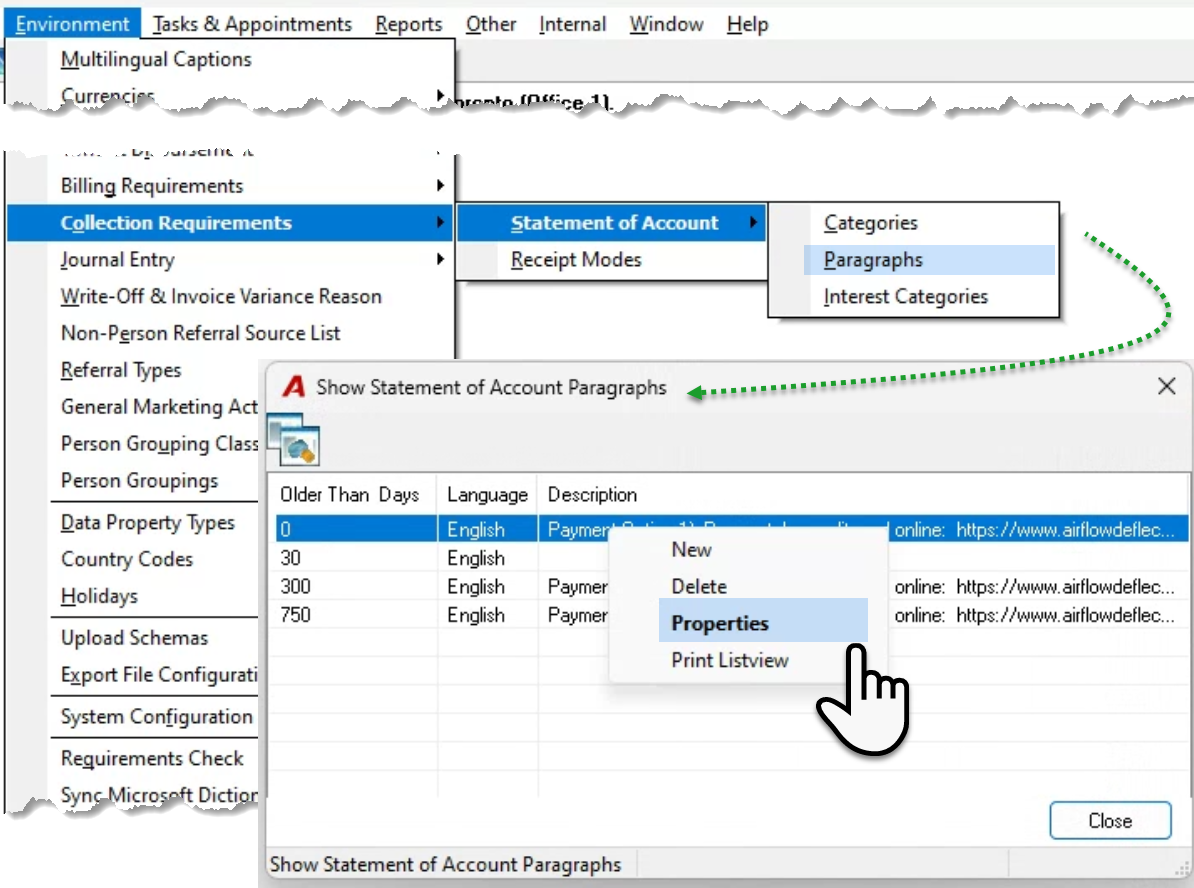
Select “Paragraphs” from the “Environment – collection Requirements – Statement of Account” submenu, to launch the list of statement of account properties forms in use.
Right click and select properties to access the content of the properties form.
Properties
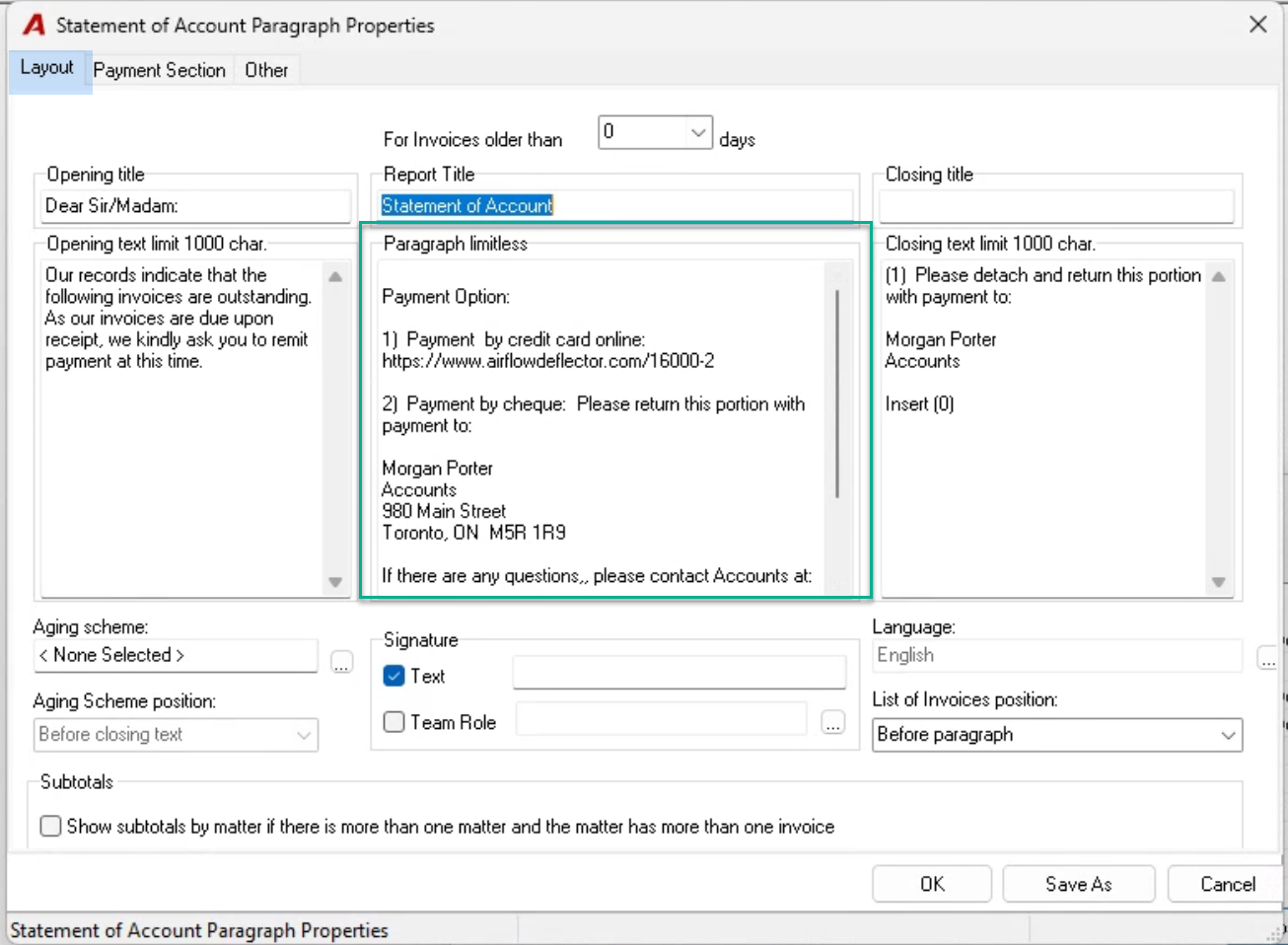
Each field prints in different areas of the statement of account report. Not all fields must be used.
Although there is a payment section tab, most firms use the paragraph section of the layout tab to include payment information for the client to act on.
The spaces included in the paragraph section are not necessarily displayed in the same way as the document, therefore are part of the design process, most users try various options on their training database before committing the result in their production database.
If the firm uses more than one paragraph, then each properties form should be updated to reflect the same payment information content.