.png)
QUESTION: When we viewed the import, it seemed like all charges on a given CSV or XLS file had to be the same type (for instance, Courier or Photocopies or Postage). It seemed like on the import page, that had to be selected for the whole file. Each individual line item would only have the Matter No., Date, and Amount. Presumably, the charge type dictates tax treatment and GL account.
Is this correct or is there a way to import a simple CSV/XLS file with multiple charge types?
If all charges on a given report must be the same type of charge, is there a way to differentiate them on the client ledger by using Description, Entry Code, or something else?
RESPONSE:
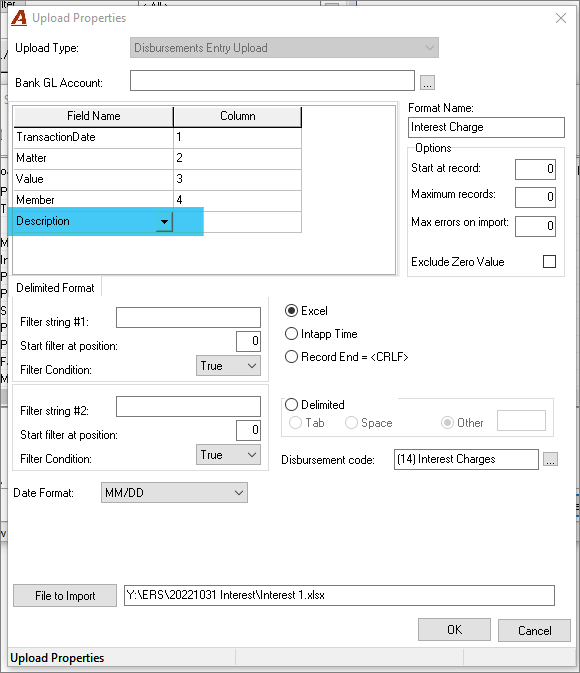
No, each upload takes only one type of charge, such as fax, because all the same charges are linked to one disbursement code and one GL account. Also, taxes are defined based on the disbursement code setting.
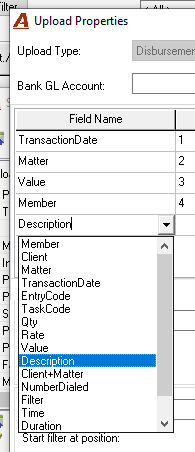
Yes, we can add a column in the template for Description and there are other field names that we can choose from. Please the list below.