.png)
Templates used for Acumin reports are stored in the Executables\merge folder. This folder needs to be added to Word’s “Trusted Locations”
📘 Instructions
-
Open Word and navigate to File – Options – Trust Center – Trust Center Settings – Trusted Locations
-
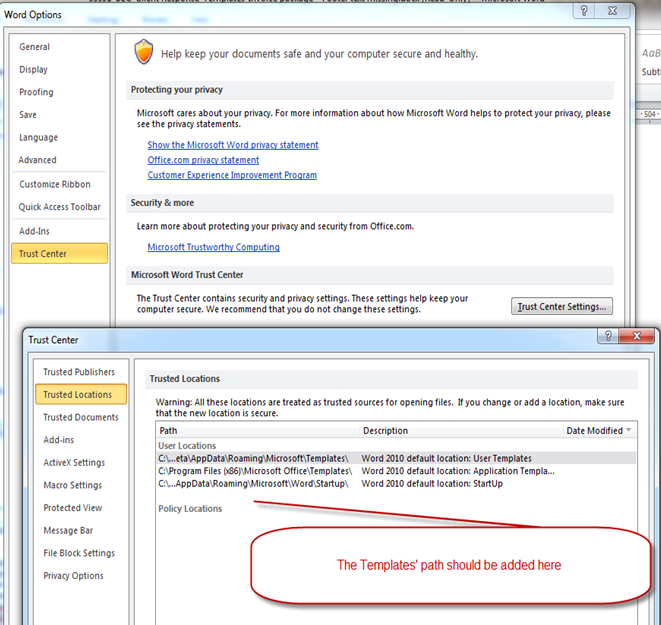
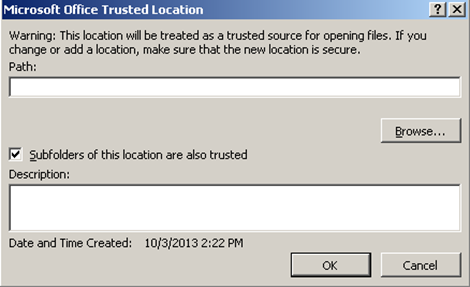
Select “Add New Location” and enter the Acumin server path of the Acumin\Merge folder and select the “Subfolders of this location are also trusted” option
-
Click OK