.png)
File Opening Fee
Use Case
Firms that record a file opening (administration) fee to cover the costs inherent to the creation of a new file, use this option to automatically trigger a disbursement entry on matter activation or reactivation. The process can be applied to all matters or matters for selected areas of practice.
Set-Up
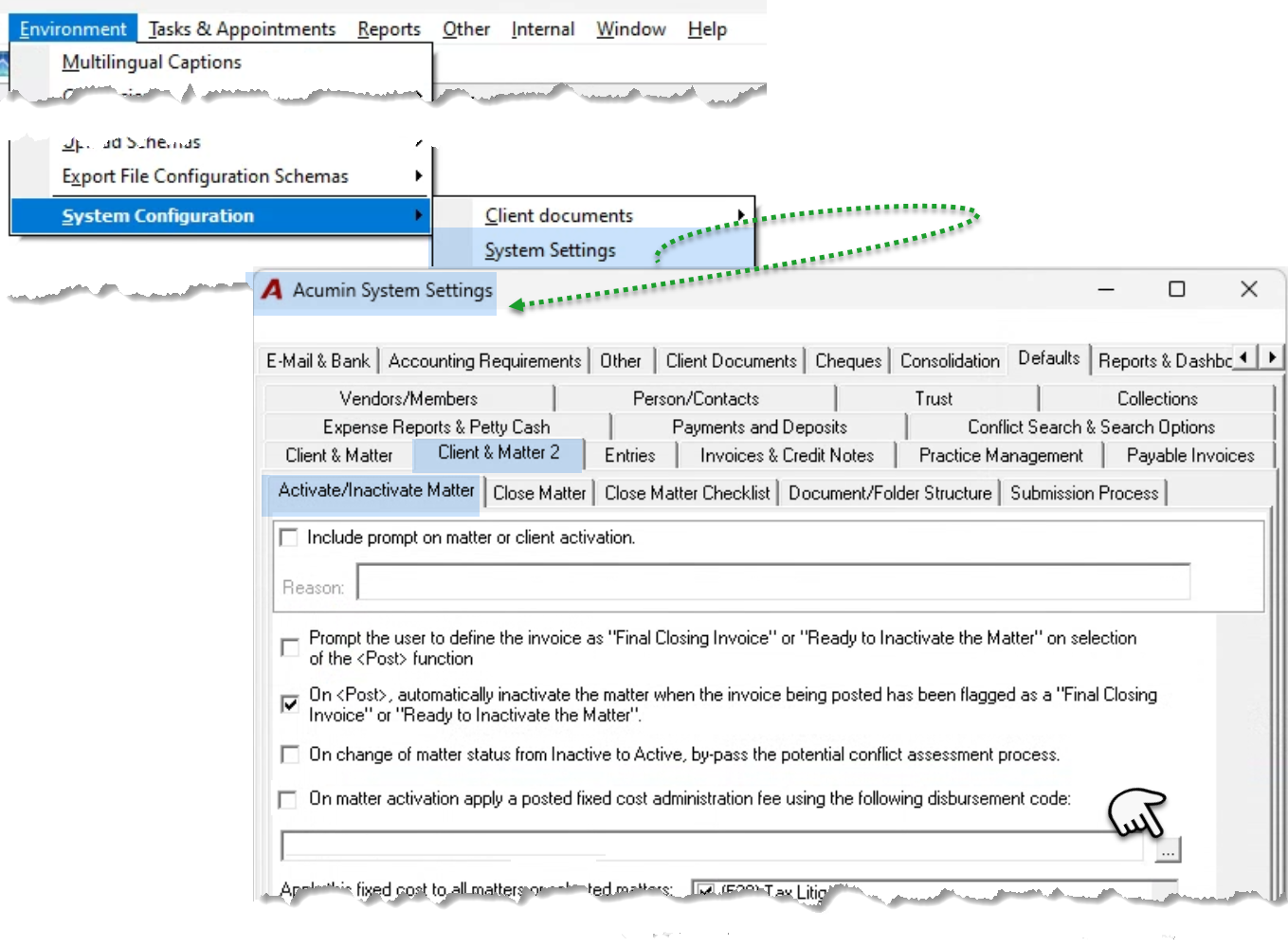
From the “Environment – System Configuration” sub-menu, select “System Settings”. Navigate to the “Defaults – Client & Matter 2 - Activation/Inactivate Matter” sub-tab. Press on the ellipsis button of the field below the “On matter activation apply a posted fixed cost administration fee using the following disbursement code” checkbox option, to launch the list of special disbursement codes to add the new code required for this process.
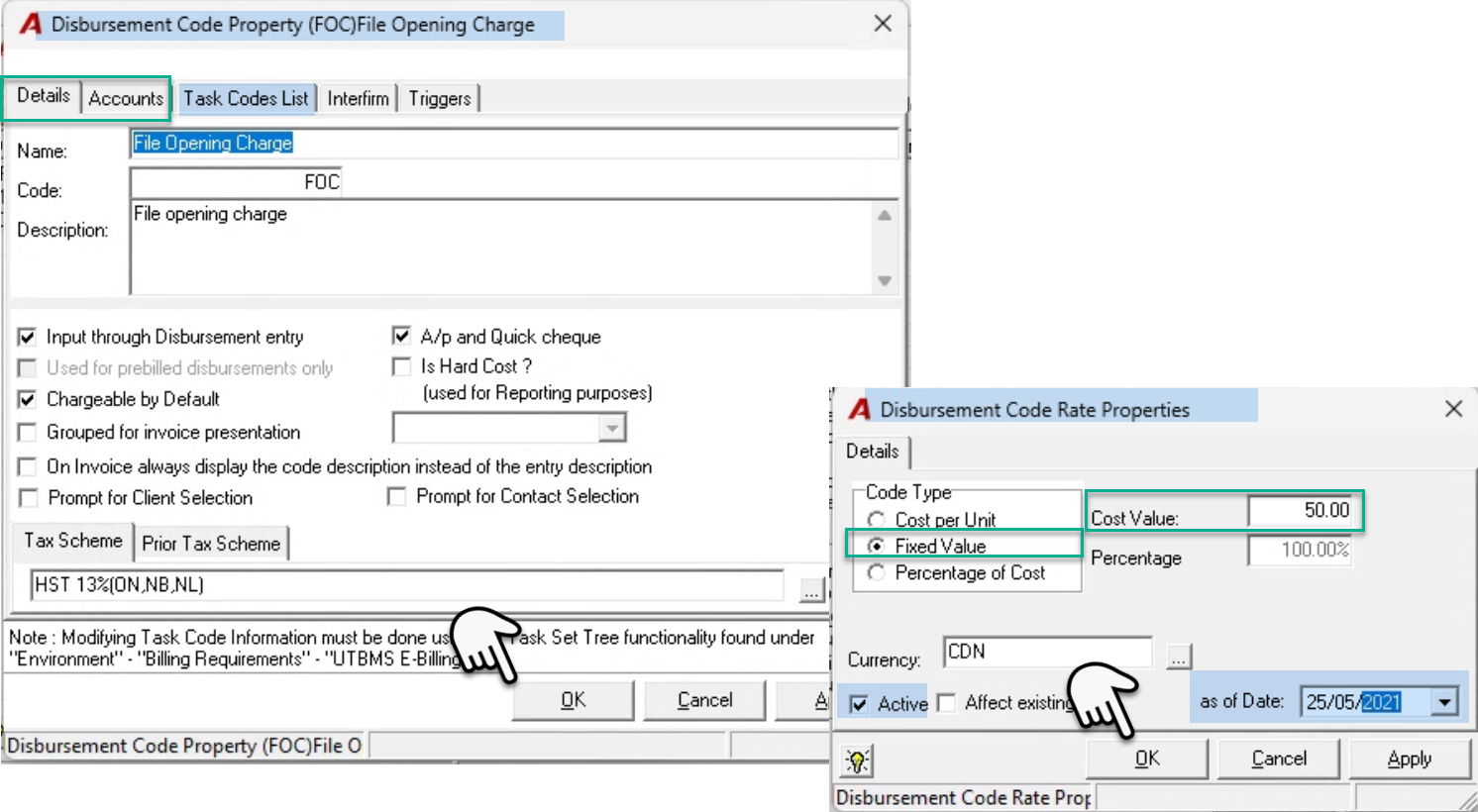
Right-click “New” to launch a new disbursement code properties form and complete it.
Once the properties are complete, press OK to exit. The user will be prompted to create the disbursement code rate to complete this portion of the set-up process.
Although the rate form will be launched defaulted to the first radio button option –cost per unit – the user completing the set-up process must select the second radio button option to establish the required “Fixed Value” rate type and set the fixed value fee. In our example we created a code with a fixed fee rate of 50.00.
The rate properties form will default to the status active and an “As of date” equal to the current date.
Press OK to exit and once back on the list of special disbursement codes, select the new “File Opening Fee” code created to return to the system settings form.
Once the new code is selected, check mark the checkbox option “On matter activation apply a posted fixed cost administration fee using the following disbursement code.”
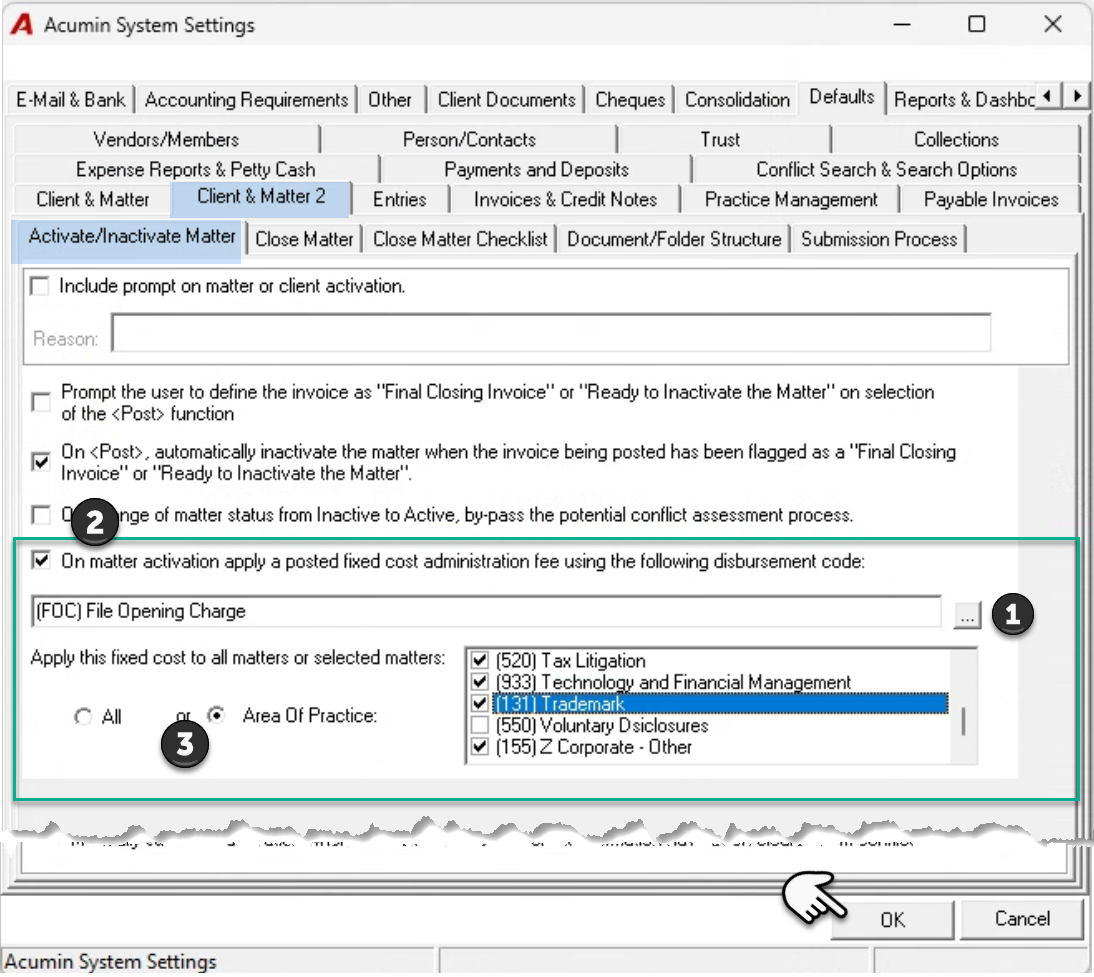
To complete the set-up process, accept the default radio button option position of “All” for the “file Opening Fee” to be triggered on all matters regardless of the matter’s area of practice; or change the default position to “Ares of Practice” and select the Areas of Practice to which the file opening fee will apply.
Press OK to accept the change to system settings and exit.
Process
Checkmark the checkbox option “On matter activation apply a fixed cost administration fee” found within the second step of the matter wizard to proceed with the “File Opening Fee” disbursement, on activation. Complete the wizard.
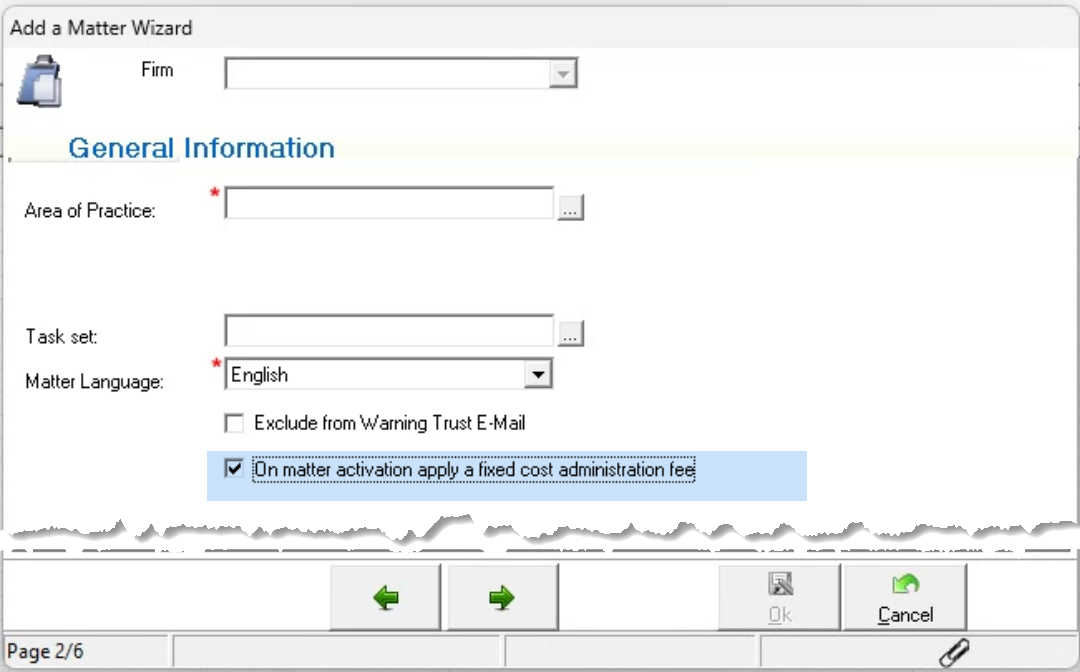
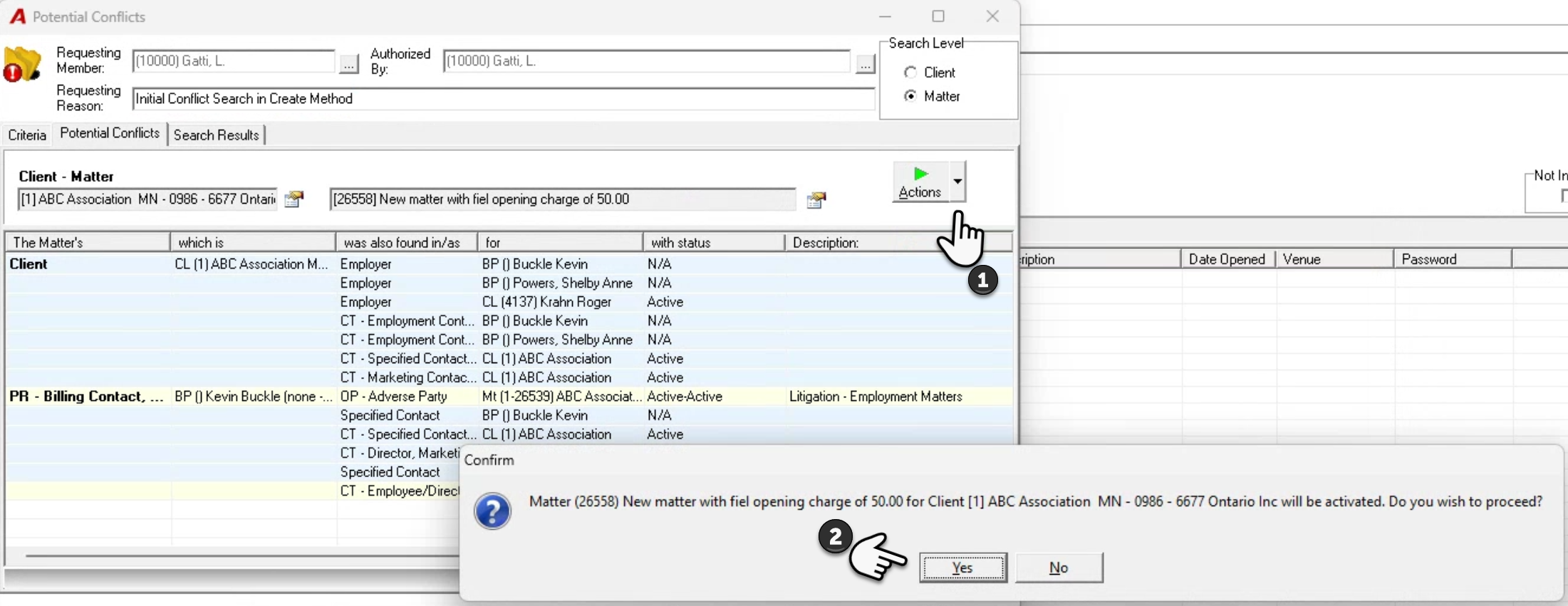
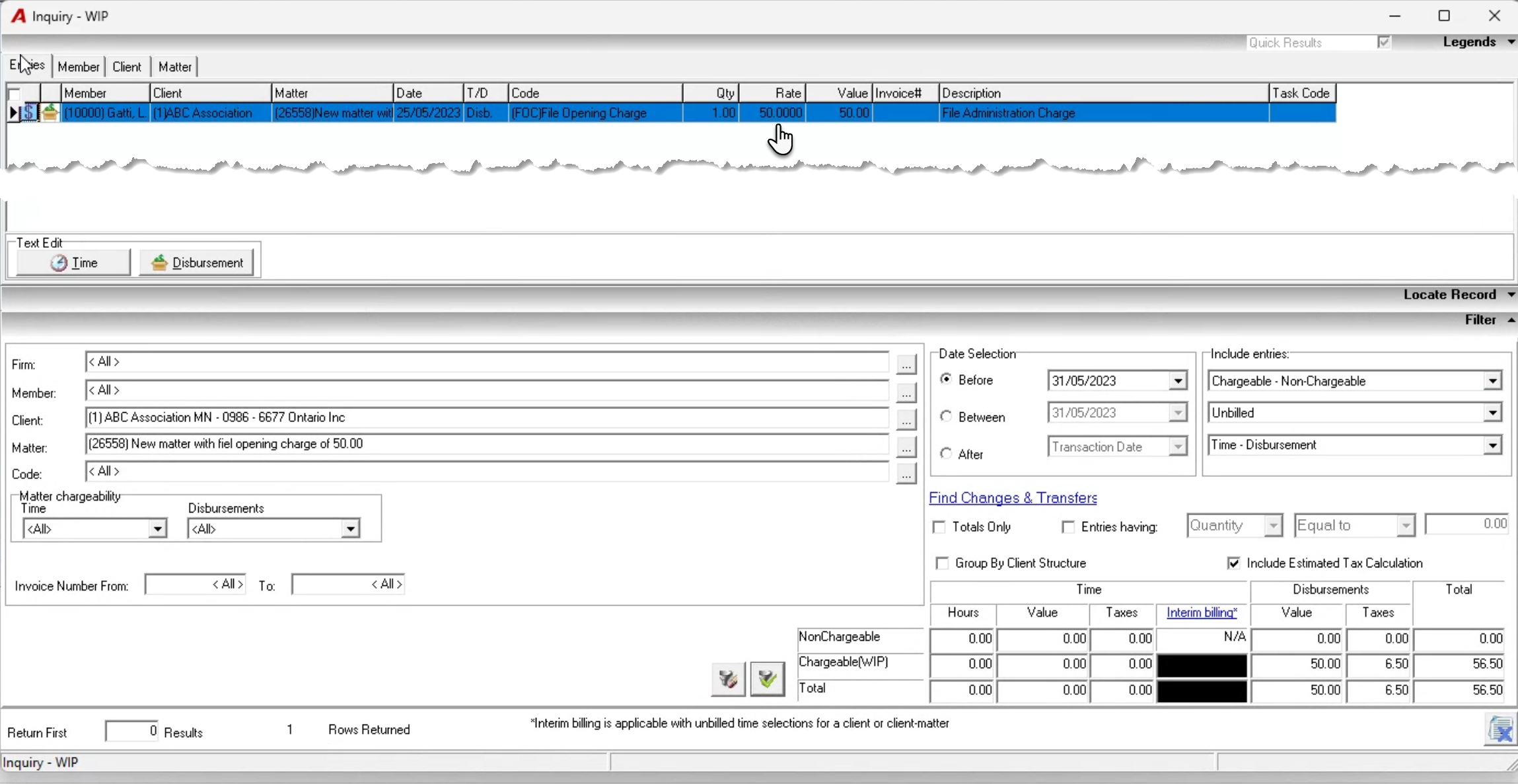
On matter activation, the user will be prompted to accept the file opening fee disbursement.