.png)
Highlights:
As a rule, Matters are expected to have chargeable time and disbursement entries, therefore when new matters are created their chargeability setting is “Chargeable” for time and “Chargeable” for disbursements as a default.
Matters can be modified to have all the time and/or disbursements as non-chargeable with a change to the default chargeability position at the time that the new matter is created.
Matters set as “Chargeable” for time and/or disbursements can have non-chargeable entries. The latter is controlled by requiring the use of the special non-chargeable time (activity) codes or by granting users the right to change the chargeability.
Matters set as “non-Chargeable” for time and/or disbursements cannot have chargeable entries, regardless of security.
System Setting:
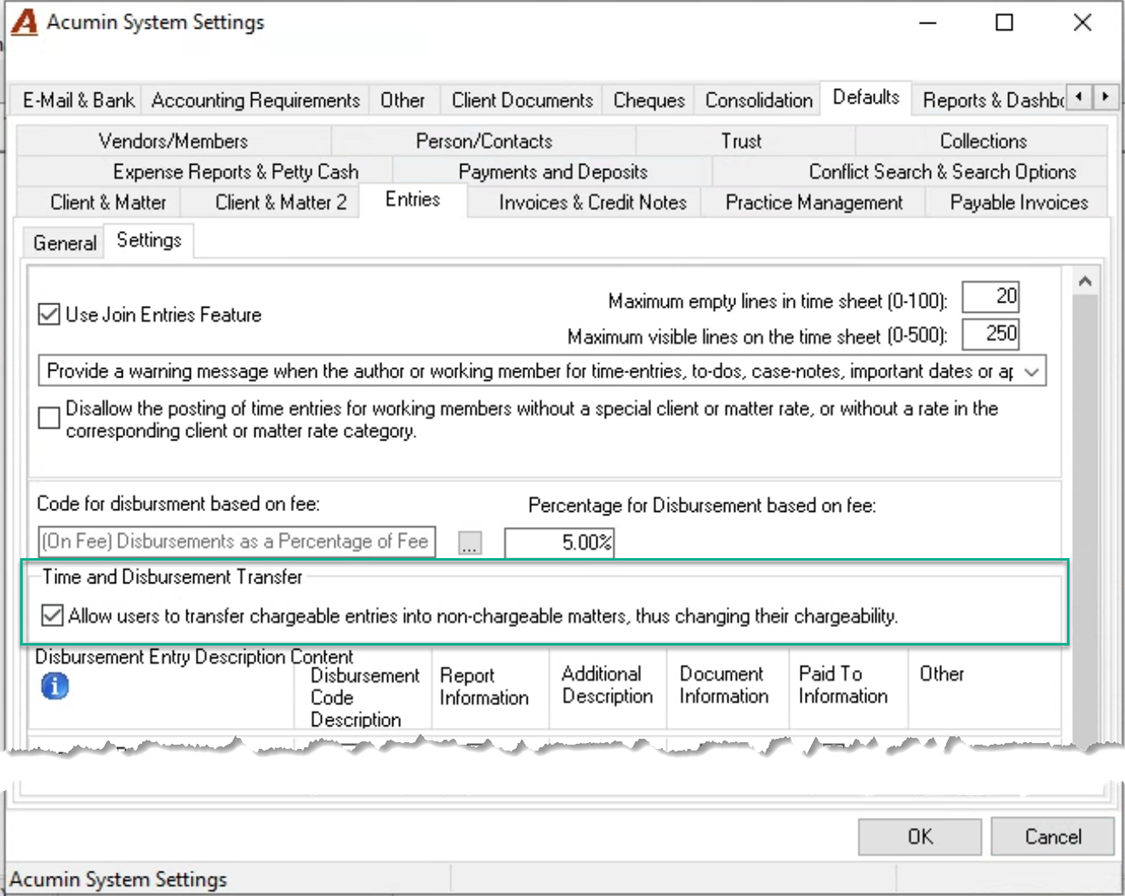
As it is not possible to transfer chargeable entries into a non-chargeable matter without changing their chargeability first, the below system setting, allows for the transfer of non-chargeable entries into chargeable matters triggering a change in chargeability as part of the transfer process.
Entry Transfer Locked Entries Presentation:
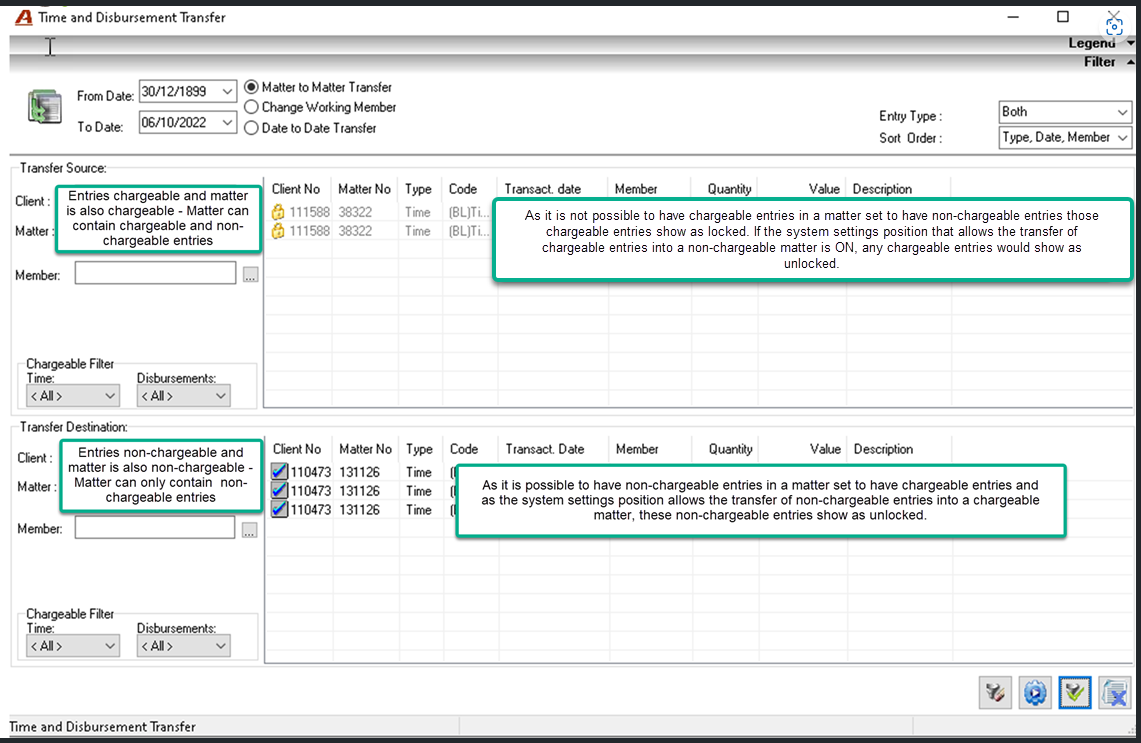
The conditions for having the entries locked depends on the chargeability of the matter, chargeability of the entry and the system setting that allows the transfer of chargeable entries into non-chargeable matters triggering the entry chargeability change.
If the system setting position is not ON – does not allow the latter – the entries that will meet this criterion will be locked.
-
If the source matter is chargeable for time and/or disbursements and the destination matter is non-chargeable, only non-chargeable entries can be transferred into the destination one
-
If the source matter is non-chargeable for time and/or disbursements and the destination matter is chargeable, users can transfer the entries (they will not be locked) retaining their non-chargeable status. Once on the chargeable matter, users with the ability to change chargeability can change them from non-chargeable to chargeable.