.png)
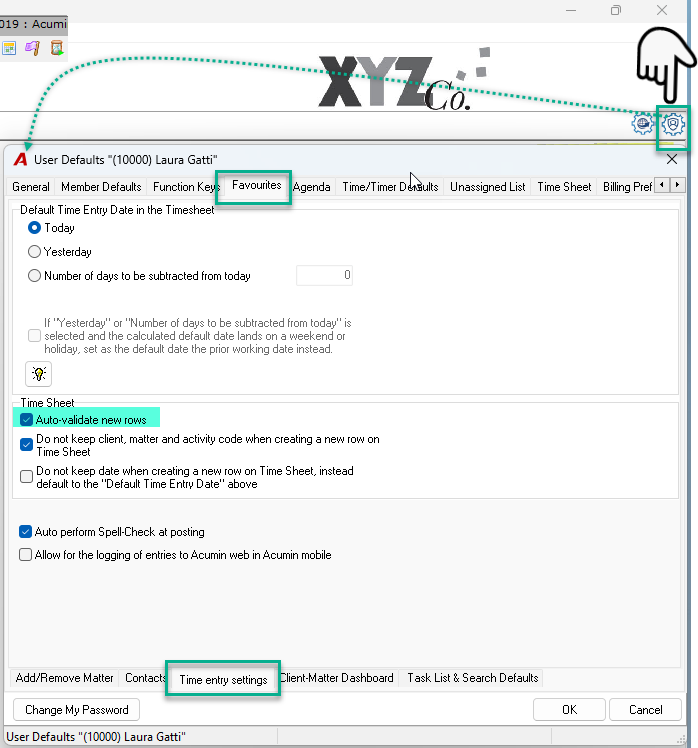
To validate each entry automatically instead of clicking Validate or Post at the end, you can enable automatic validation in your User Defaults.
-
Click the User Defaults button in the top‑right corner.
-
Select the Favourites tab, then open the Time Entry Settings sub‑tab.
-
In the Time Sheet section, enable Auto‑validate new rows.
-
Click OK to save and exit.
-
Log out and back into Acumin to apply the changes.