.png)
Access
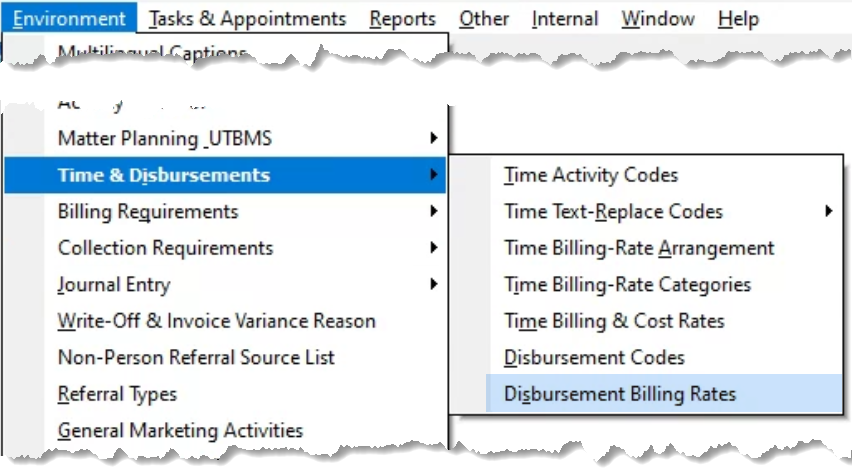
Select “Disbursement Billing Rates” from the “Environment – Time & Disbursements” sub-menu.
Process
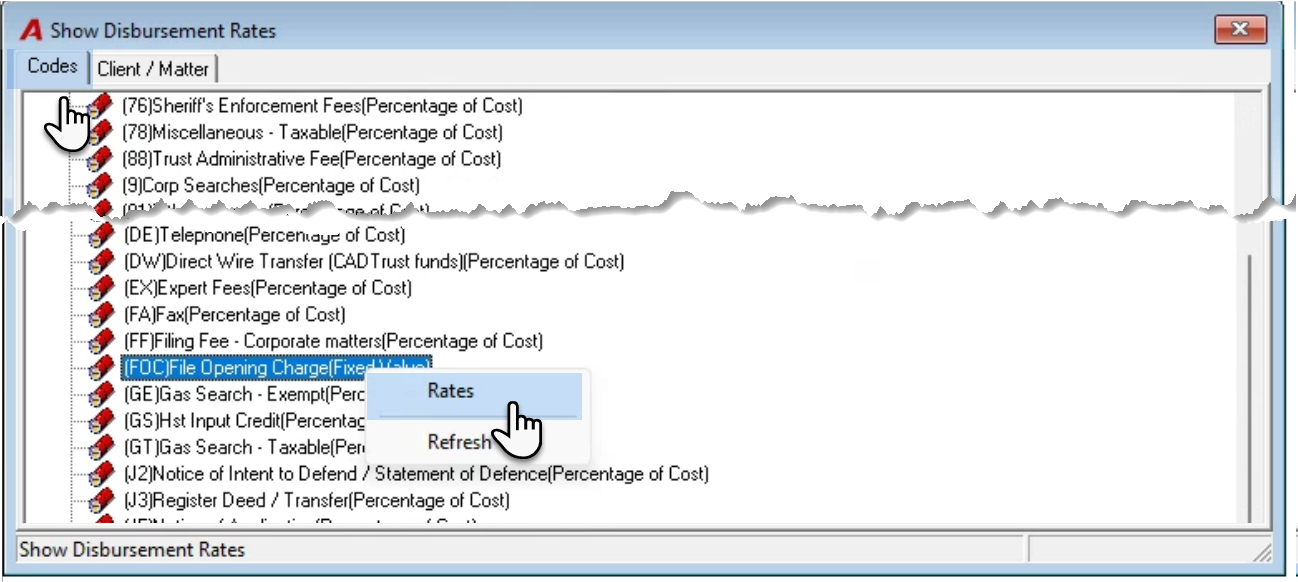
Once on the “Codes” tab of the “Show Disbursement Rates” form, scroll and find the disbursement code that needs the rate change on the tree-view. Right click to select “Rates”.
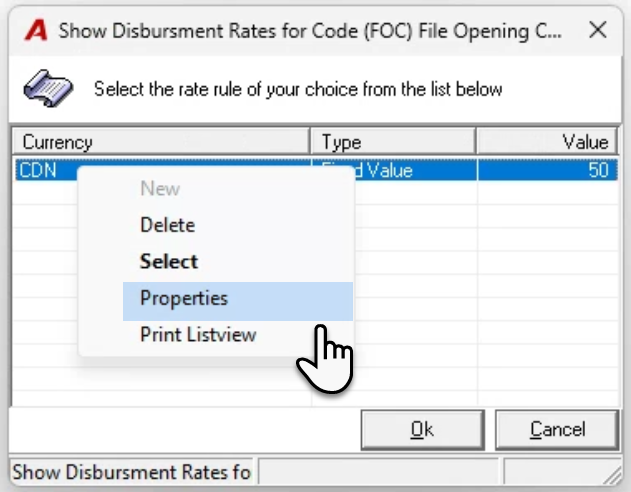
Highlight the rate on the “Show Disbursement Rates for Code…” and right-click to select properties.
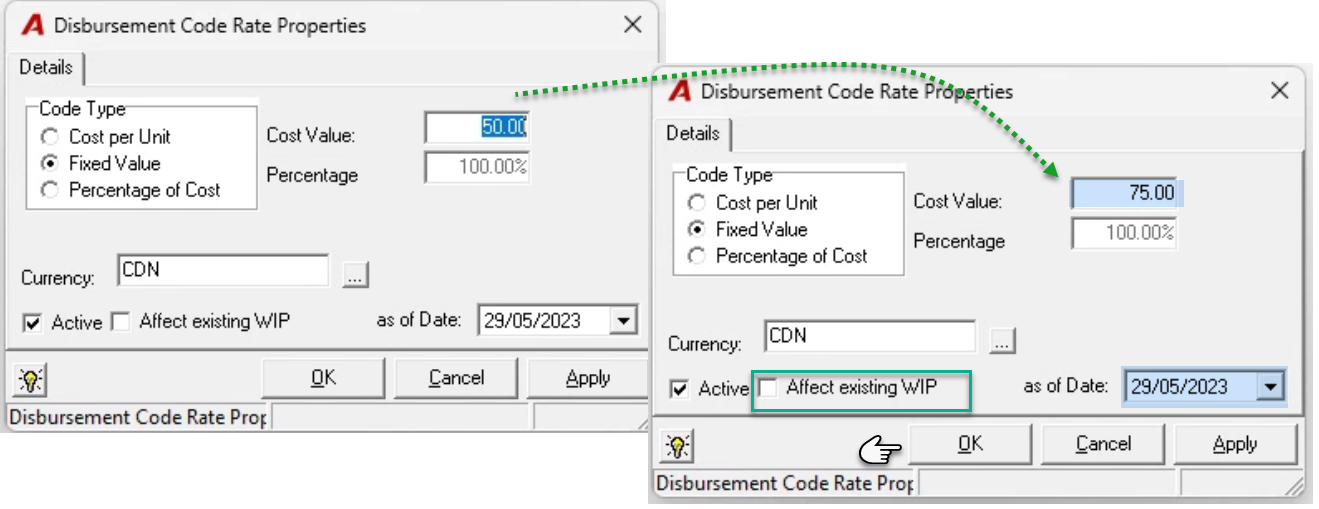
Modify the rate and the effective date which defaults to the current date.
Select the affect existing WIP checkbox option to revalue unbilled disbursement entries that meet the effective date criteria selected. If this option is selected the process will provide the user with the opportunity to view and/or print the impact of the rate change.
Press OK to accept and exit or continue with the WIP revaluation process.
To print the impact use the right-click print list view to excel option, before pressing proceed.
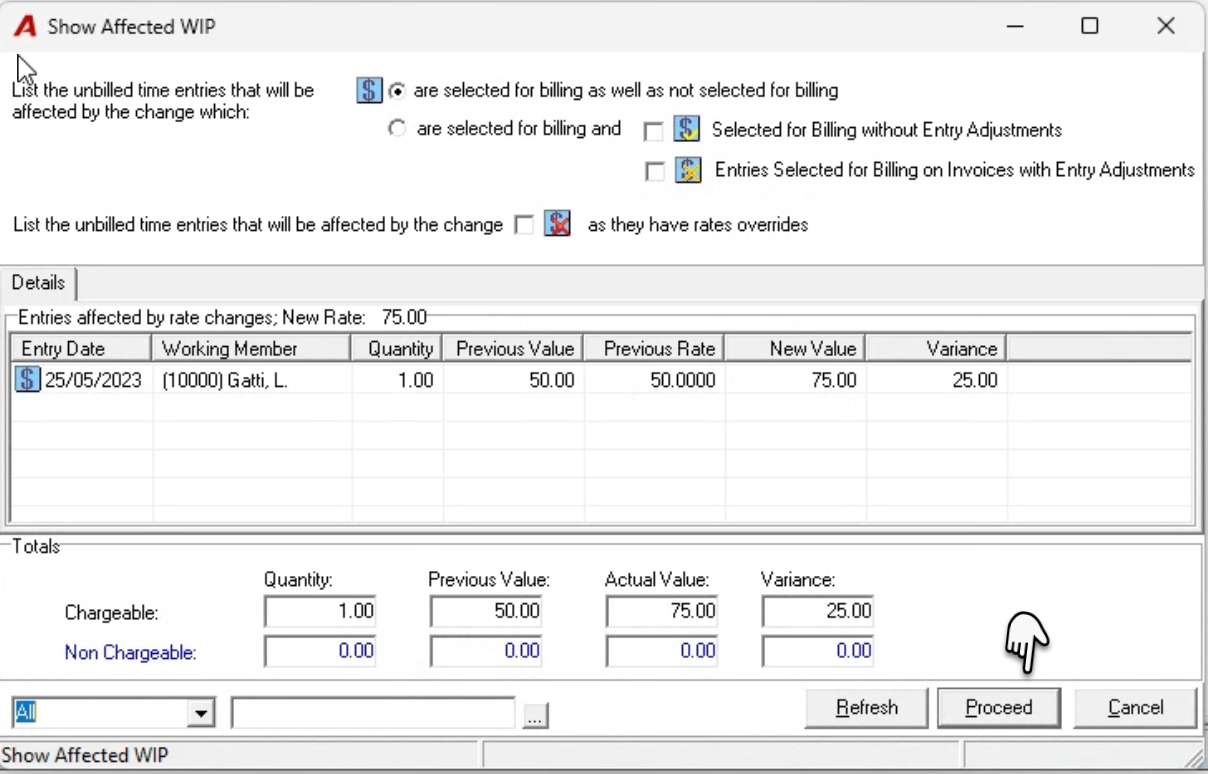
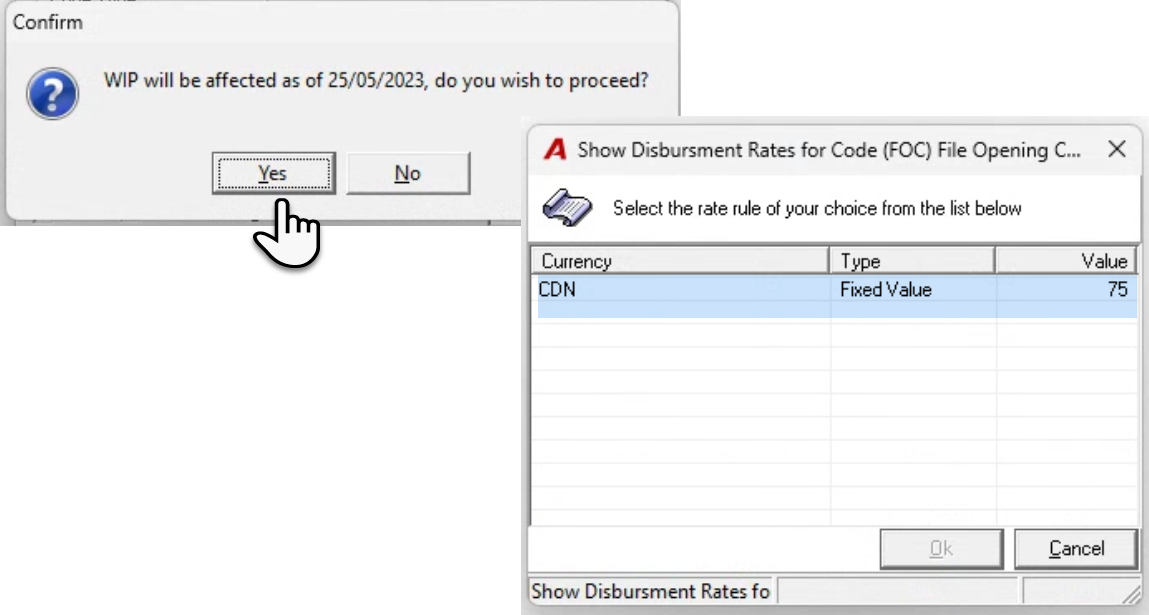
Press “Yes´ to complete the process.