.png)
Trigger a 2nd Disbursement on Post
Scope and Purpose
The purpose of the disbursement code option to trigger a second disbursement on post, is to facilitate the capture of supplementary disbursement entries that depend on the existence of an initial activity or charge – for example a levy surcharge.
Its scope extends across code creation, set-up requirements, and functional options during the disbursement entry process.
Highlights
The set-up options to auto-post a second disbursement entry because of posting a primary one, are found in the trigger tab of the properties of the disbursement code that captures the primary disbursement entry. Flexible set-up options support different use-cases for generating data entry efficiencies and entry control for end-users.
Secondary disbursement entries are triggered when the primary disbursement entry is posted regardless of method used – individual disbursement entry, quick disbursement sheet, quick payments, or payables. The only exception is the upload process.
Set-Up
Access to Code Properties
Select “Disbursement Code” from the “Environment -Time & Disbursements” sub-menu to launch the list of disbursement codes. Right-click on the primary disbursement code that will have the trigger and select properties.
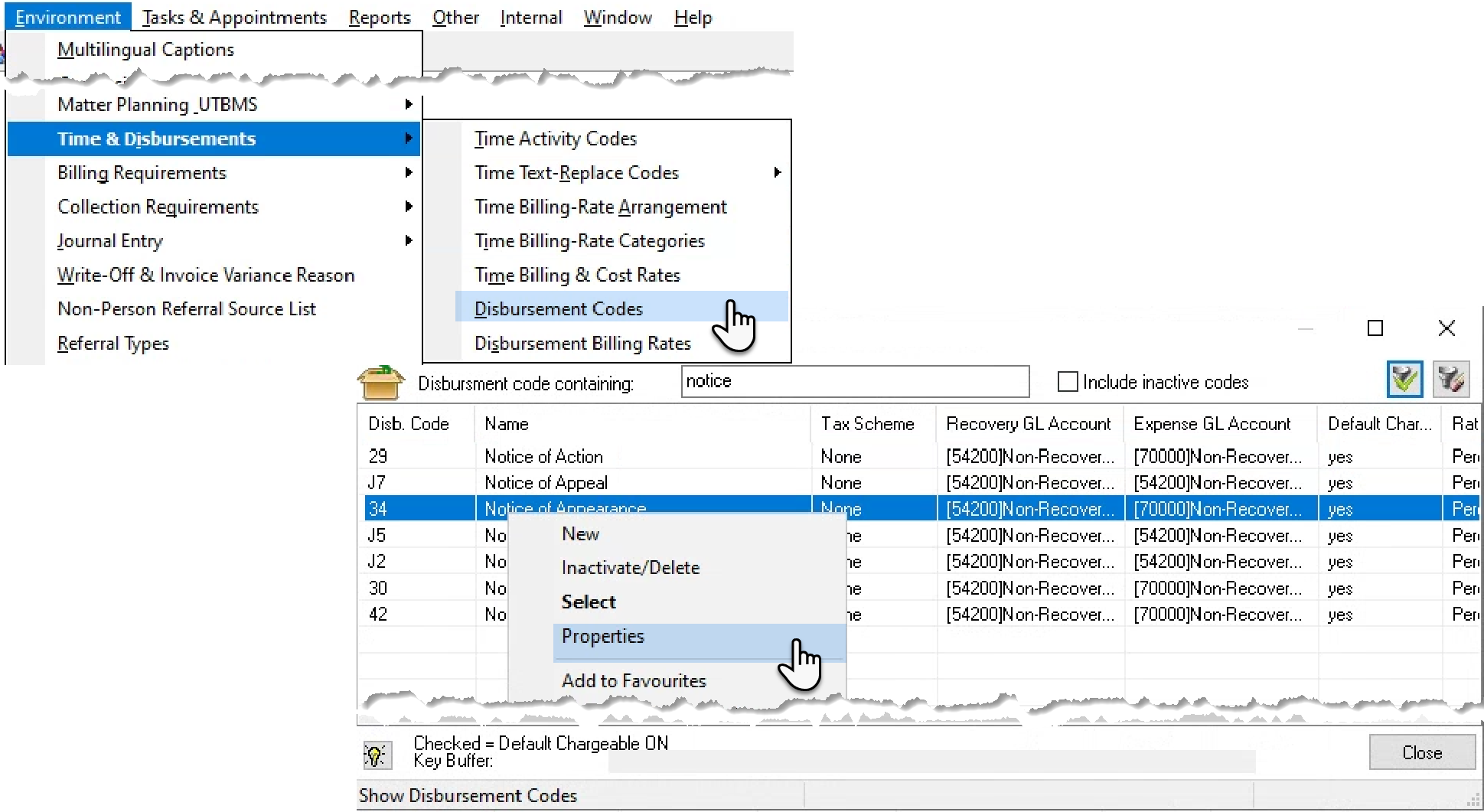
Implementation of Second Disbursement Code
Press on the trigger tab to access the relevant set-up options.
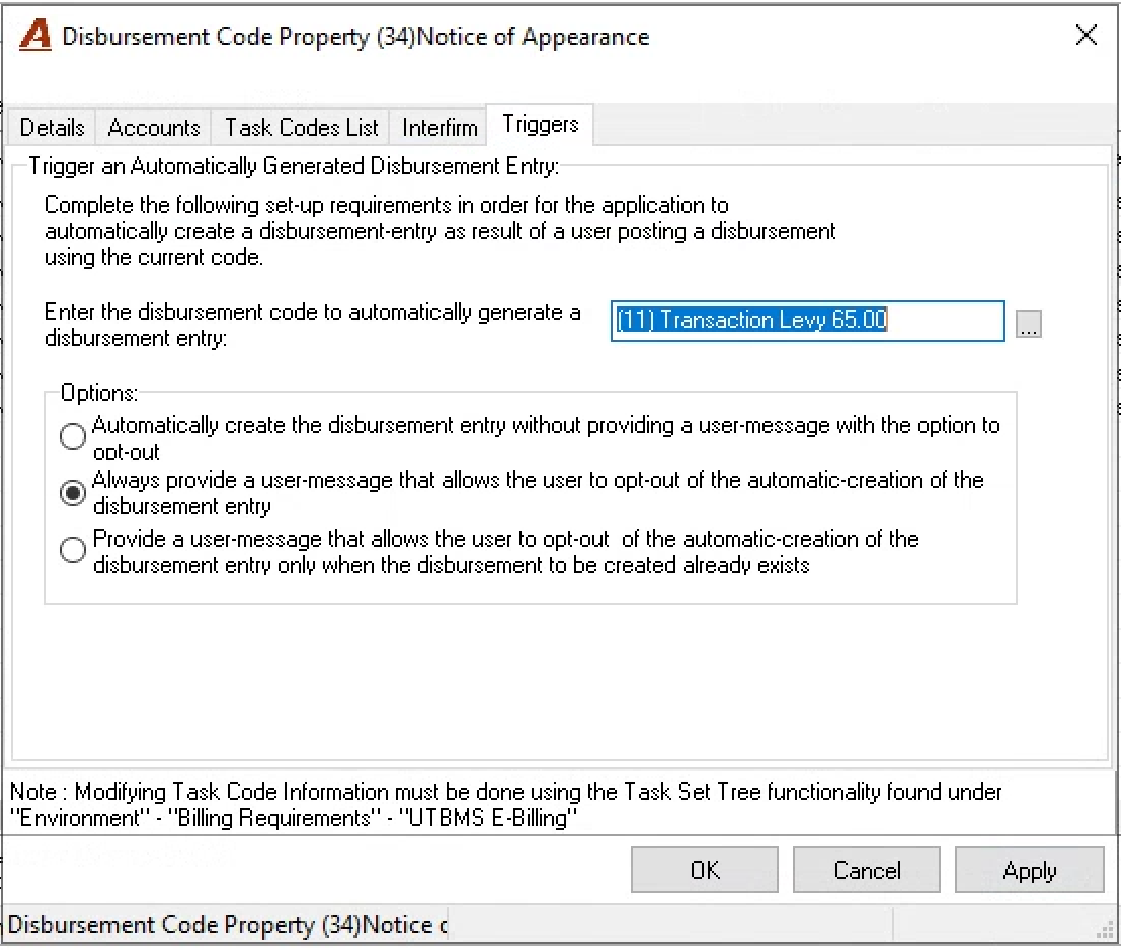
Code Selection
Select the disbursement code for the secondary disbursement entry that will be triggered. The disbursement code selected must have its properties set to have either one of the following rate types:
-
Fixed Value: Most typical to capture levy surcharges.
-
Percentage of cost: where its value must be calculated as a percentage of the primary disbursement entry value.
For example, if the primary disbursement is $120.00 and the percentage of cost rate of the triggered disbursement is 100%, the second disbursement will be automatically created with a value of $120.00.
The system will not allow the selection of a disbursement code rated as “Cost-per-unit” due to conflicting business logic.
Secondary disbursement entries are created regardless of the method permitted in code properties. For example, if the code used to create the primary disbursement permits creation through A/P and quick cheques, but the code used for the secondary disbursement entry is NOT, the secondary disbursement entry will still be triggered.
Options
Automatically create the disbursement entry without providing a user message with the option to opt out.
Use this option if there are no conditions for the secondary disbursement not to be created.
With this option the person posting the primary disbursement does not have the option to opt out of creating the secondary disbursement. Although a user message is provided, the secondary disbursement is always created without input by the person posting the primary disbursement entry.
Always provide a user message that allows the user to opt out of the automatic creation of the disbursement entry.
Use this option if the secondary disbursement is dependant on a condition that cannot be captured or pre-set.
With this option the person posting the primary disbursement has the option to opt out of creating the secondary disbursement. In this case the user message provided, requires a decision. If yes is selected, both the primary and secondary disbursements are posted. If no, is selected, only the primary disbursement is posted. The second disbursement is not created.
Provide a user message that allows the user to opt out of the automatic creation of the disbursement entry only when the disbursement to be created already exists.
Use this option if the secondary disbursement can exist more than once for the matter depending on a qualified condition.
With this option, the person posting the primary disbursement has the option to opt out of creating the secondary disbursement if one was already created. In this case the user message provided, requires a decision only if the same secondary disbursement already exists for the matter. If Yes is selected, both the primary and secondary disbursements are posted. If No, only the primary disbursement is posted. The second disbursement is not created nor posted.
Use Case
Quick Payment Example
The user creates and submits a cheque request for a Notice of Appearance which triggers a transaction levy surcharge of 65.00.
The cheque request is processed – normal practice – and on post the user is prompted to create or not the transaction levy (set-up with second option).
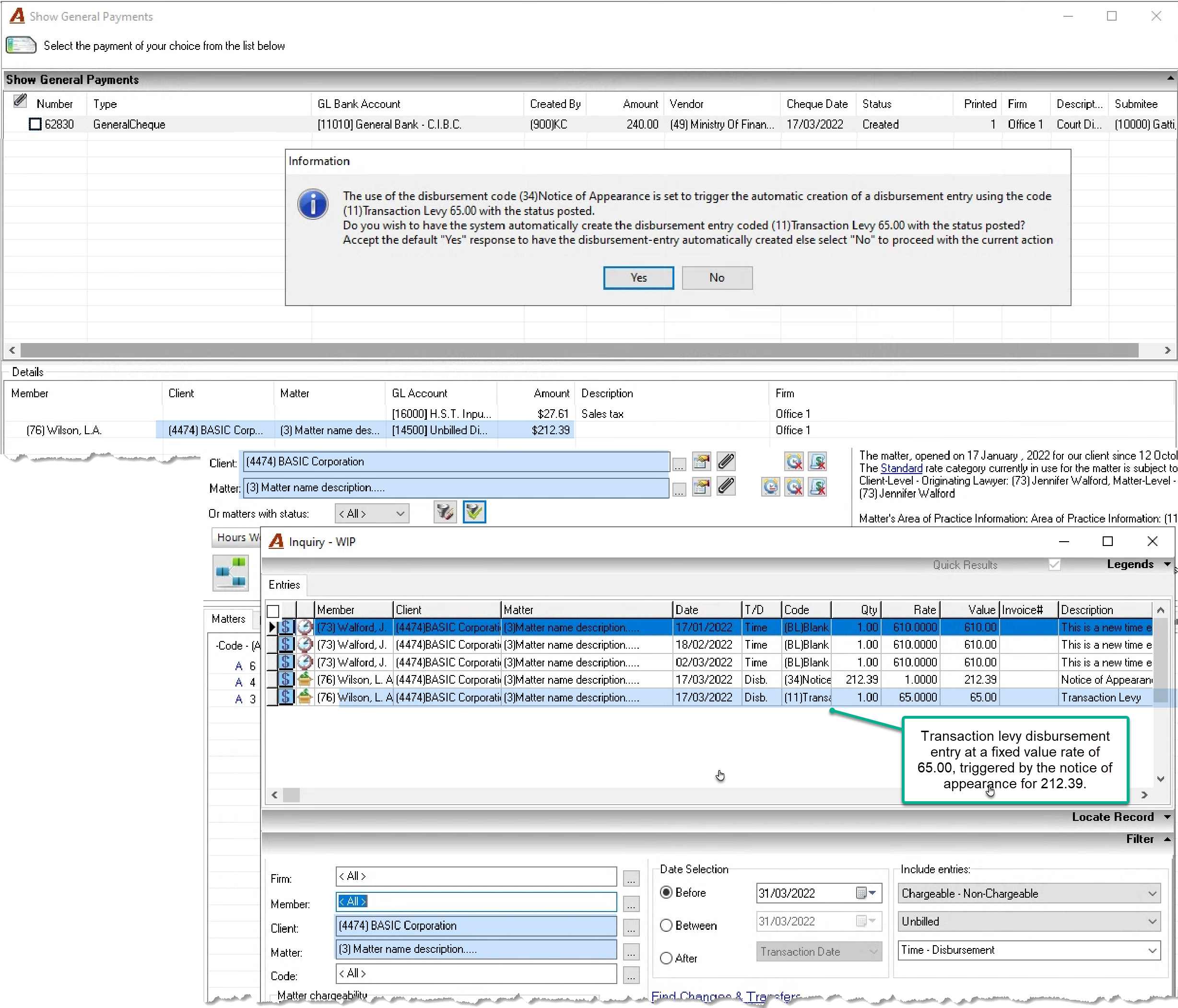
Secondary Disbursement Rate Implications
-
Percentage of cost : Posts the secondary disbursement entry with a value equal to the % of cost (i.e., 25%) multiplied by the value of the primary disbursement entry (i.e., 50.00, resulting in a charge of 10.00.
-
Cost per unit: Not applicable as this type of set-up is not permitted
-
Fixed cost: Posts the secondary disbursement entry with the fixed value rate set for he code (i.e., 65.00)
Recovery and Expense GL Accounts
Many firms use this functionality to trigger levy surcharges in context of applicable disbursement transactions. As part of the process, they use:
-
A liability account in the recovery field of the Transaction Levy code or codes which is cleared as the levies are paid out.
-
An expense account in the expense field of the Transaction Levy code or codes to accumulate the non-recovered cost when the disbursement is not charged to the client.
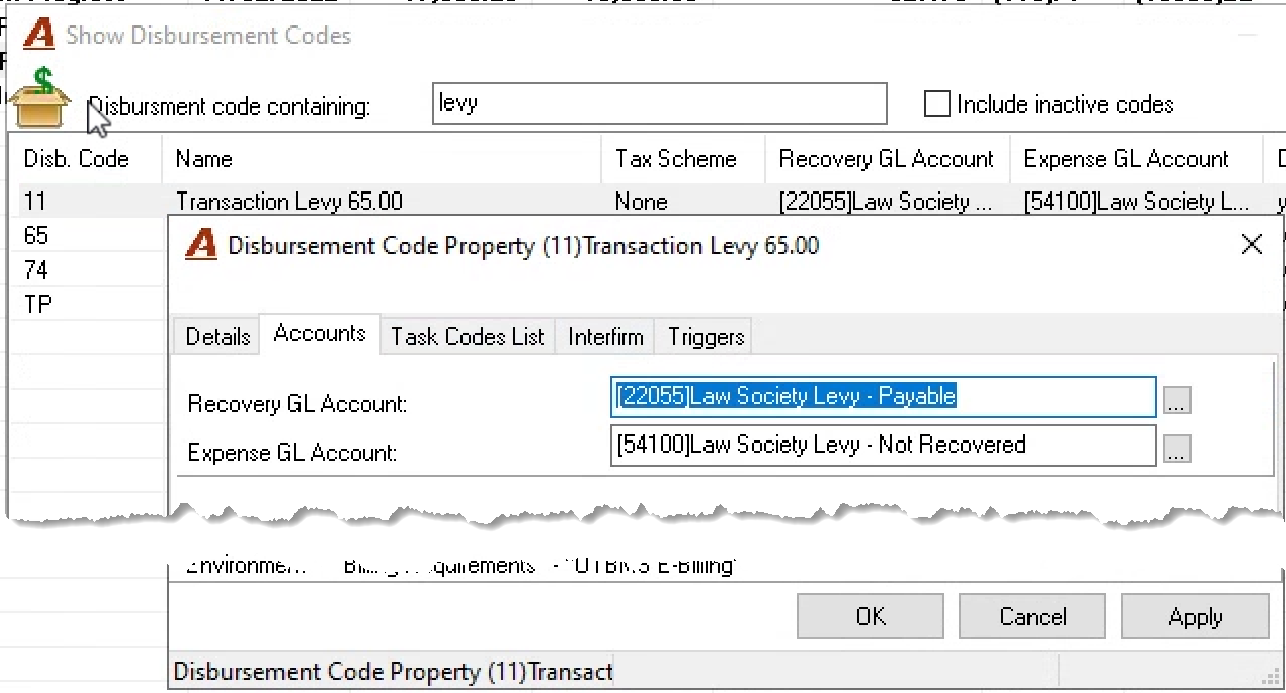
Reports
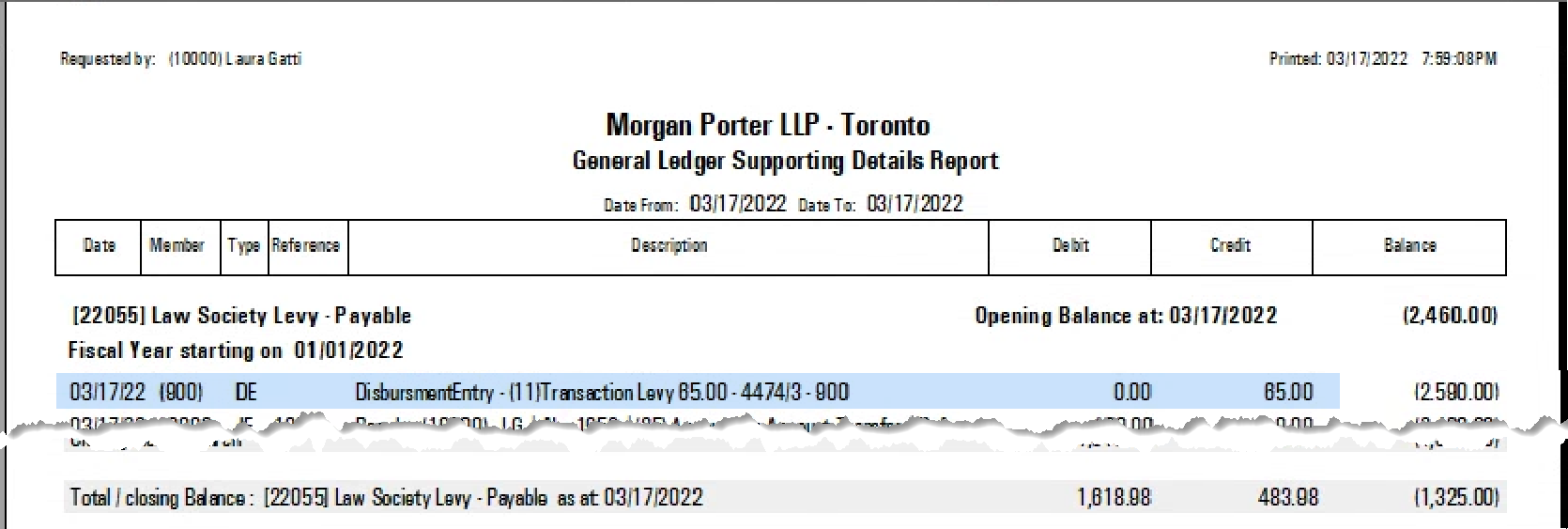
The GL Supporting Details report for the account assigned to recovery includes the file number. This report is used to support the payment to the law society.
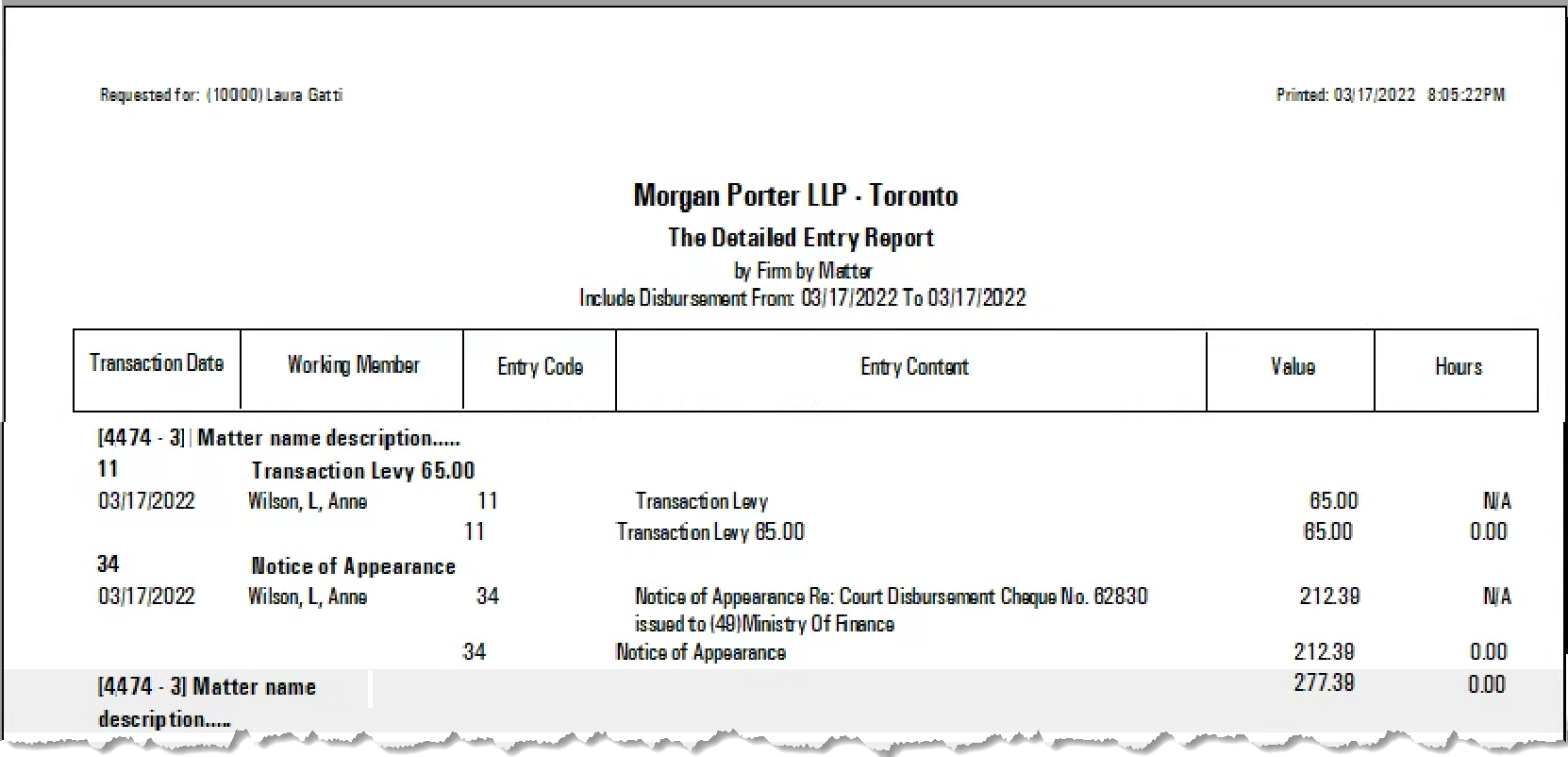
Depending on filter and presentation options selected the detailed entry report can provide a matter list where the primary and secondary codes where charged.
Other Information
-
The entry description of the secondary disbursement is the content of the description field in the disbursement code.
-
The cancellation of an object for the primary disbursement entry (i.e., AP or General payment), does not cancel the secondary disbursement entry, therefore the secondary entry has to be reversed.
-
The disbursement entry properties form for the special disbursement codes assigned to the deposit process for applying overpayments to the matter as negative unbilled disbursements does not have the “Triggers” tab available