.png)
Entry Code Properties
Use Case
When a time entry code properties content needs to be modified, the time entry code should no longer be used, or a new unused time entry code needs to be deleted.
Process
Access
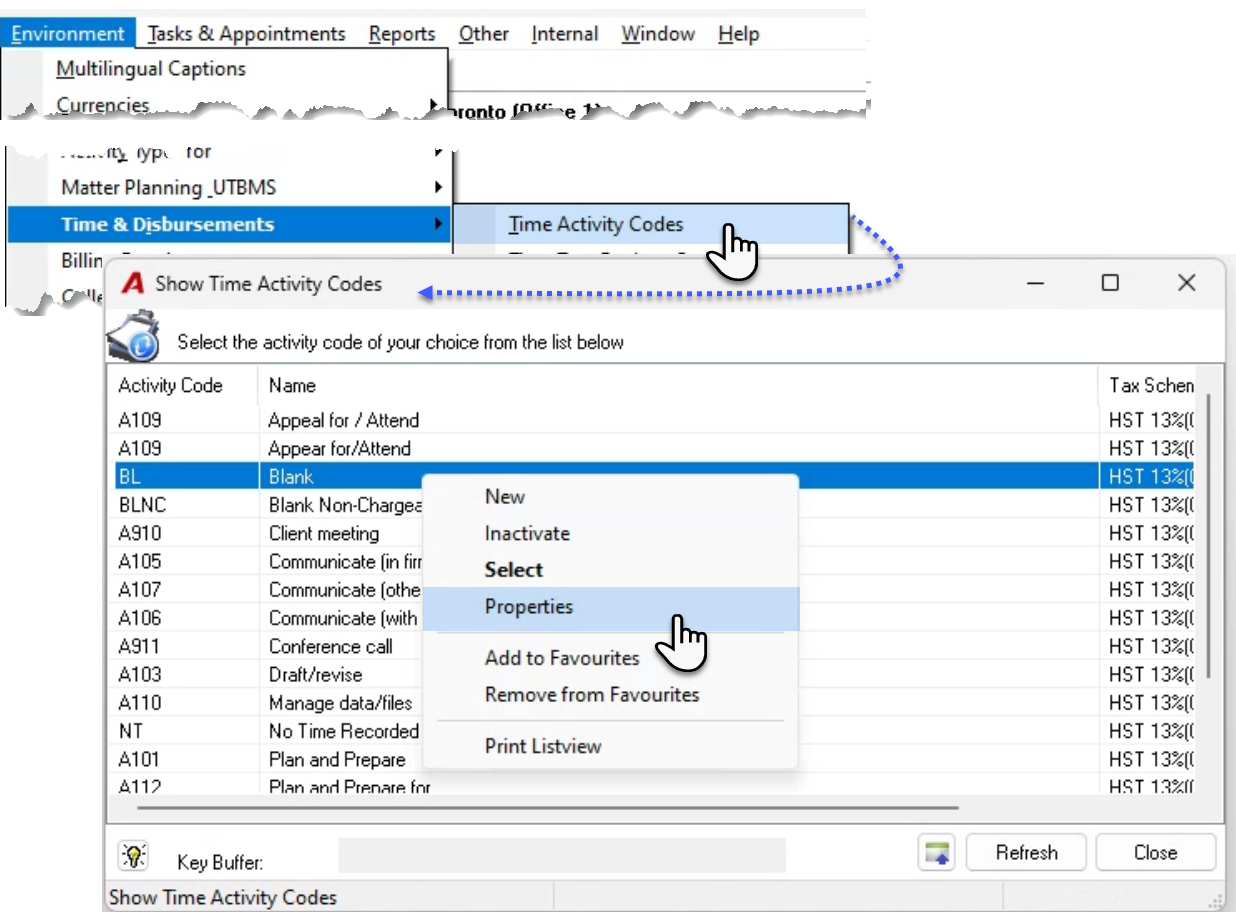
From the “environment – Time & Disbursements” sub-menu, select “Time Activity Codes” to launch the “Show time Activity Codes” list view form.
Inactivate or Delete
From the right click contextual menu right click to inactive codes and prevent users from continuing to use the time code. It is not possible to delete a code once it has been used.
Add – Remove from Favourites
Select the option to add or remove the code form a member’s favourite short list. Once the option is selected, the user will be prompted to enter or select the member affected.
Properties
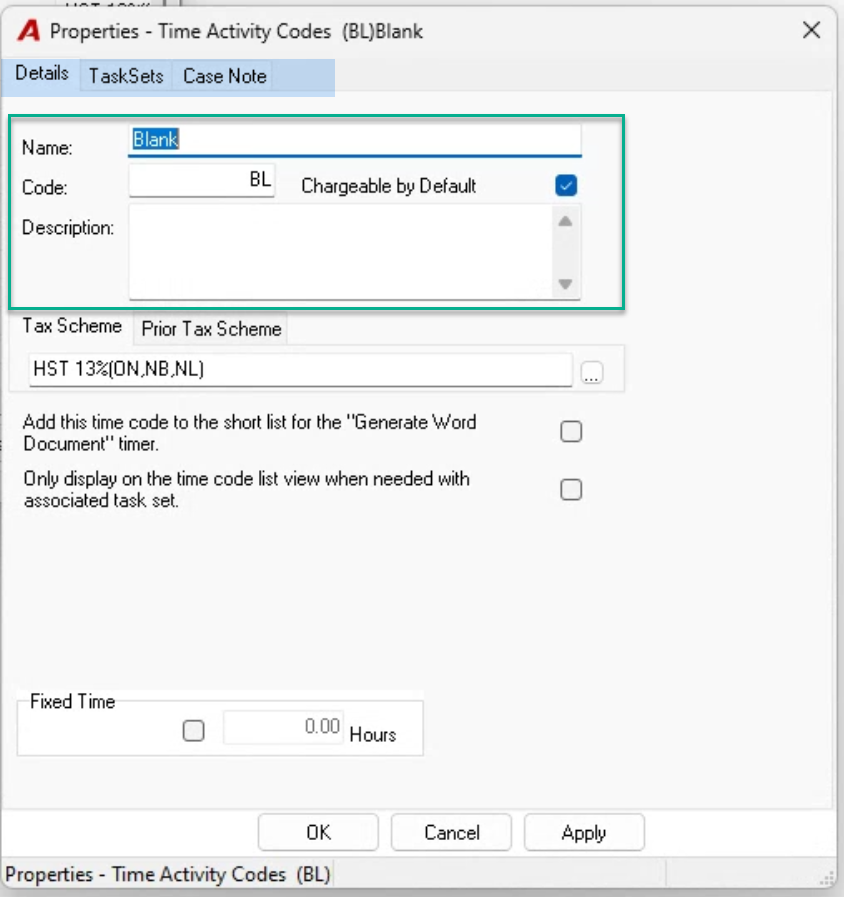
Navigate through the various tabs to make changes to the code’s properties content. This includes modifications to code, name, and description. The code and name are used to order and select, whereas the description if used is the content that will be inserted at the start of the time entry description. Press OK to save and exit.
Best Practice
Most timekeepers work with a chargeable and a non-chargeable blank code unless they are following a client specific codification system and use member specific auto-text replace codes as short hand to build the entry’s description content.