.png)
Use Case
To write-off unbilled entries after the final invoice has been issued and matter is being prepared to be closed.
This measure is intended to capture minimal non-recovered unbilled time and disbursements (WIP) that can no longer be billed because of internal inefficiencies – for example latent capture time and/or costs, or data entry errors because the matter was not inactivated after the final invoice was issued, so the matter can be closed.
This tool should not be used to replace write-downs to 0.00 at billing - best process to reflect non-recovery due to inefficiency for matters that are active; or to reflect bad debt expenses, in which case the WIP should be billed at full value and then the receivable process as an AR Write-off.
Highlights
Member properties includes limits that facilitate decentralization of unbilled time and/or disbursement entry write-off. Once a limit is reached the unbilled entry write-off because a request.
WO Requests listed in the WO Request form are typically generated from the E-WIP (To Bill Tab) during the worked to billed process. Users can also trigger the write-off or removal of chargeable and/or non-chargeable entries from WIP inquiry directly outside of the billing cycle. For users with limits the right-click write-off/remove option will trigger a WO request instead if the limit has been reached.
Requests for write-off can be processed as unbilled entry write-offs is by the authorized user that clears the limits or processed as a 0.00 internal invoice if the impact should be to fee allocation measures.
Security and Value Limits
Users may be limited from executing unbilled entry write-offs due to security requirements, user-specific unbilled entry write-off value limits or conflicting functionality .
Unbilled Entry WO Limits:
Access the “Permissions & Modification Limits” tab found within the member’s properties form of the user receiving value limit messages.
Increase the limits found in the “Unbilled Entries WO” section at the bottom of the tab. The limits are cumulative in context of the working member, the matter, and the client.
For example, the user my be limited to a maximum of 50.00 per working member up to a maximum value of 100.00 for the matter and the same 100.00 for the client. Once the limit is reached, the is converted to an unbilled write-off request for another user with greater limits to process. A value of -1 means the user does not have any limits.
Unbilled Entry WO Security:
To execute unbilled time or disbursement entry write offs on entries dated in the current period, the user will need to be associated to a user group with security "Time entry write-off <<114>>" and/or security "Disbursement entry write-off <<104>>" respectively.
To execute unbilled time or disbursement entry write offs on entries dated in a closed month, the user will need to be associated to a user group with security "Allow Prior Month Time Entry WO <<734>>" and/or security “Allow Prior Month Disbursement Entry WO <<733>>" respectively.
To execute unbilled time or disbursement entry write offs on entries dated in a closed month, the user will need to be associated to a user group with security "Allow Prior Year Time Entry WO <<746>>" and/or security “Allow Prior Year Disbursement Entry WO <<745>>" respectively.
The unbilled entry write-off process defaults the write-off date to the current date, however as users have the right to select a write off date equal or more in the future to the entry transaction date, unbilled entry write-offs for entries dated in a closed period are often limited to control desired processes and accounting outcomes.
Best Practice: Limit the number of users with security to write-off entries in a prior closed fiscal period to control volume and cause, as unbilled entry write-offs are generally used to clear unrecoverable balances to close a matter and not to measure bad debt expense.
Conflicting Functionality:
Unbilled entries associated to an invoice – not yet posted can only be written-off from within the invoice properties. Pre-billed disbursements linked to an invoice which is not yet posted cannot be written off, therefore access the unposted invoice properties and delete the pre-billed disbursement if it is no longer required.
Unbilled Entry Write-Offs
Process Write off Requests.
Press on the “Write-Off” icon found in the accounting section of the task bar to launch the list of unbilled entry write-off requests.
Enter or select the member responsible for the request to write-off in the “For Member” field and apply the filter to list their write-off requests. This is the role holder for the E-WIP (To Bill Tab) results from where the decision to write-off remaining unbilled entries was made.
Highlight the first request and right click to select “Show WIP Entries” to launch the WIP inquiry form pre-filtered for the matter with unbilled entries to be written-off.
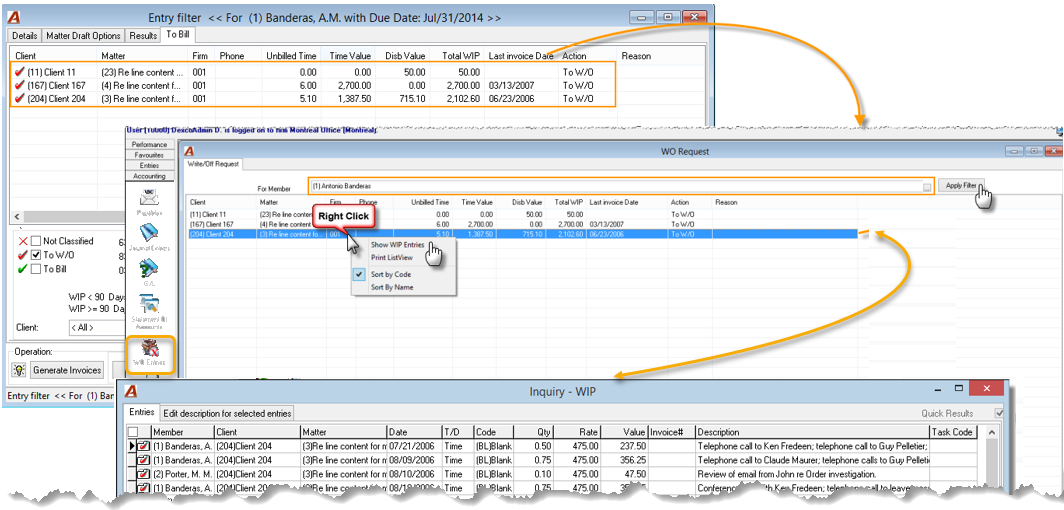
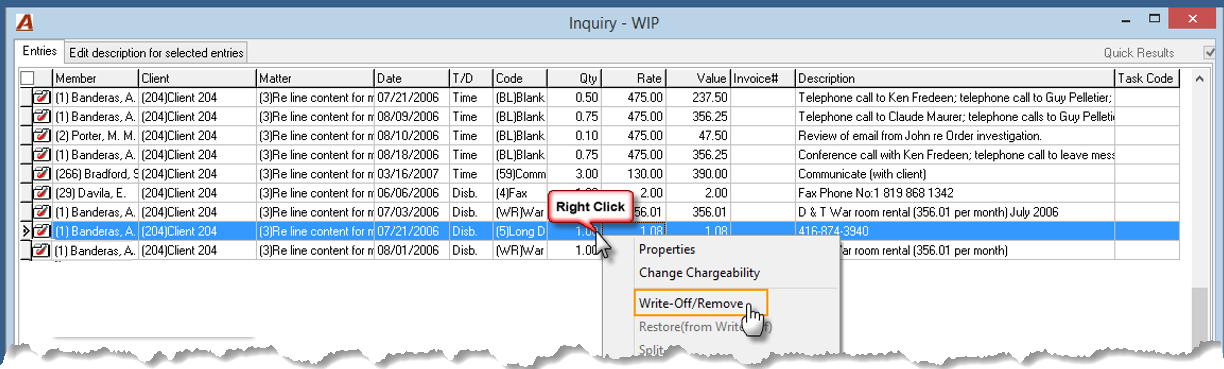
Multiple select the unbilled entries to be written-off and right-click to select “Write-Off/Remove” from the contextual menu. Chargeable entries are written-off and non-chargeable entries are removed.
Accept the current date as the write-off date or modify if different. Backdating the write-off date will impact reporting outcomes in the same way as back dating an invoice.
WIP Inquiry
Users can also trigger the write-off or removal of chargeable and/or non-chargeable entries from WIP inquiry directly outside of the billing cycle. For users with limits the right-click write-off/remove will trigger a WO request instead if the limit has been reached.
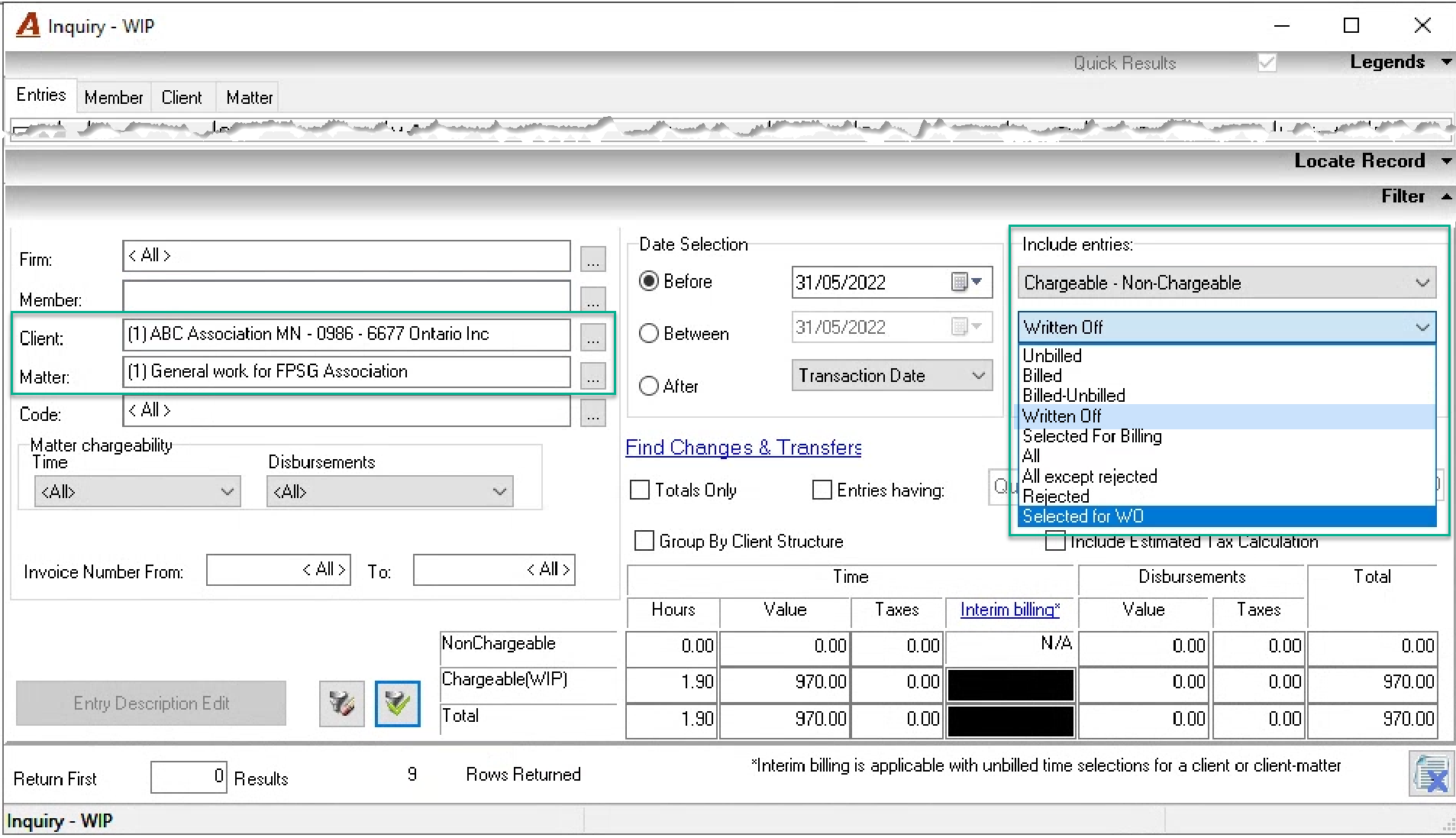
Select the filter option “Selected for WO” to list the unbilled entries selected for write-off in combination with other filter options as needed, for example filter by client, or member.
Select the filter option “Written-Off” to list the entries written-off in combination with other filter options.
Invoice Properties
Although the option to write-off is offered from the WIP section of the Entries tab in invoice properties, the existence of an invoice implies that the matter has not yet been finally billed and that the client is a going concern. For most firms this means that the unbilled chargeable entry should be included in the billing section and processed as a write-down to 0.00 and not a WIP write-off.
Non-chargeable entries included in the billing section are removed from WIP. The invoice document form provides presentation options to include or exclude non-chargeable entries on the invoice document.
Reversal of WIP Write-Offs
To correct an unbilled entry write-off completed in error and restore it to its unbilled status, use the WIP inquiry filter to find the written-off entry and right-click to select “Restore from write-off.” This action will correct the WIP position in context of the entry’s transaction date, in the same way as if you were backdating an entry, therefore it will affect WIP positions retroactive to the entry’s transaction date.
Multiple write-off reversals are possible on filtered results by working member, client, matter, or code.
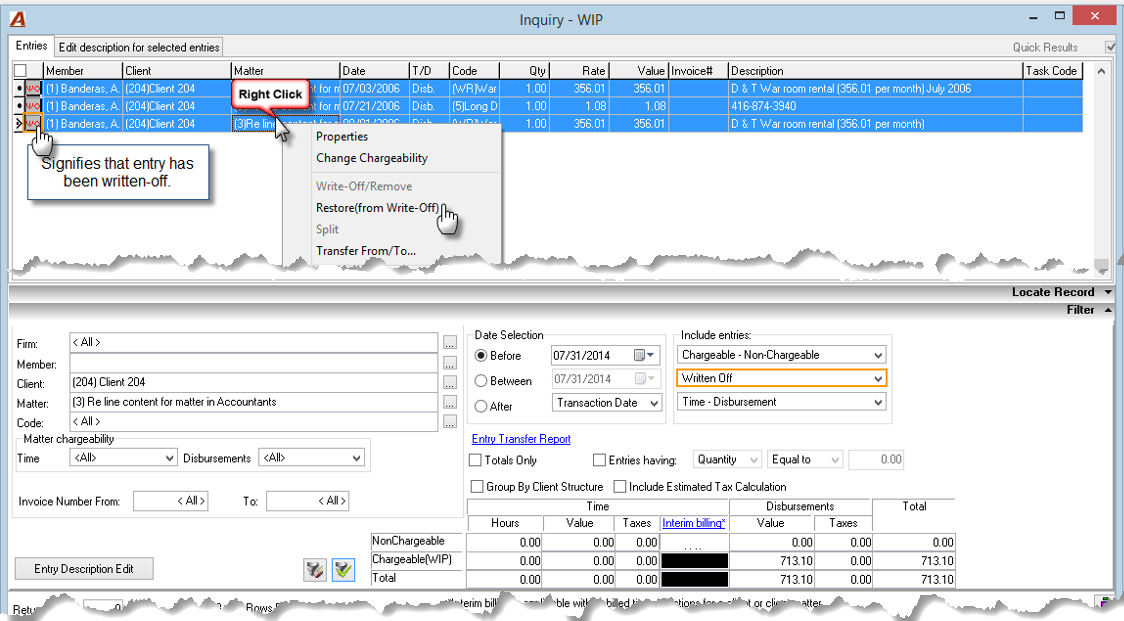
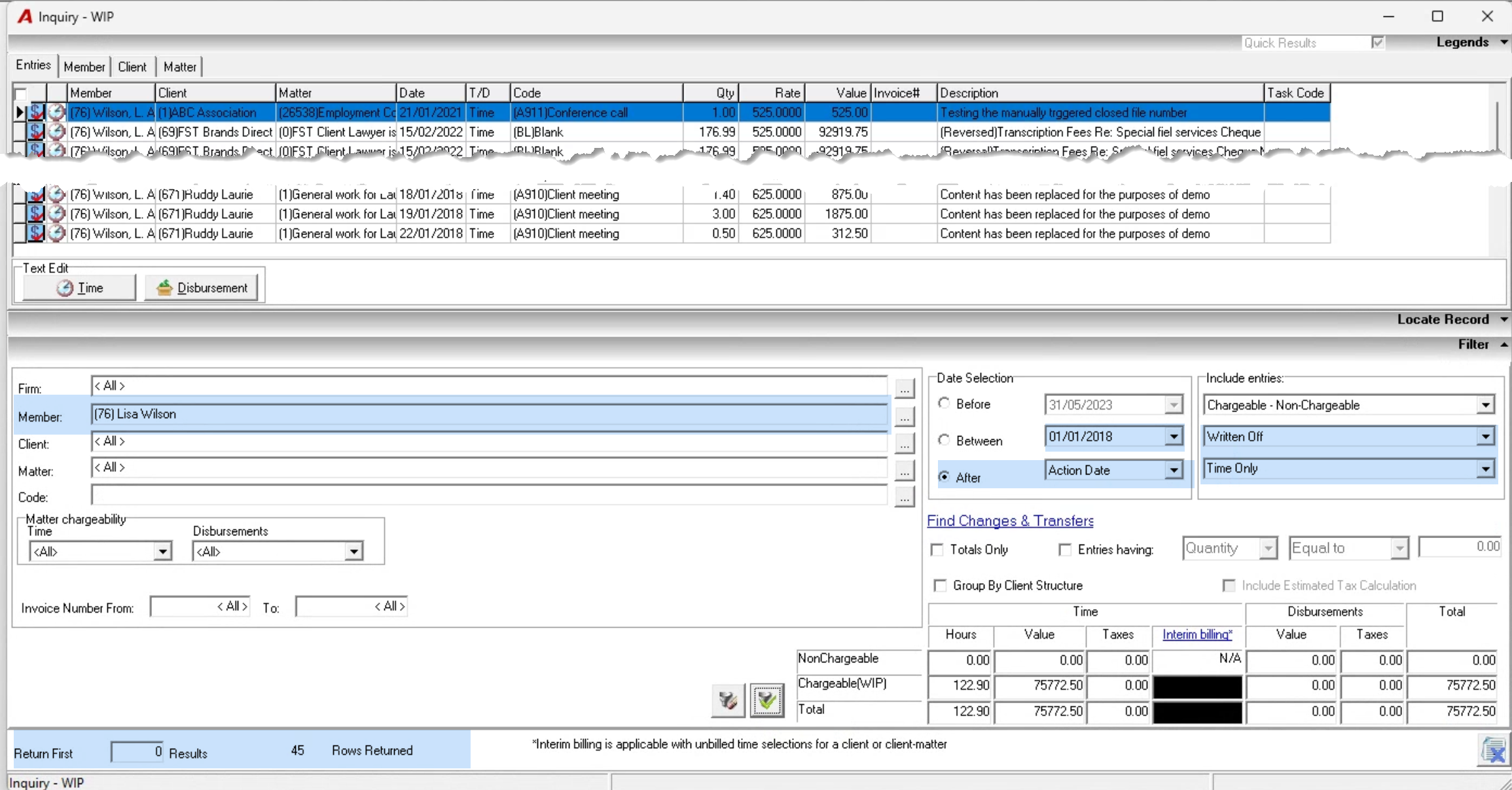
To reverse multiple write-offs, consider combining entry filters based on transaction date, or write-off date with member and/or client (the largest groupings). For example, to reverse time entries written-off (action date) after January 1st, 2018, we applied the below filter for each member.