.png)
Overview
The highly confidential flag is a matter level visual identifier that is part of the conflict assessment and clearance toolkit and supporting workflow. Matters identified as Highly Confidential will provide data-stewards and compliance-officers responsible for managing the conflict assessment process, with visual cues in order to proceed with the necessary law-firm information controls afforded to these types of matters.
How it works
Acumin's Ethical Wall Management System and the Highly Confidential Flag Use-Case
The Acumin Ethical Wall Management System, which includes the "Highly Confidential" flag, is a powerful tool designed to establish information barriers within organizations. Its primary purpose is to prevent unauthorized information exchange between users and mitigate potential conflicts of interest related to sensitive matters.
The system offers flexible options for applying restrictions based on the specific requirements of a matter. For instance, restrictions can be applied across all matters for one or more members to facilitate a lateral hire process. Alternatively, access to a specific matter can be limited exclusively to individuals listed on the "allowable member" list, supporting the management of highly confidential matters. Additionally, organizations can control time entry behavior to safeguard sensitive matters. In cases where non-allowed members inadvertently record time entries to a restricted matter, these entries will not be posted, preserving confidentiality.
To streamline the setup of highly confidential matters and reduce the administrative burden of managing the allowable member list, law firms can configure automatic inclusion rules. These rules can designate specific individuals—such as key members of the finance department, the managing partner, or others—as default allowable members. They can also be rule-based, automatically including members with matter-level roles or the individual responsible for the client.
From a practical standpoint, the "Highly Confidential" flag serves as a visual cue for those managing the conflict assessment process. This flag highlights the sensitivity of a matter, prompting users to carefully follow the required steps in the ethical wall management workflow to complete conflict clearance and activate the matter. Moreover, it acts as a safeguard against inadvertent actions—such as sending office-wide emails about sensitive matters—when this step is part of the firm's conflict assessment and clearance procedures.
By combining robust access controls, streamlined setup processes, and clear visual indicators, the Acumin system empowers organizations to effectively manage ethical walls, safeguard confidential information, and minimize the risk of conflicts of interest.
Security
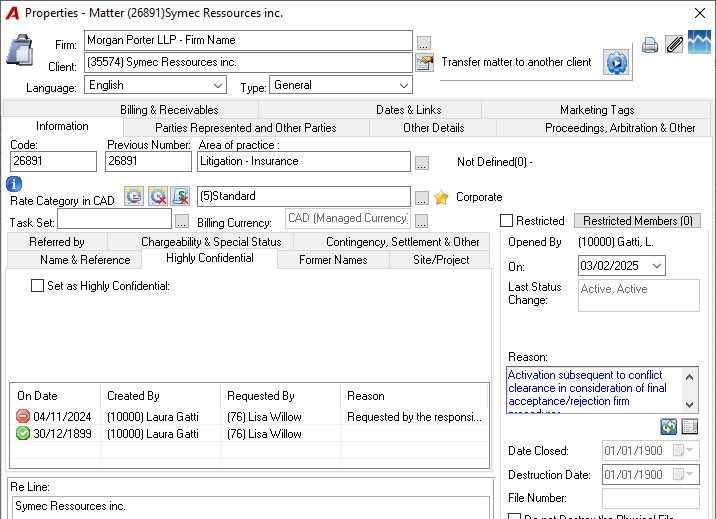
The Highly Confidential flag plays a critical role in managing access to restricted matters, particularly during the conflict assessment process. During this sensitive phase, any changes to the flag's status within matter properties can directly influence conflict assessment decisions. To prevent potential misuse, all modifications to the flag are strictly monitored and logged, capturing details such as who made the change and when it occurred.
Once a matter successfully clears the conflict assessment process and is activated, it becomes subject to restricted matter business logic and controls. At this point, access to modify matter properties, including the flag's position, is significantly limited to a smaller group of authorized users. However, to ensure accountability and maintain data integrity, all changes to the flag continue to be logged until the matter is fully closed. This rigorous tracking provides a robust layer of security and oversight throughout the matter’s lifecycle.
Enabling the option
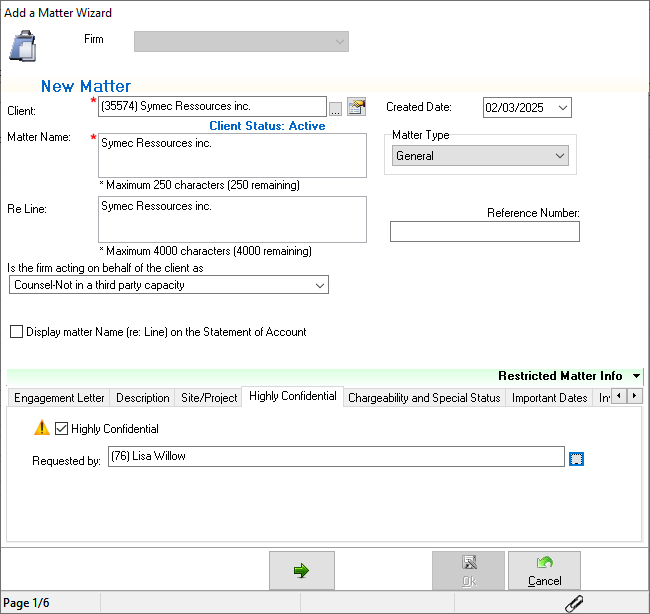
In the Matter Wizard:
Users having the permission to open files using the Matter Wizard will be able to enable the option under the Highly Confidential sub tab;
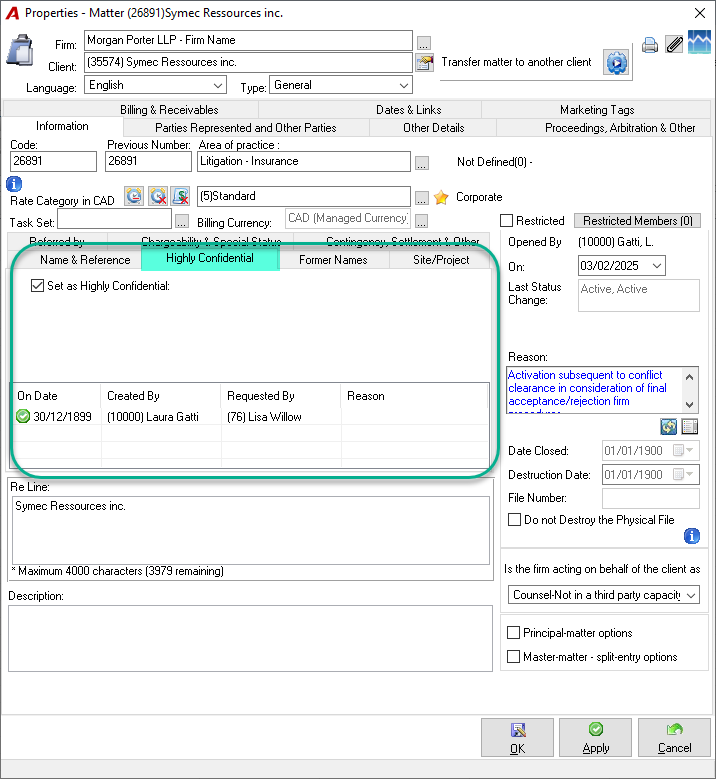
Matter Properties:
Users having the permission "Matter Change #430" will be able to enable the option under the Highly Confidential sub tab;
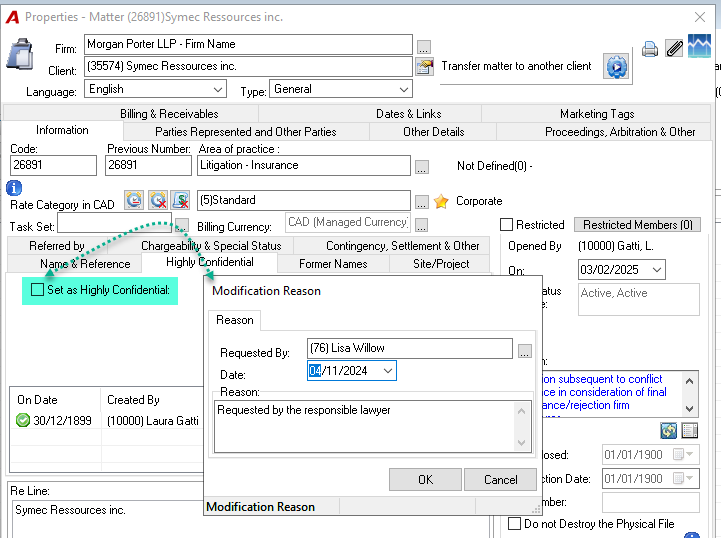
Modifying the option
In order to preserve data integrity, each time that the Highly Confidential flag is turned on or off, the user will have to specify the member who is requesting the modification of the flag in order to complete the log.
Highly Confidential icon visibility
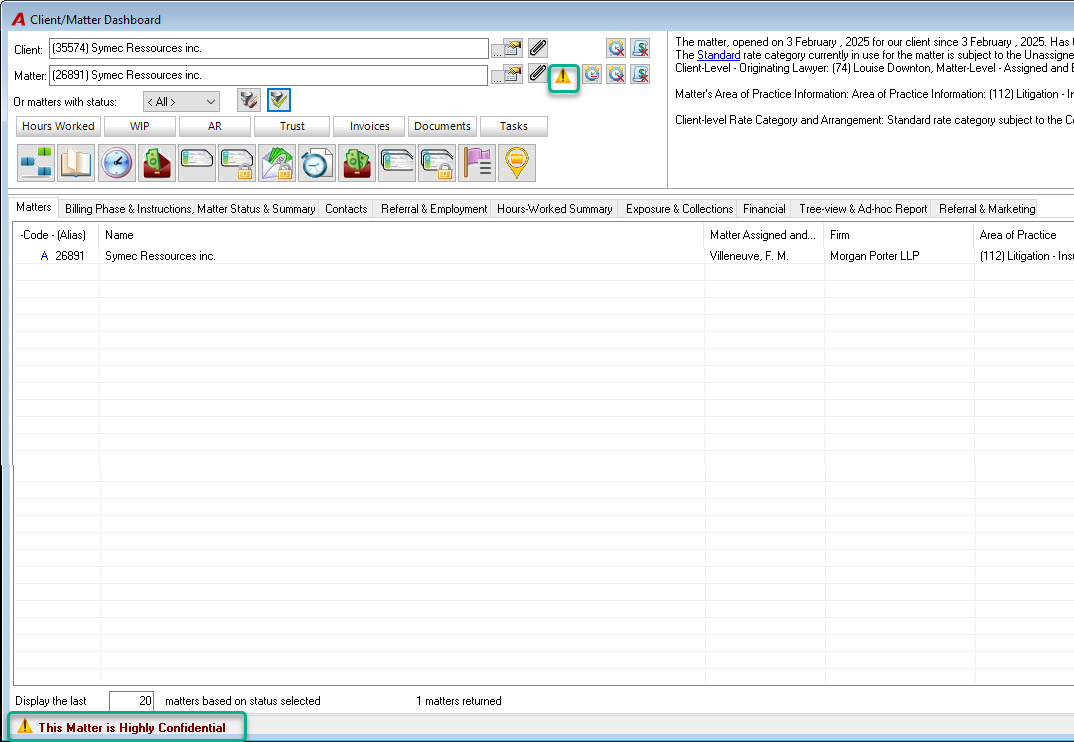
The visibility of the icon has been added to different locations in Acumin.
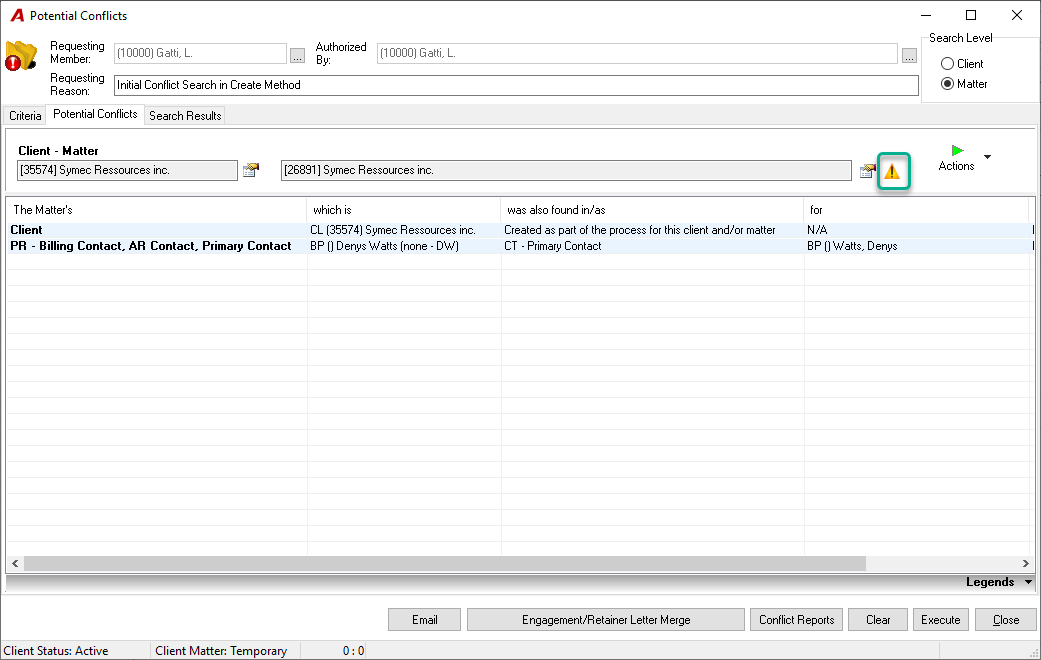
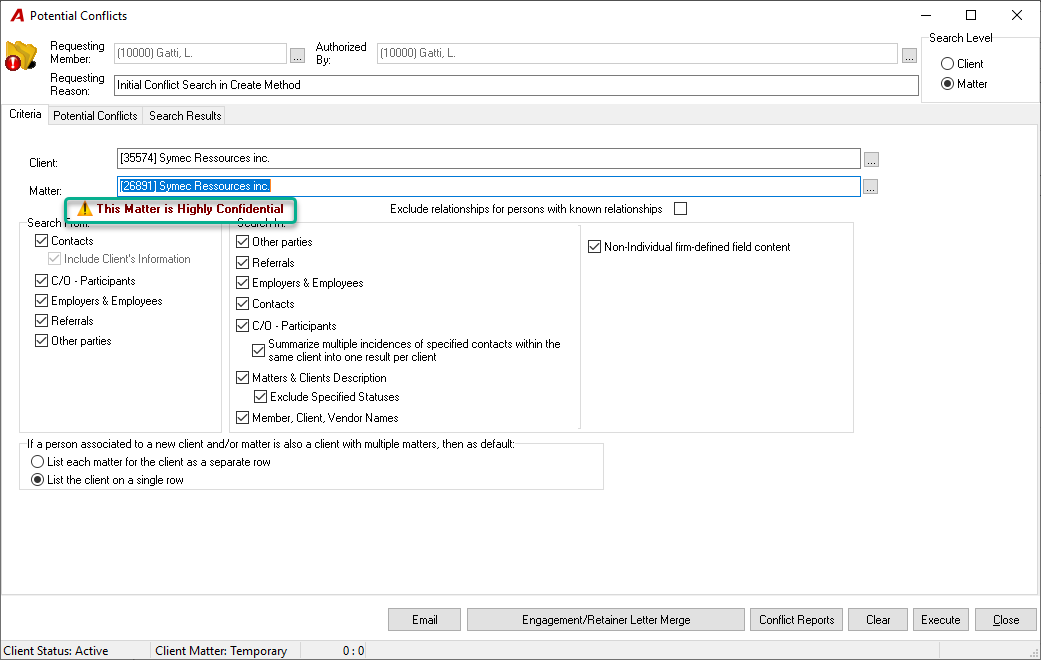
Potential Conflicts form
To warn the person responsible for the conflict search that a file is sensitive, the Highly Confidential icon displays on the "Criteria" and on the "Potential Conflict" tab. The user can then control to whom and how he will distribute related reports.
Client and Matter Dashboard form
RELATED DOCUMENT:
Client and Matter - Restricted Matters and Ethical Walls - Quick Start