.png)
-
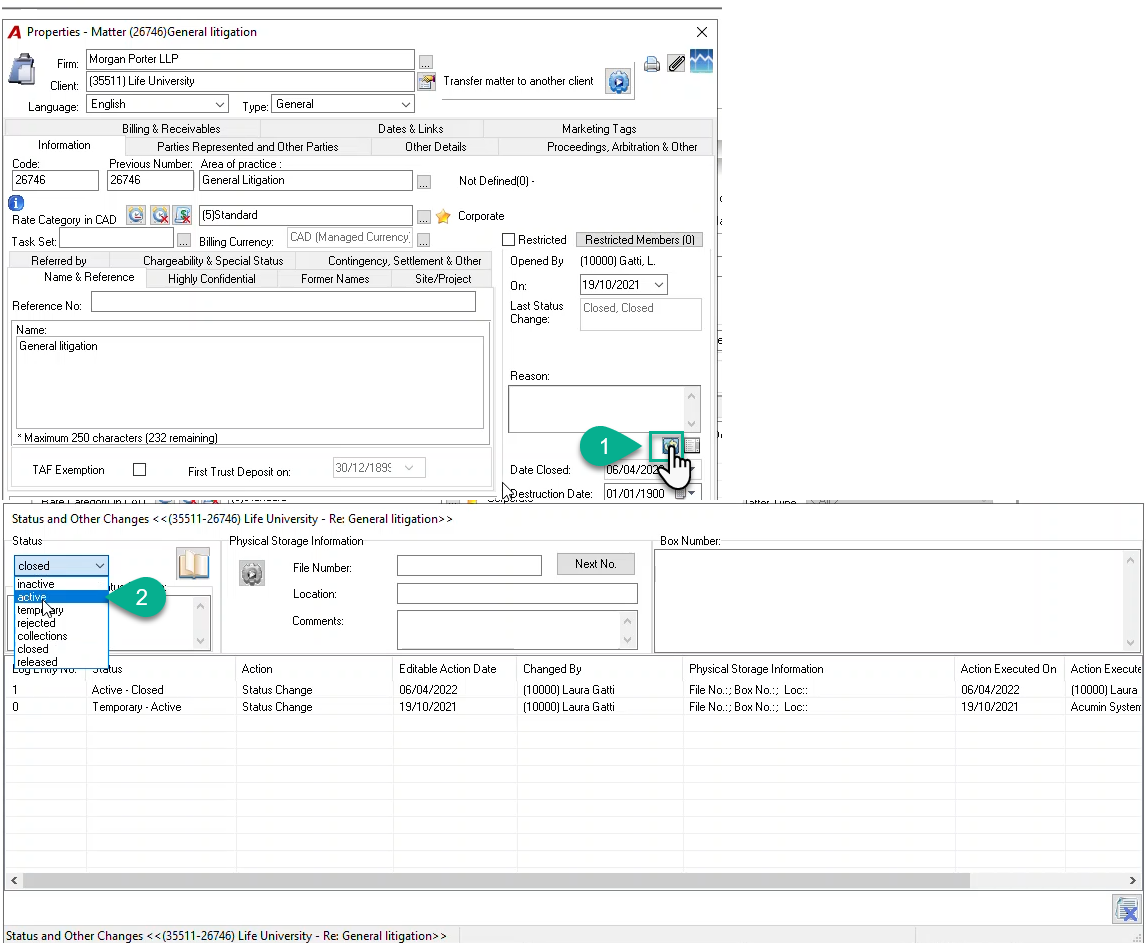
In the Matter Properties form, press the Status Change button;
-
In the Status and Other Changes form, in the Status section, select the “active” status from the drop down list;
-
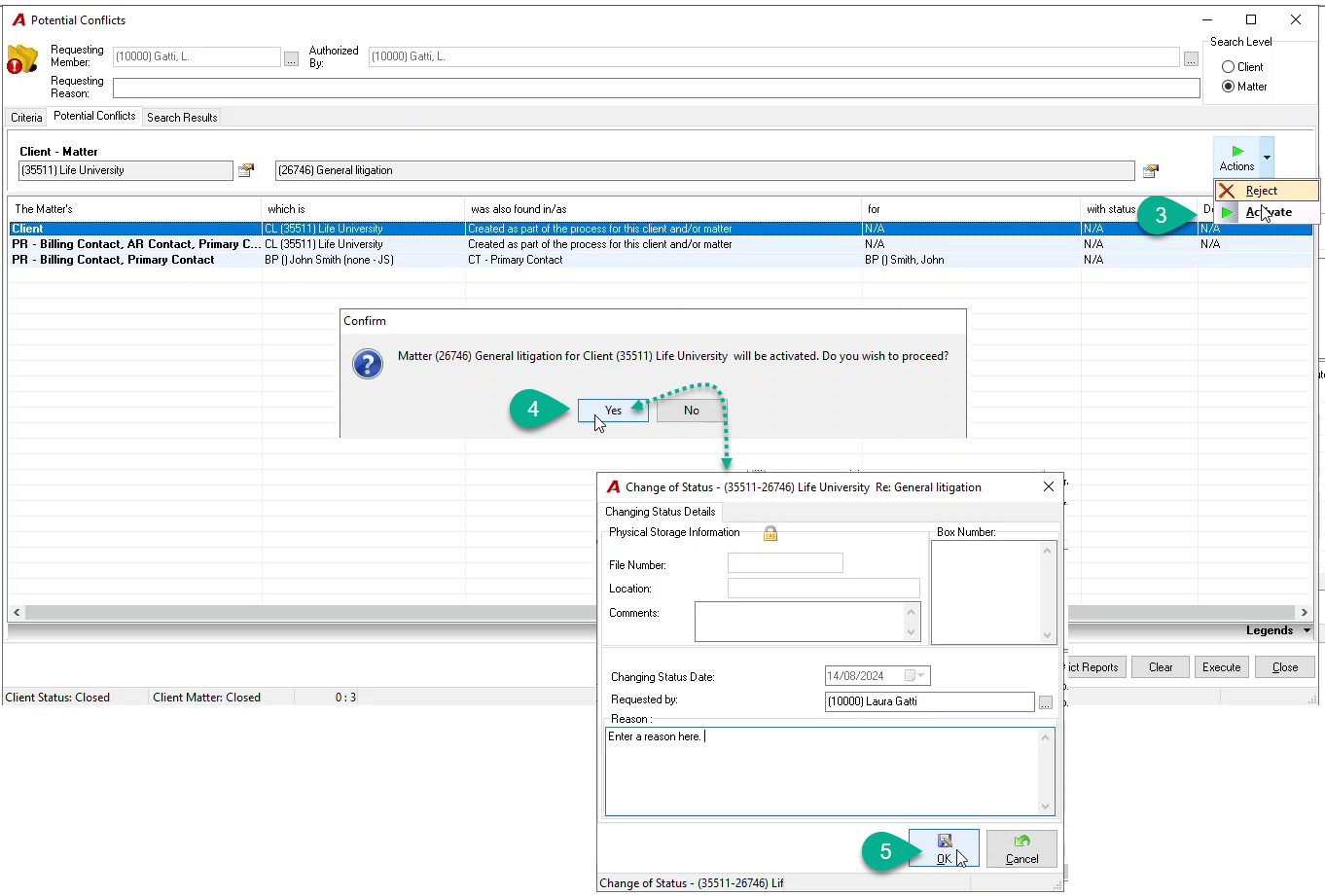
In the Potential Conflicts form, select the “Activate” option from the Actions list.
-
Click on Yes on the message asking you to proceed with the matter activation;
-
In the Change of Status form, enter the reason, press OK;
-
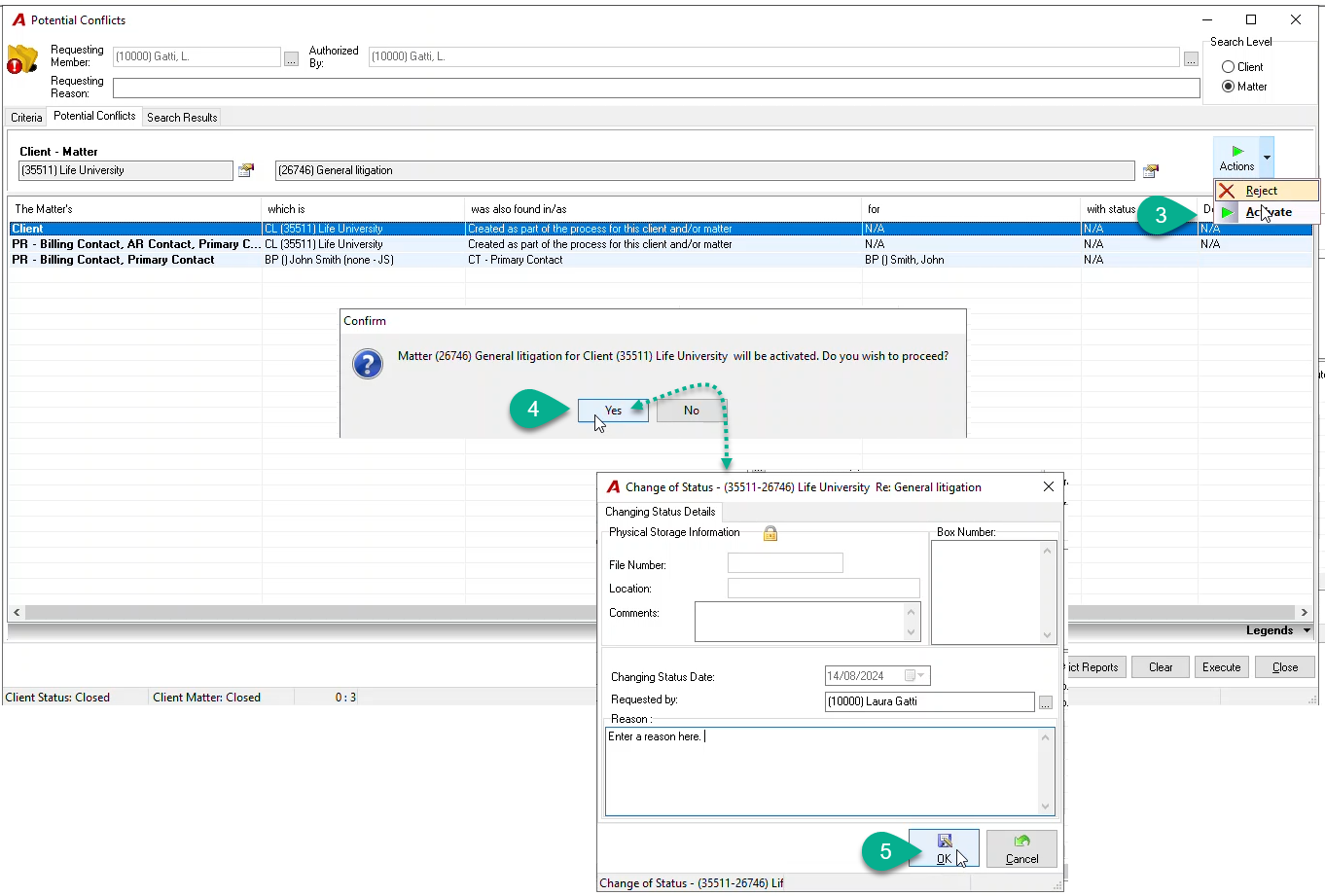
In the Status and Other Charges form, a line in the log list will be added with all relevant information. Press the Close button to exit.
-
In the matter Properties form, you will see the “Active” status in the “Last Status Change” field.
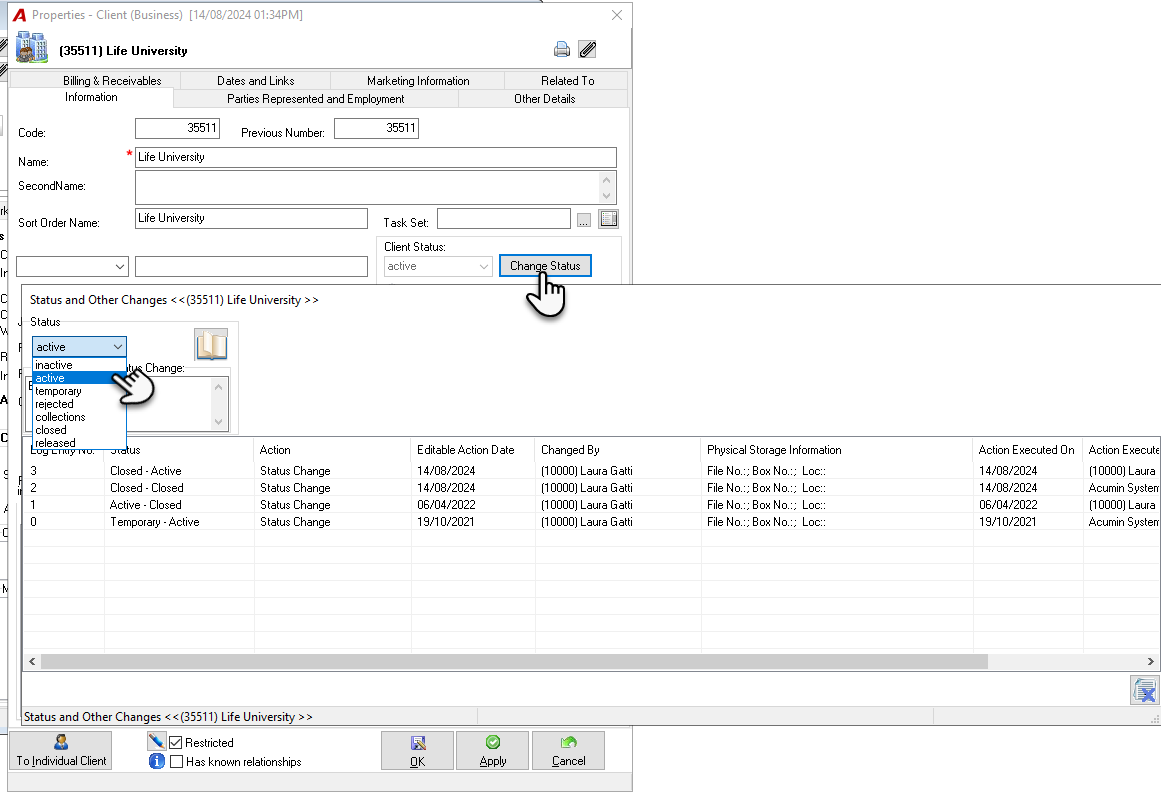
Note: To activate a closed client, press the Change Status button in the Client properties form and follow the same steps as above.