.png)
Group – Parent Client Structure
Set-Up the Parent Client
Create a new client as the parent.
It is common practice to create parent clients in a special client number range – for example in the “8000000” and with the word “group” in the name – for example “the ABC Group of Companies”.
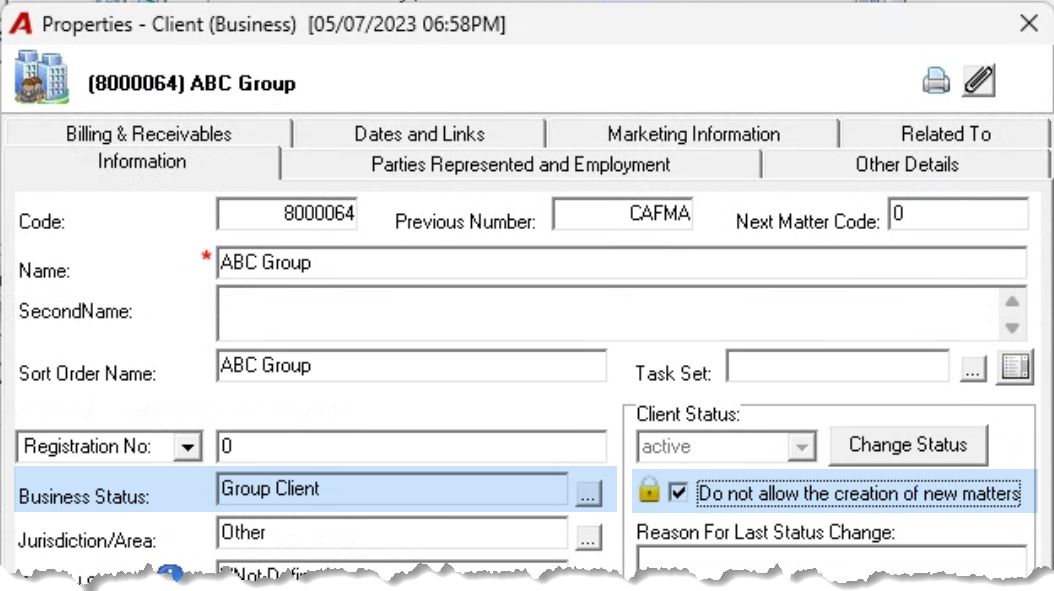
Complete the new client properties to fit your use case.
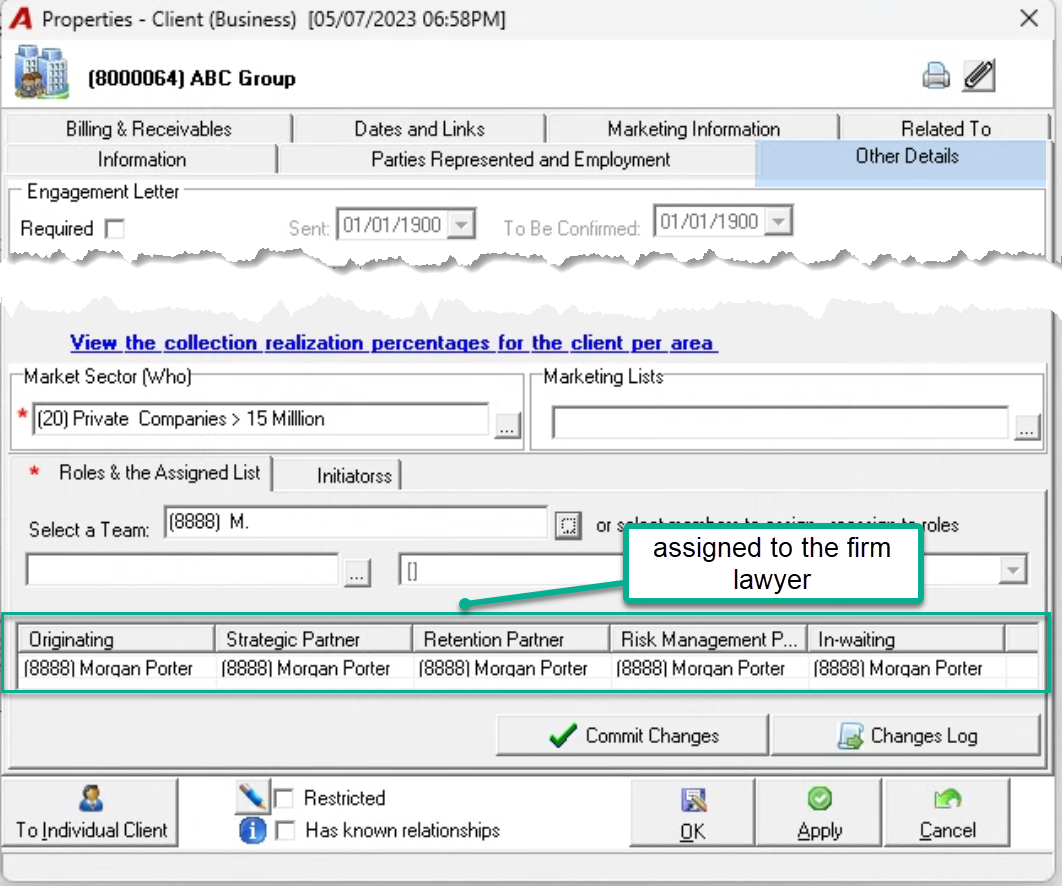
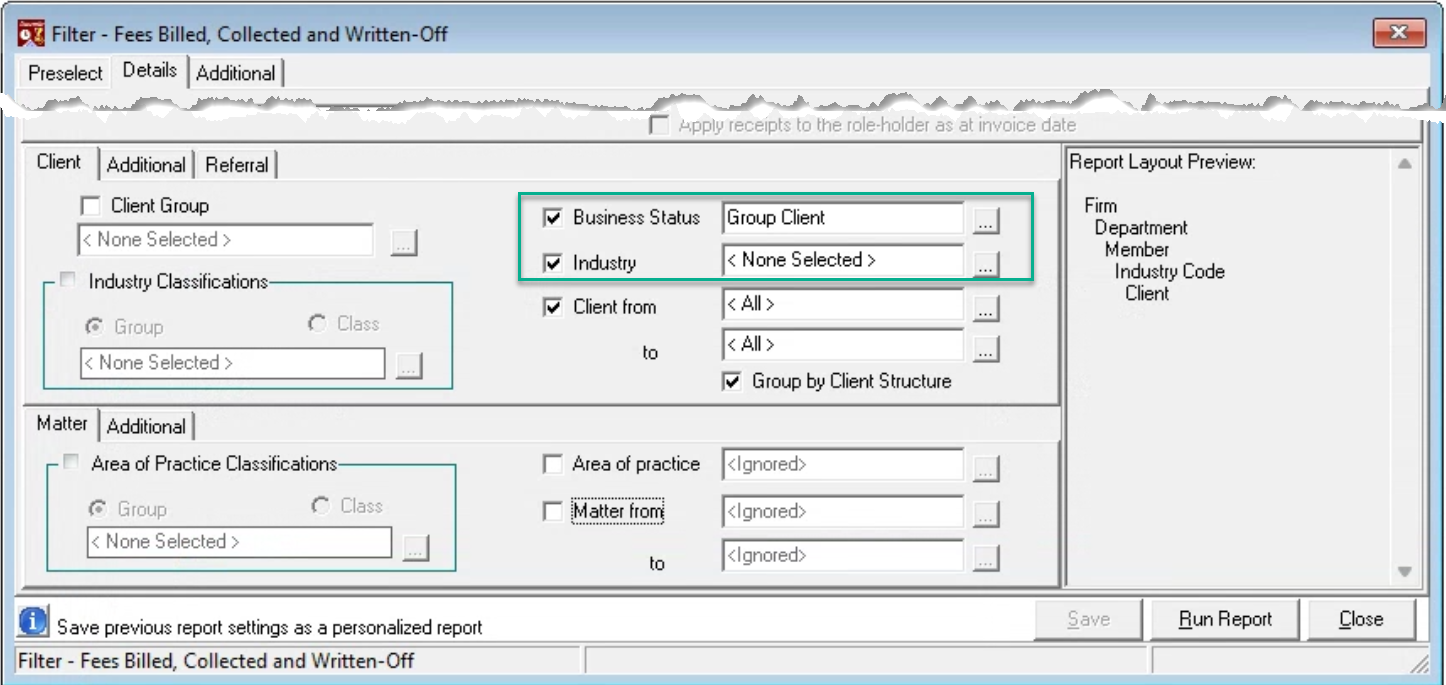
Some of the most common used attributes are the uses of “Business Status” to be able to group all parents, or “Industry” as the industry will already be defined for each client in the structure as well as use of the “Do not allow the creation of new matters” checkbox option and assigning a non-timekeeper as role-holders.
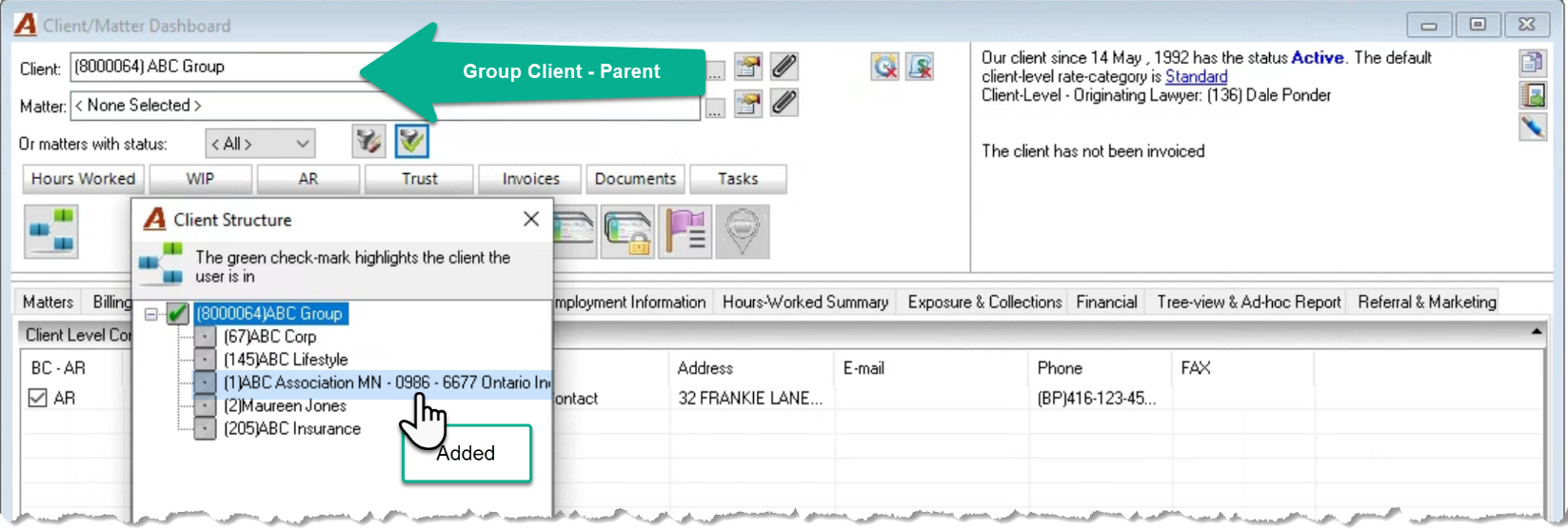
Add – Remove to the Group Client Structure
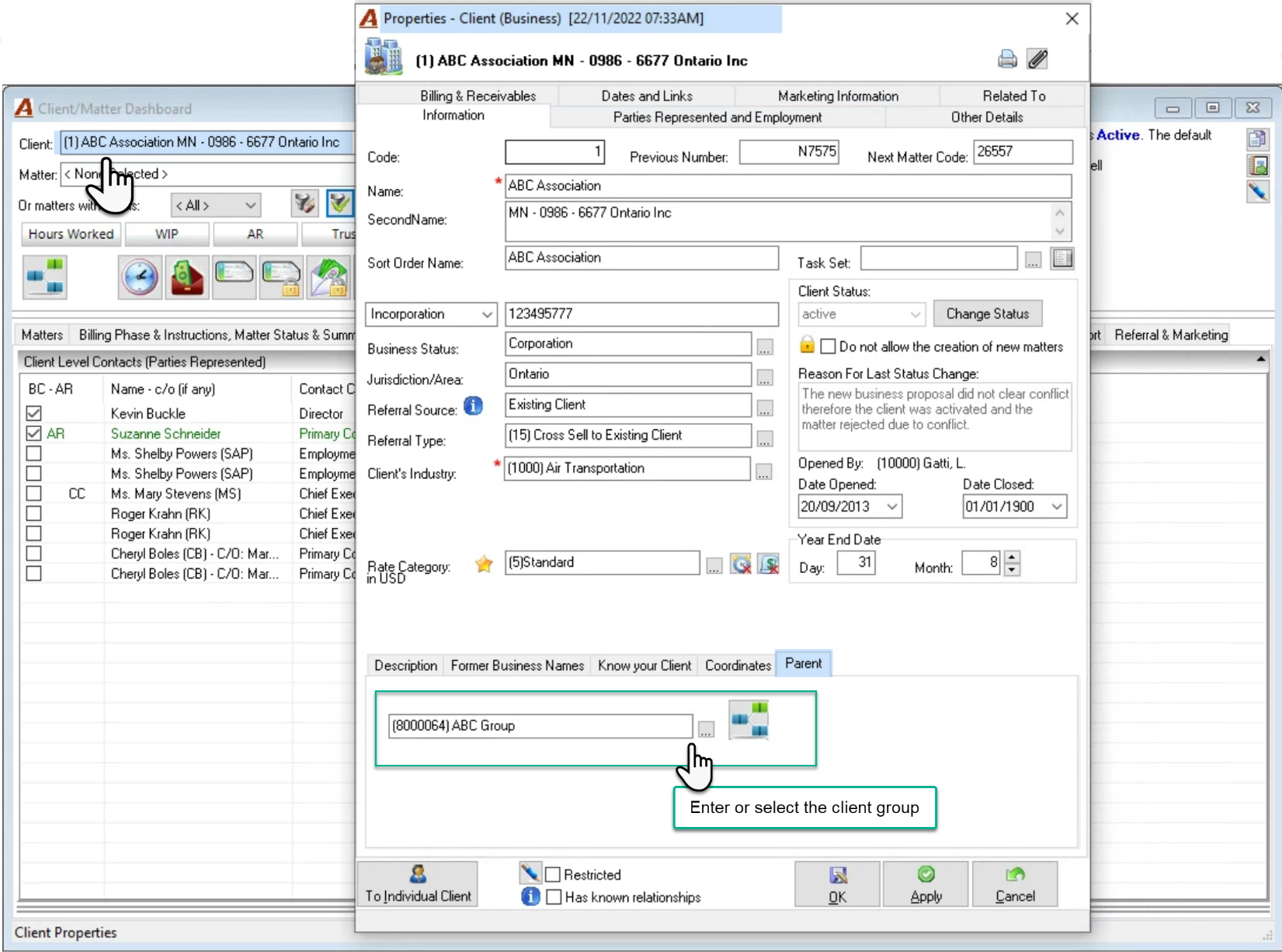
Select the child-client to be added to the group client in client matter dashboard. Press on the properties to launch the client’s properties form. Navigate to the “Parent” sub-tab which is at the bottom of the information tab. Press on the ellipsis button to search and select the group client or enter its code. Press OK to exit client properties.
To remove a child-client from its parent, highlight the group client entered the “Parent” field and press delete to return to the d3efault position of <none selected>.
Report Filter Options
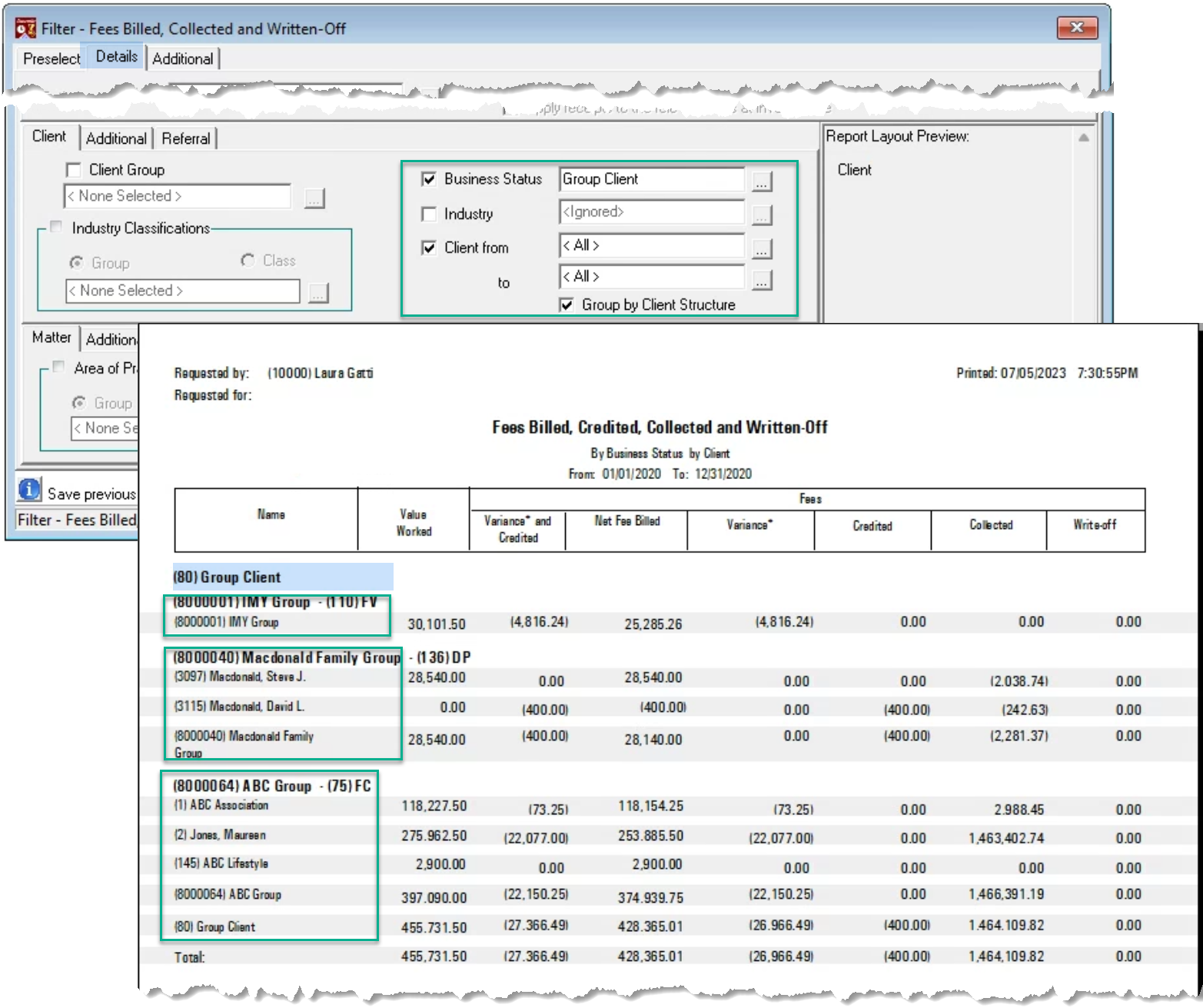
Use the parent client number range and the “Group by Client Structure” checkbox option to group the results.
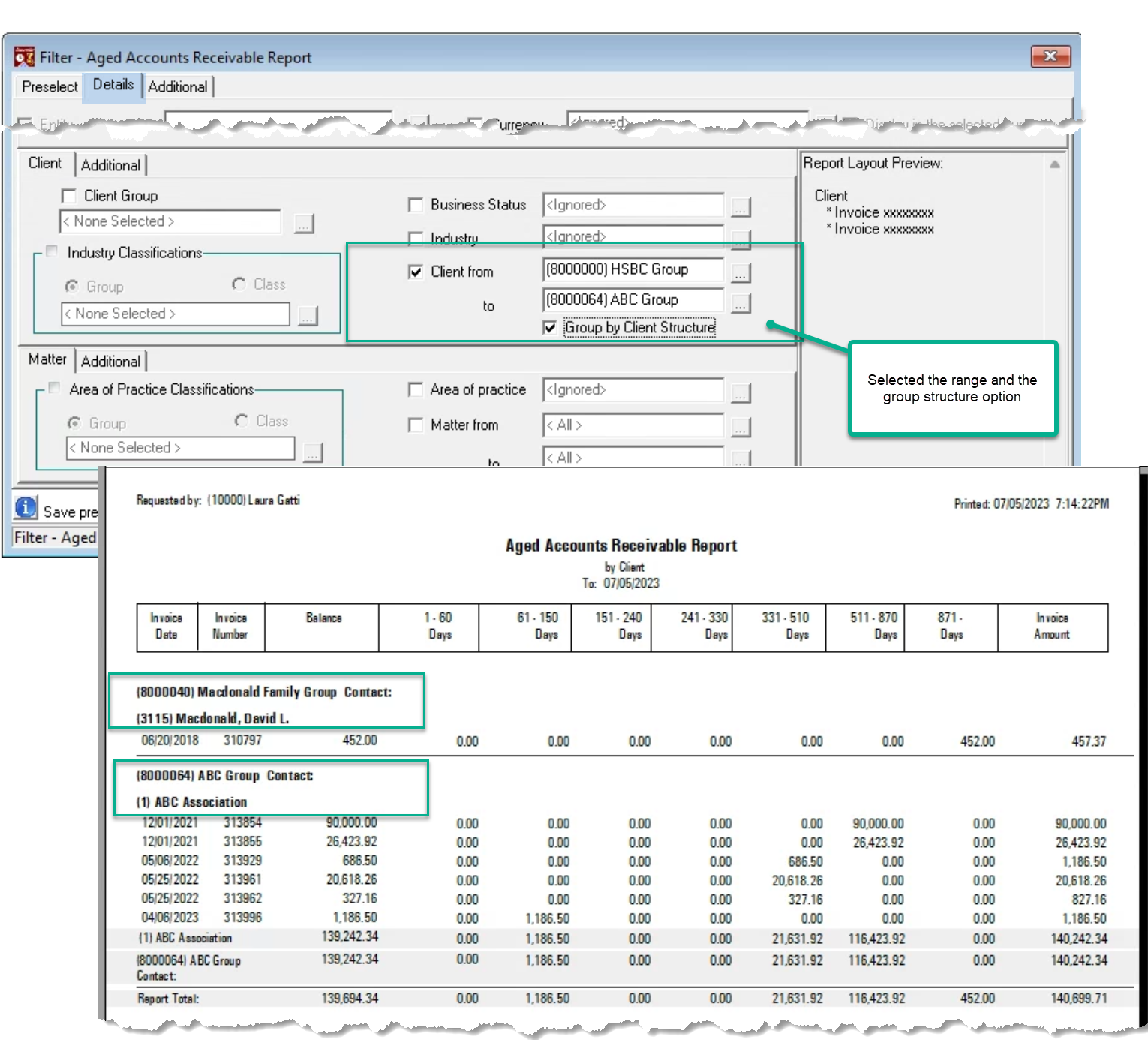
Or use the user-created “(80) Group Client” business status attribute and the “Group by Client Structure” checkbox option to group the results.