.png)
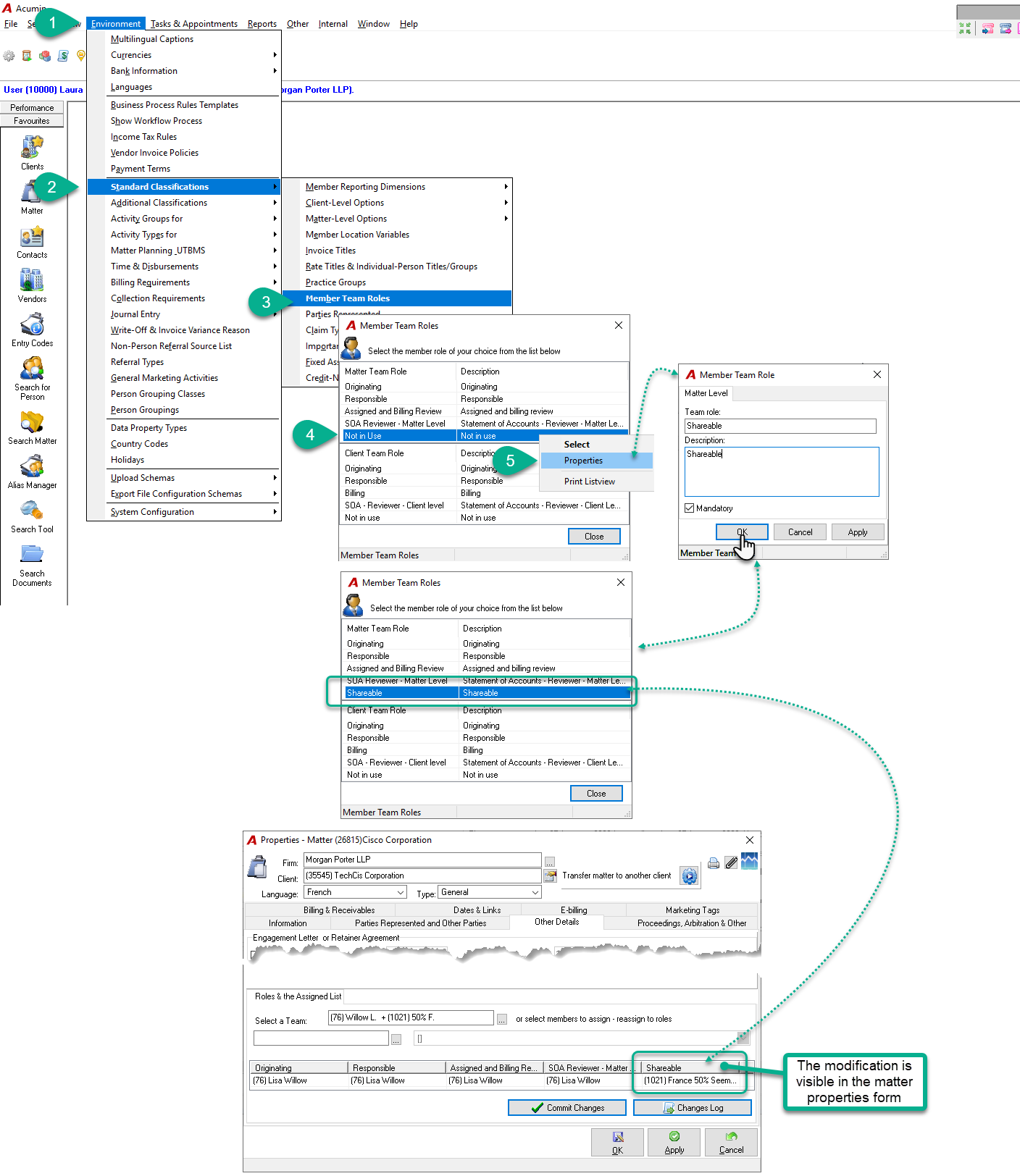
Authorized user can modify/rename a team role at the client and/or matter level by accessing the
-
Environment menu - Standard Classifications - Member Team Roles
-
In the Member Team Roles form, by highlighting the role to be modify and select the Properties option in the contextual menu;
-
In the Member Team Role form, complete all fields with the proper information and press the OK button to save and exit;
-
Back in the Member Team Roles form, the new role name should be visible;
-
The new team role name should now be visible in the Roles & the Assigned List section of the Other Details tab in the client or matter properties.