.png)
QUESTION: How can I change the name of the firm within Acumin?
RESPONSE:
You can modify the firm name in Acumin. See below where the firm name appears can be modified.
-
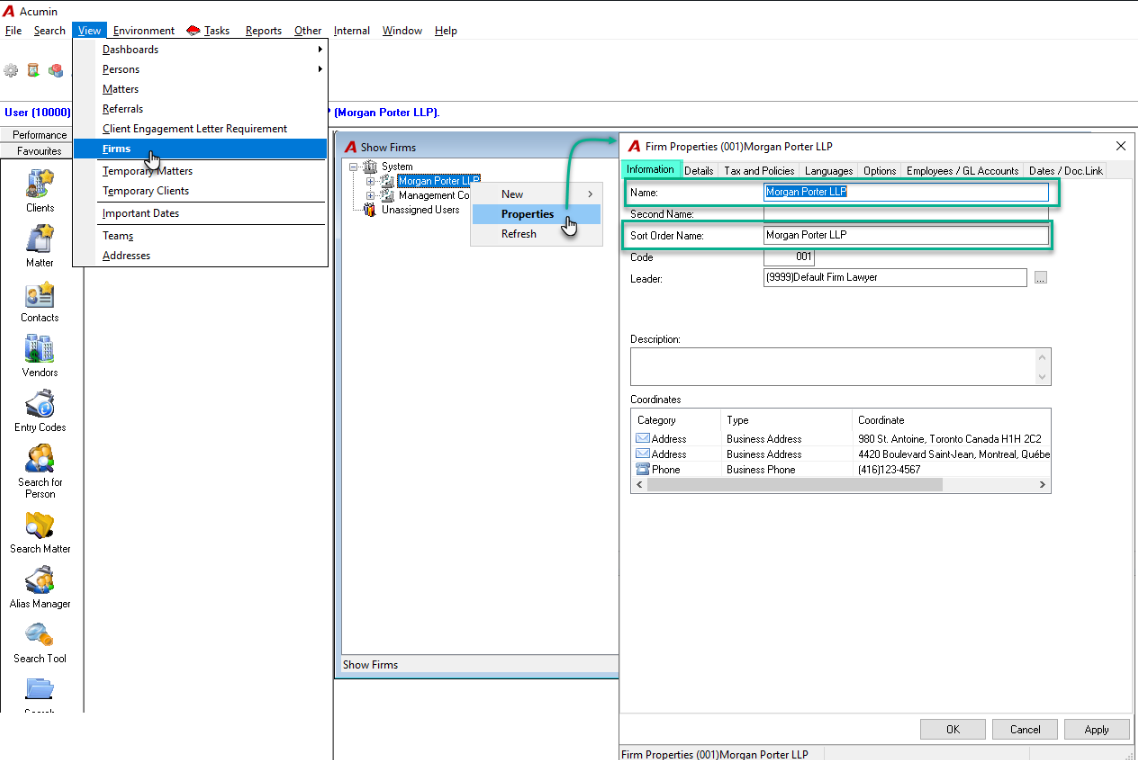
Firm Name appearing on your reports and Acumin interface: Modification in the Firm Properties.
-
Firm Name appearing on the invoice:
-
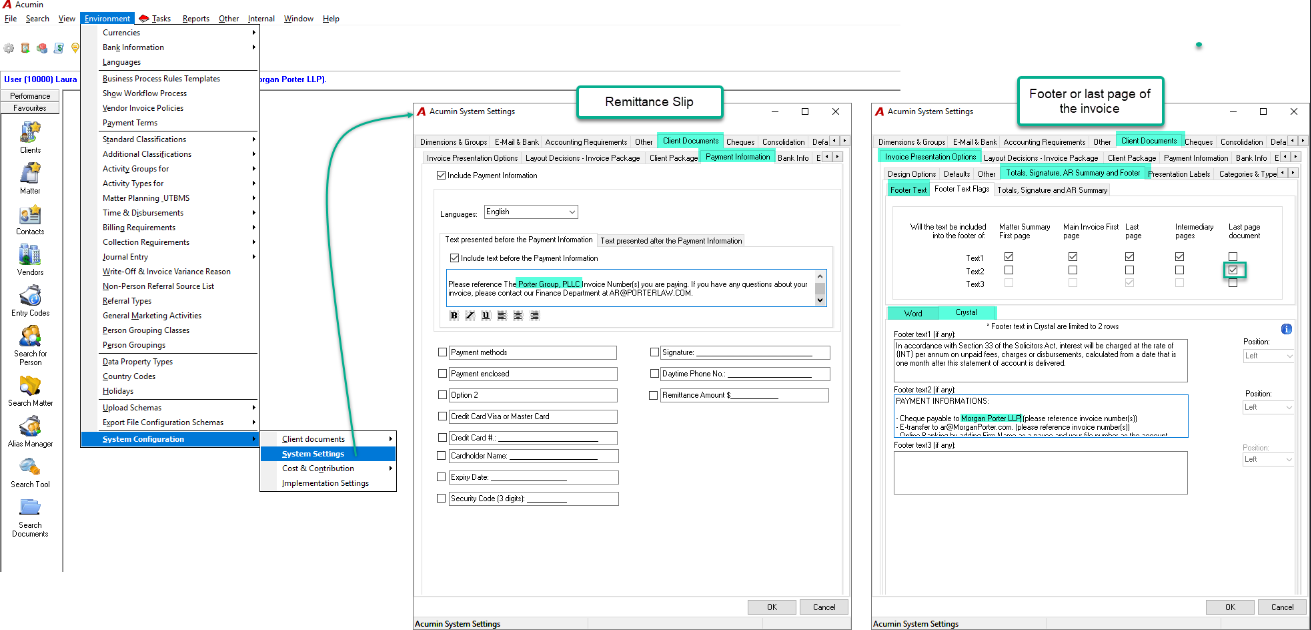
Text in the footer or last page of invoice: Modification in System Setting.
-
Text on the remittance slip: Modification in System Setting.
-
-
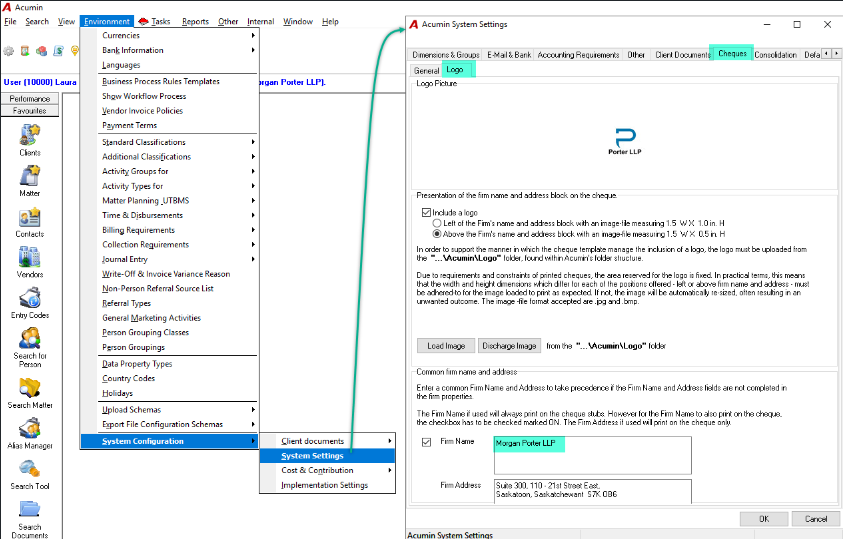
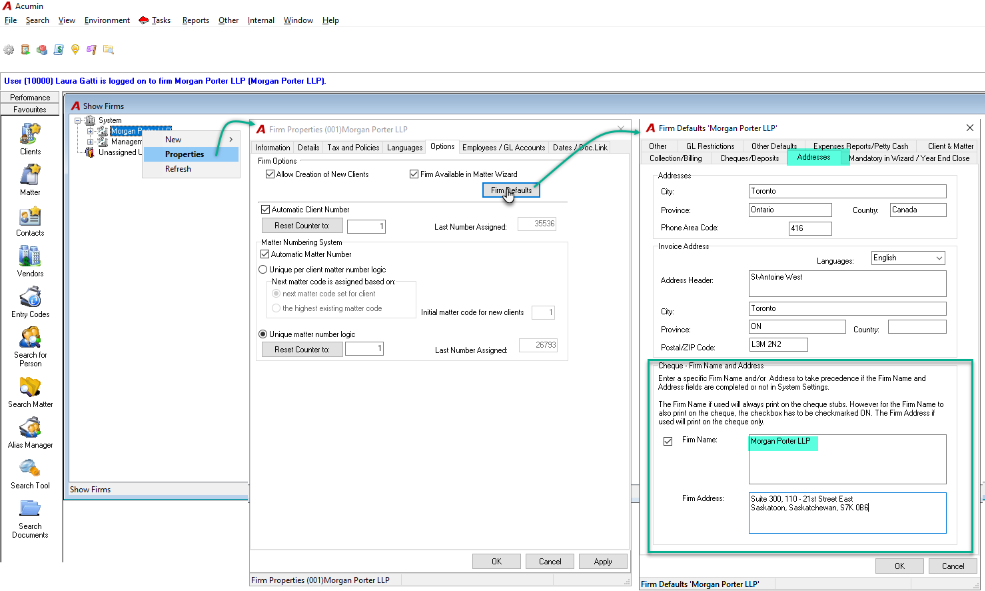
Firm Name appearing on the cheques: Modification in System Settings or Firm properties depending if it is the main firm (001) or not.
-
System Settings:
-
Firm properties:
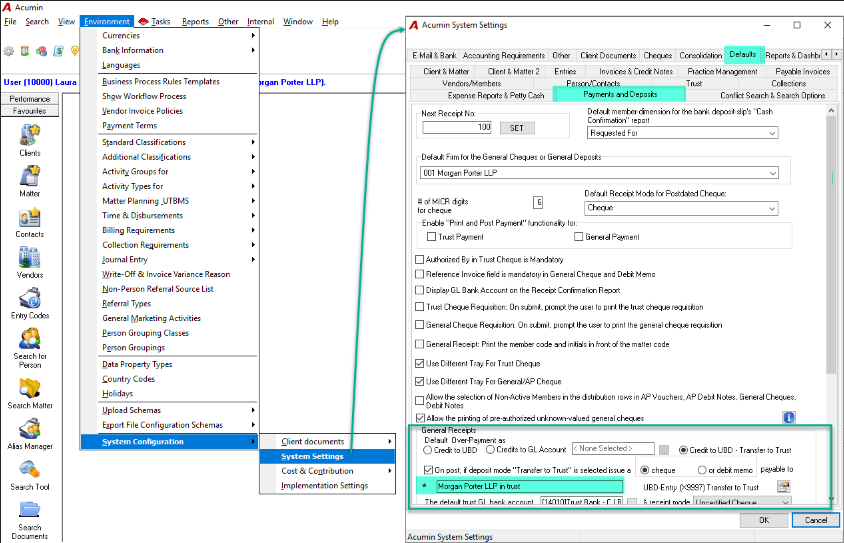
Firm Name appearing on cheque “In trust” as the payee for over-payment (if applicable): Modification in System Settings