.png)
QUESTION: How can I get rid of the Acumin toolbar?
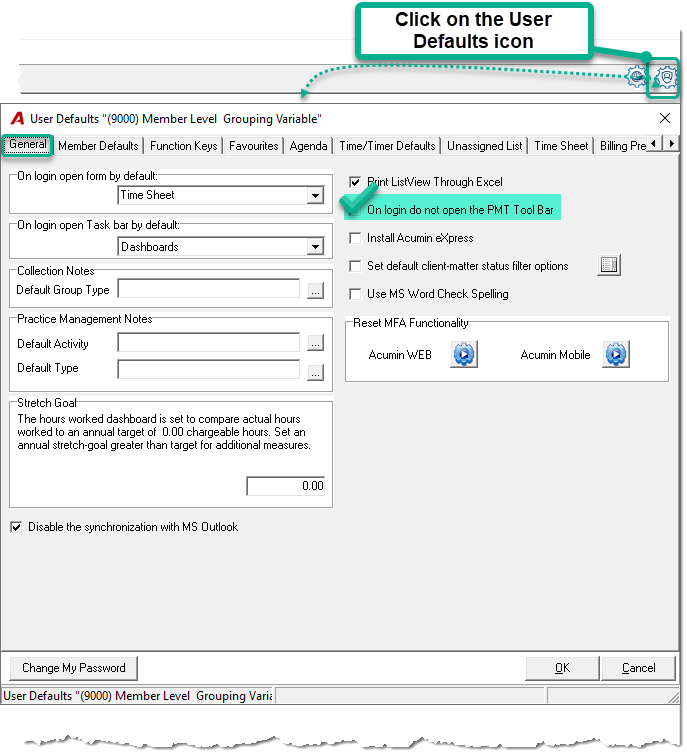
RESPONSE: The Acumin toolbar is controlled within a User’s Defaults. The User Defaults icon can be found on the right side of Acumin. Double click on the icon to have access to the User Defaults form. Any changes made to the options available in these forms will not affect other Users of the Acumin application. Select the "General" tab, checkmark the option "On login do not open the PMT Tool Bar", click on OK and logout of Acumin. On the ensuing login , the tool bar will no longer appear.