.png)
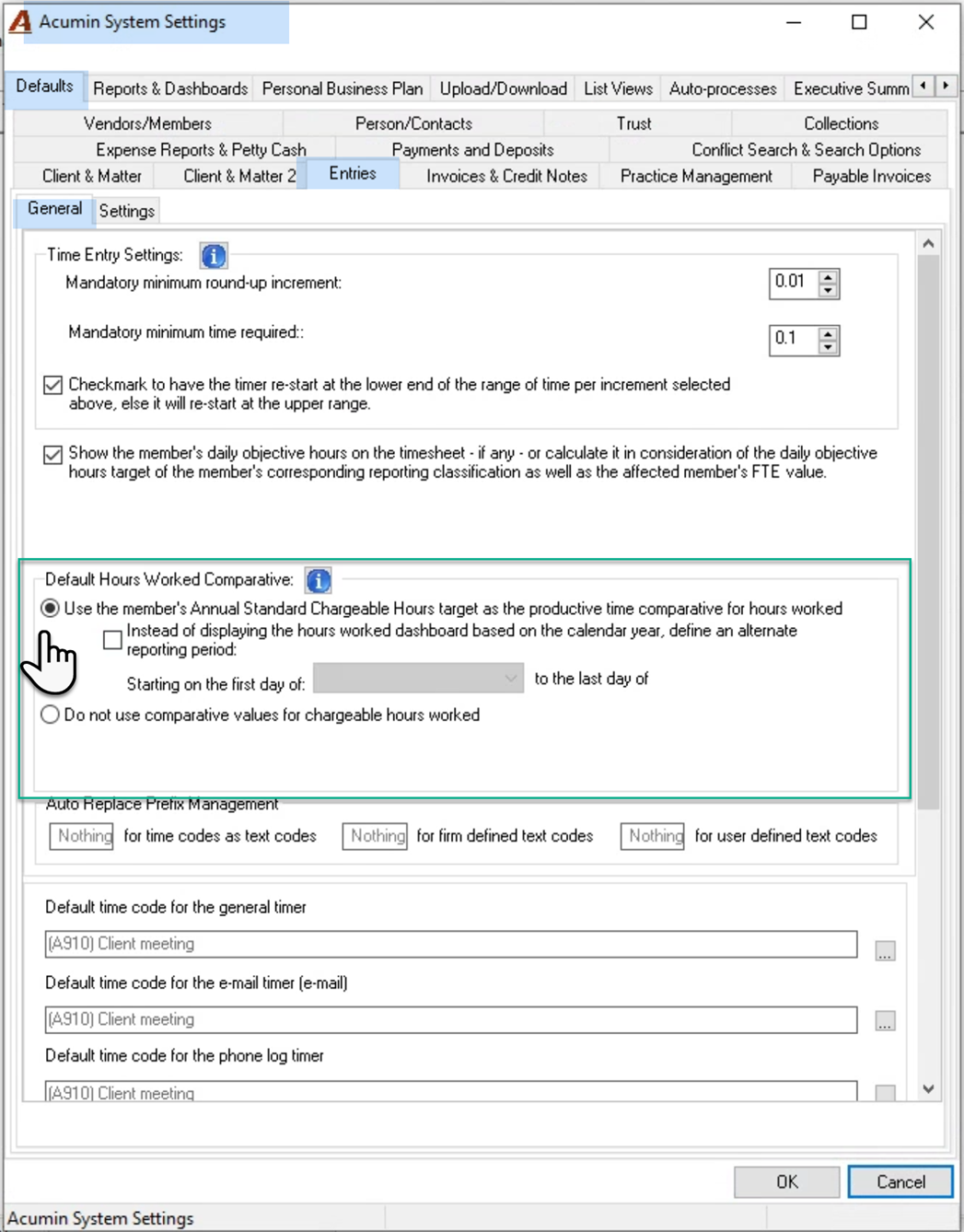
QUESTION: Can you please advise on how to set up hours worked targets for comparatives of the hours worked and dashboards for the firm?
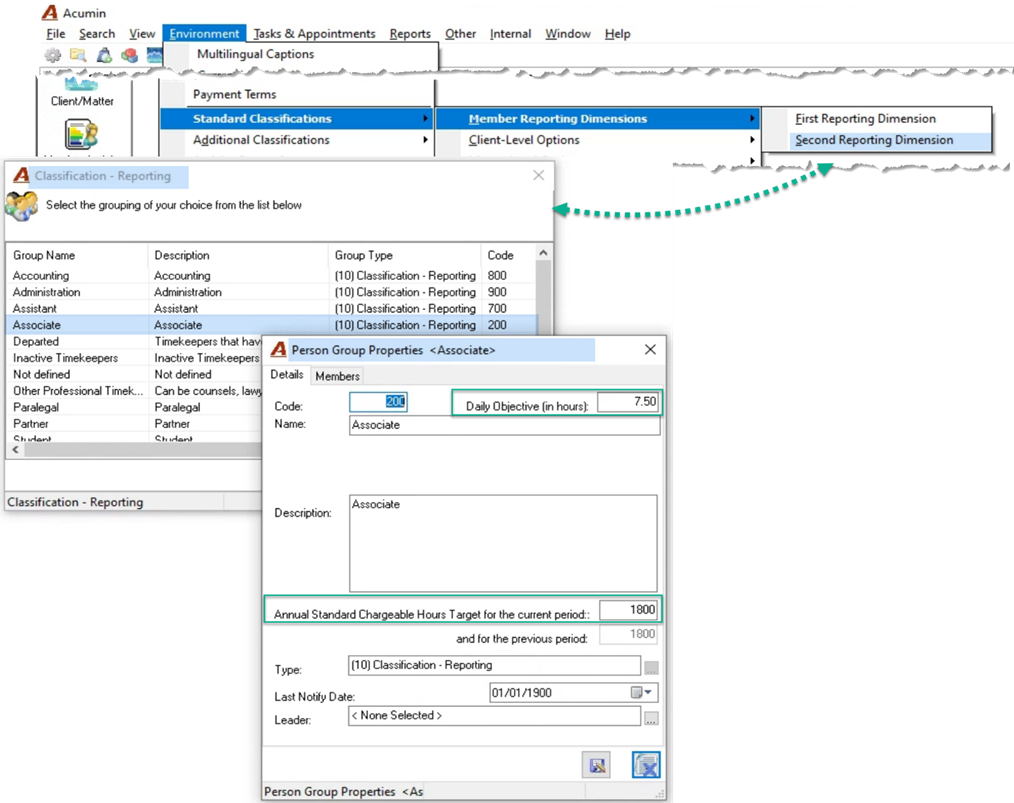
RESPONSE: To make the adjustment you need, select “Second Reporting Dimension” from the “Environment – Standard Classifications – Member Reporting Dimensions” submenu. Open the properties of each group affected to update the “Annual Standard Chargeable Hours Target for the current period:” field. The prior period will only apply next year, and it will auto populate with this year’s value. You can also use this form to change your daily objective which is used for missed time.
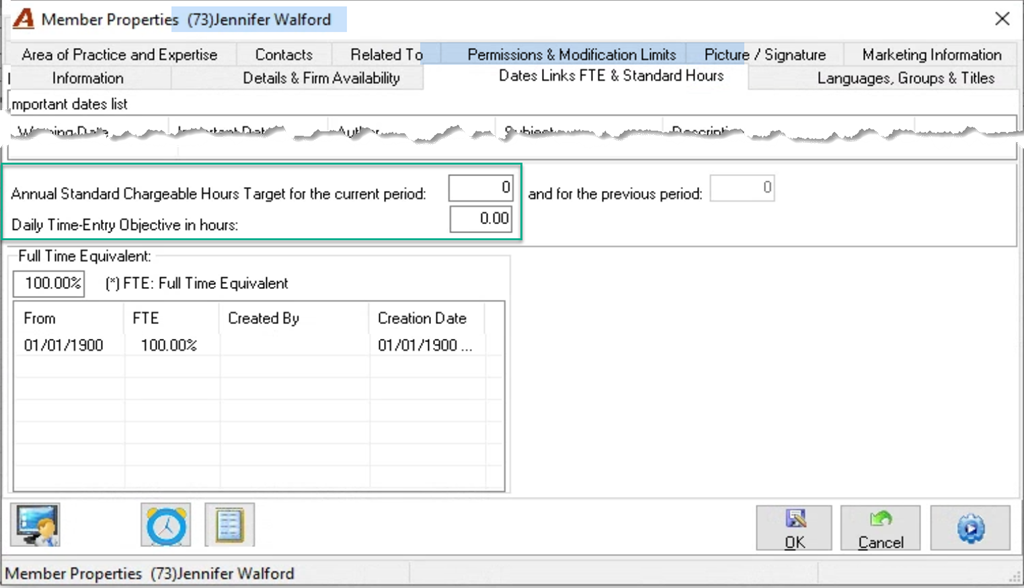
If you have a member that is an exception to his or her group, you can set the exceptional value within member properties – the “Dates Links FTE & Standard Hours” tab.