.png)
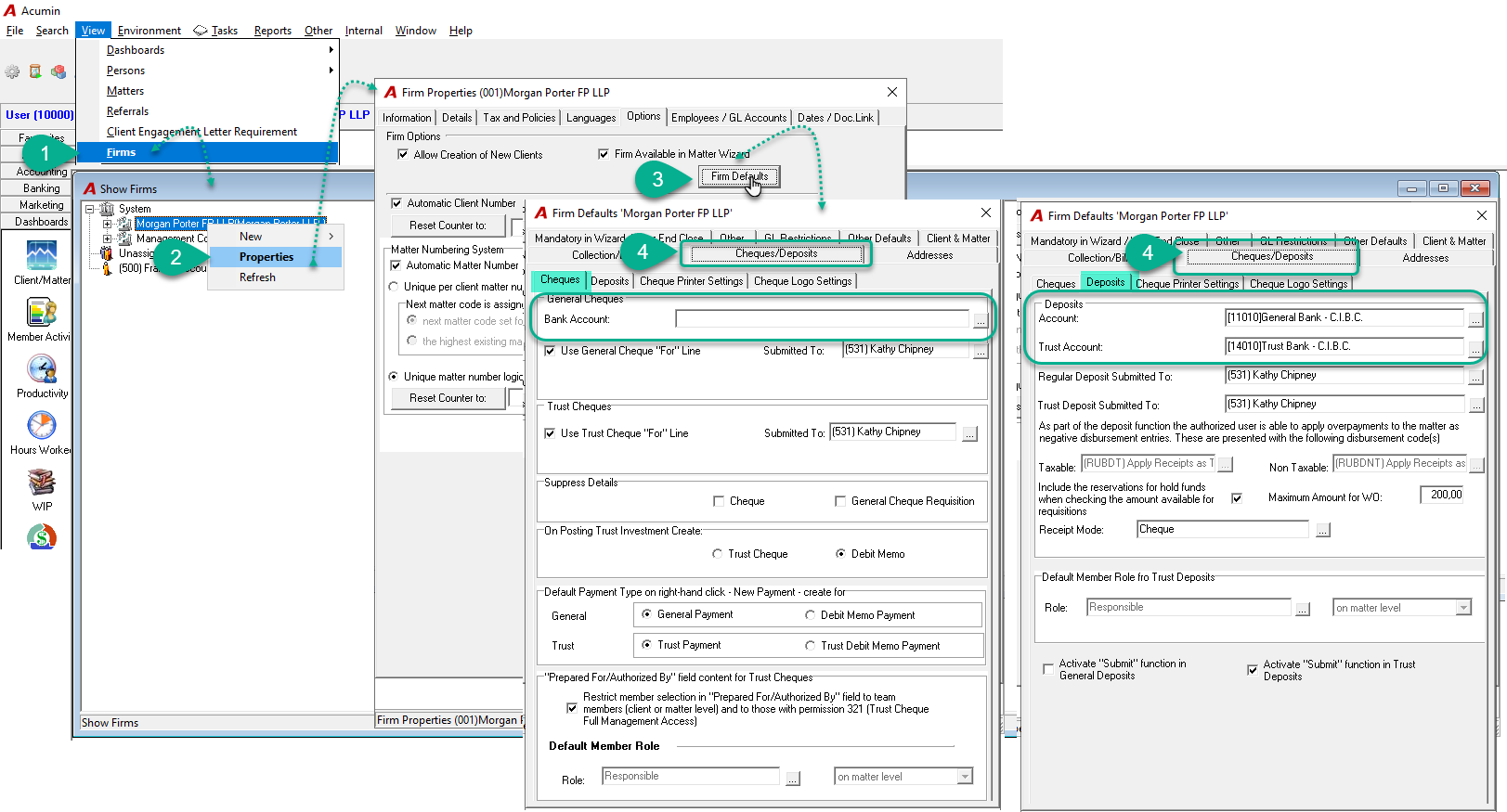
Question: How do we set up our new bank account as the default account for both Trust and General cheque printing and deposit in Acumin?
Answer:
The default bank accounts (both general and trust) are configured at the firm level, so you’ll need to set them up individually for each firm in your environment.
Here are the instructions:
-
Under View, select the Firms option.
-
In the Show Firms form, select the firm, right-click, and choose Properties.
-
In the Firm Properties form, click on the Firm Defaults button.
-
Go to the Cheques/Deposits tab.
-
In the Cheques subtab, under General Cheque, click the ellipsis button to select the default General Bank account for the firm.
-
In the Deposits subtab, under Deposit, click the ellipsis button to select the default General Bank and Trust account for the firm.