.png)
QUESTION: I do not have access to the Bank Reconciliation icon in Banking task bar; it does not appear under Banking.
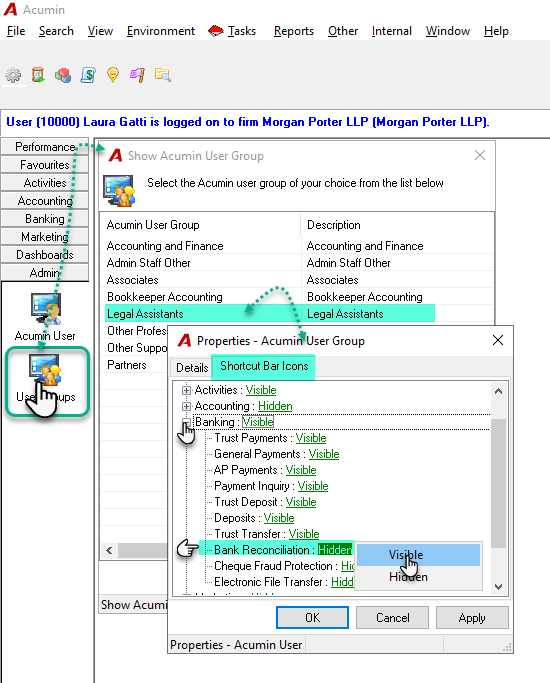
RESPONSE: The access to Bank Reconciliation form is granted from the “Shortcut Bar Icons“ tab of the “Acumin – User Group Properties” form of the user group for the affected user. Once on the “Shortcut Bar Icons“ tab, explode the “Banking” tree view and set the status of the “Bank Reconciliation” branch to visible.
To see the change in the permission, the user has to exit from Acumin and log back in.
Note that all users part of this Acumin User Group will have also access to the Bank Reconciliation icon.