.png)
QUESTION: If we look at a specific matter, we can see $500 in trust. However when we go to pay an invoice it says that there isn’t money in trust… A message pop up says “The requested amount is not available for this operation. Would you like to see details?”
RESPONSE: When you enter an invoice number to process payment, Acumin will calculate the total amount
due which will include any interest. If this invoice plus interest exceeds the amount available in Trust, Acumin will provide that message.
You can clear the message and overwrite the amount due to read $500.00 instead of the defaulted amount.
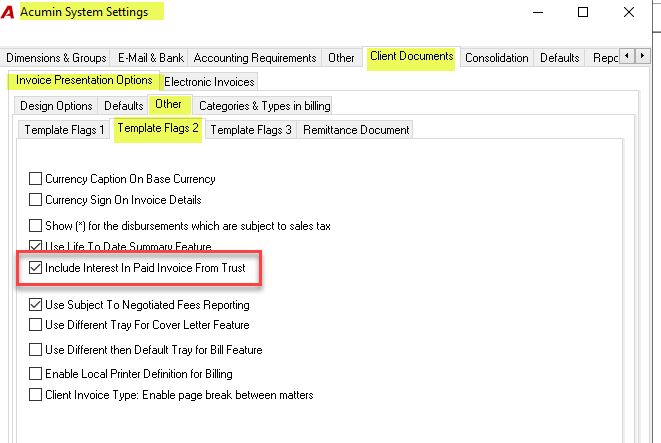
This Acumin System Setting that enables the calculation of interest is the “Include Interest in Paid Invoice from Trust”, found within the Client Documents - Invoice Presentation Options - Other - Template Flags 2 tabs.
Unchecking this option and Acumin will ignore interest for these payments.