.png)
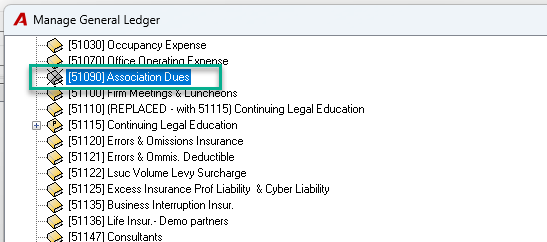
QUESTION: How to delete or disable a GL account?
RESPONSE: Acumin does not allow you to delete an existing GL Account.
However, if no longer needed, you can deactivate it. There are 2 steps:
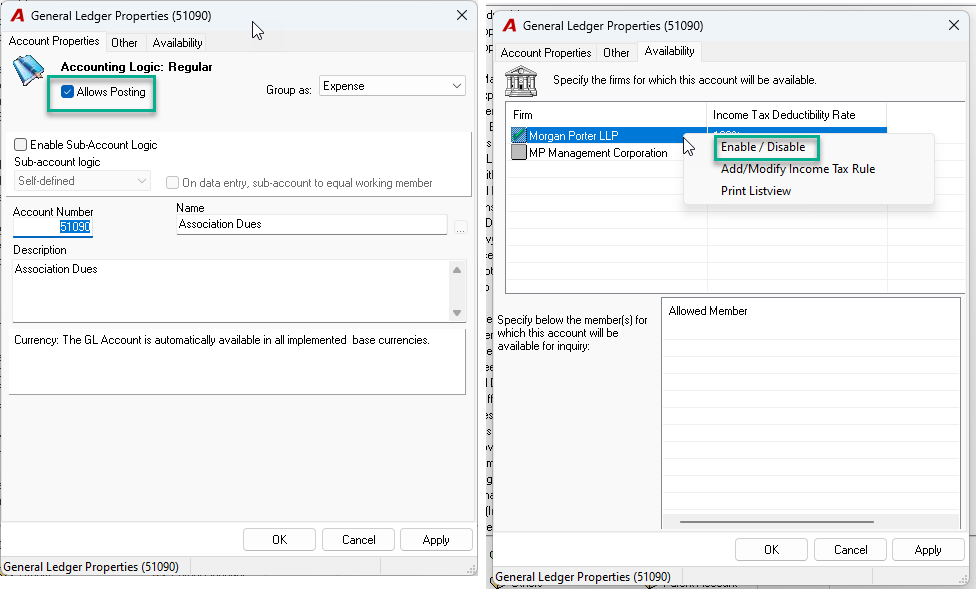
1. Disallow posting: From General Ledger Properties, Account Properties tab… Uncheck “Allow Posting”
2. Remove Firm availability. From General Ledger Properties, Availability tab… Highlight each firm for which there is a green checkmark, right click and select “Disable”.
Note that once deactivated, the GL account remains part of your Chart of Account as well as included in your Financial Statement if it was already selected. Therefore, you can go back in time to access historical transactions.