.png)
Summary
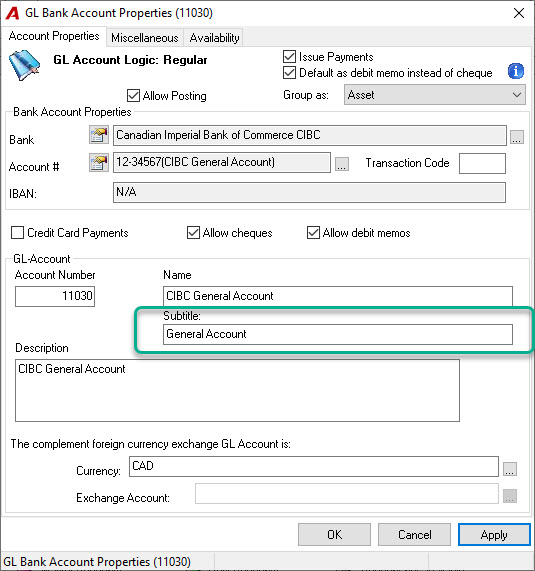
The account label text printed on cheques is pulled directly from the "Subtitle" field within the properties of the associated Bank GL account.
Step-by-Step Guide
-
Navigate to the properties of the Bank GL account that is selected when creating the cheque.
-
Locate the field labelled "Subtitle".
-
Enter the exact text you want to appear on the cheque into this field.
-
Save the changes to the Bank GL account. The new text will now be used on subsequent cheques.