.png)
-
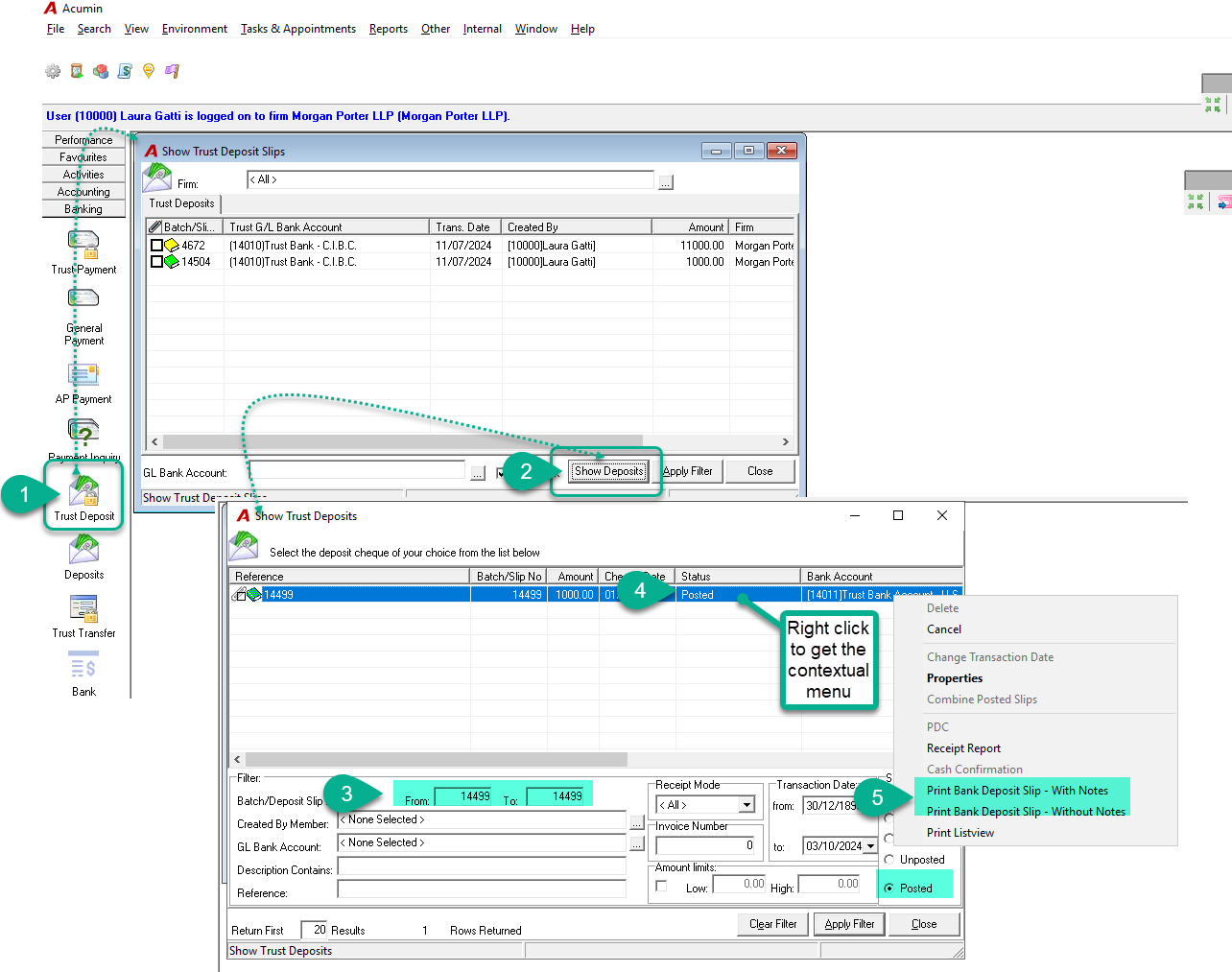
Go to the Banking tab and click on the Trust Deposit button.
-
In the Show Trust Deposit Slips form, click the Show Deposits button.
-
In the Show Trust Deposit form, enter the Batch/Deposit Slip No., select the Posted status, and click Apply Filter.
-
Select the desired entry, then right-click to open the contextual menu.
-
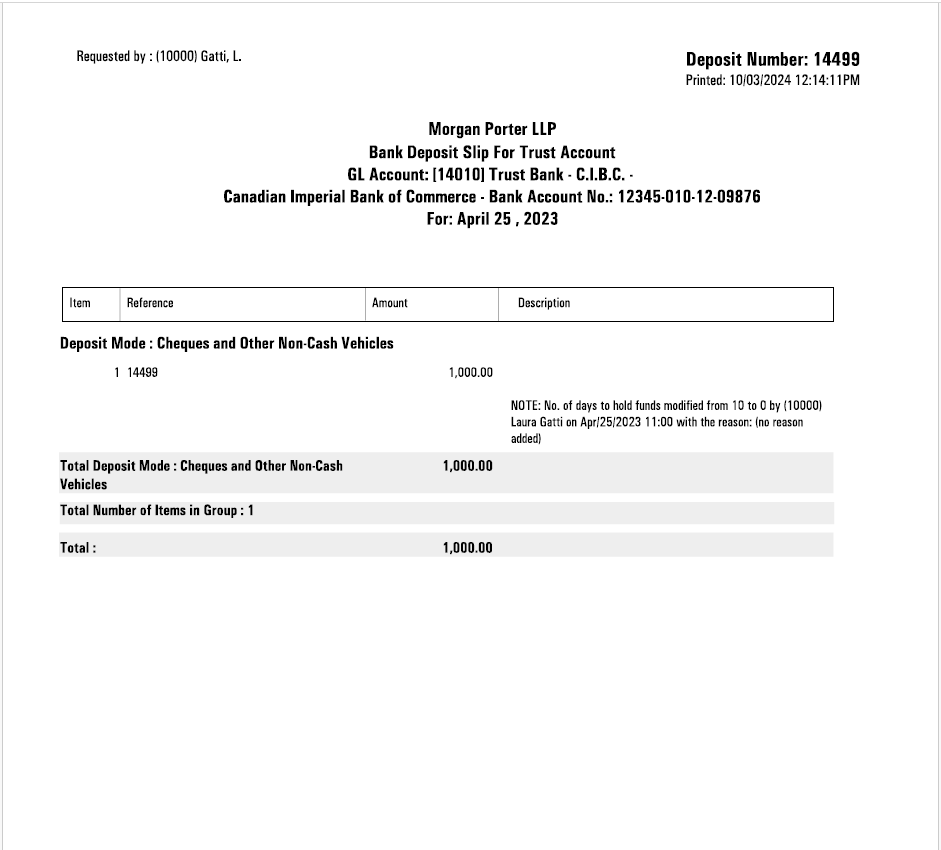
From the contextual menu, choose Print Bank Deposit Slip (with or without notes, as needed).