.png)
The investment process is different than the other payment process in Acumin. The "cancellation" of an investment (that include the trust cheque or debit memo) is made by redeeming it back to the trust account.
The redemption is then considered as the cancellation of the investment which includes the trust cheque (or debit memo) generated during the investment process. There is no need to “flag” the trust cheque as cancelled because it is already cancelled.
If a user tries to cancel a posted trust payment generated through an investment process, the following message will appear to explain the process.
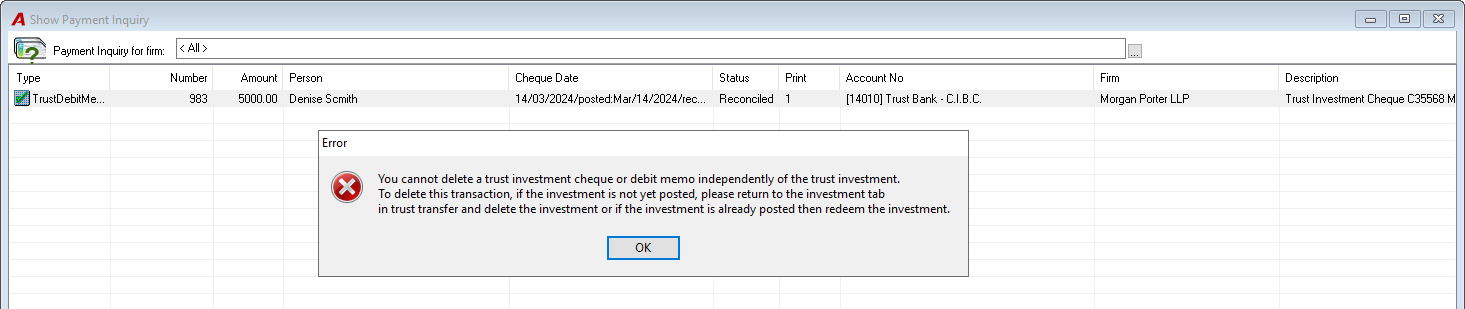
However, we understand that depending on the circumstances (cheque is lost, etc.), the firm may want to specifically highlight the trust cheque cancelled through the investment redemption.
In this case we suggest the following:
-
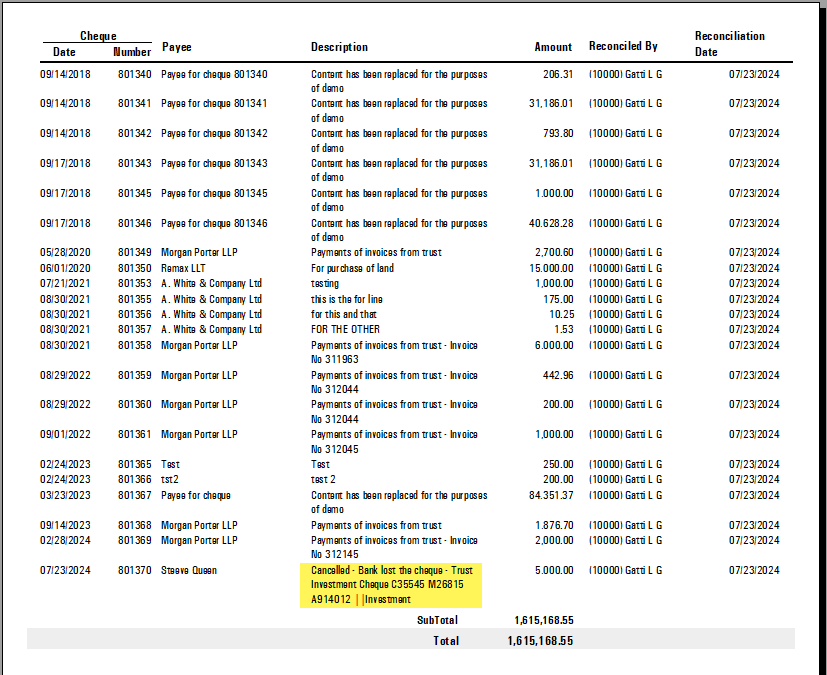
Reconciling the trust cheque;
-
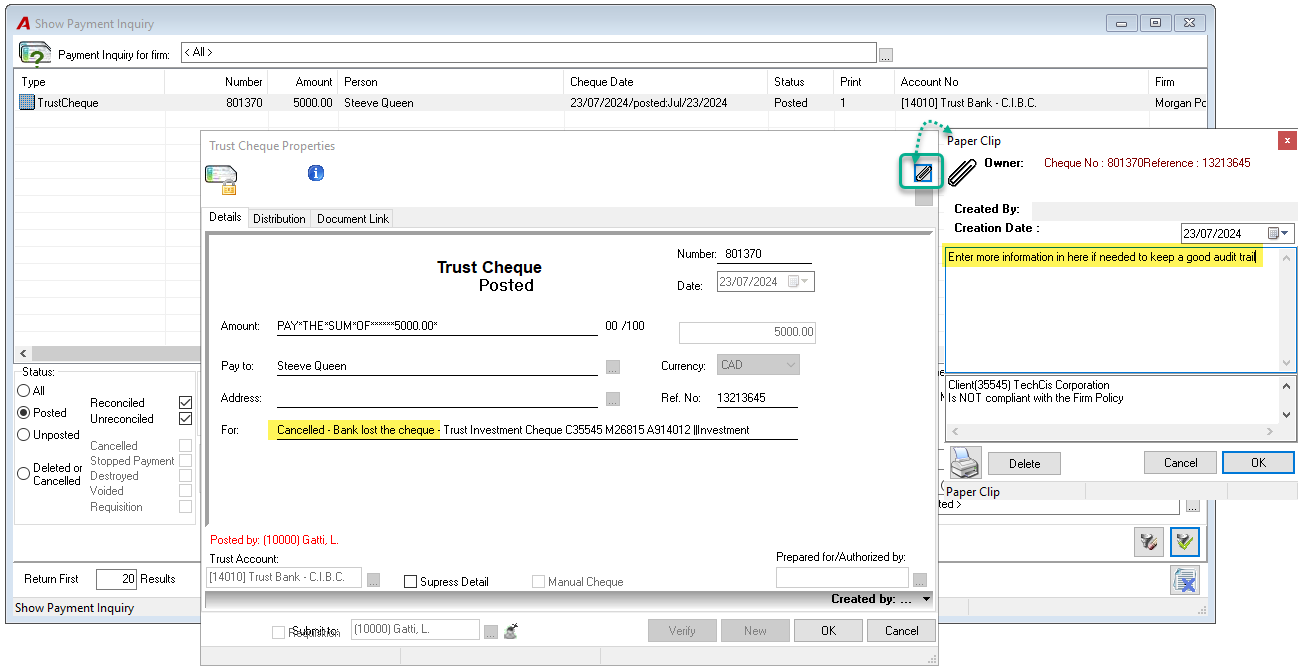
Add the relevant information on the "For" line of the payment (cheque or debit memo); It is possible to modify the content of the “For” lines of a posted payment and save it.
-
Add a more detailed explanation in the trust cheque paper clip for a good audit trail.
This should help during the cheque reconciliation process. See an example below.