.png)
Question:
Is there a way to get the total amount from the Cleared Cheques and/or Cleared Deposits tabs for a specific bank reconciliation in Acumin? I want to compare the totals for a specific month with the amounts shown on my bank statement.
Answer:
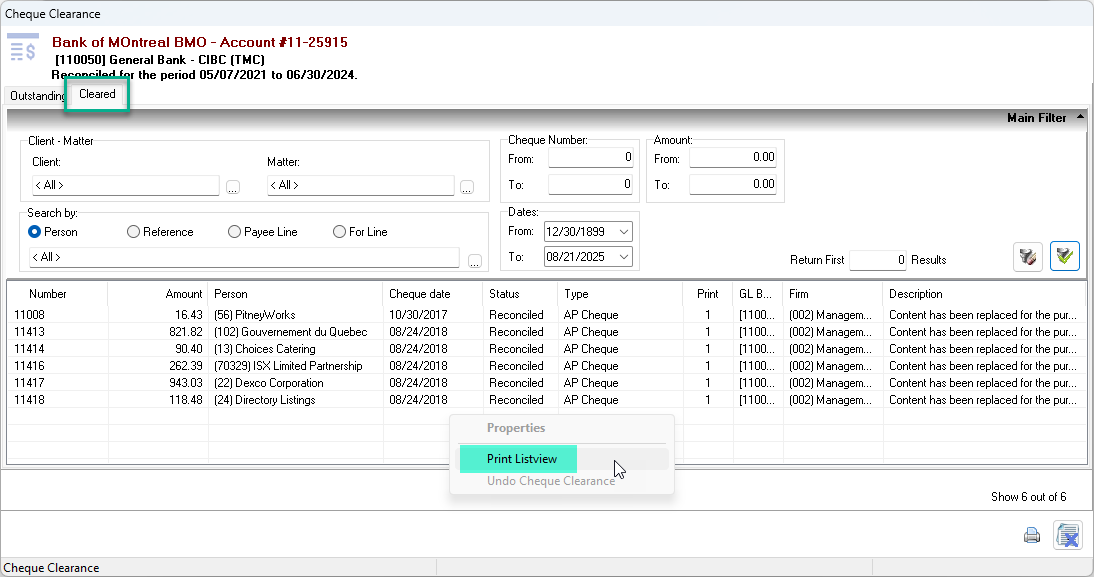
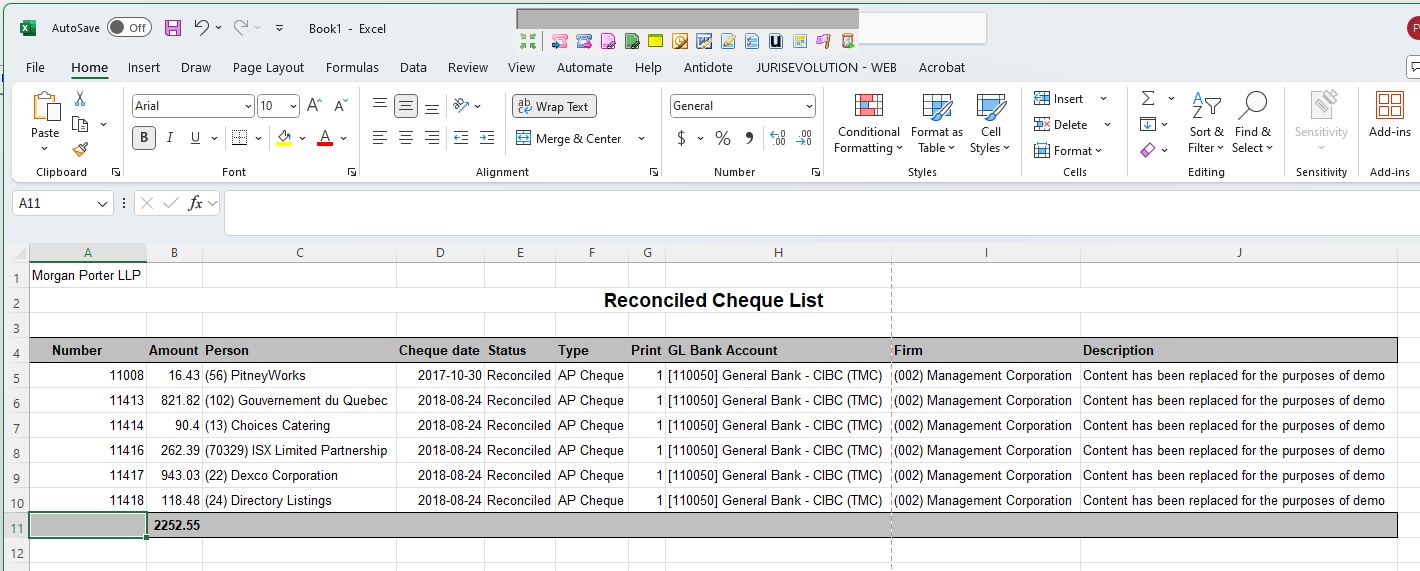
Yes, you can get the total of cleared cheques and deposits for a specific bank reconciliation in Acumin by using the Print List View option available in both the Cleared Cheques and Cleared Deposits subtabs. This feature allows you to export the list to Excel, where you can easily calculate and verify the totals.
Before using this feature, ensure your system settings are configured to allow printing list views to Excel. For setup instructions, please refer to the following guide: User Default - Print List View to Excel
This method will help you accurately compare the cleared amounts in Acumin with those shown on your bank statement for any given month.
RELATED DOCUMENTS: