.png)
QUESTION: Is there a place where we can set Auto Text Replace OFF by default for specific Members?
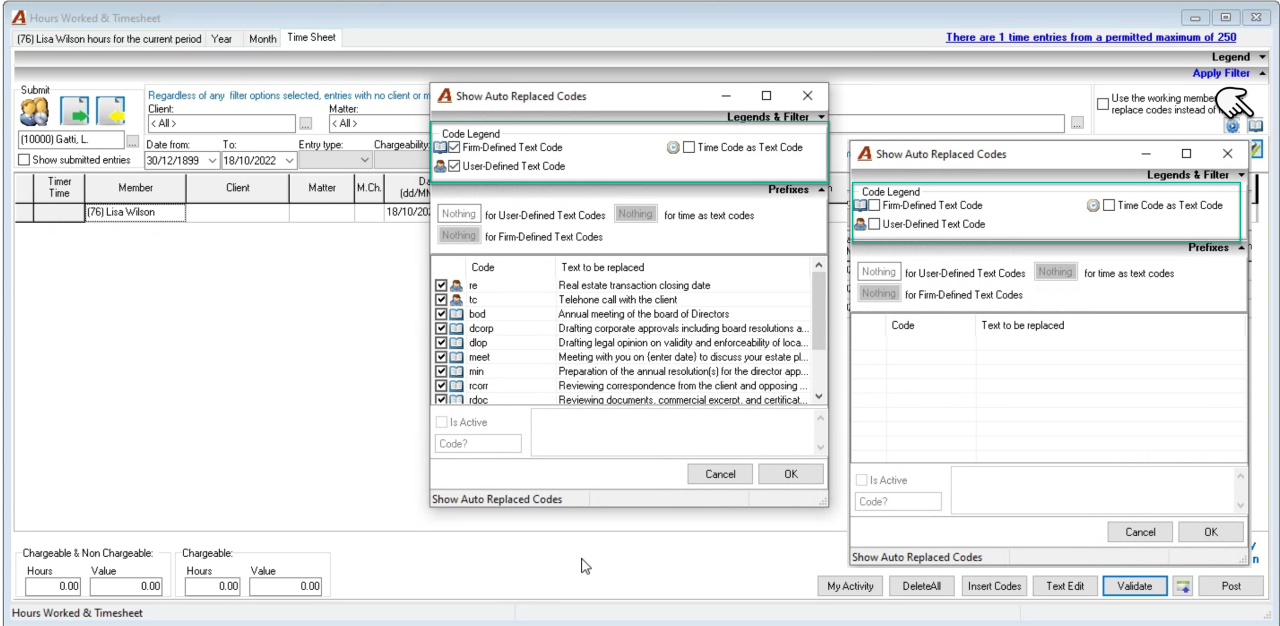
RESPONSE: It is possible to disable the use of auto-text replace codes on a per user basis. The user should access their “Show Auto Replaced Codes” form from within their timesheet (see below) and remove the checkmark from any of the options they do not want.
For example, if a user has the firm defined text code and user defined text code options ON, then when they use either type of code in the description field it will be replaced. If the same code is used for the firm defined text code and the user defined text code options, the user will take precedence in context of the position of the option to work with your own or those of the working member.
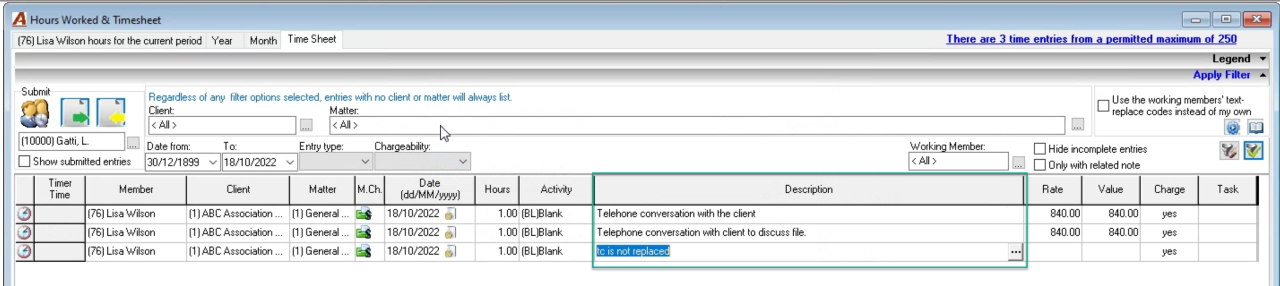
If no options are set the text code will not convert. See second screenshot to see the different results for tc