.png)
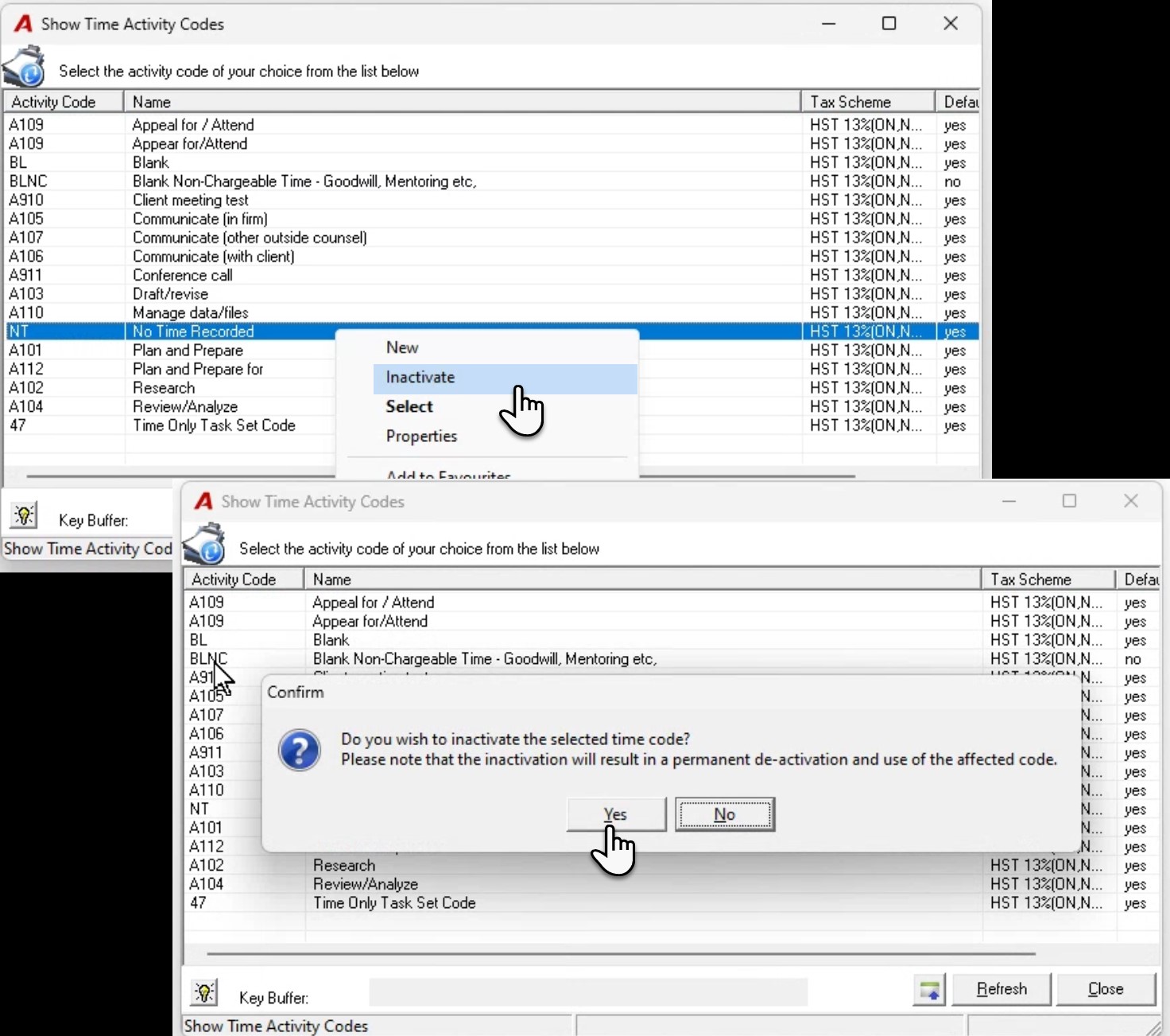
QUESTION: Time code clean-up process – Use of right-click menu option Inactivate. How do I deactivate a time code? What is the impact if the time code is deactivated (inactivated)? How does activation of a time code affect the posted/billed time entries that used that time code?
RESPONSE: It is possible to deactivate a time code so that is not used with new time entries. This deactivation process limits the selection of the time code during the time entry creation process moving forward, without. This limitation does not impact the use of time-code filter options for finding and selecting posted and/or billed time entries using the deactivated code.
To start, confirm that the time code does not have special time code rates, as these should be deleted using the “Delete” option found on the right-click contextual menu for the "Show Time Code Rates" form. Once the special time code rate is deleted, select "Time Activity Codes" from the "Environment – Time & Disbursements" submenu to access the "Show Time Activity Codes" form. Highlight the time code to be deactivated, right click to access the contextual menu, and select “Inactivate". The user will be prompted with a message that confirms the action is permanent. Please note that once a time code is inactivated it cannot be re-activated without programmatic intervention subject to additional fees.
If you are not on a current published version or have never inactivated a time code, before the decision to inactivate is made, inactivate the time code in your most recent AcuminTraining database environment. This will provide you with the opportunity to assess the impact when users filter for entries using a deactivated time code in WIP inquiry - unbilled, billed and written-off; and process an invoice.