.png)
QUESTION: How to enable the Add Alias function within Time Sheet entry?
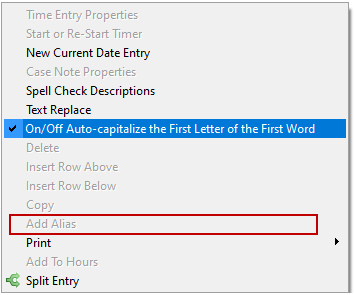
RESPONSE: For the right click alias to be enabled in timesheet, the client and matter must be entered (a valid matter; not just text as a place holder) and the row visibly selected. That means at least one field must be highlighted in blue. When we teach this options we show users to enter the client and matter and as they tab to the next field (it highlights in blue) so they can immediately right click to select Alias without accidentally leaving the row.