.png)
QUESTION: How can I prevent timekeepers from entering unwanted words in their time descriptions?
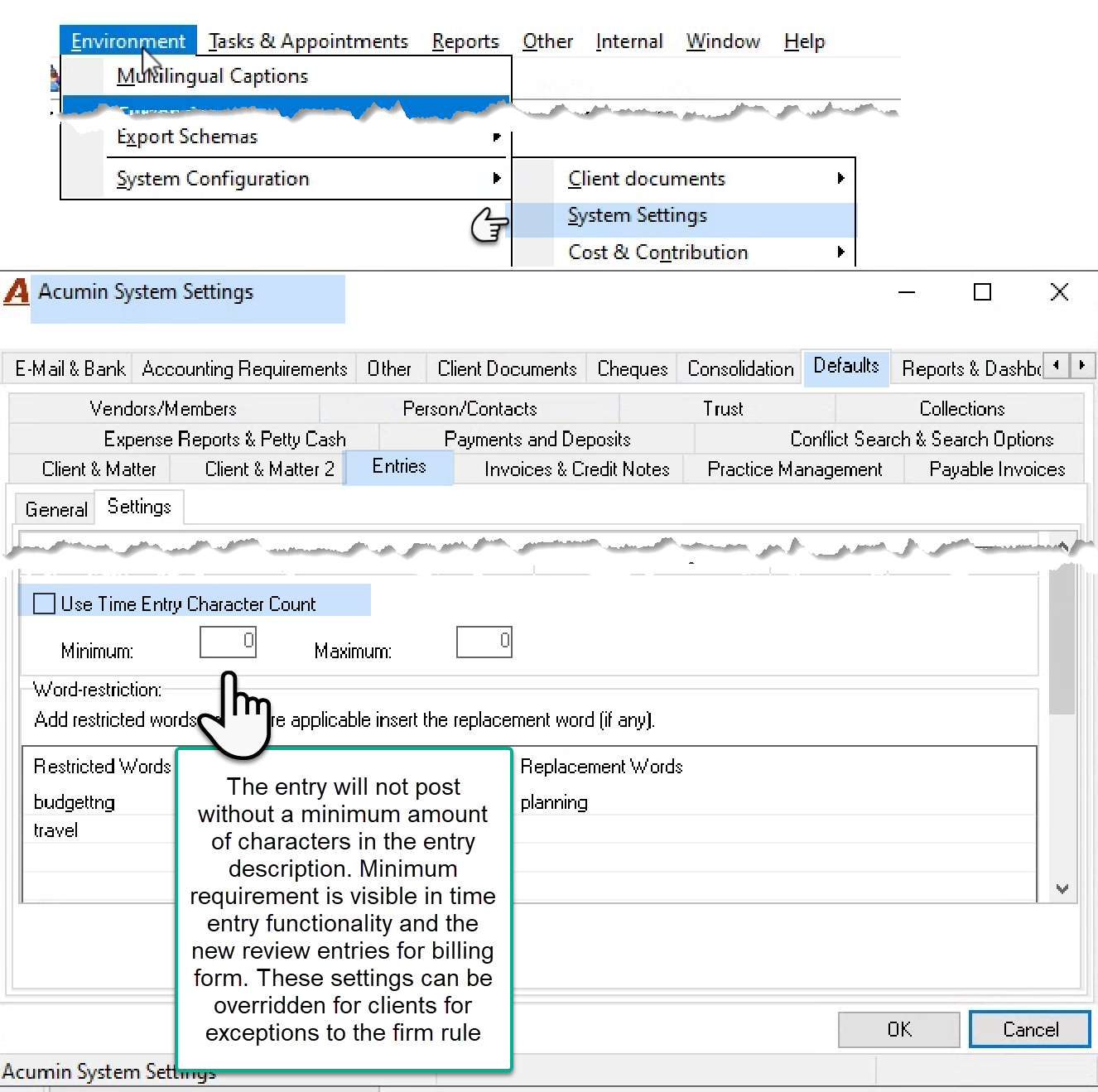
RESPONSE: Access the “System Settings” option from the “Environment – System Configuration” sub menus to access the “Defaults - Entries – Settings” sub tab and set a minimum and/or maximum time requirement for all timekeepers as well as any non-permitted words the firm was to avoid being used. These settings can be overridden at the client level for exceptions within the “Billing & Receivables - Billing Guidelines” sub-tab in client properties.