.png)
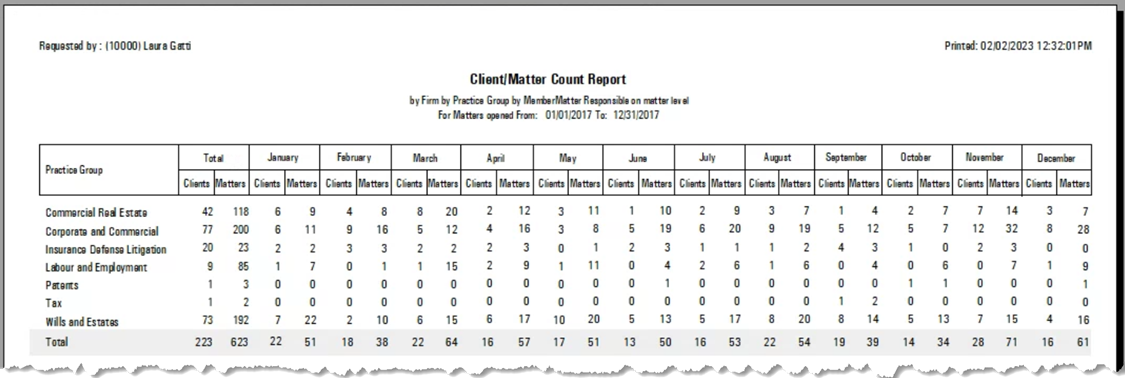
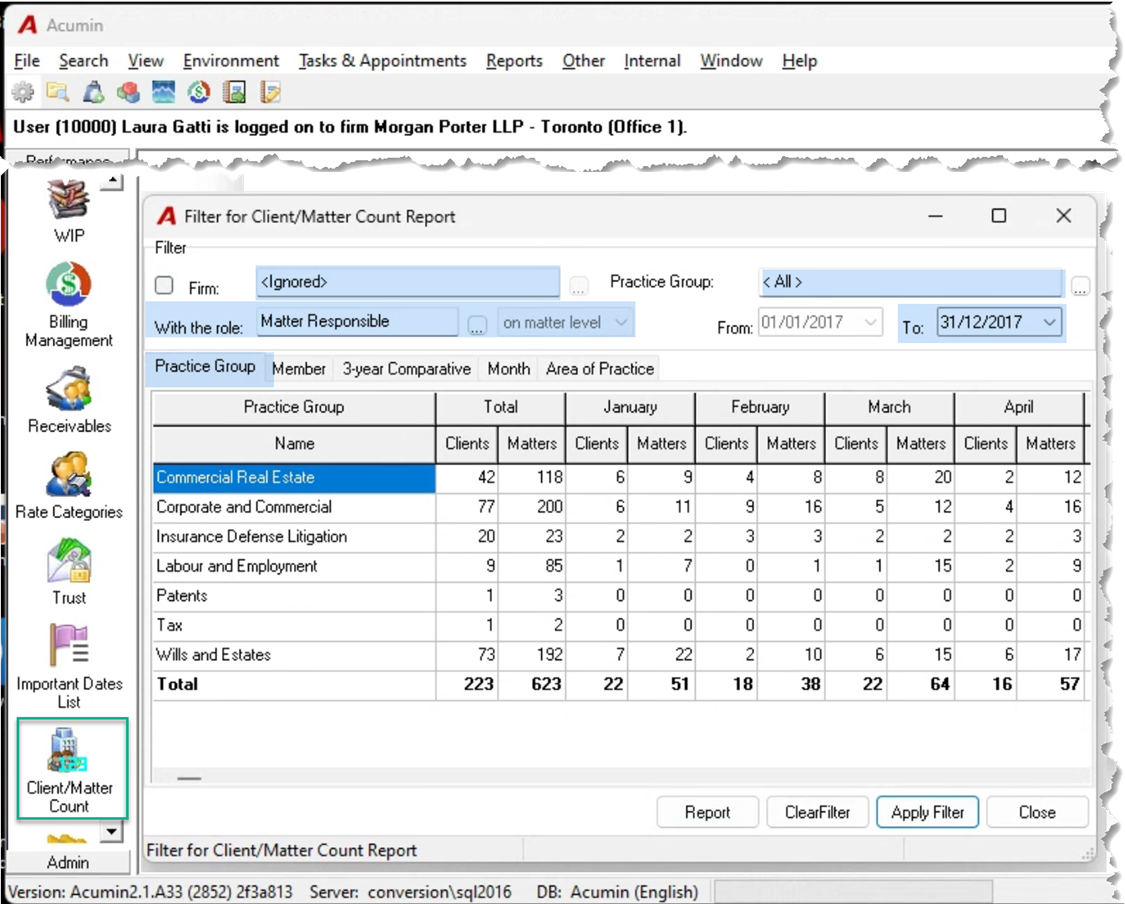
QUESTION: When I generate the Client Count Matter Report, no numbers appear when you fill for the month, year etc. is this a permission setting?
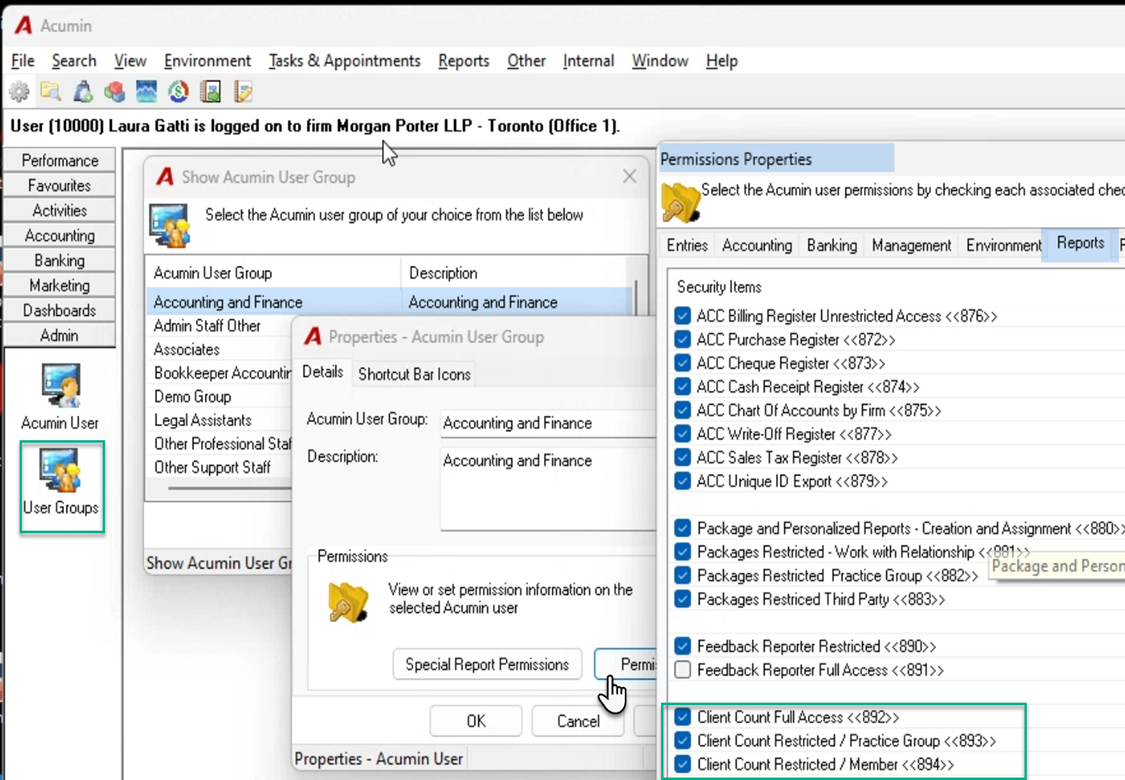
RESPONSE: To provide access-to and results-from the Client Matter Count Dashboard or Report, the user group must be set up with security 892, 893 and 894 depending on the level of access required.
-
Set all three security levels for the user assigned to the security group to be able to generate results for the firm.
-
Select security groups 893 and 894 for the user assigned to the security group to be able to generate results for his or her practice group.
-
Select security groups 894 for the user assigned to the security group to be able to generate results him or herself.
The results are presented in context of security and other filter options selected – for example client or matter role.