.png)
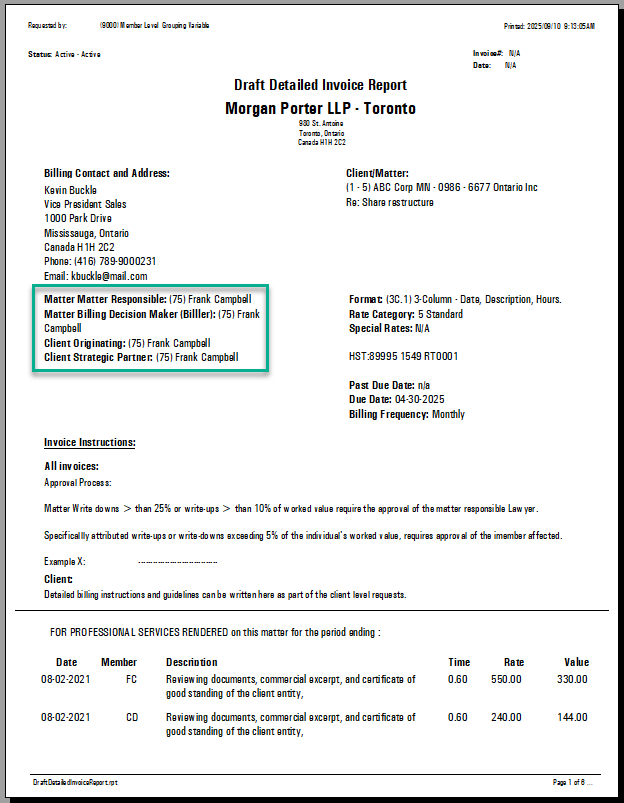
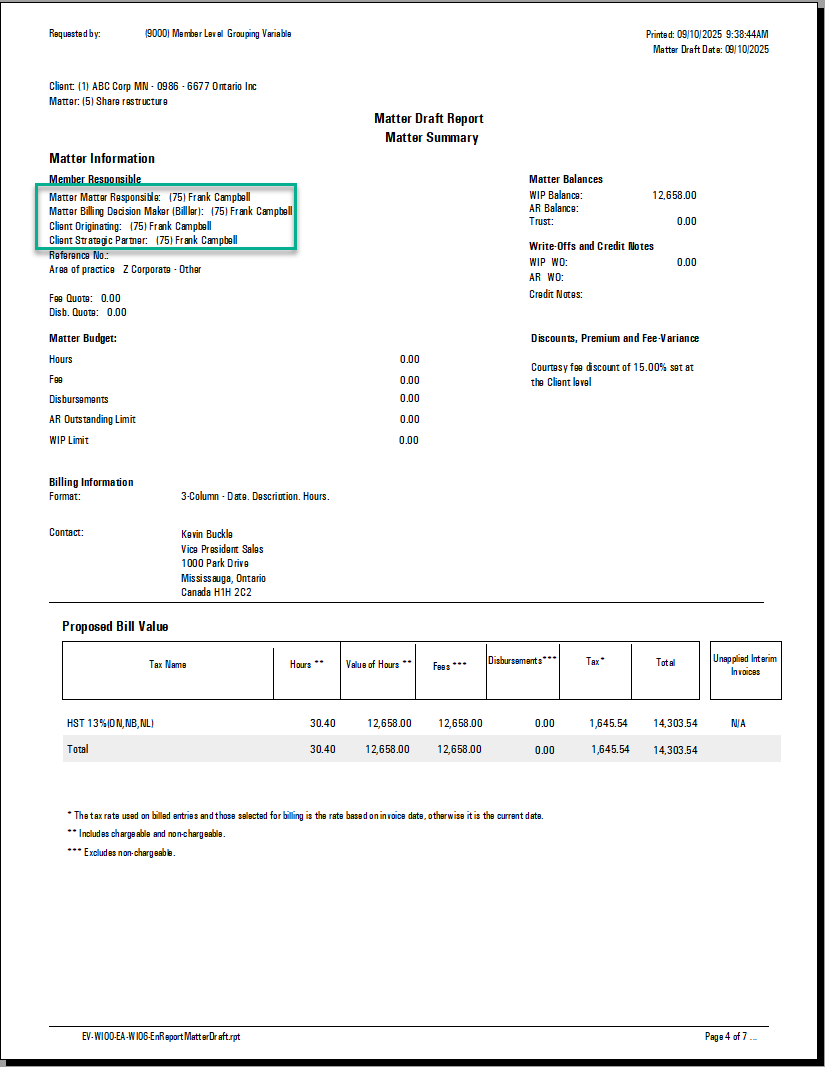
QUESTION: We frequently use the Draft Detailed Invoice Reports, and it would be extremely helpful if the report included the Originating Lawyer for each client. Would it be possible to add this information to the report?"
RESPONSE
You can configure up to two roles at the matter level and two roles at the client level to appear on the Matter Draft and Draft Detailed Invoice (DDI) reports.
To set this up:
-
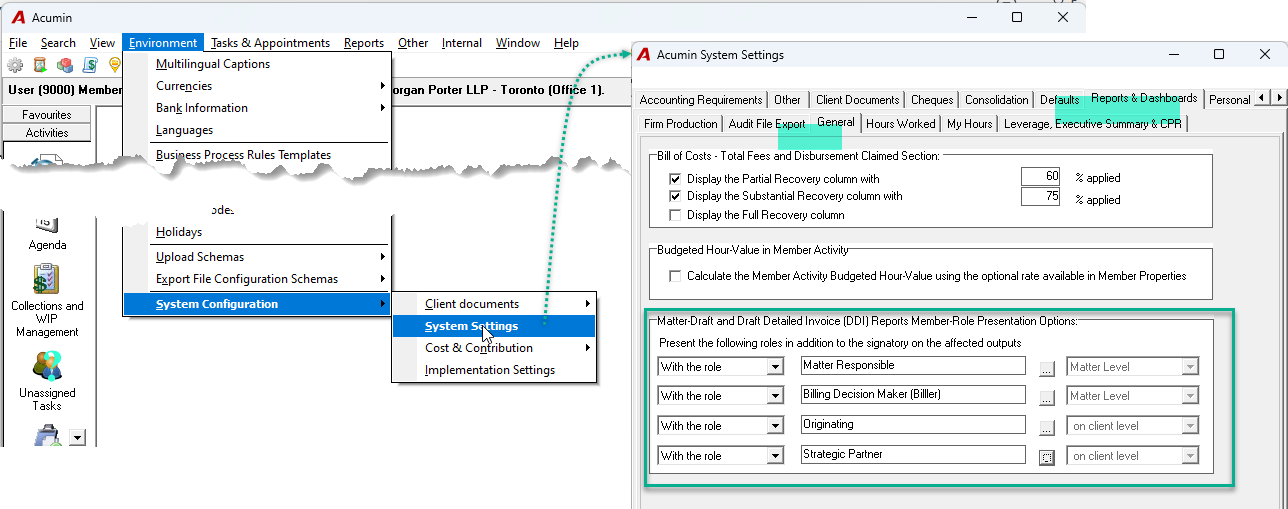
Navigate to Environment > System Configuration > System Settings.
-
In the Acumin System Settings window, select the Reports & Dashboards – General subtab.
-
In the Matter Draft and Draft Detailed Invoice (DDI) Reports Member-Role Presentation Options section, choose the roles you wish to display.
-
Once configured, the selected roles will be included when you generate these reports.