.png)
QUESTION:
We are being audited in BC. They are asking for an AR ledger for each client showing all invoices issued, payments received and balances. How would we run this kind of report?
RESPONSE:
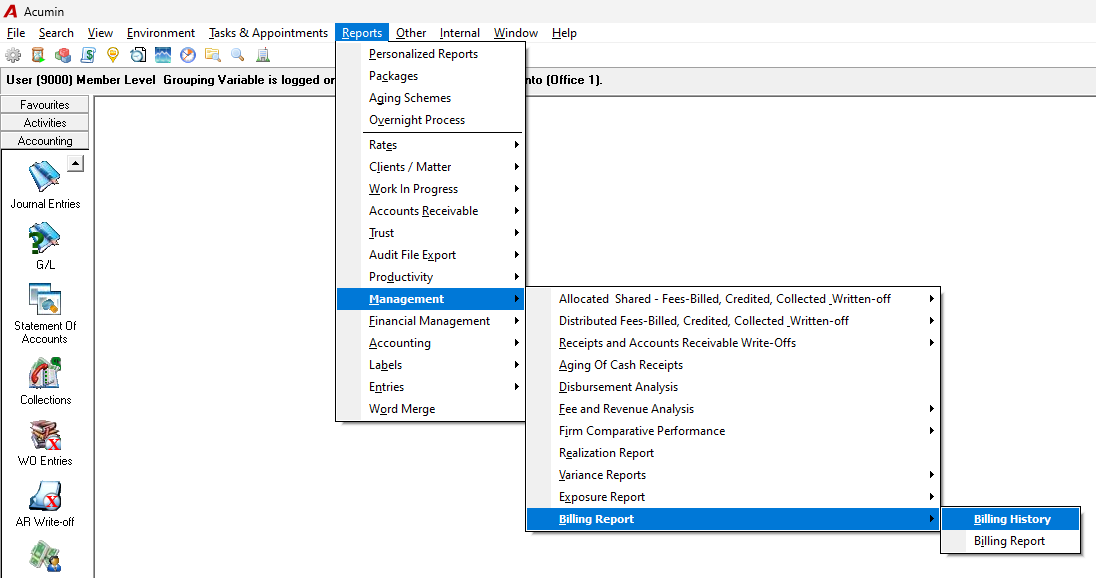
You may want to use the Billing History report, which can be found under Reports > Management > Billing Reports.
As with other reports, you can refine the results using filters—for example, by selecting only clients with an "Active" and “Collections” statuses or other relevant criteria.
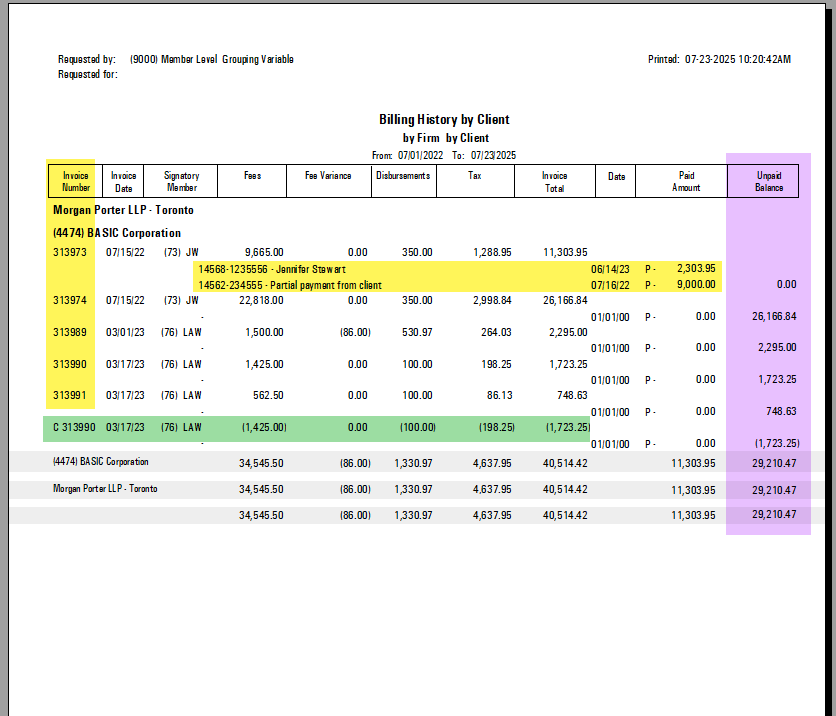
Within the report, you’ll be able to view invoices along with any payments (marked as "P"), accounts receivable write-offs (marked as "W"), and credit notes applied to those invoices as well as the invoice balance.