.png)
QUESTION: When you create a report through Member Activity Summary can we sort the report output by the member code?
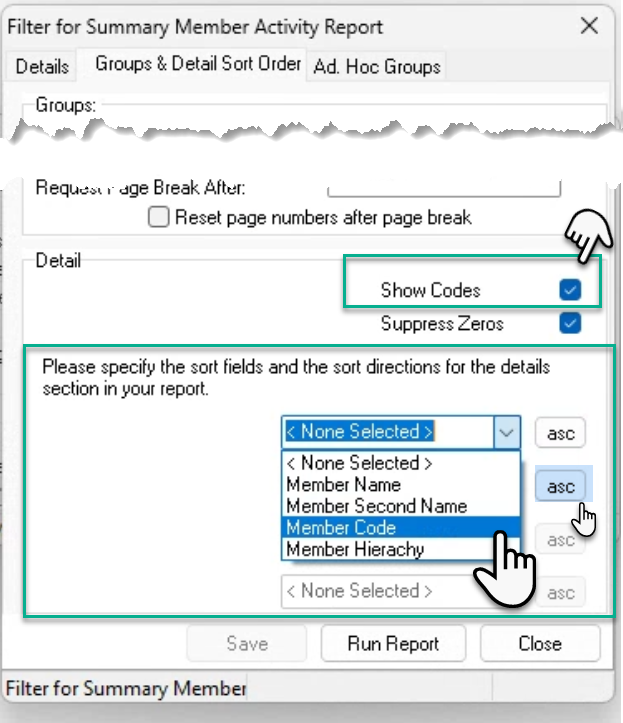
RESPONSE: To generate the member activity report output by member code, navigate to the “Groups & Details Sort order” tab of the “Filter for Summary Member Activity Report” form. Make sure that the “Show Codes” checkbox option is check marked and select the “Member Code” option on the drop down box that follows. The default is in ascending order, however, to reverse the order to descending order, press on ASC.