.png)
QUESTION:
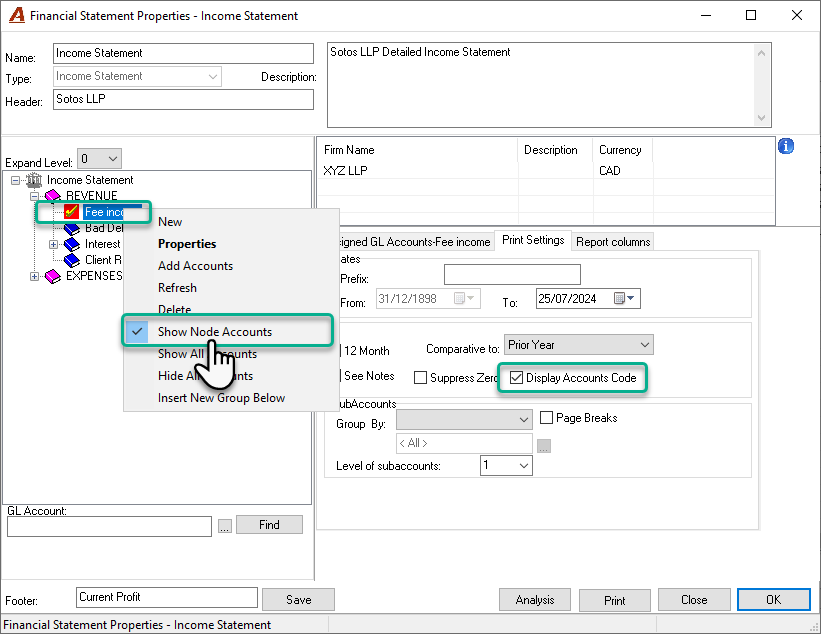
How can I get the income statement report or any financial Statement type of report to include the GL account codes? I’ve already selected the “Display Account Code” checkbox, but the GL account codes are still not appearing on the report.
RESPONSE:
To include the GL account codes in the income statement report, you also need to select the “Show Node Accounts” option. This option is available in the contextual menu when you select a group. Once this is enabled, a checkmark will appear next to the group, and when you print the report, the GL accounts assigned to that group will display as a detailed breakdown, along with their respective balances.
It’s important to note that the “Display Account Code” option works in conjunction with the “Show Node Accounts” option. If you want to print the GL accounts underneath the financial statement grouping, enabling both options will ensure that the GL account codes are included in the report.