.png)
QUESTION: I am not sure why the below messages is coming and need to resolve this asap as I have to send the documents for review. I opened a new GL and sub GLs under Promo – associates but other than that I haven’t changed anything.
Message: “The Income Statement is incomplete. There are General Ledger Accounts which have not been assigned. Please advise the appropriate person responsible for the creation and maintenance of Financial Statements. “
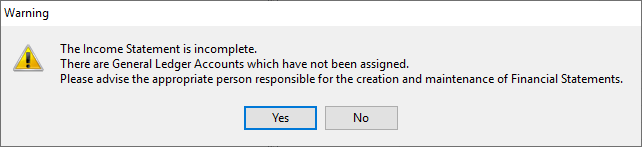
RESPONSE: The message indicates that there are GL Accounts (Revenue and/or Expense) not assigned to a Statement Line. All GL Accounts must be assigned to a Statement Line.
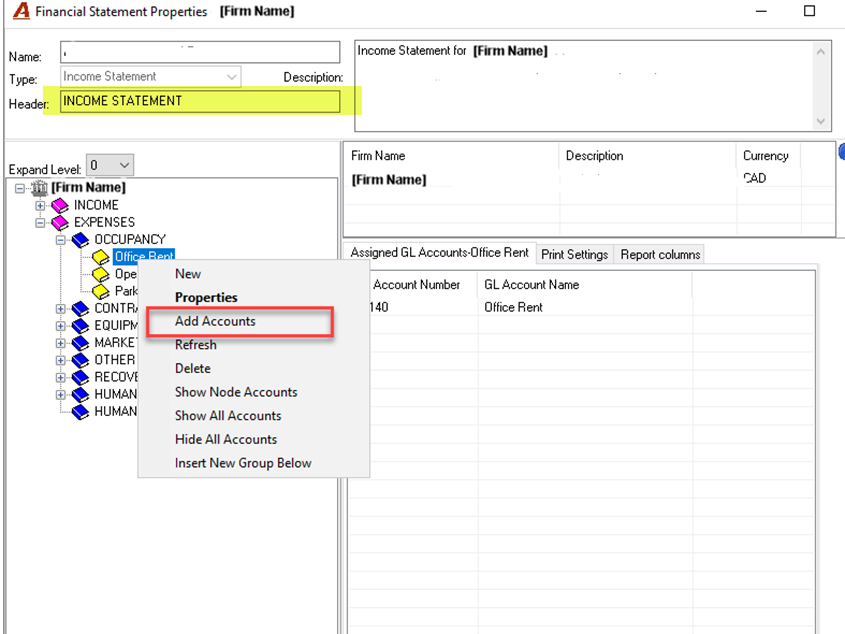
To correct this, from the Financial Statement Report Menu, open properties of your Income Statement Template/layout.
Go to any Yellow Book and right hand click on “Add Accounts” to get the GL Selection Filter.
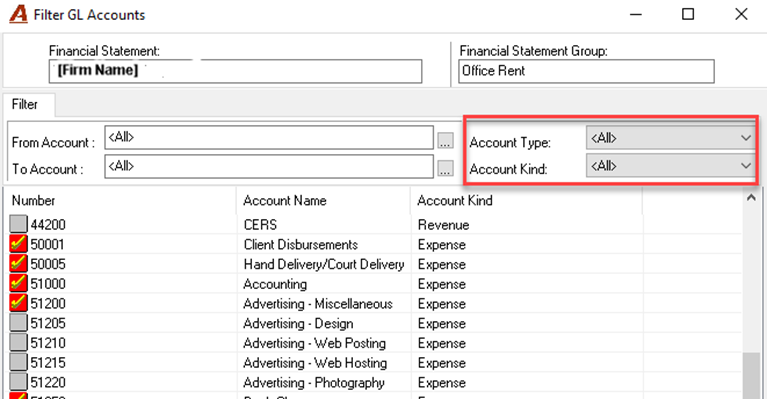
On the Filter GL Accounts Form, leave the filters with Account Type and Kind to <All> and click on “Apply Filter”. This will return your list of GL Accounts. All unselected accounts (displayed with an unchecked grey box; 44200, 51205, etc. in the example) must be linked to a Statement Line. The message you are receiving is a result of any unlinked GL Accounts.
Financial Statements and Schedules - Adding a New GL Account - How To