.png)
QUESTION: There seems to be a problem with the logic to the program when using the ‘Details Sort Order’. If I run an aged Accounts Receivable summary report and request that the report be sorted by ‘Balance’ in descending order (highest to lowest) I always get ascending (lowest to highest). Whether I group by ‘Member’ or ‘Client’ the results are the same. Descending and Ascending are not at all differentiated – essentially, I only have one choice ‘Ascending’.
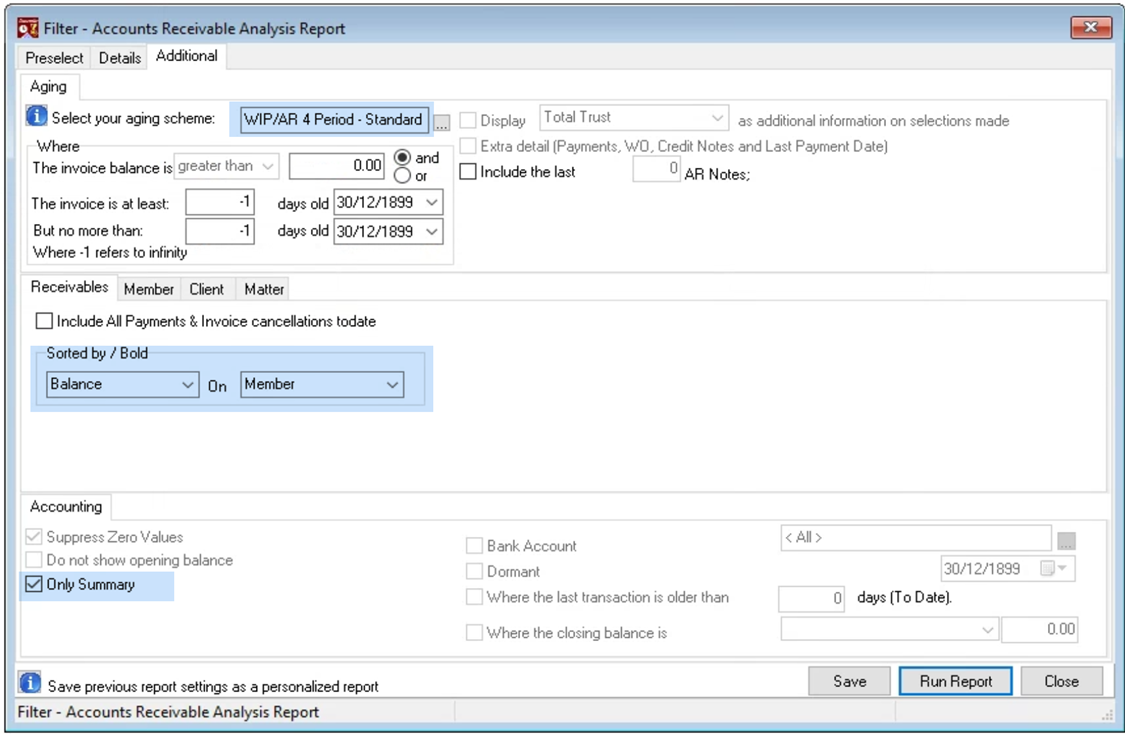
RESPONSE: The details sort order option is programmed to work on the details of the report - in this case the invoice - therefore it is not considered if the "Only Summary" option is check marked and the invoice record is not listed.
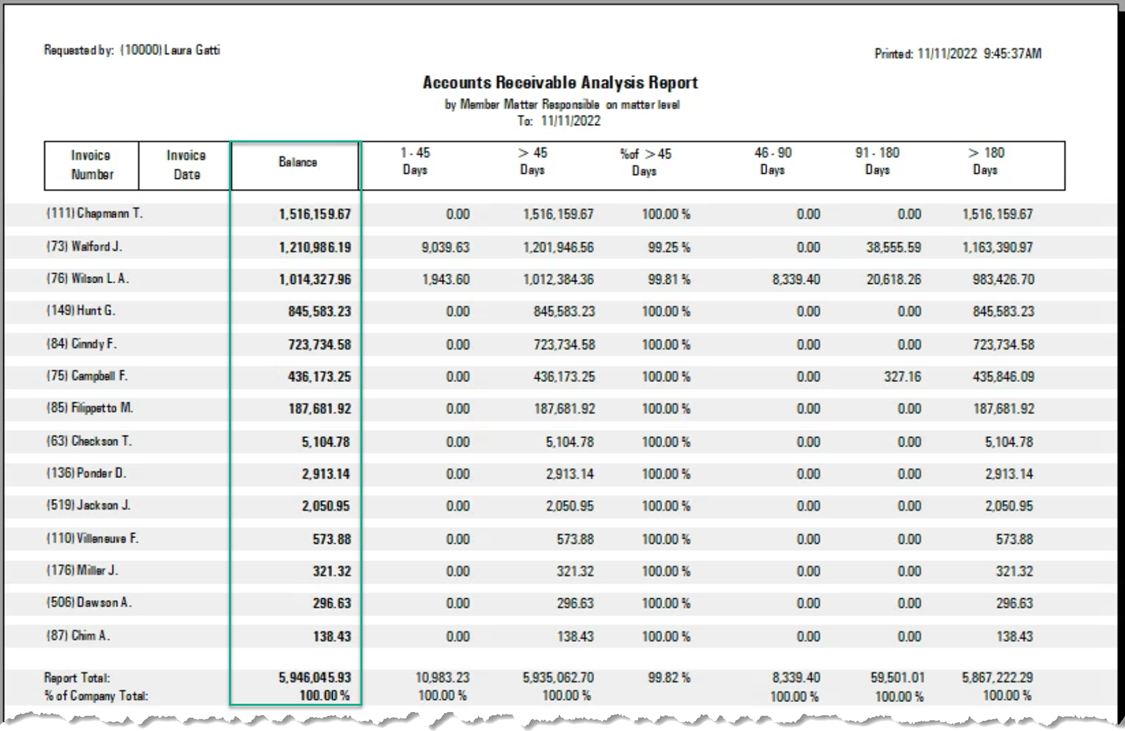
However, the Accounts Receivable Analysis report has other options - one of which is the ability to sort the AR summarized by member by its total member balance in descending order. The only difference is that this version requires a 4-period aging because it includes percentage of total outstanding.
We include the screenshot using an aging period most often used: