.png)
Foreign Currency License Options
There are multiple levels of foreign currency licensing options to meet different foreign currency management objectives. This document highlights how to create invoices using the non-managed or managed foreign currency licenses. The latter includes the former.
Non-Managed and Managed Foreign Currencies
Foreign currency invoices for managed and non-managed foreign currencies, maintain respective required values in their foreign and base currencies to respond to corresponding functionality (see AR Dashboard at the end of this document).
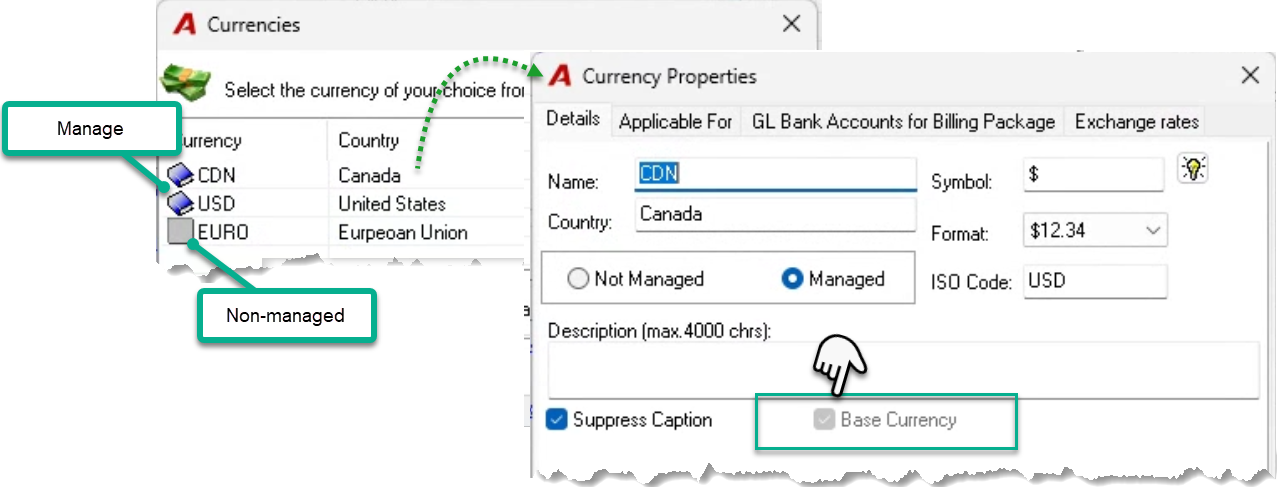
Non-managed foreign currencies present without the blue book icon. Only one managed foreign currency can be set as the base currency – an attribute visible in currency properties.
Managed Foreign Currencies
Balance Sheet GL accounts in managed foreign currencies carry the GL operations at their foreign currency face value with the exchange component listing in the corresponding “sister” GL account, the sum of which will equal the “Base” currency value.
With a managed foreign currency, Matters can be set up to have foreign currency member billing rates. These are used during the invoice creation process to calculate the corresponding fee value of the entries included in the billing section.
Time entries have their worked-value calculated using base-currency member rates associated to the matter. They are revalued in context of any applicable member foreign currency billing rates during the billing process. The adjustment on invoice posting reflects what the worked value would have been, using the foreign currency billing rates for the matter. The conversion back to base-currency uses the foreign currency exchange rate effective on the entry’s date.
Non-Managed Foreign Currencies
Balance Sheet GL accounts in non-managed currencies carry all their GL operations in the same account, therefore the one account carries the base currency equivalent.
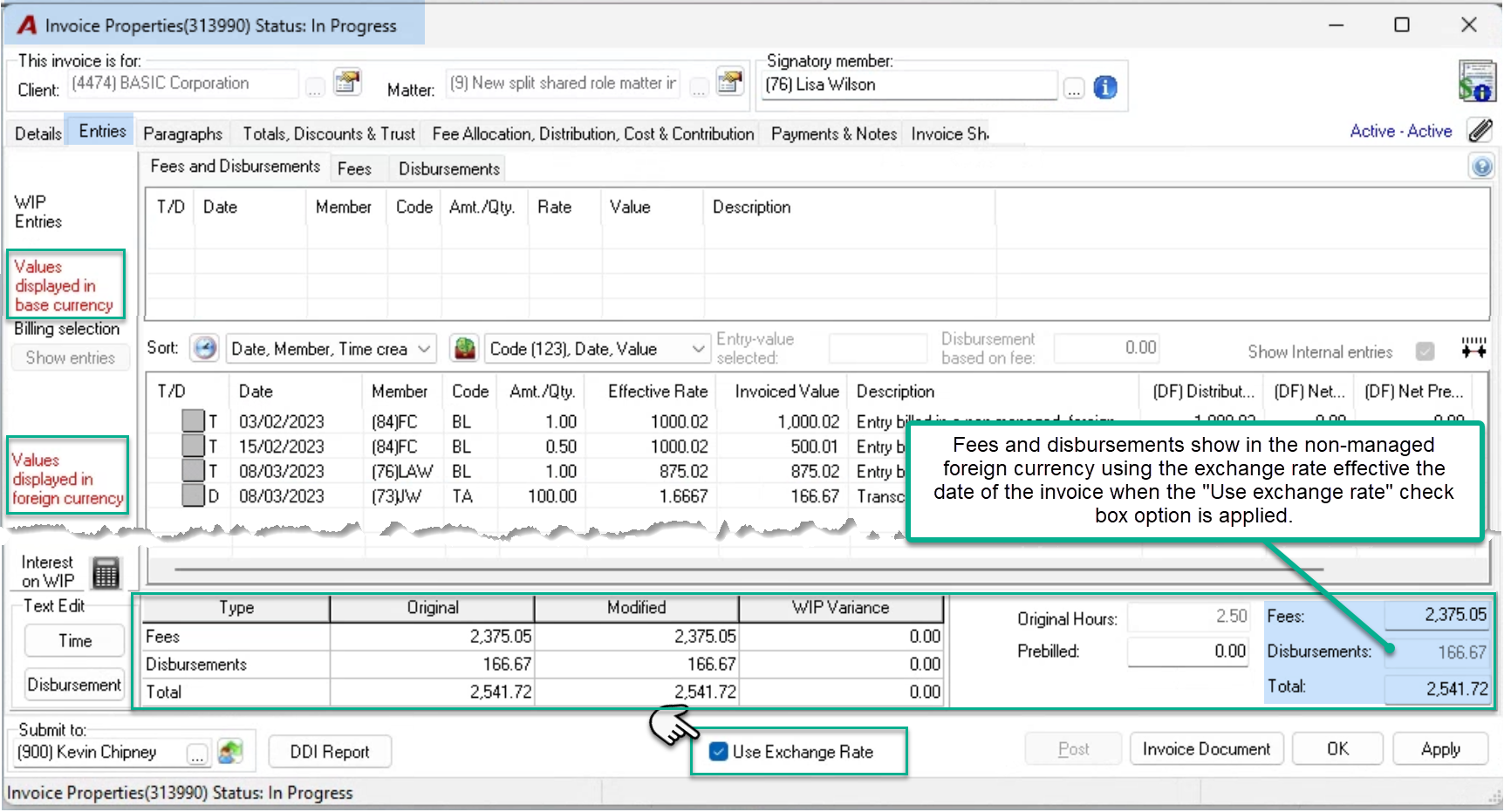
With a non-managed foreign currency, the worked value which is carried in base currency, is converted to present the foreign currency fee using the foreign currency exchange rate on the date of the invoice.
Process
Disbursements are carried in base-currency and converted to foreign currency using the foreign exchange rate at the time of the invoice transaction date.
Non-Managed Foreign Currency – Invoice Properties
Details Tab
The invoice is created with the base currency as the default unless a foreign billing currency is set in matter properties. Press on the ellipsis button to the right of the currency field in the invoice properties’ details tab to select a billing foreign currency for the invoice.
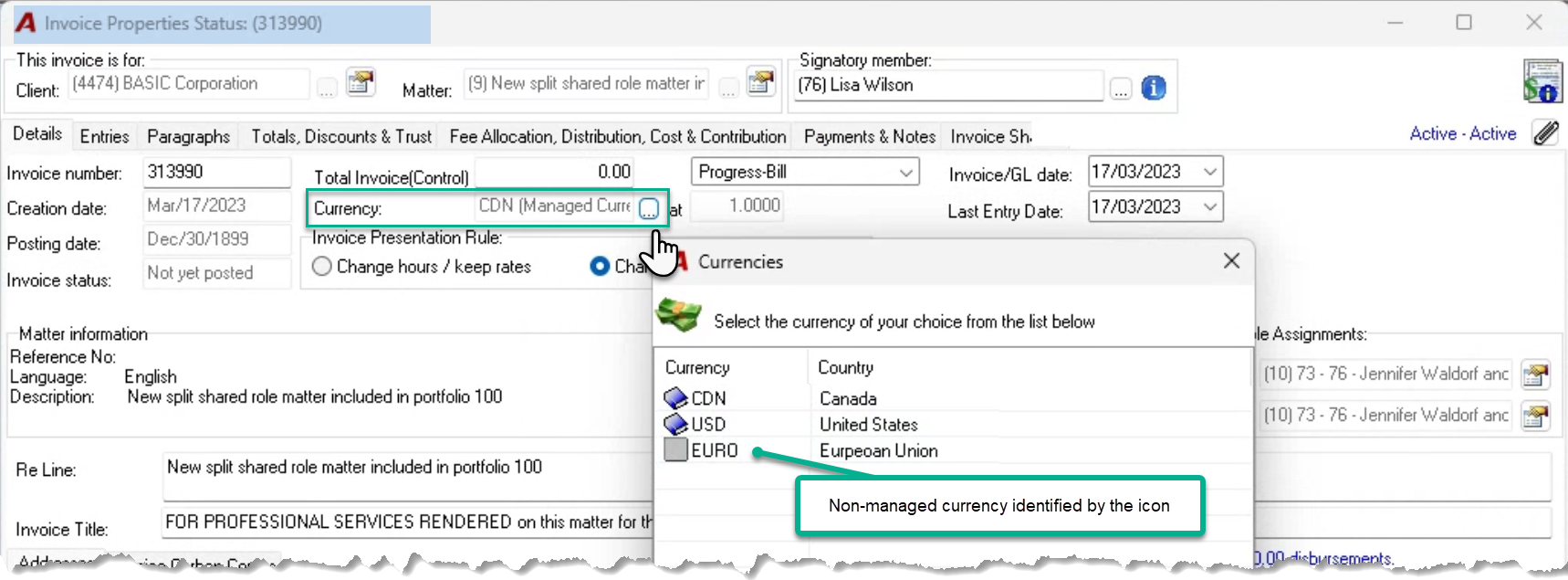
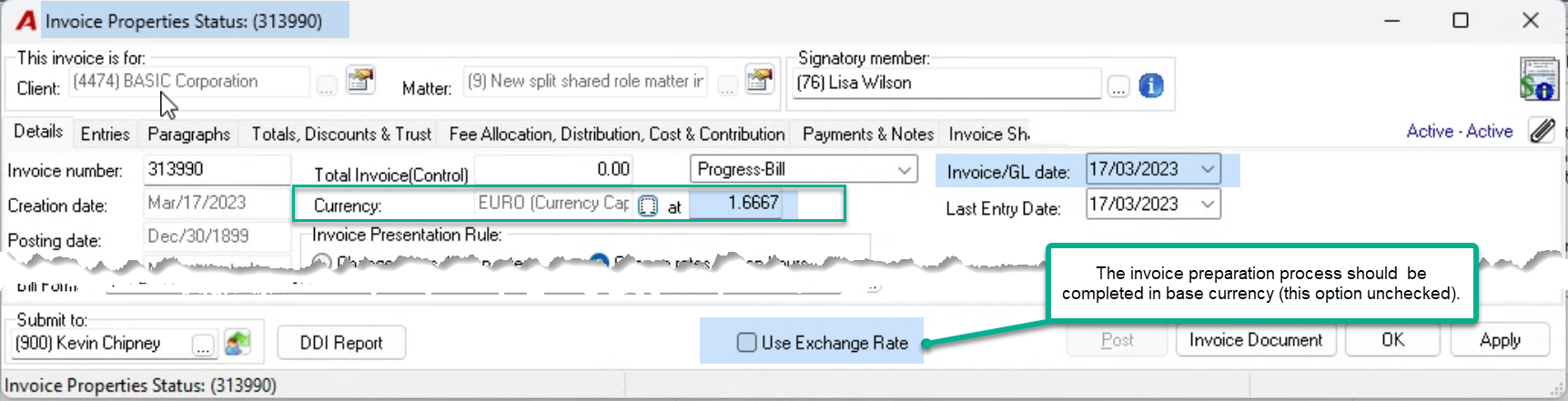
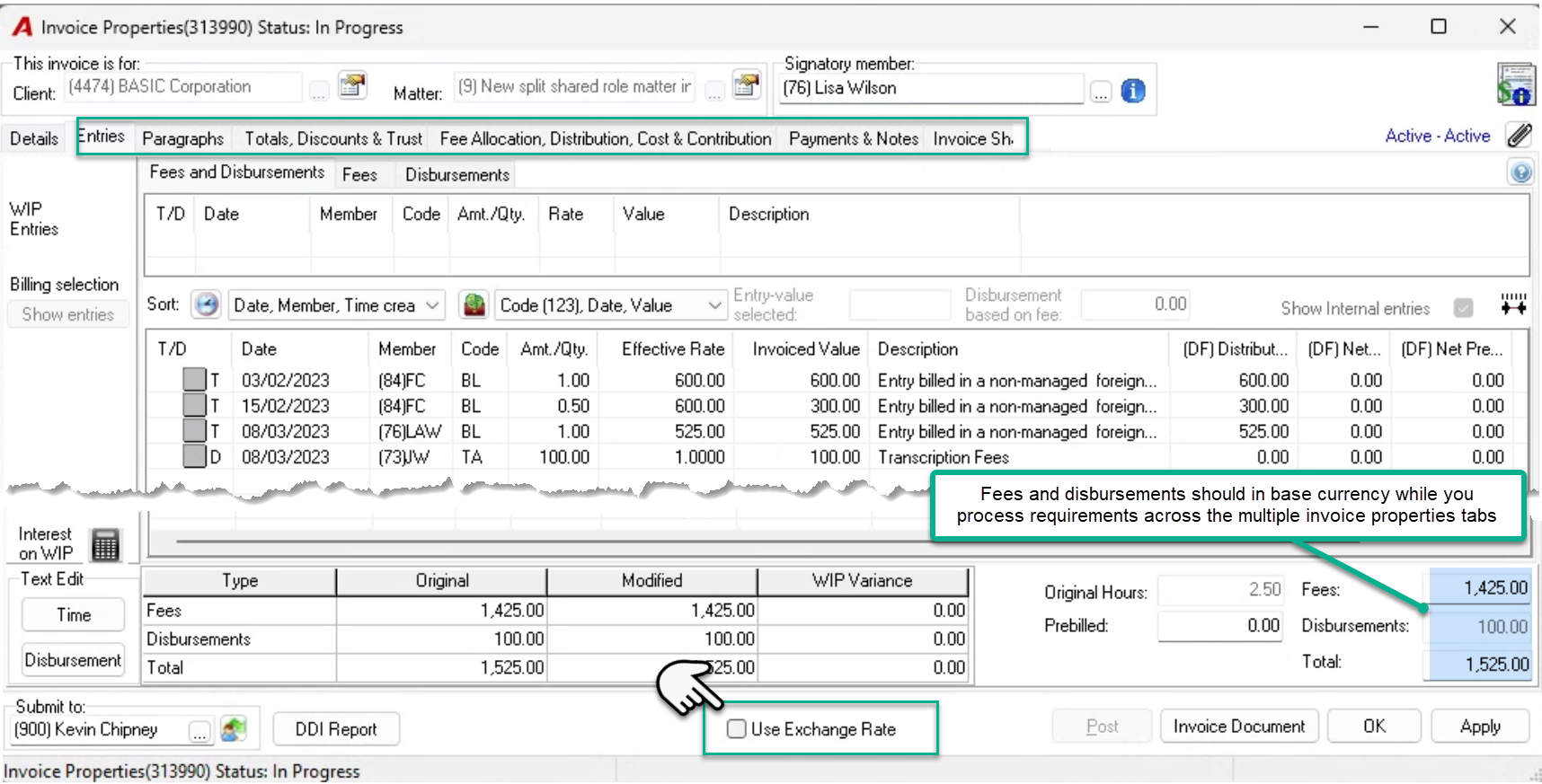
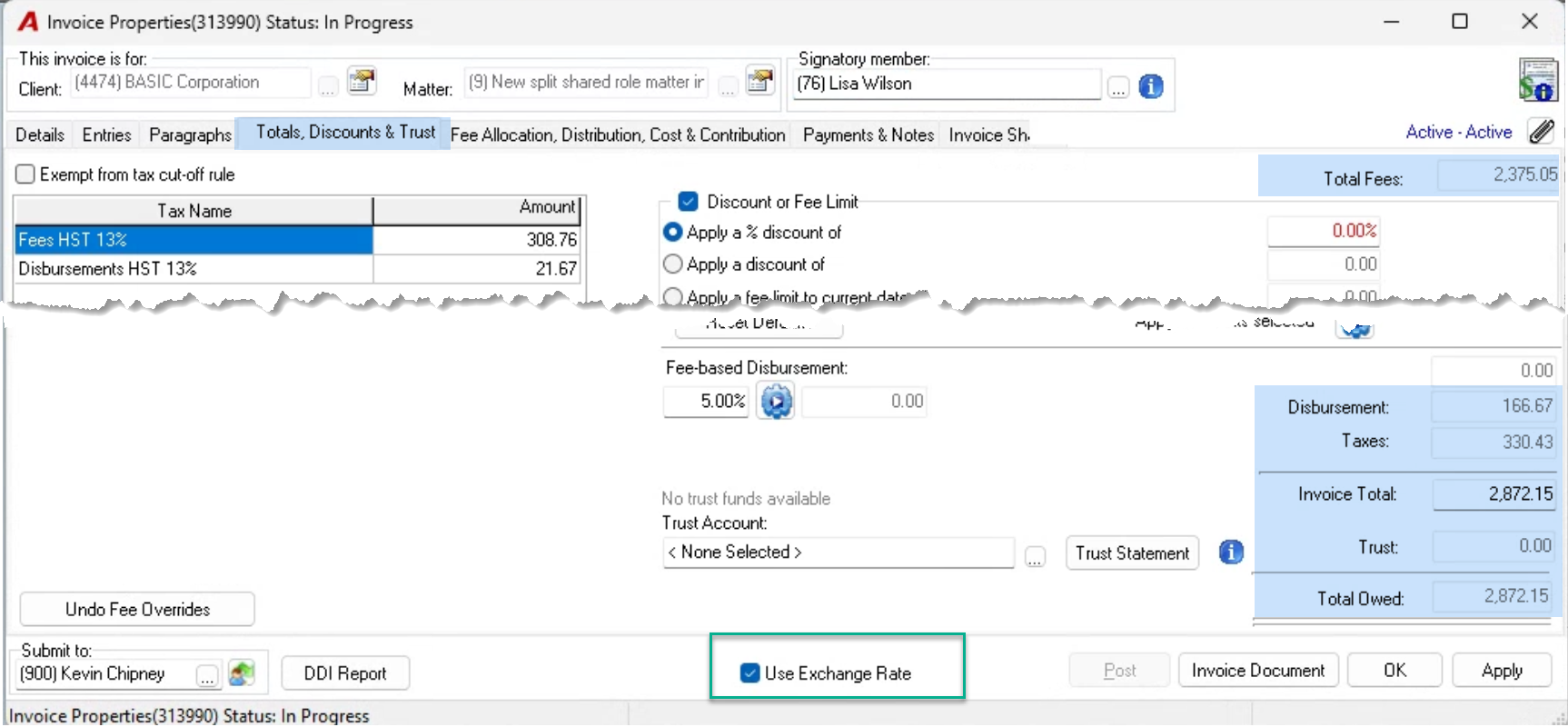
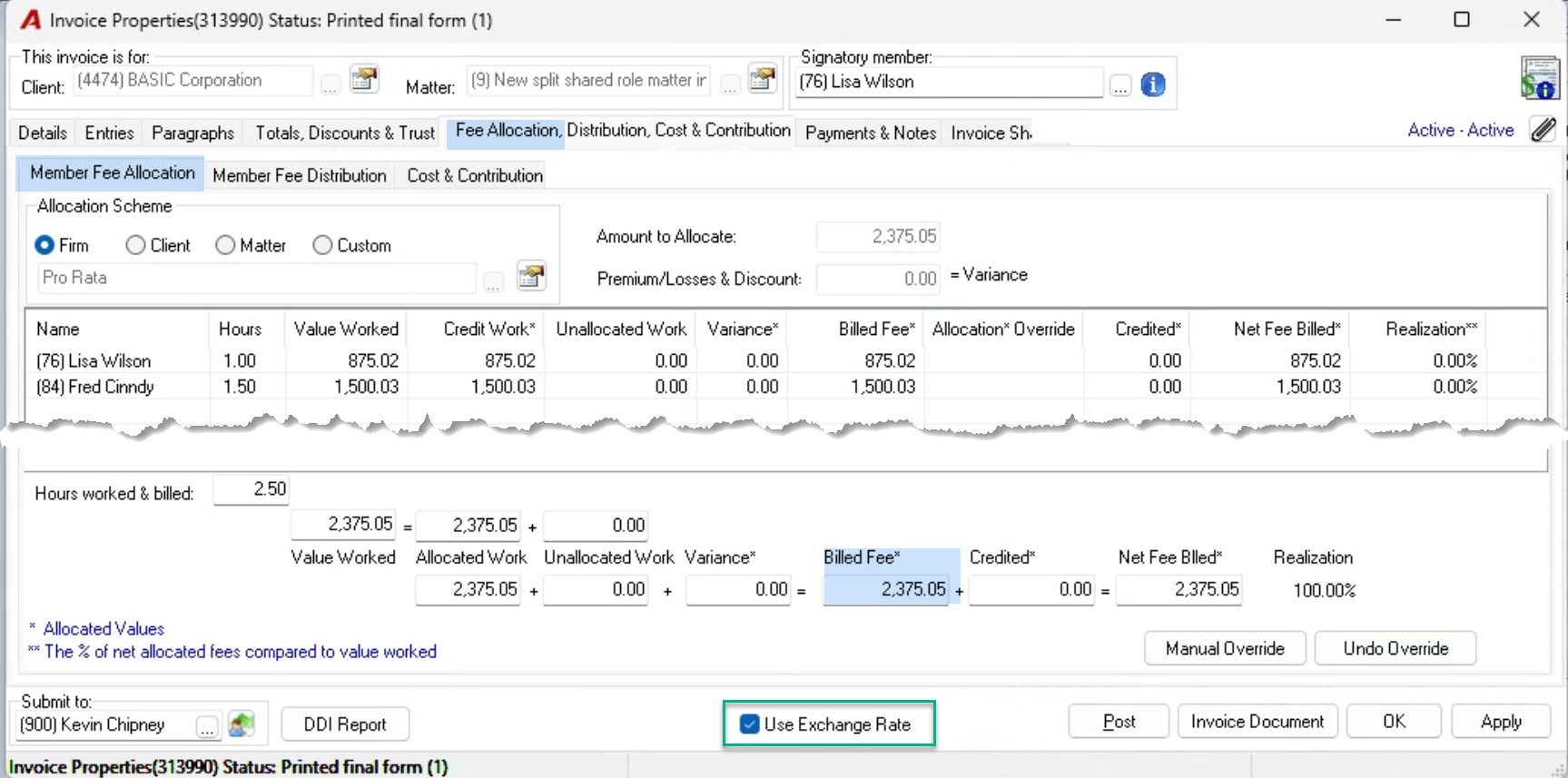
With a non-managed billing foreign currency, the fees billed is calculated using the foreign exchange rate at the time of the invoice transaction date. To view the invoice properties in the foreign currency, checkmark the “Use Exchange Rates” checkbox option.
Remaining Tabs
Keep fees and disbursements in base-currency during invoice preparation.
Invoice Document
The presentation of the invoice in a foreign currency is driven by the currency selection in the details tab, therefore the invoice document will be created showing the fees and disbursement billed in the foreign currency selected in the details tab; regardless of the “Use Exchange Rates” checkbox option being applied or not, whether working with a non-managed or managed foreign currency.
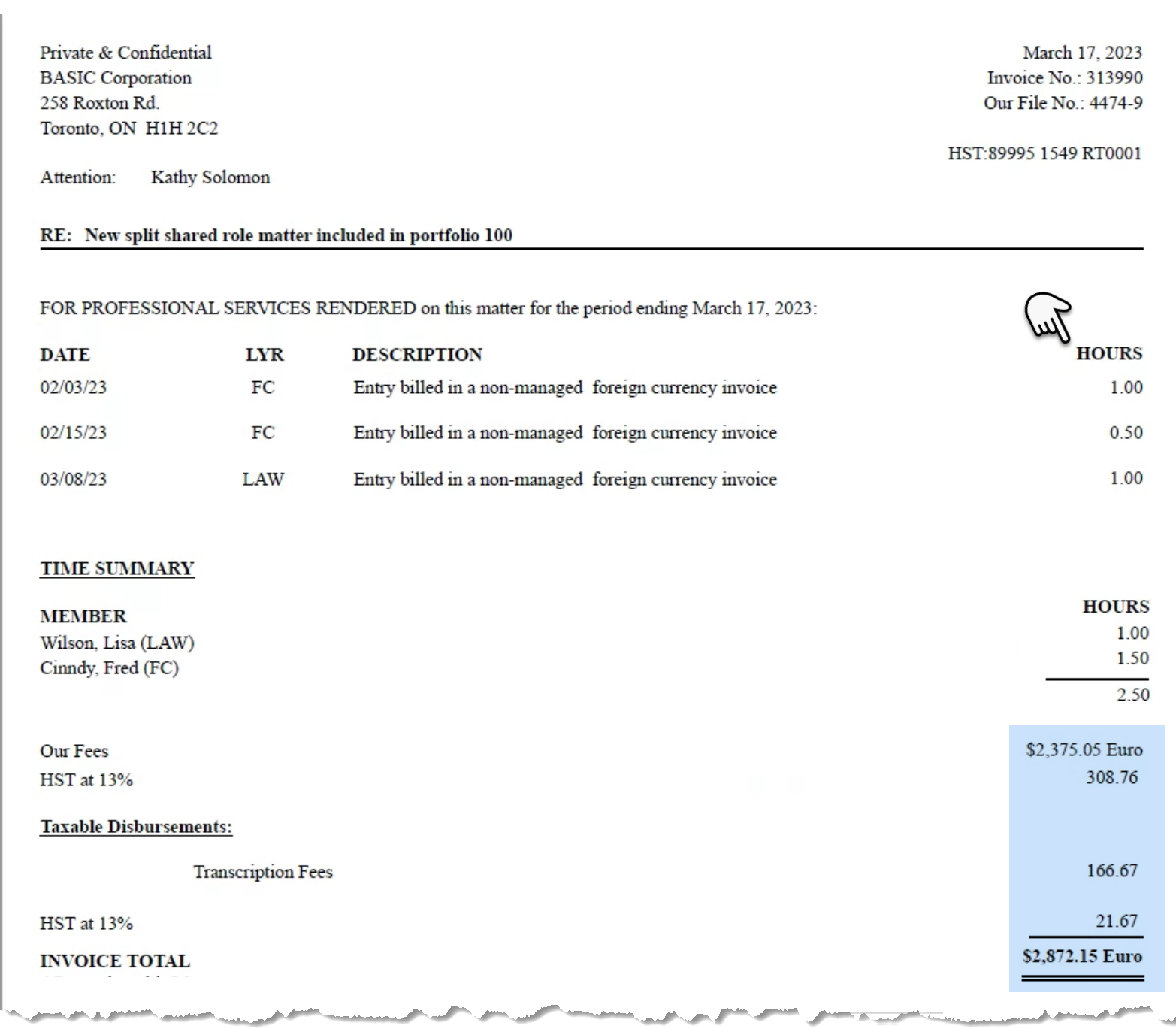
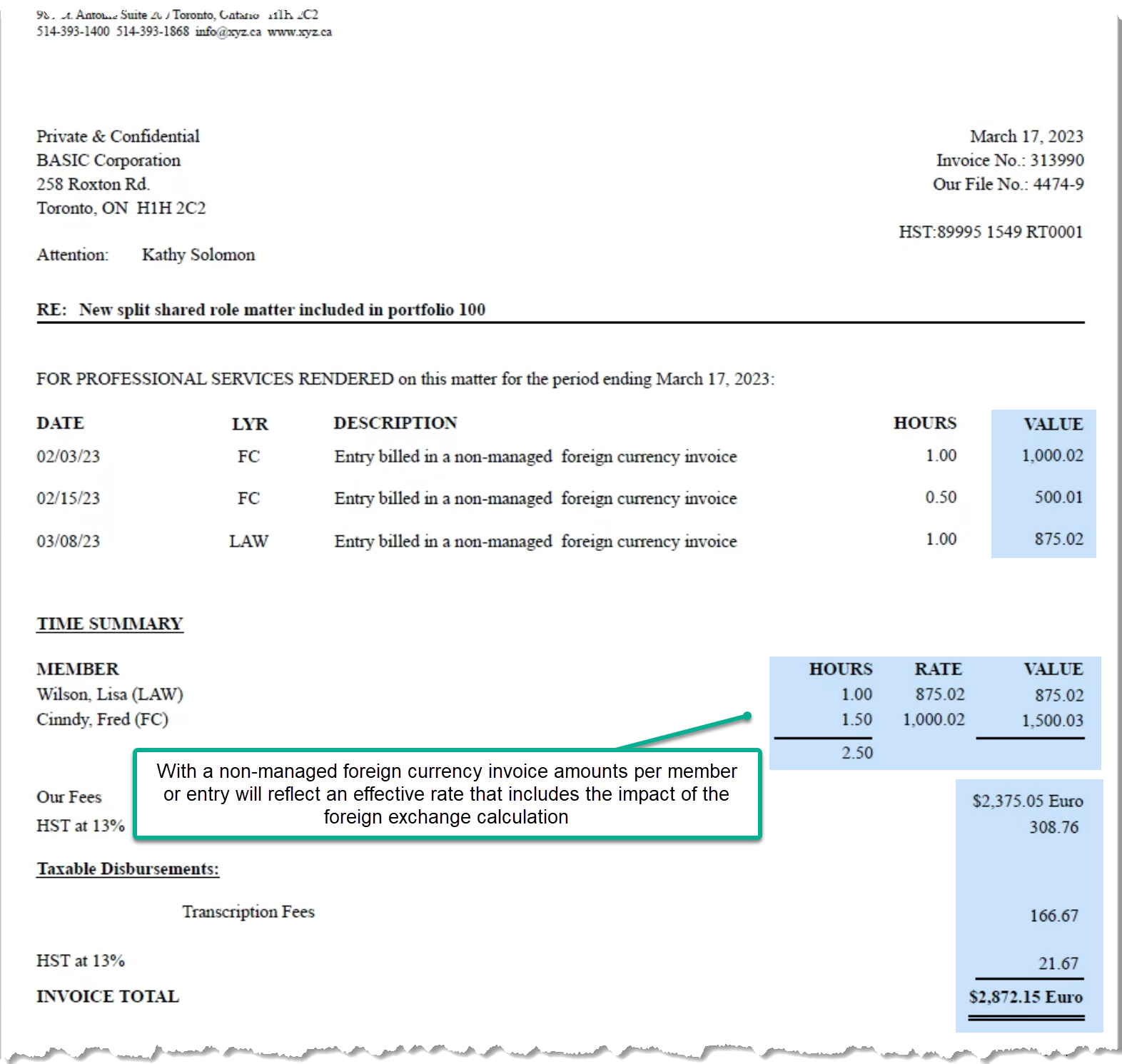
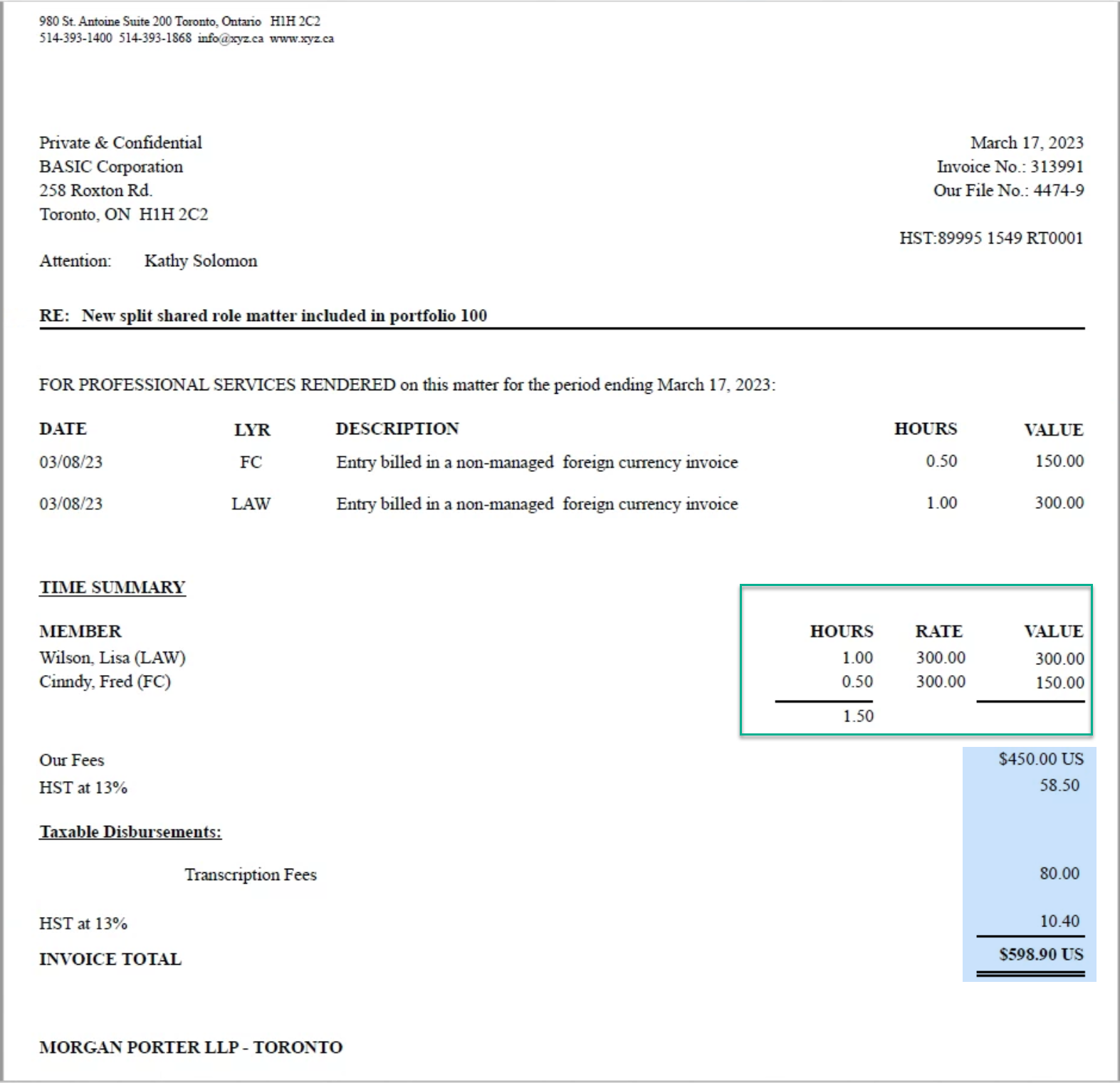
For non-managed foreign currency invoice documents’ best presentation options, select formats that do not include rates or amounts in the detailed section and/or member summary section of the invoice document. The inclusion of rate or amount details, results in an effective member rate presentation inclusive of the impact from the foreign exchange calculation.
Example of an invoice without rates or amounts.
Example of an invoice with rates or amounts.
GL Operations
The GL operations for non-managed foreign currency invoices are the same as for base-currency invoices.
Managed Foreign Currency – Invoice Properties
Matters with managed billing foreign currencies can use foreign currency billing member rates.
Matter Properties
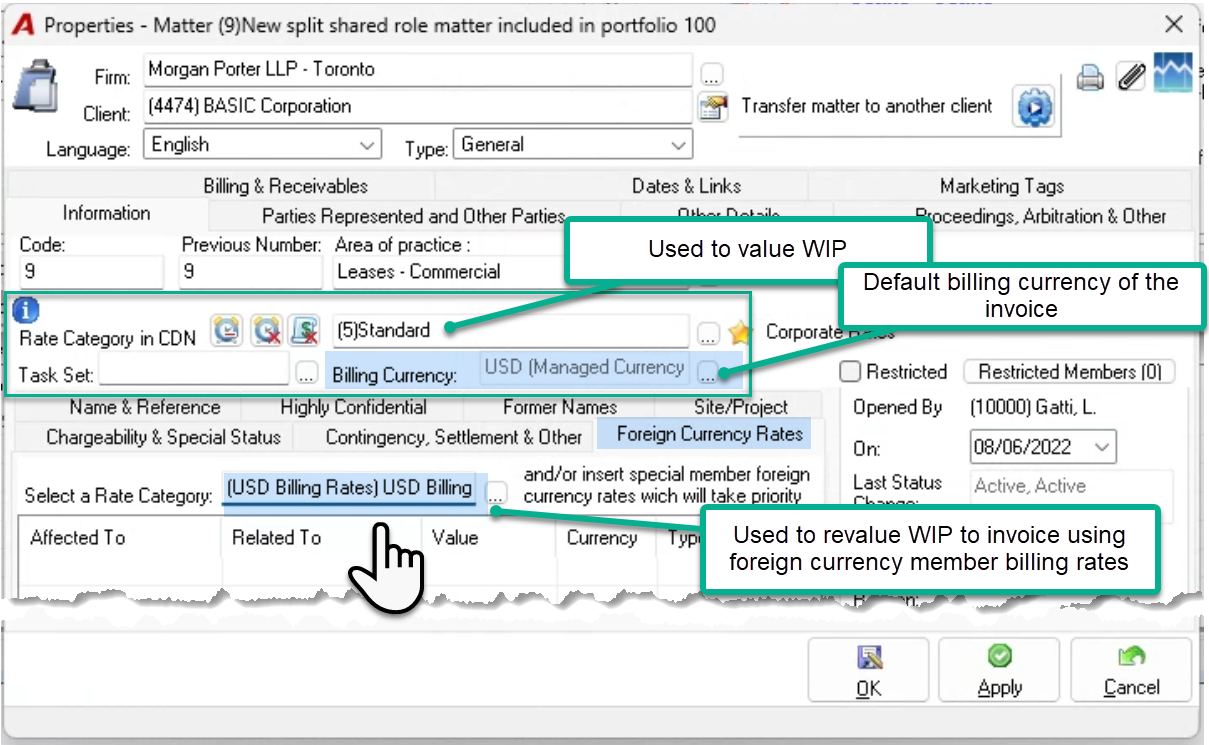
Select the managed billing foreign currency into the billing currency field found within the information tab. This will set the default billing foreign currency when creating new invoices for the matter and open a new “Foreign Currency Rates” sub-tab to set foreign currency member billing rates.
Foreign Currency Rates
Press on the “Foreign Currency Rates” sub-tab and select a foreign currency billing rate category. The members’ foreign currency billing rates included in the selection, will be used to calculate the fees billed during invoice creation.
Members not included in the foreign currency billing rate category selected, have their time entries converted, using the foreign currency exchange rate at the time of the invoice.
For consistent foreign currency impact across all timekeepers, include working members in the affected foreign currency rate categories.
Details Tab
With a managed billing foreign currency (default or selected), the fees are calculated using foreign currency member billing rates included in the foreign currency billing rate category assigned to the matter and/or any foreign currency special member rates added to the matter’s special foreign currency member rate list-view.
Time entries for members without a foreign currency billing rate are converted using the foreign exchange rate at the time of the invoice transaction date.
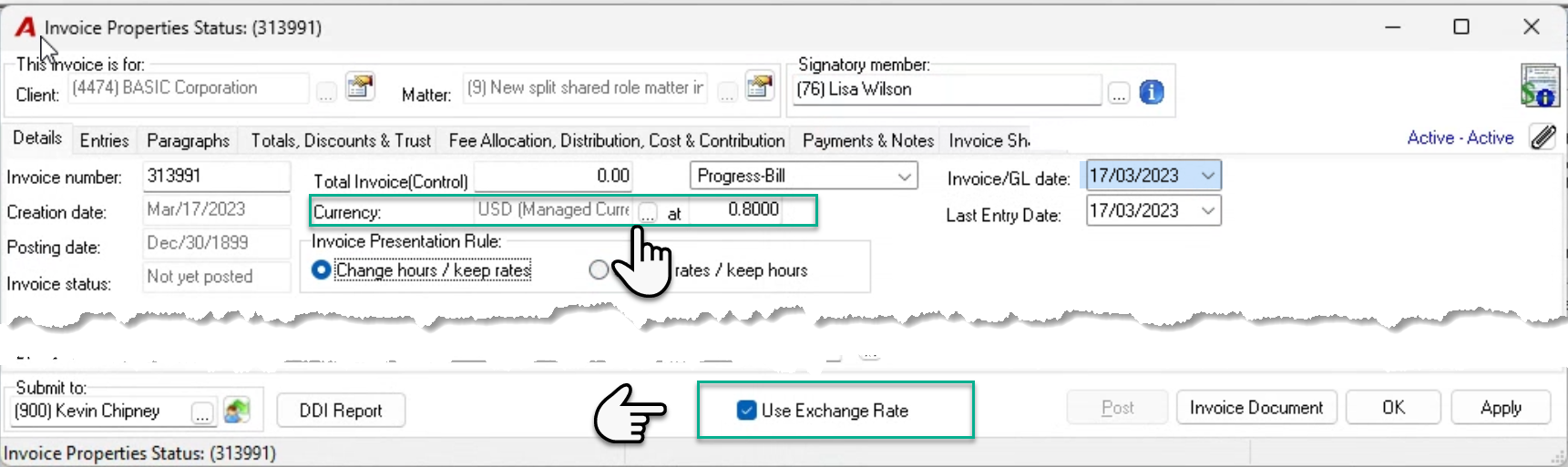
Press on the ellipsis button of the currency field found in the details tab of the invoice properties form to change the default to another currency – non-managed or managed, including the base currency.
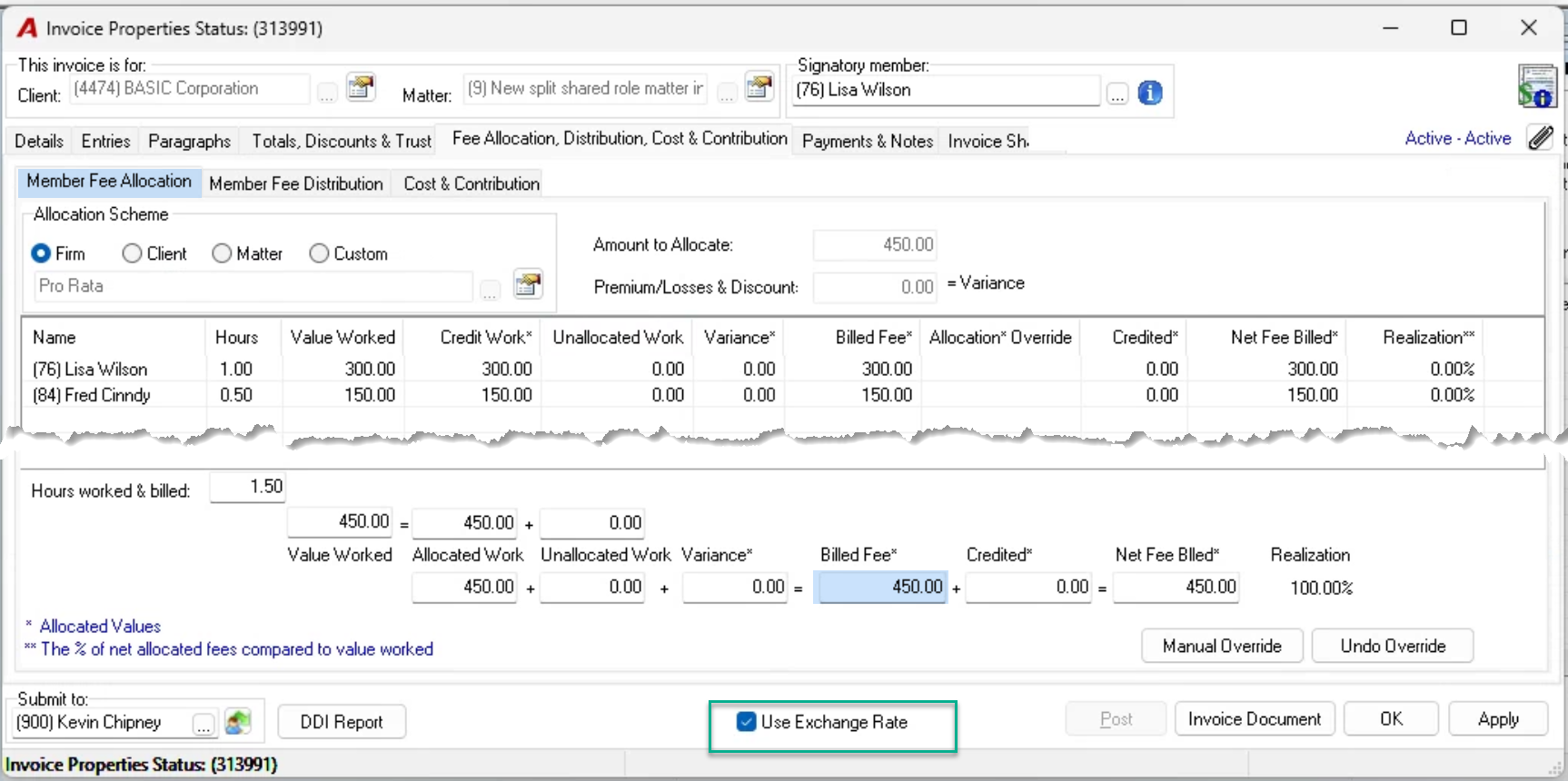
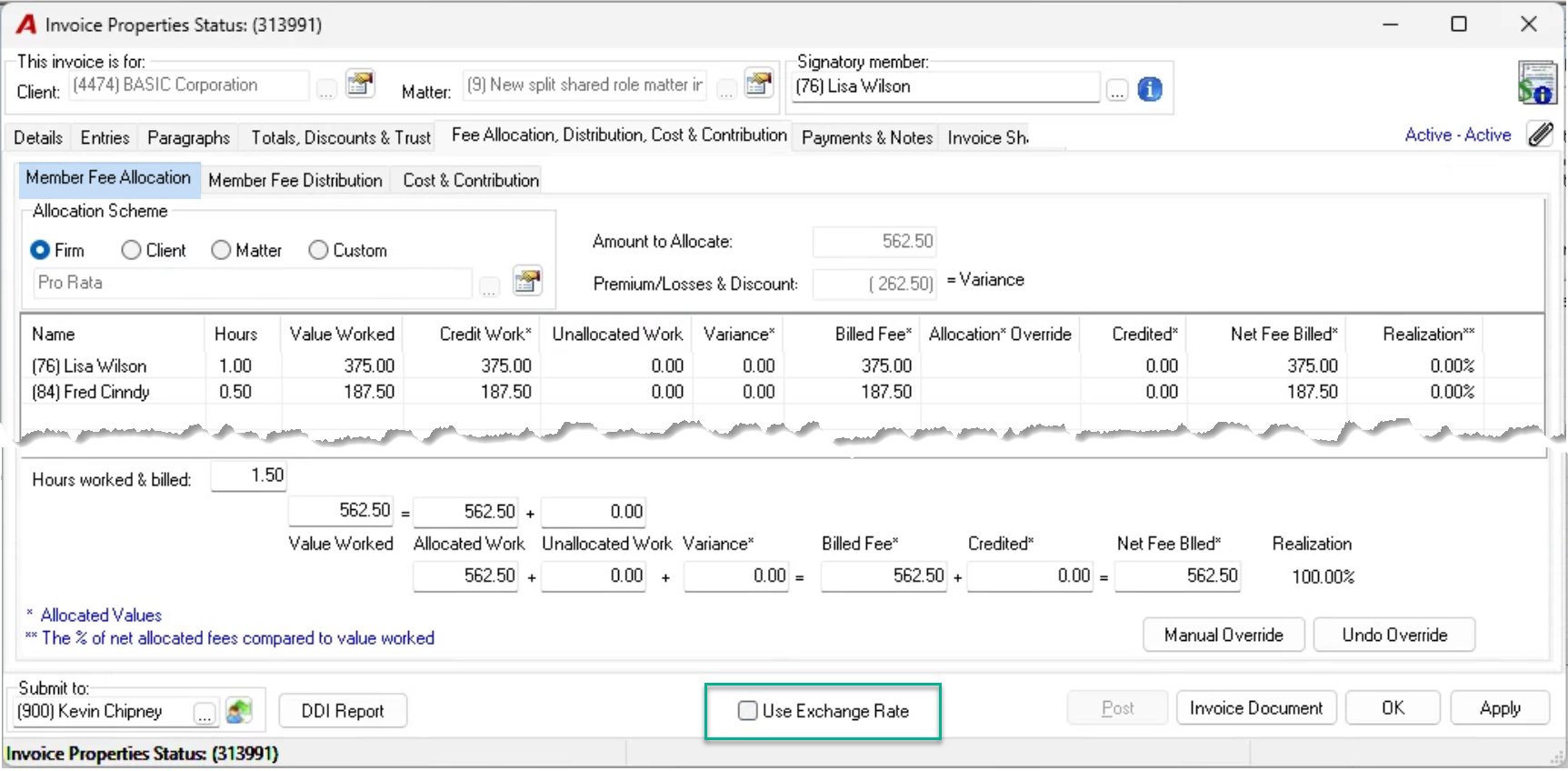
Invoices in managed foreign currencies should be prepared with the “Use exchange rate” check box option applied. This optimizes functionality and provides visibility of efficiency gains and losses in context of foreign currency billing rates used. Uncheck mark this option, to view the fees and disbursements billed along with other invoice properties measures in base currency, once the invoice preparation process in complete.
Entries Tab
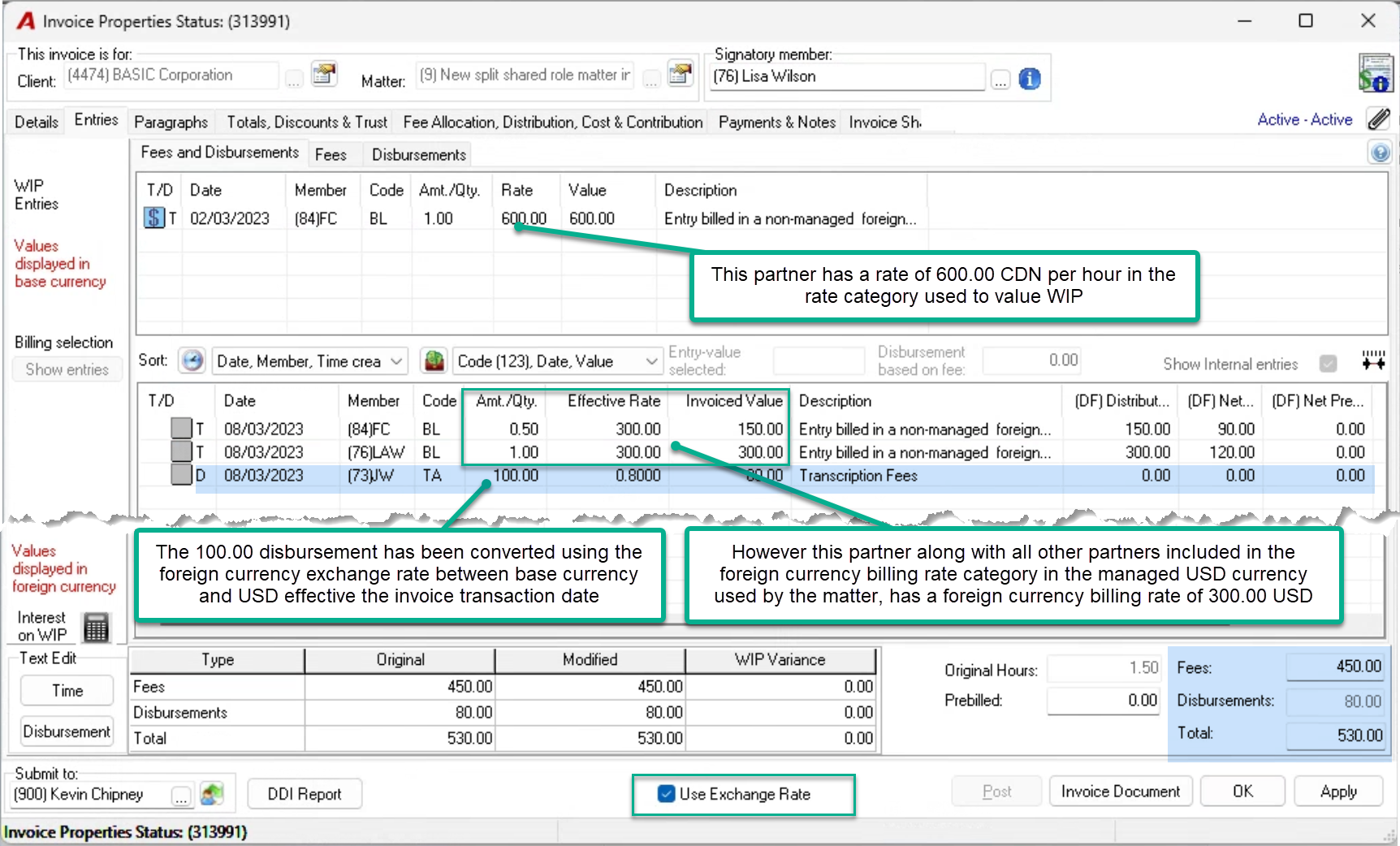
Although member (84) Fred Cindy has a time-worked valuation rate in base-currency of 480.00 (WIP rate category assigned to the matter), the matter is set to be billed using a managed USD foreign currency billing rate category, where the timekeeper has a foreign currency member billing rate of 300.00 USD.
While the time entry is in the WIP section of the entries tab, its worked-value will always show in base currency - 480.00/hr ; however once included in the time-entry is in the Billing section of the entries tab, it will show its worked-value based on its foreign currency rate of 300.00/hr - the USD foreign currency billing rate within the USD foreign currency billing rate category assigned to the matter.
At posting, all billed time entries subject to USD foreign currency billing rates will have their worked-values adjusted using these rates and converted back to base currency using the foreign currency exchange rate effective on the time entry transaction date.
Billed time entries for timekeepers without a USD foreign currency billing are valued using the foreign currency exchange rate effective the invoice transaction date.
Impact on Variance:
The use of foreign currency billing rates to revalue time worked supports a fairly presented efficiency gains and/or loses resulting from write-ups and write-downs during the invoice preparation process and not changes in foreign currency rates.
Remaining Tabs
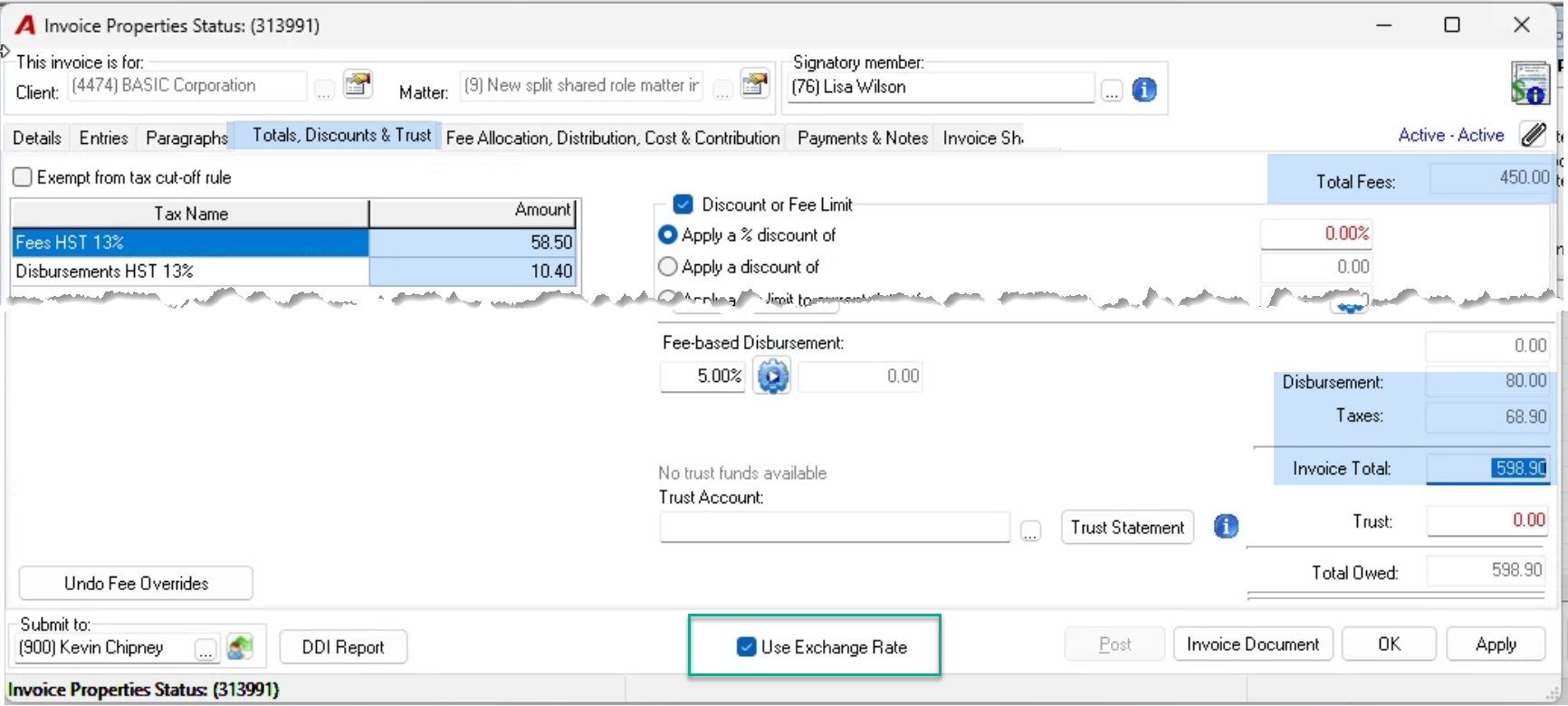
Allocation in USD (Managed Foreign Currency)
Allocation in CDN (Base Currency)
Invoice Document
The presentation of the invoice in a foreign currency is driven by the currency selection in the details tab. As a result, the invoice document will be created showing the fees and disbursement billed in the managed foreign currency selected in the details tab, regardless of the “Use Exchange Rates” checkbox option is applied or not, whether working with a non-managed or managed foreign currency.
GL Operations
The GL operations for managed foreign currency invoices separates into two master accounts – one for the face value of the receivable and the other for the exchange component to value it back to base-currency.
Accounts Receivable Dashboard
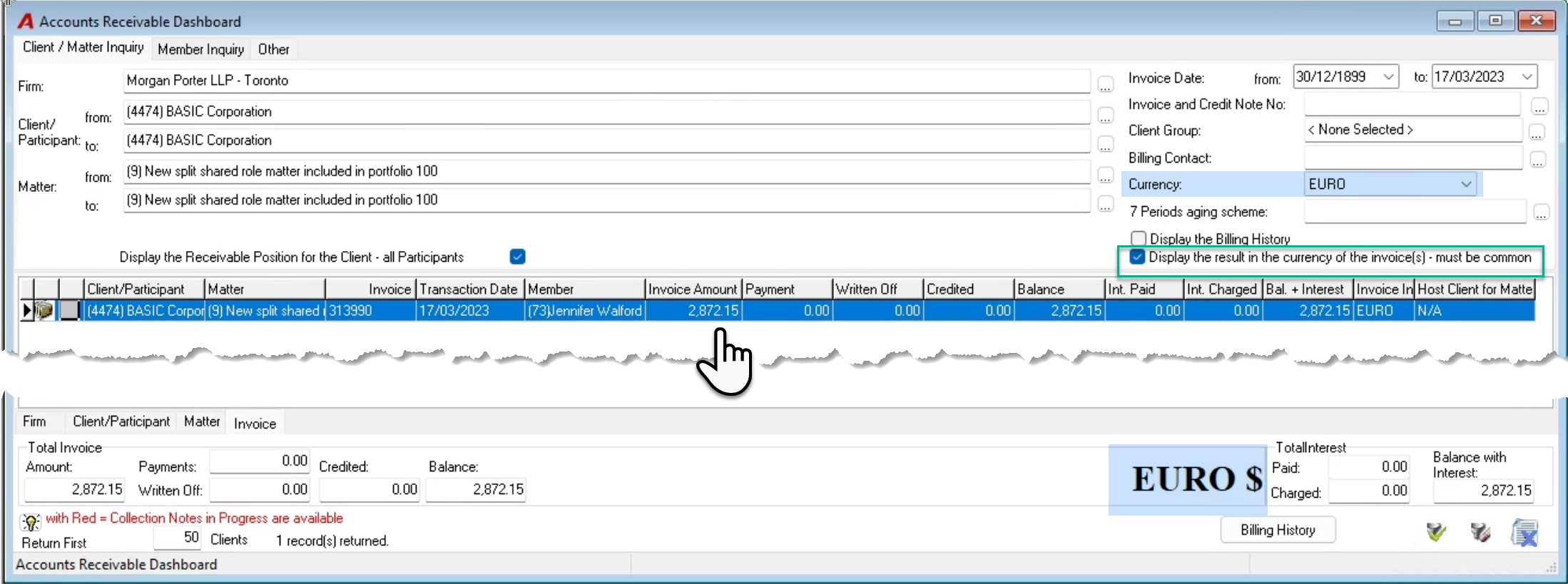
The receivable balance for foreign currency invoices in a non-managed or a managed currency will show in base currency as a default.
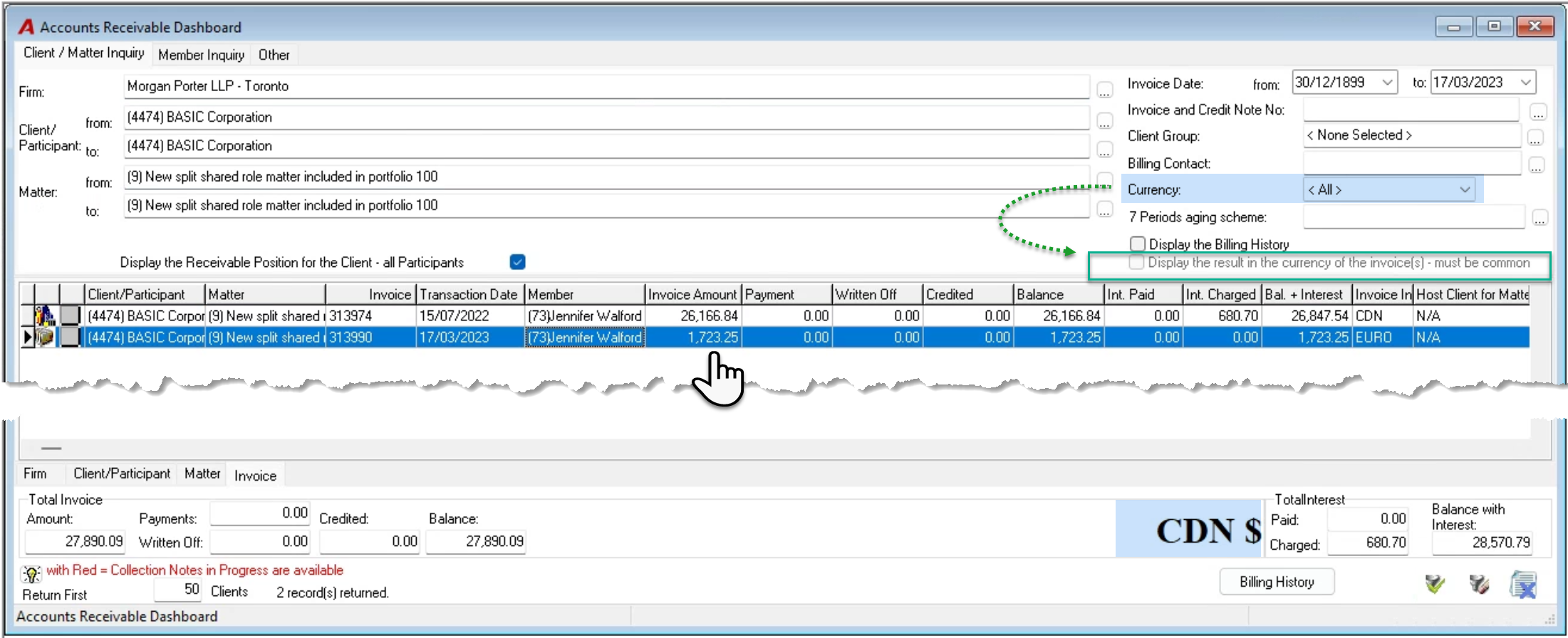
With both types of currency, users can filter for invoices in the selected current to have access to the “display the result in the currency of the invoice(s) – must be common” checkbox option. Once check marked, the user can see the receivable position with the same face value as the invoice recipient.