.png)
Scope and Purpose
The purpose of the merge function is to consolidate multiple multi-matter invoices created by different users for the same client into one batch.
The scope of this document extends to regular multi-matter invoices and portfolio ones.
Context
The multi-matter or portfolio invoice is generated in context of client requirements on an aggregate presentation of otherwise regular matter invoices; therefore, it is possible for the former to include matters that have different invoice decision makers and as a result list on separate E-WIP forms.
In these situations, the multi-matter invoice can be created from the results tab of the details filter to include all matters set to multiple matter invoice regardless of E-WIP statement. However, when a multi-matter invoice is created per E-WIP statement instead, the merge function will consolidate the multi-matter invoice content into the host batch.
Multi-Matter Invoice Merge
Functional Process
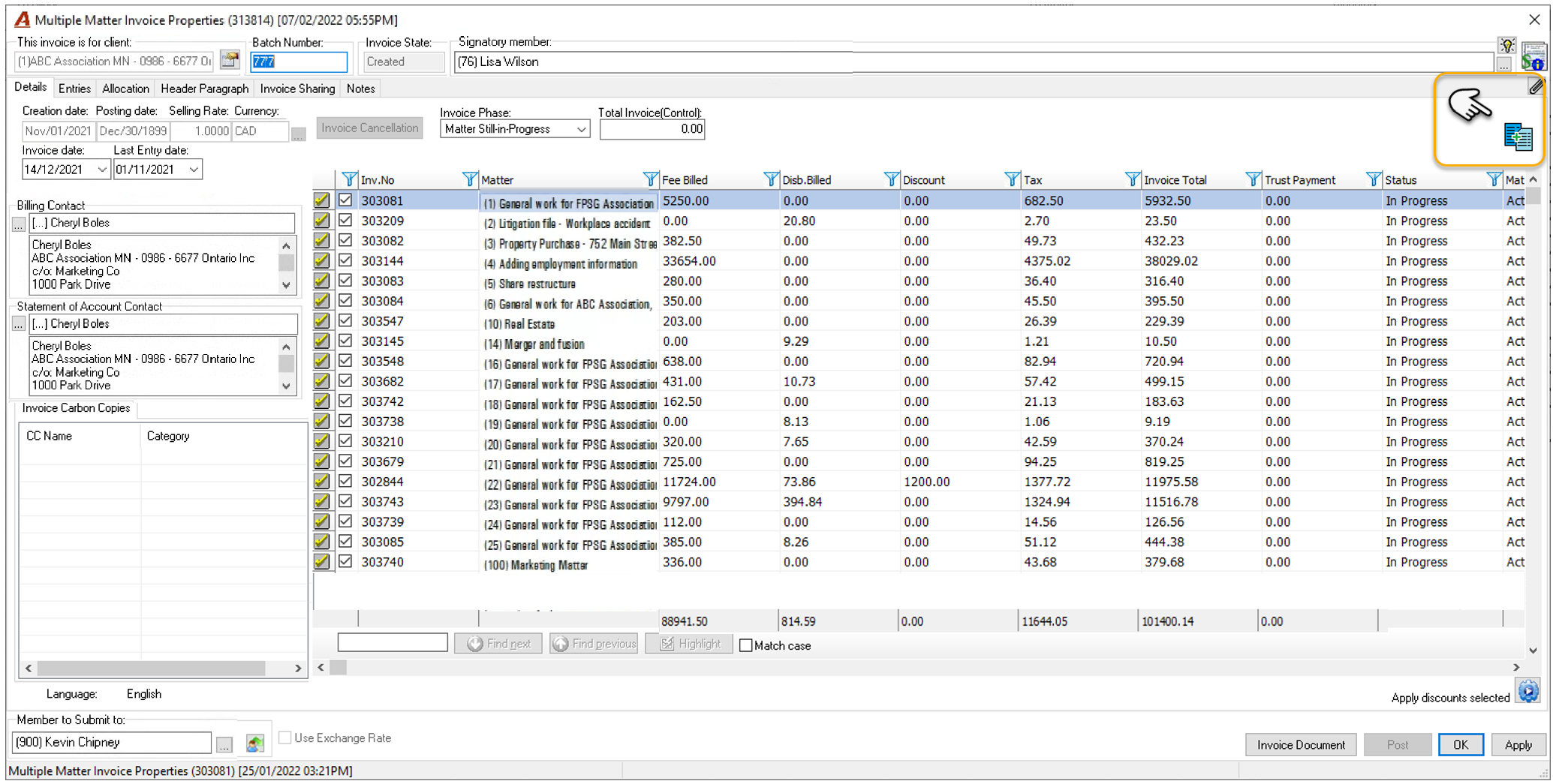
From the host multi-matter invoice properties form, press on the merge button to launch the list of potential invoices to be incorporated into the batch (upper- right on the form)
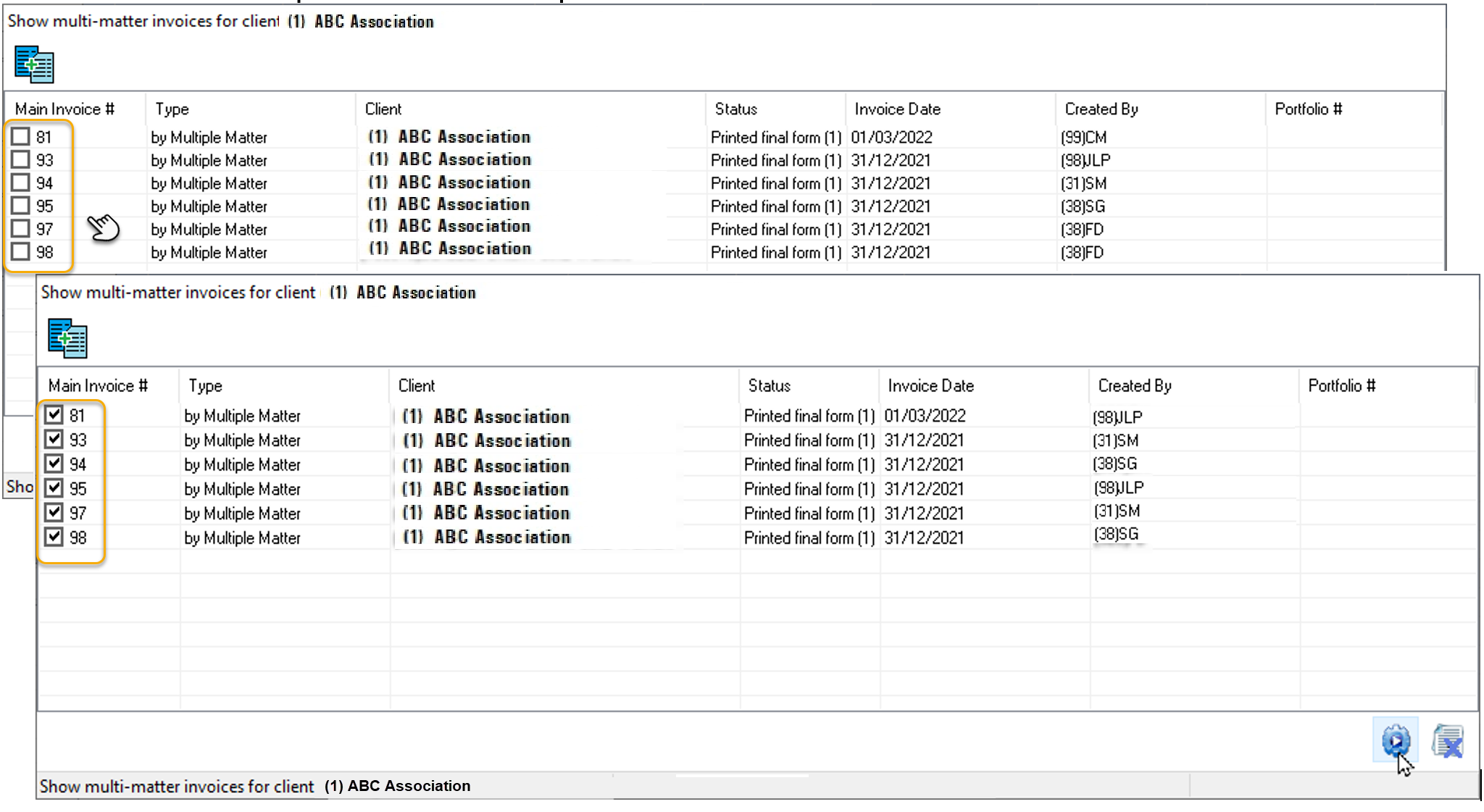
Checkmark the multi-matter invoices for client to be merged into the host multi-matter invoice and press execute to proceed. If the multi-matter invoice is for a portfolio, then the merge will be limited to multi-matter invoices for the same portfolio.
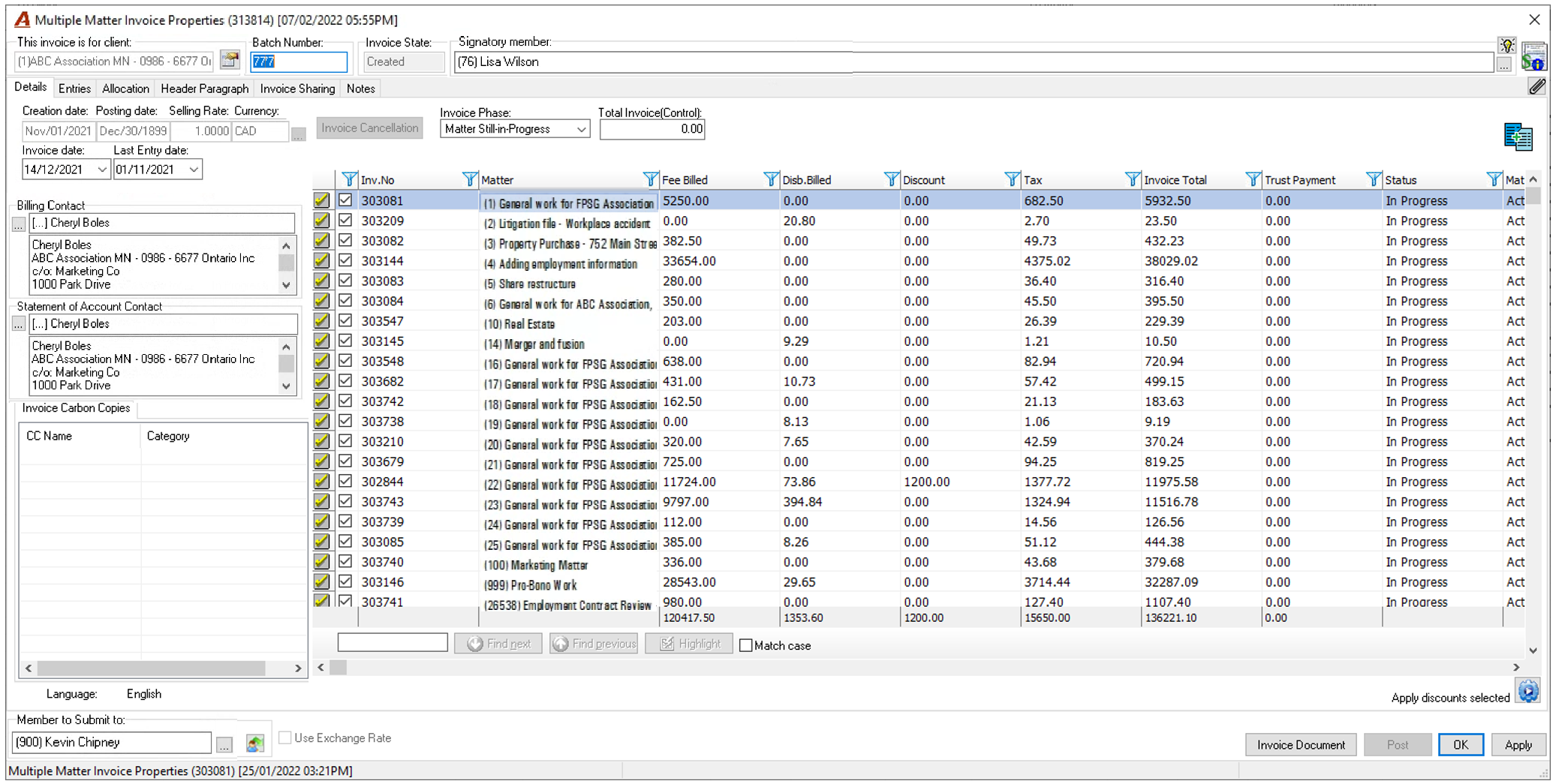
At the end of the process the content of all the multi-matter invoices selected will be added to the batch you started from, and their corresponding batches deleted.

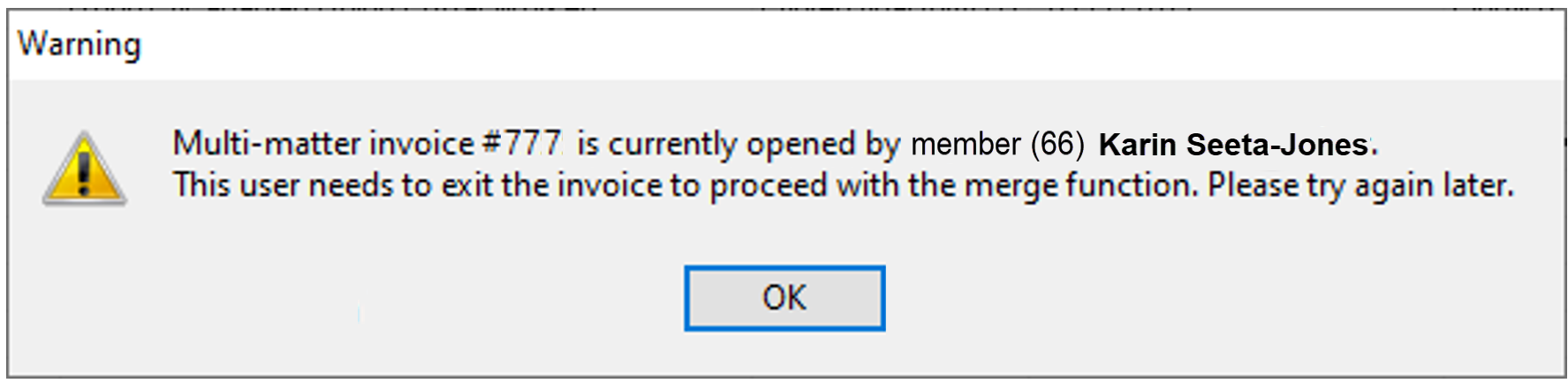
If any of the unposted invoices selected are opened by another user at the time the merge is executed, the application will provide the following message
Options in the Show Multi-Matter Invoices for Client Form
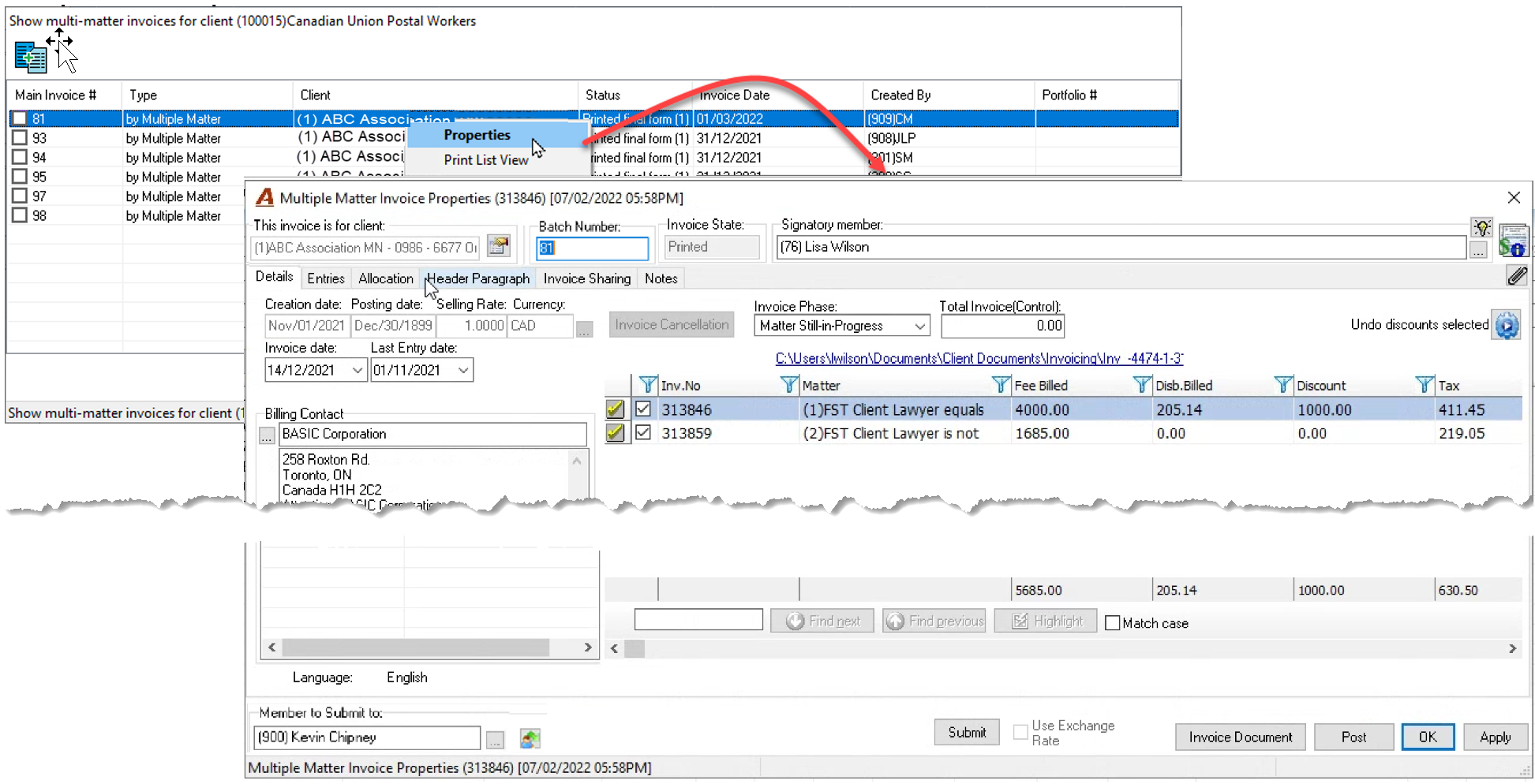
Right-click to access the contextual menu and select “Properties” to drill through to the properties of the selected multi-matter invoice or select “Print List View” to launch the print list view report output or export to excel.
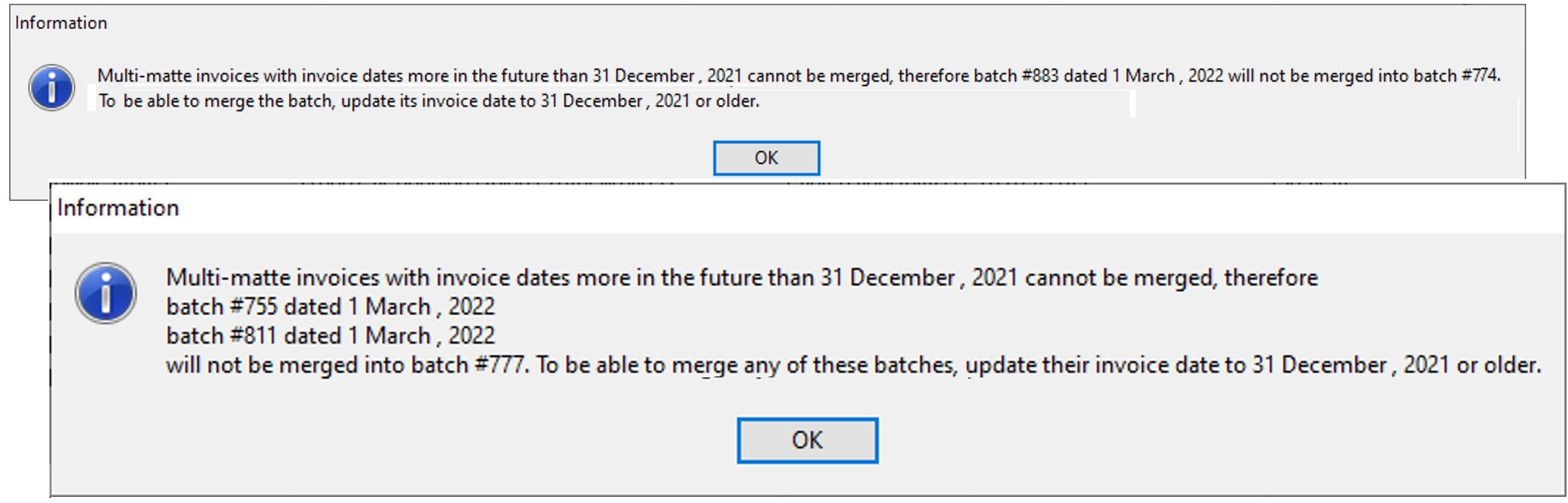
Invoice Date Discrepancy:
As part of the merge process, the incoming invoices will adopt the invoice date of the host envelope. As a result, if the incoming invoice content has a date older than the invoice date for the host envelope, the user will receive one of the following messages:
Add a Regular Matter Invoice
From the host multi-matter invoice properties form, right-click to access the option “Add a Regular Matter Invoice”. The process is limited to one unposted invoice for the same client at a time.
As with the merge function, the user will not be able to add an invoice if:
-
Its properties are opened by another user at the time the option is taken.
-
Its invoice date is more in the future:
Portfolio Limitations:
It is not possible to add a regular matter invoice for a matter associated to a portfolio to a multi-matter invoice with no portfolio. In this case the user will receive the message:

It is not possible to add a regular matter invoice for a matter associated to a portfolio to a multi-matter invoice for another portfolio. In this case the user will receive the message:

It is not possible to add a regular matter invoice for a matter that is not associated with a portfolio to a multi-matter invoice associated to a portfolio. In this case the user will receive the message:
