.png)
Overview
This document describes the process for when a user needs to cancel an invoice that is paid with a deposit item that is applied to more than one invoice. Examples include trust cheques payable to the firm or a client cheque payable to multiple invoices.
Date Rule of Invoice Cancellation
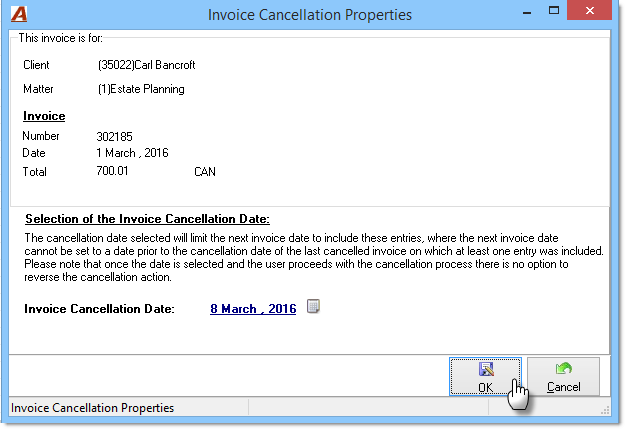
In order to maintain a harmonious historical audit trail, invoice cancellation dates cannot be older than the cancellation date of its related payment unless the cancellation date of its related payment is equal to the date of the original deposit. In this case, the invoice date cannot be older than the invoice transaction date.
-
Example 1: If an original invoice is dated February 1, 2016, and the original payment was processed on February 15, 2016, and the cancellation date of said payment is March 8, 2016, this would mean that the invoice cancellation date could not be older than March 8, 2016.
-
Example 2: If an original invoice is dated February 1, 2016 and the original payment was processed on February 15, 2016, and the cancellation date of said payment is February 15, 2016, this would mean that the cancellation date could not be older than February 15, 2016.
Process
Create Deposit
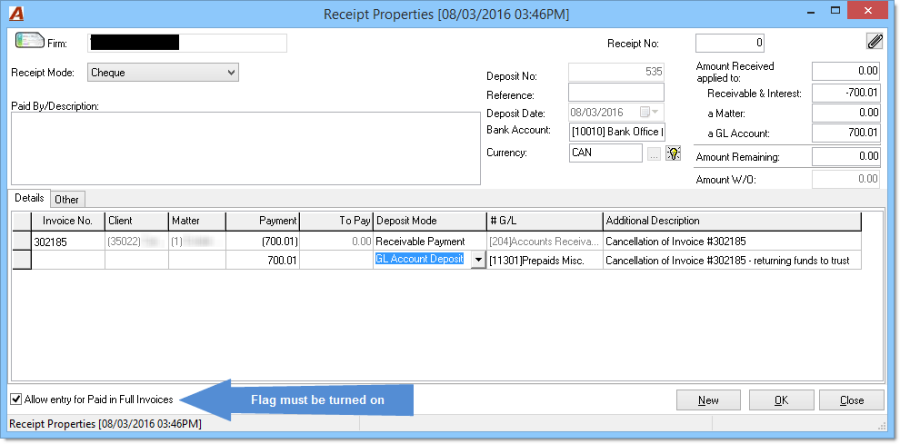
To render the invoice with a status of unpaid and to transfer balance back to trust, a new deposit will be created. This deposit will have a negative and a positive transaction and the deposit date should match the original posting date.
-
In receipt properties, turn on the "Allow entry for Paid in Full Invoice" flag;
-
Create a row and populate Invoice No. field with invoice to be cancelled and enter negative amount of the invoice;
-
Create a second line which will be a GL Account Deposit to a transitional miscellaneous account – the amount should match the amount of the invoice;
-
To have an accurate and meaningful audit trail, populate the additional description fields with a meaningful description;
-
Post deposit.
Disbursement of Excess Funds
Funds must be reimbursed to the client or to the client's trust account.
If the cheque is payable to the firm in trust for the client and the funds once transferred are immediately reapplied as payment on a new replacement invoice, these can be considered and handled as internal adjustments and processed through debit memos and direct deposits. This process is explained at the end of the document.
Firms have the following two options:
-
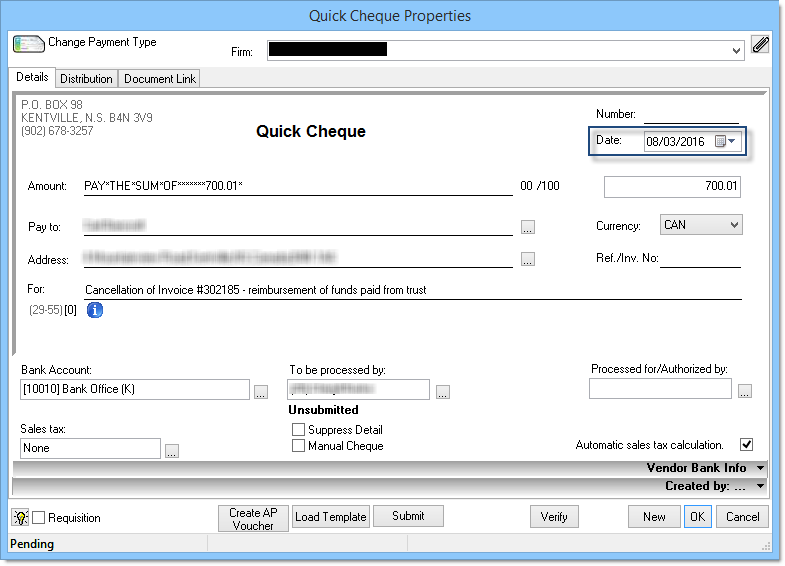
Create a general cheque payable to the client or;
-
Create a general cheque payable to the firm in trust.
Regardless as to the method chosen, the date of the general cheque should match the date of the original deposit and its cancellation;
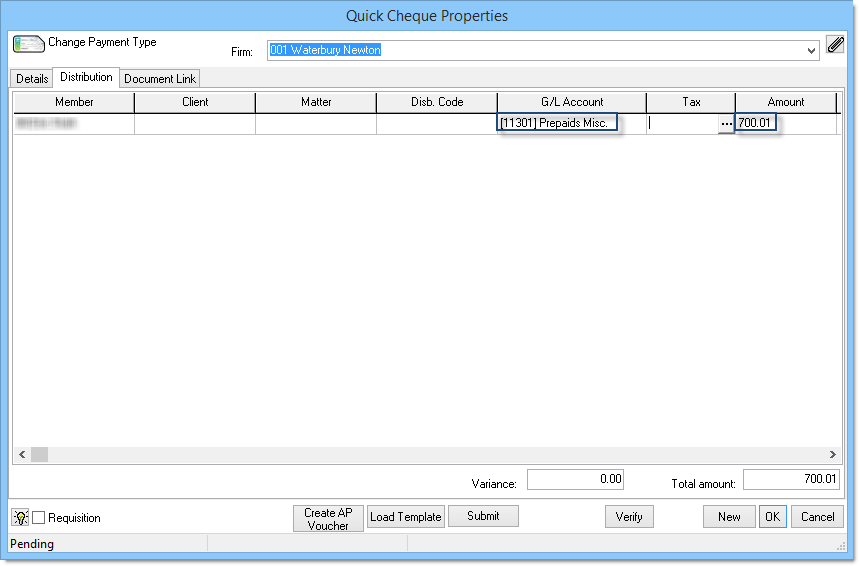
The distribution should be completed to match the row of the GL Account Deposit from the receipt;
Deposit Funds in Trust (if Applicable)
-
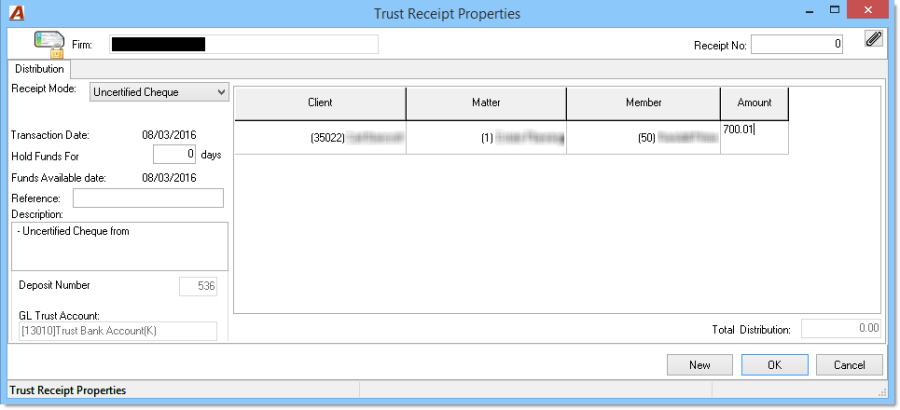
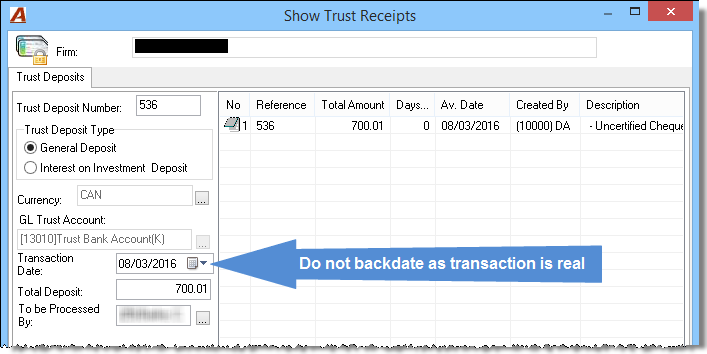
Create and post a trust deposit slip. Consider overriding the number of days held to 0 as there is no risk on the firm's deposit;
-
Deposit should dated as at the current date and be brought to the bank as part of the daily trust deposit;
-
As a trail will be presented on client documents, consider the description. Example: "… for the reimbursement of the payment applied to invoice 302185 cancelled on March 8, 2016."
Cancel Invoice
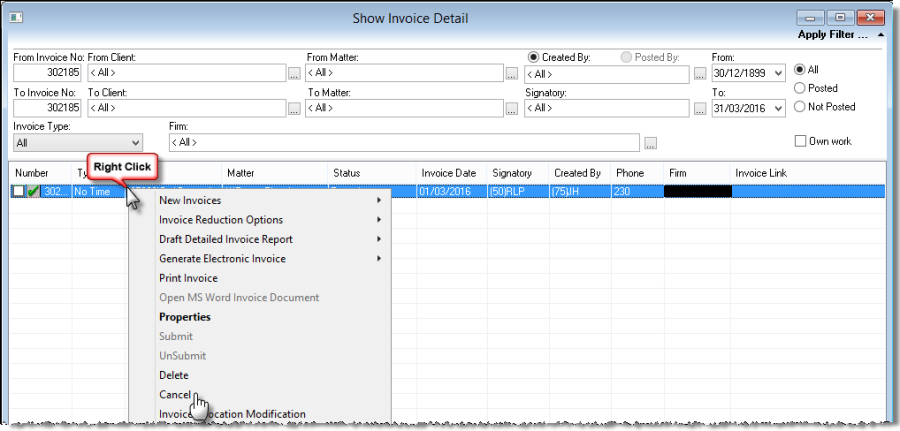
Cancel the invoice using the invoice transaction date as the cancellation date.
Create Replacement Invoice
-
The invoice will need to recreated as at the current date in order to be able to select current funds in trust;
-
Apply new payment from trust;
-
Once the invoice is posted, the trust requisition will be automatically created, leading to the eventual payment of the new invoice through a general deposit.
Processing Internal Adjustments
This process is for where there are no banking implications.
Disbursement of Excess Funds
After the negative deposit is created, the bank position will be over-stated in comparison to the GL Account. The correction can be processed as an internal adjustment (without banking implications) if it is processed through the client's trust account.
-
Generate a general debit memo payable to the firm in trust. The debit memo should be dated as at the date of the original general deposit and its cancellation;
-
Complete the distribution correctly to match the general deposit with the transitional GL Account.
Depositing Funds in Trust
-
Create and post a trust deposit slip with a receipt mode of Direct Deposit;
-
The deposit slip should be dated the date of the original general deposit (and general debit memo) created as the source for this trust deposit. This will NOT be part of the physical bank trust deposit;
-
Same as above, as a trail will be presented on client documents, consider the description. Example: "… for the reimbursement of the payment applied to invoice 302185 cancelled on March 8, 2016.".
Create Replacement Invoice
-
Create and post replacement invoice. The same date can be used;
-
Do NOT apply the payment from trust as this will generate a real trust cheque which will result in a real bank transaction.
Create Trust Bank Payment
-
Create and post a trust debit memo;
-
The debit memo should include a meaningful description such as "…..Payment applied to invoice NEW INVOICE number dated ……..".
Apply Payment Towards New Invoice
-
Create and post a general deposit with receipt mode "Direct Deposit" dated the same date as the invoice;
-
Apply deposit to new invoice.