.png)
System Settings
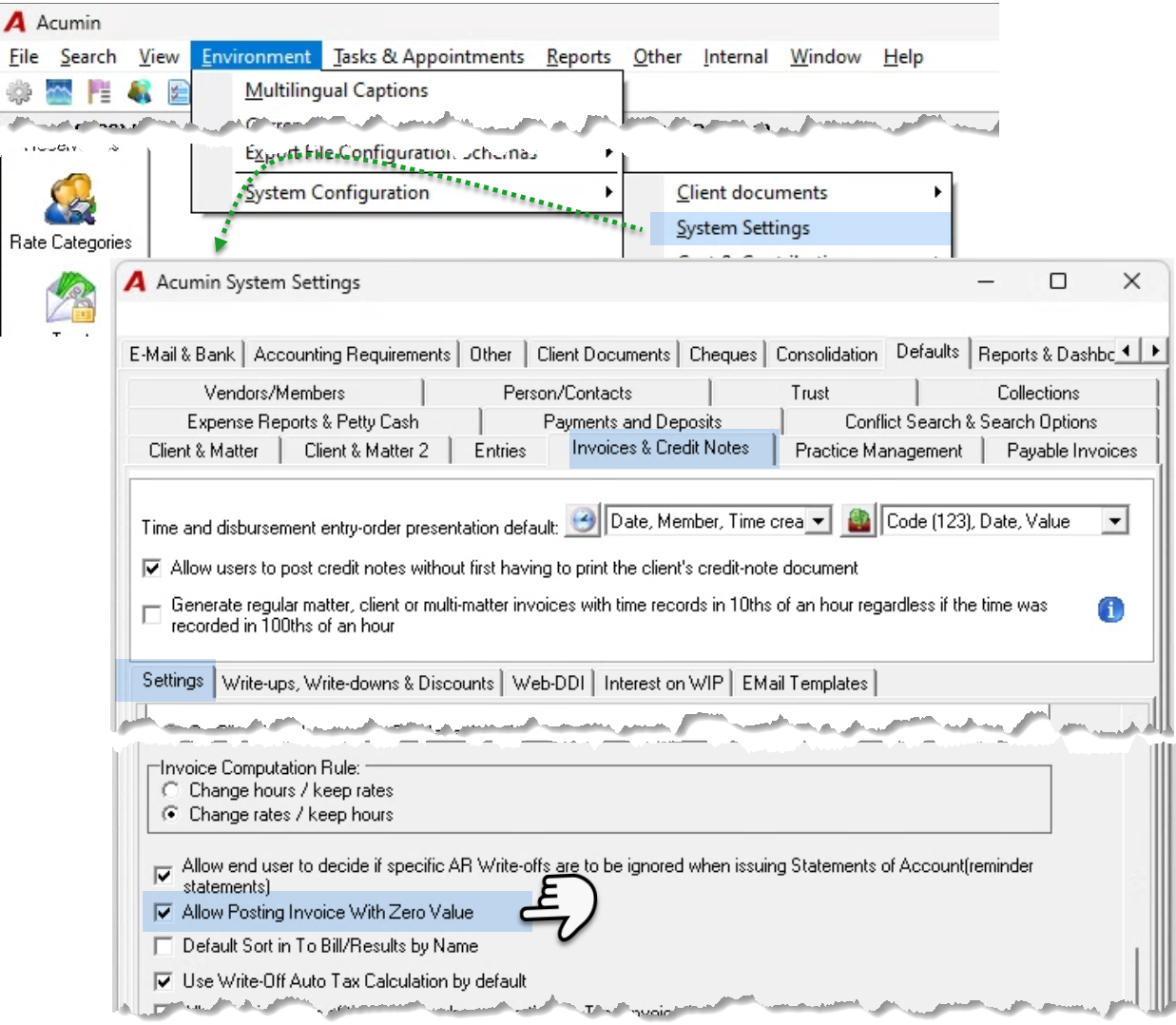
Access the “Invoices & Credit Notes - Settings” subtab of the “Acumin System Settings” form, launched from the “Environment – System Configuration” sub menu. Checkmark the “Allow Posting Invoice with Zero Value” checkbox option, and press OK to accept and save the new setting.
Invoice Properties
Once the setting is in place, users will be able to prepare and post zero (0.00) invoices.
The Invoice Does Not Include Disbursements
-
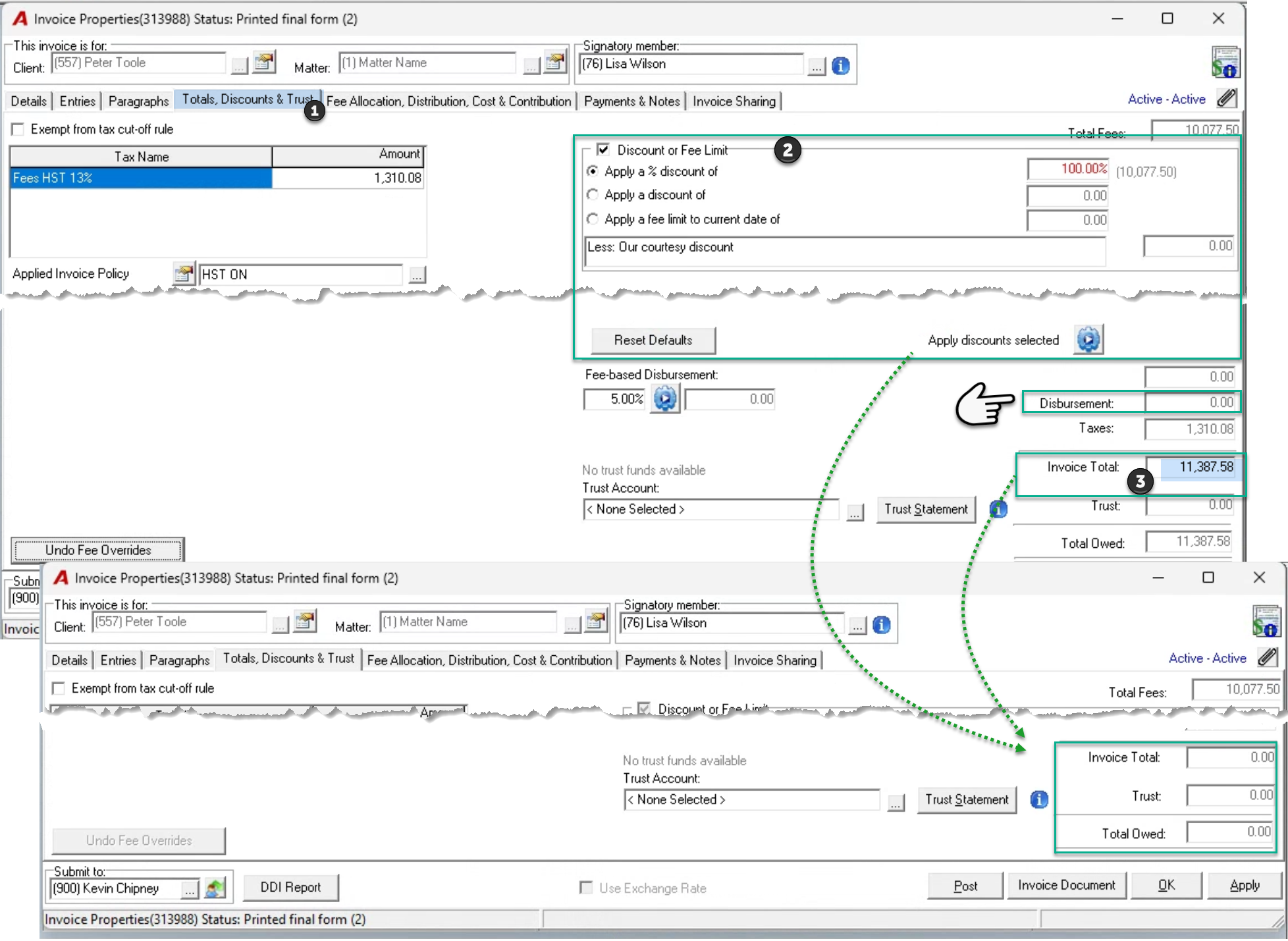
Navigate to the “Totals, Discounts & Trust” tab
-
Set a 100% discount and apply it OR
-
Override the invoice total field to zero (0.00).
Use of Discount to Create Zero Fees
The use of discount identifies the transaction as having an agreed-to discount. It presents a practice development or marketing decision and not an efficiency loss one.
Use of Fee Override to Create Zero Fees
The use of a fee override to zero (0.00), identifies the transaction as being a total efficiency loss – a give away because the work cannot be billed, as it was not efficiently completed.
The Invoice Includes Disbursements
-
Navigate to the “Entries” tab, “Disbursement” sub-tab.
-
Multiple select the disbursements listed in the billing section, and right click to select write-down to zero.
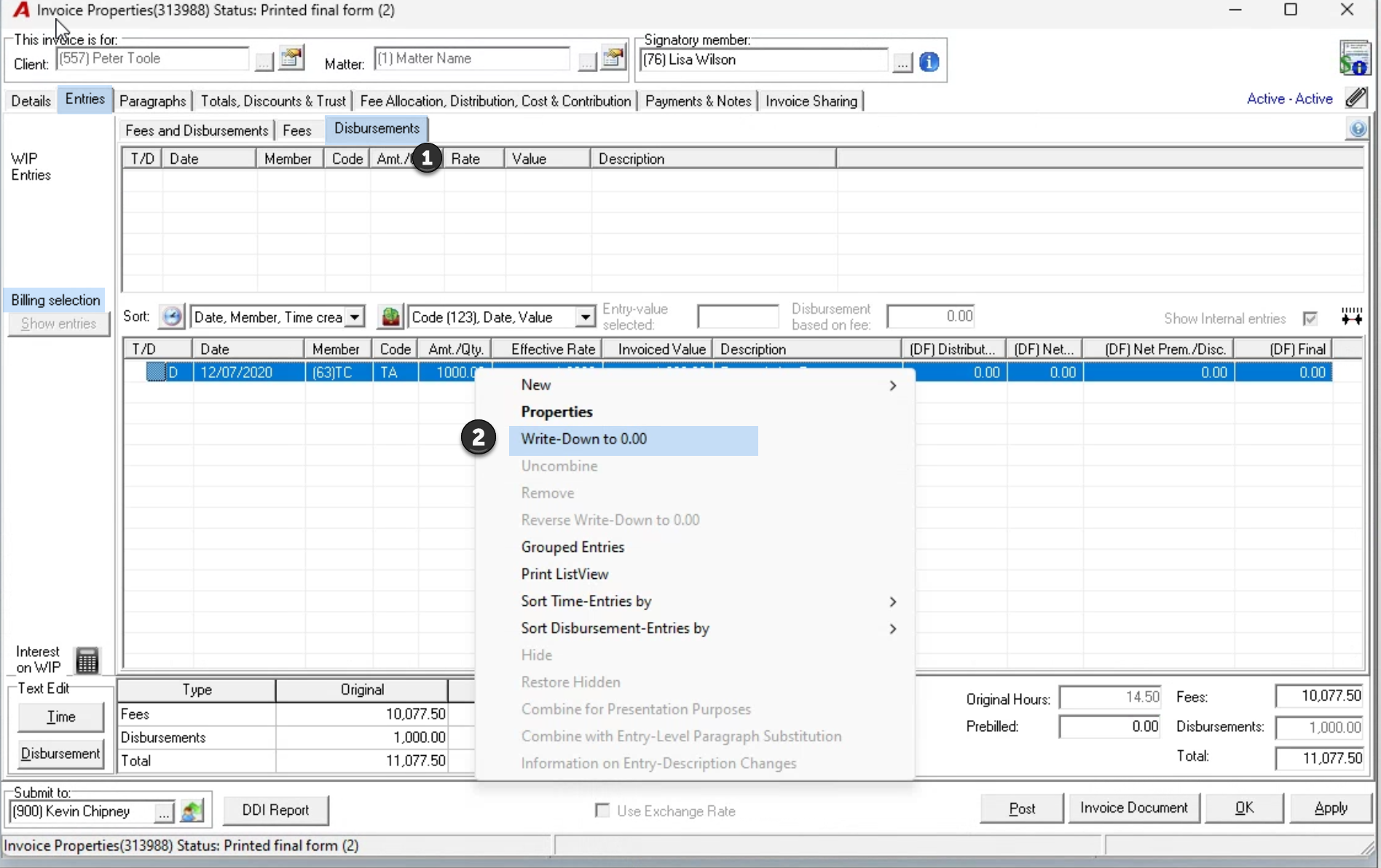
Once the disbursements are set to zero, navigate to the “Totals, Discounts & Trust” tab and set a 100% fee discount to reduce the fee portion to zero, or override the invoice total field to zero (0.00).