.png)
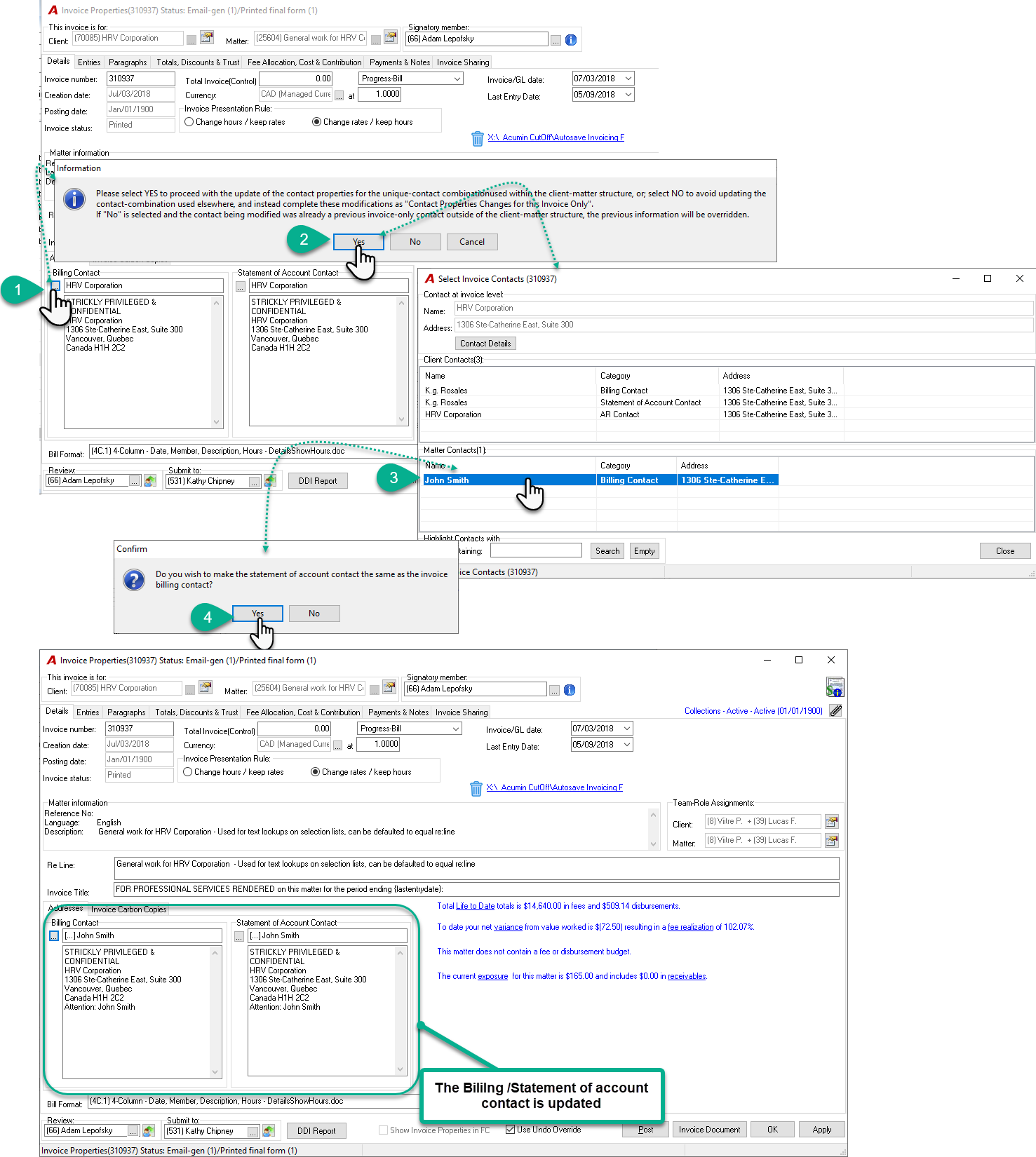
To update the billing contact on an existing invoice, please follow these steps:
-
Click the ellipsis button beside the Billing Contact section.
-
When prompted, click Yes to confirm the change.
-
Select the desired contact from either the Client Contact or Matter Contact section.
-
If you also want this contact to be used for the Statement of Account, click Yes when prompted.
-
The new billing contact should now appear on the invoice.